AI agent for board members
Related Party and Conflict Disclosure Check Agent
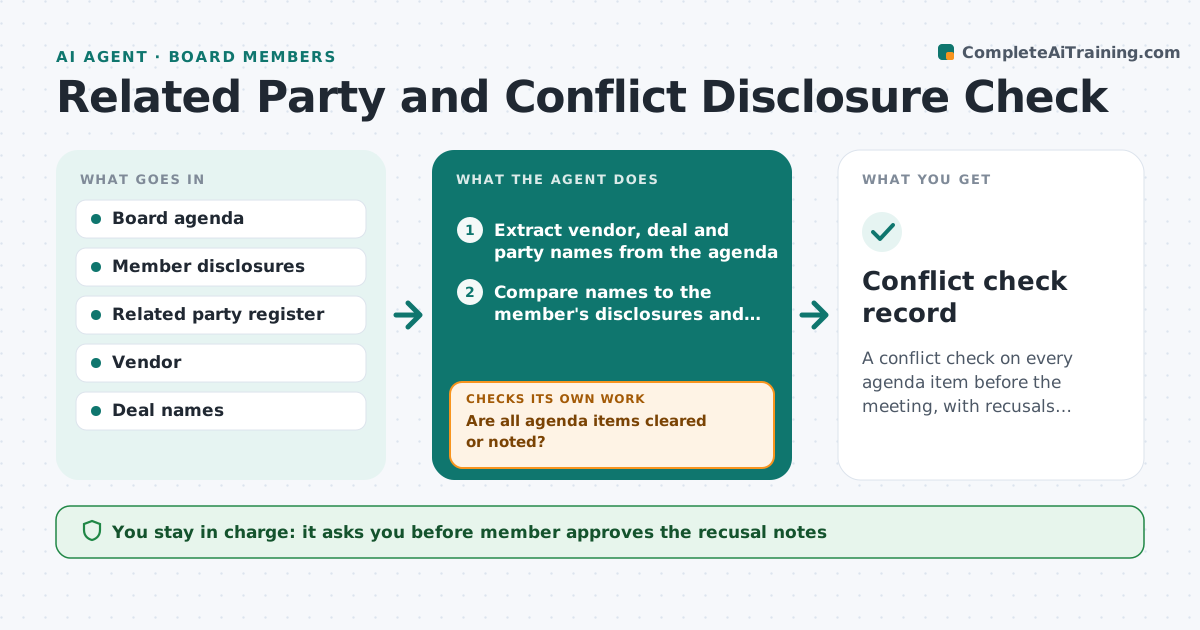
A conflict check on every agenda item before the meeting, with recusals noted in advance.
What it does
Board members discover conflicts after a vote, when it is too late to recuse. This agent reads the agenda and the vendor, deal and party names, compares them to the member's disclosures and registers, and flags possible conflicts. It asks the member to confirm and rechecks as the agenda changes. The member approves recusal notes. It decides from matches between names and relationships in disclosures. It runs the check again when the agenda changes, and again the day before the meeting, because late items are where conflicts hide. It records each answer so the secretary can minute recusals correctly. It never decides whether a conflict exists. Edge case: a vendor appears under a parent company name, so the agent checks group names too.
How it works
Follow the arrows from top to bottom. The orange dashed arrow is the loop: when a check fails, the agent goes back and tries again.
Read the steps as a list
- Agenda is issued
- Extract vendor, deal and party names from the agenda
- Compare names to the member's disclosures and register
- Include parent and subsidiary names
- Flag possible conflicts with the reason
- Ask the member to confirm each flag
- Member approves the recusal notesThe agent waits here for your OK.
- Recheck after agenda changes
- Are all agenda items cleared or noted?If not: extract new names and repeat the check. Back to step 2.
- Conflict check record
How it decides
It flags a name when it matches a disclosed interest, a related party or a parent or subsidiary of one.
- Flag a direct or indirect match
- Include parent and subsidiary names
- Flag any new agenda item after issue
- Do not decide whether a conflict exists
Make it yours
Every agent is a starting point. You choose these settings for your own situation.
- Disclosure sources
- Group name matching
- Check timing
- Note format
- Who sees results
What keeps you in control
It always asks you first
- Member approves the recusal notes
Hard limits
- Never decide a conflict or a recusal
- Keep disclosures confidential
It stops when
- Done: every item is cleared or flagged and recorded
- Stop: the member does not answer
Set it up
We guide you through the set-up, step by step
Members get the full set-up guide for this agent. No technical skills needed: you copy, paste and upload.
- One set of instructions to paste into your AI, with the clicks for ChatGPT, Claude, Microsoft 365 Copilot, Gemini and Grok
- The agent then walks you through connecting your own data, one source at a time
- A downloadable copy with the flow chart, the rules and the full guide