AI agent for real estate investors
Rental Market Comps Research Agent
A reliable market snapshot of rents, prices and supply
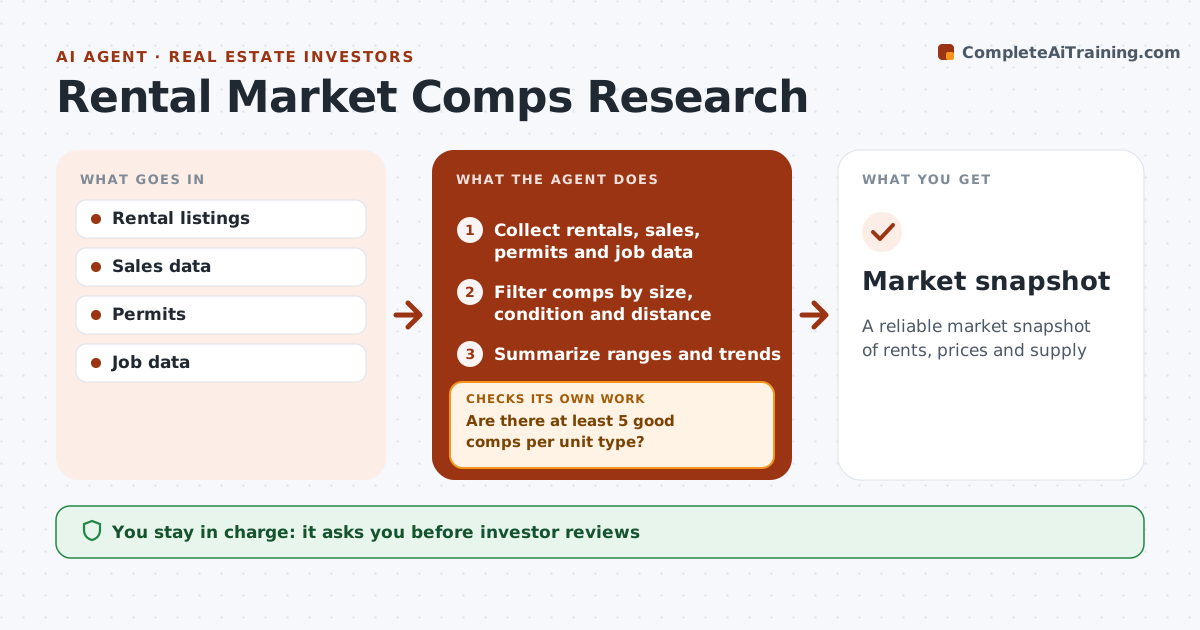
What it does
Before buying in a new market, investors need rents, vacancy, new supply and job trends, and one-off listings can mislead. This agent collects active and leased rental comps by unit type, recent sales, permits for new units and job data for the area. It filters comps by size, condition and distance and removes outliers. Short-term rentals are excluded. It checks that at least 5 good comps exist per unit type; if not, it widens the area and collects again. It summarizes rent and price ranges with trends, and checks that each figure has a date and source. The investor reviews the snapshot. Edge case: a widened area is always noted, so the investor knows the comps are less local.
How it works
Follow the arrows from top to bottom. The orange dashed arrow is the loop: when a check fails, the agent goes back and tries again.
Read the steps as a list
- Market added
- Collect rentals, sales, permits and job data
- Filter comps by size, condition and distance
- Are there at least 5 good comps per unit type?If not: widen the area and collect again. Back to step 2.
- Summarize ranges and trends
- Does every figure have a date and source?If not: find the source or drop the figure. Back to step 5.
- Note any widened search area
- Investor reviewsThe agent waits here for your OK.
- Market snapshot
How it decides
Comps must match size, condition and distance. At least 5 comps per unit type.
- Exclude short-term rentals
- Minimum 5 comps
- Outliers removed
Make it yours
Every agent is a starting point. You choose these settings for your own situation.
- Comp radius
- Minimum comps
- Unit types
- Refresh frequency
What keeps you in control
It always asks you first
- Investor reviews
Hard limits
- Public data only
- Not investment advice
It stops when
- Done: snapshot ready
- Stop: no data
Set it up
We guide you through the set-up, step by step
Members get the full set-up guide for this agent. No technical skills needed: you copy, paste and upload.
- One set of instructions to paste into your AI, with the clicks for ChatGPT, Claude, Microsoft 365 Copilot, Gemini and Grok
- The agent then walks you through connecting your own data, one source at a time
- A downloadable copy with the flow chart, the rules and the full guide