AI agent for real estate investors
Pro Forma Sensitivity Stress Agent
A clear map of which assumptions break returns or covenants, and a tested fix for each
What it does
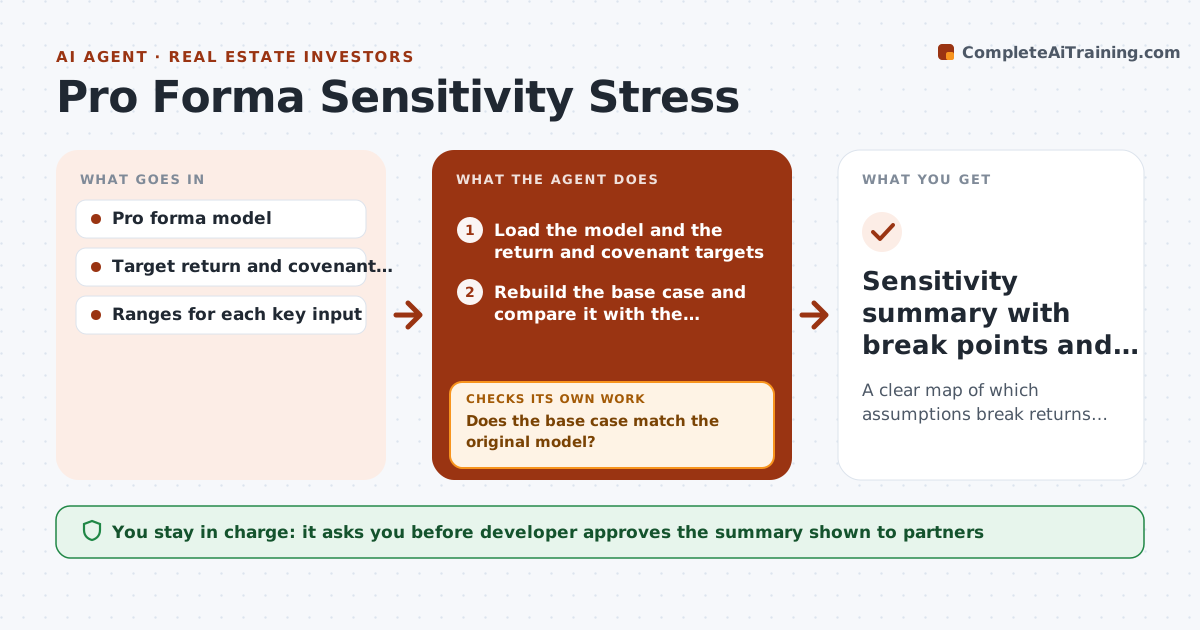
A pro forma that works at today's numbers can fail when construction costs rise, rents come in low or interest rates move. Developers and investors often test one or two cases by hand. This agent takes the model and varies key inputs across ranges: construction cost, rent, vacancy, exit cap rate and interest rate. For each case it reruns the returns and the lender covenants, such as debt service coverage and loan to cost. It maps which combinations break a target, then suggests changes such as a lower budget line, a longer lease-up or more equity, and reruns the model with each change. It checks that its base case matches the original model before trusting results. The developer approves the summary shown to partners. Edge case: a rate rise breaks coverage only when rents are also low.
How it works
Follow the arrows from top to bottom. The orange dashed arrow is the loop: when a check fails, the agent goes back and tries again.
Read the steps as a list
- Pro forma updated or meeting approaching
- Load the model and the return and covenant targets
- Rebuild the base case and compare it with the original output
- Does the base case match the original model?If not: find the broken link or input and fix the copy before testing. Back to step 2.
- Run cases across cost, rent, vacancy, cap rate and rate ranges
- Mark every case that breaks a return or covenant threshold
- Propose changes such as budget cuts, longer lease-up or more equity
- Does each proposed change clear all thresholds on rerun?If not: adjust the change or try another and rerun. Back to step 5.
- Developer approves the summary for partnersThe agent waits here for your OK.
- Sensitivity summary with break points and fixes
How it decides
A case fails when returns or covenant ratios cross the stated thresholds. A fix is kept only when a rerun clears every threshold.
- Use ranges of plus and minus 10 percent for cost and rent unless set otherwise
- Flag a combination as a break when any covenant fails
- Prefer fixes that change the fewest assumptions
- Show results for single changes and for pairs of changes
Make it yours
Every agent is a starting point. You choose these settings for your own situation.
- Input ranges to vary
- Return and covenant thresholds
- Number of cases to run
- Summary format for partners
What keeps you in control
It always asks you first
- Developer approves the summary shown to partners
- Developer approves any change to base assumptions
Hard limits
- Never change the owner's base assumptions silently
- State every assumption used in each case
- Do not predict market outcomes
It stops when
- Done: every break has a tested fix or a clear flag
- Stop: the base case cannot be matched to the model
Set it up
We guide you through the set-up, step by step
Members get the full set-up guide for this agent. No technical skills needed: you copy, paste and upload.
- One set of instructions to paste into your AI, with the clicks for ChatGPT, Claude, Microsoft 365 Copilot, Gemini and Grok
- The agent then walks you through connecting your own data, one source at a time
- A downloadable copy with the flow chart, the rules and the full guide