AI agent for real estate investors
Repair Request Negotiation Prep Agent
Rank inspection items by safety and cost, get estimates, draft repair options and rework after counters
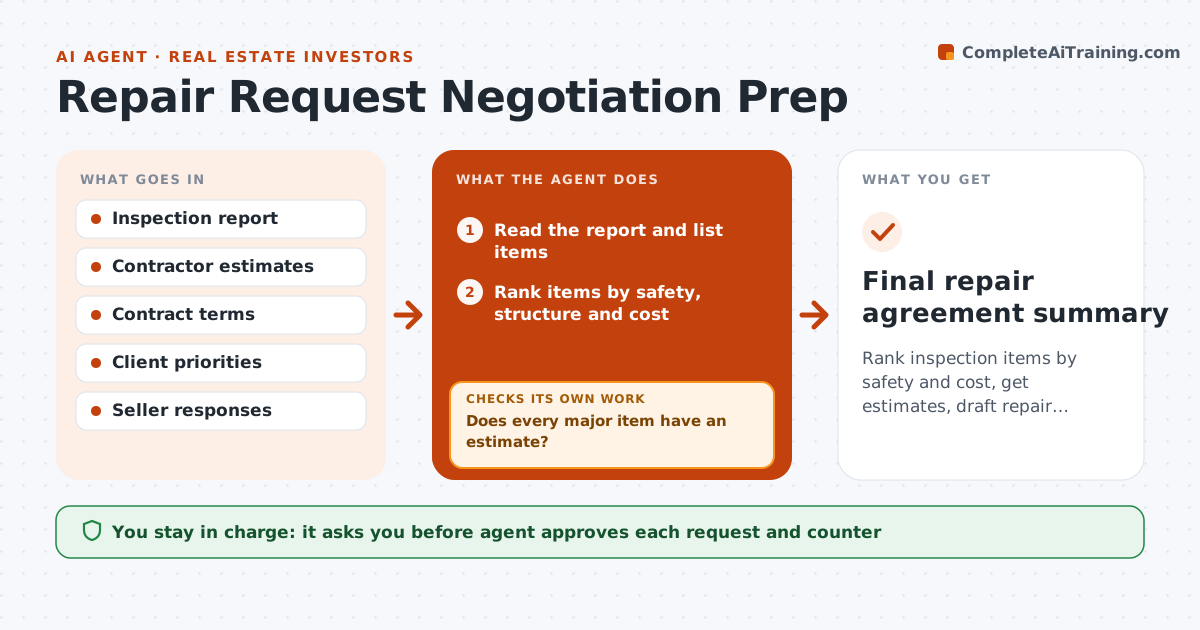
What it does
Inspection reports lead to long lists and weak repair requests. The agent reads the report and ranks items by safety, structural impact and cost. It requests estimates for the big items and drafts options, such as repair, credit or price reduction. It checks them against the contract terms and the client's priorities. When the other side counters, it compares the response with the request and proposes a revision. It never contacts the other side on its own, so each request and counter waits for the agent's approval, and it keeps a log of every response. The agent approves each request. Edge case: the report lists 40 items, and the agent groups 31 as maintenance and recommends asking for 9.
How it works
Follow the arrows from top to bottom. The orange dashed arrow is the loop: when a check fails, the agent goes back and tries again.
Read the steps as a list
- Inspection report arrives
- Read the report and list items
- Rank items by safety, structure and cost
- Request estimates for major items
- Does every major item have an estimate?If not: Follow up with the contractor or use a range. Back to step 4.
- Draft repair, credit and price options
- Agent approves the request to the other sideThe agent waits here for your OK.
- Log the other side's response
- Does the response meet the client's minimum?If not: Rework options and prepare a counter. Back to step 3.
- Agent approves each counterThe agent waits here for your OK.
- Final repair agreement summary
How it decides
Items are ranked by safety first, cost second; a request is revised after each counter within the client's limits.
- Rank safety and structure first
- Ask for no more than 10 items
- Use a credit instead of repair for minor items
- Stay within the client's walk-away number
Make it yours
Every agent is a starting point. You choose these settings for your own situation.
- Number of items to request (default 10)
- Client's minimum
- Estimate sources
- Request format
What keeps you in control
It always asks you first
- Agent approves each request and counter
- Client approves any final agreement
Hard limits
- Never send a request without approval
- Never promise outcomes
It stops when
- Done: agreement reached or client withdraws
- Stop: the client decides to walk away
Set it up
We guide you through the set-up, step by step
Members get the full set-up guide for this agent. No technical skills needed: you copy, paste and upload.
- One set of instructions to paste into your AI, with the clicks for ChatGPT, Claude, Microsoft 365 Copilot, Gemini and Grok
- The agent then walks you through connecting your own data, one source at a time
- A downloadable copy with the flow chart, the rules and the full guide