AI agent for investment analysts
Research Report Fact Check Agent
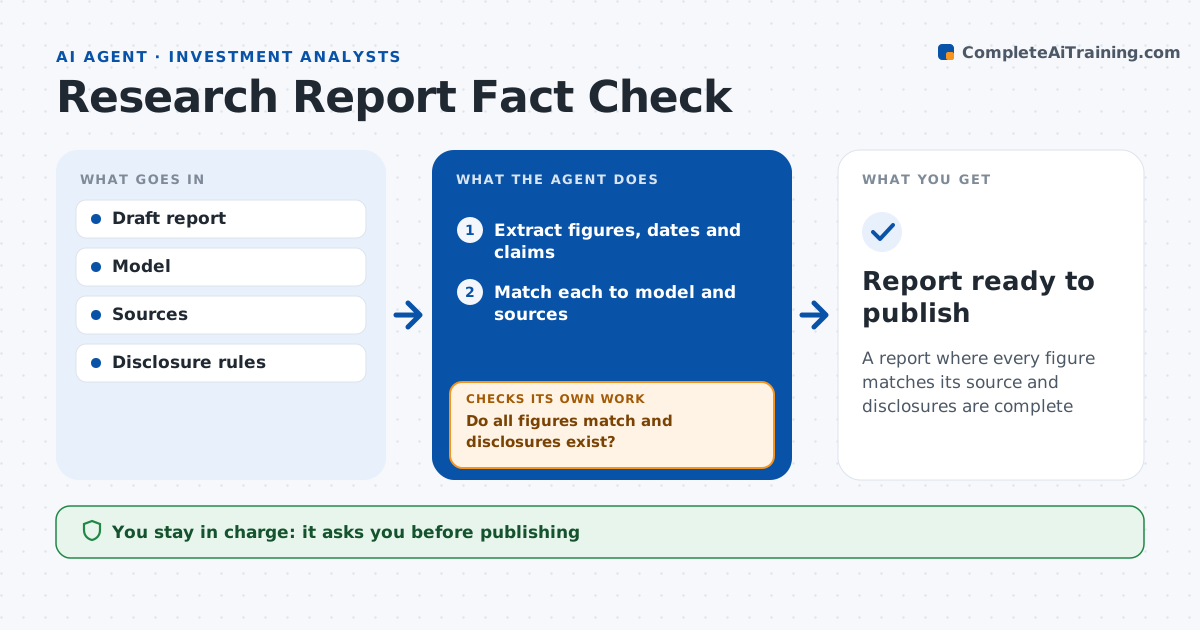
A report where every figure matches its source and disclosures are complete
What it does
One wrong number in a published research report can damage an analyst's credibility and draw compliance questions. Before a report is published, this agent checks it. It reads the draft and lists every figure, date and claim. It matches each figure to the model, filings or data source, checks that charts use current data, and confirms that required disclosures and ratings are present. A missing disclosure blocks publication. Mismatches are marked in the draft with the correct value and its source. After the analyst edits, it checks the whole draft again, because edits can create new mismatches. The analyst and compliance approve publication. Edge case: the price target in the summary differs from the one in the valuation section, which the agent catches.
How it works
Follow the arrows from top to bottom. The orange dashed arrow is the loop: when a check fails, the agent goes back and tries again.
Read the steps as a list
- Draft marked ready
- Extract figures, dates and claims
- Match each to model and sources
- Check charts and disclosures
- Do all figures match and disclosures exist?If not: mark mismatches with sources and recheck after edits. Back to step 3.
- Analyst and compliance approveThe agent waits here for your OK.
- Report ready to publish
How it decides
It requires every figure to match a source and every required disclosure to be present.
- Figure mismatch over rounding: mark
- Chart data older than model: flag
- Missing disclosure: block publication
Make it yours
Every agent is a starting point. You choose these settings for your own situation.
- Rounding tolerance
- Disclosure checklist
- Sources allowed
- Markup style
What keeps you in control
It always asks you first
- Publishing
Hard limits
- Never changes views or ratings
- Never publishes
It stops when
- Done: approved
- Stop: model not saved
Set it up
We guide you through the set-up, step by step
Members get the full set-up guide for this agent. No technical skills needed: you copy, paste and upload.
- One set of instructions to paste into your AI, with the clicks for ChatGPT, Claude, Microsoft 365 Copilot, Gemini and Grok
- The agent then walks you through connecting your own data, one source at a time
- A downloadable copy with the flow chart, the rules and the full guide