AI agent for change managers
Resistance Signal Tracking Agent
Concerns are found and addressed before they block the change
What it does
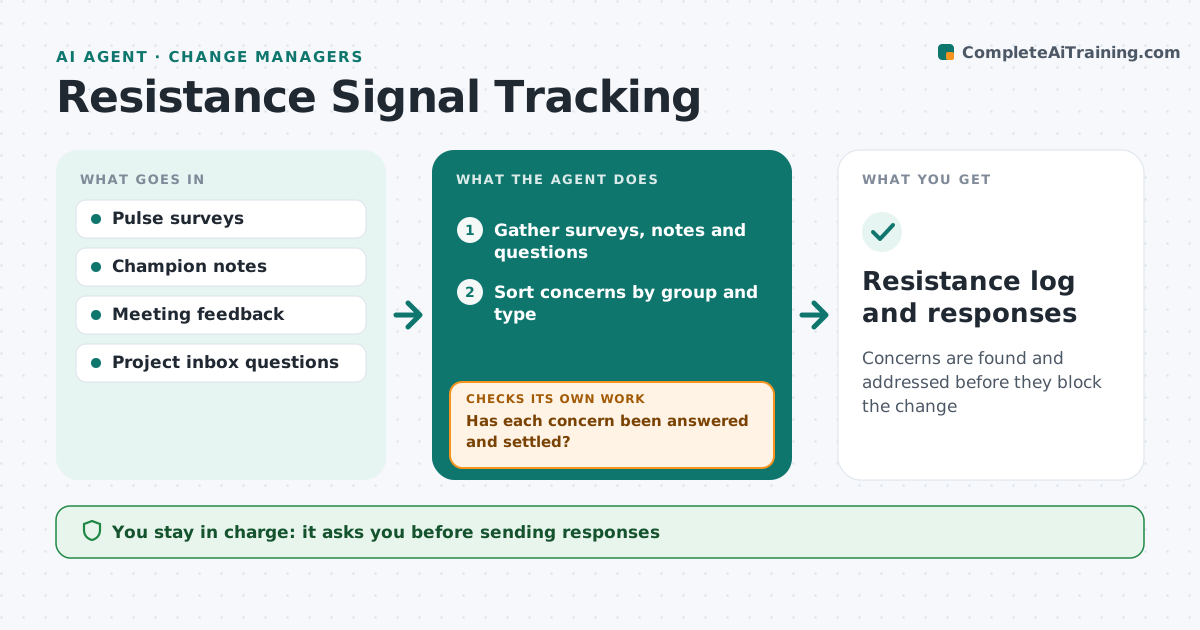
People resist change for reasons like fear of job loss, extra workload or poor communication, and it is often spotted only when it turns into conflict. Each week this agent gathers signals from pulse surveys, meeting feedback, change champion notes and questions sent to the project inbox. It sorts concerns by group and type and tracks how they change week to week. A sudden spike in one team may come from a rumor, so it looks for the source. It checks whether each concern was already answered and settled. If not, it drafts a response or talking points for the group's manager. The next week it checks whether concerns fell. The change manager approves responses and decides on escalation.
How it works
Follow the arrows from top to bottom. The orange dashed arrow is the loop: when a check fails, the agent goes back and tries again.
Read the steps as a list
- Weekly review
- Gather surveys, notes and questions
- Sort concerns by group and type
- Look for the source of sudden spikes
- Has each concern been answered and settled?If not: draft a response or manager talking points. Back to step 3.
- Change manager approves responsesThe agent waits here for your OK.
- Track whether concerns fall the next week
- Did the concern fall after the response?If not: draft a new approach and suggest escalation. Back to step 4.
- Resistance log and responses
How it decides
It flags a group when concerns rise two weeks in a row or a concern stays unanswered.
- Rising concerns two weeks running flagged
- Rumors traced to source
- Answers go through managers
Make it yours
Every agent is a starting point. You choose these settings for your own situation.
- Signal sources
- Concern categories
- Flag rule
What keeps you in control
It always asks you first
- Sending responses
- Escalating to sponsors
Hard limits
- Never names individuals who raised concerns
It stops when
- Done: concerns settled
- Stop: rollout complete
Set it up
We guide you through the set-up, step by step
Members get the full set-up guide for this agent. No technical skills needed: you copy, paste and upload.
- One set of instructions to paste into your AI, with the clicks for ChatGPT, Claude, Microsoft 365 Copilot, Gemini and Grok
- The agent then walks you through connecting your own data, one source at a time
- A downloadable copy with the flow chart, the rules and the full guide