AI agent for user support specialists
Resolved Ticket to Knowledge Article Agent
Tested, clear knowledge articles for fixes that solved real tickets
What it does
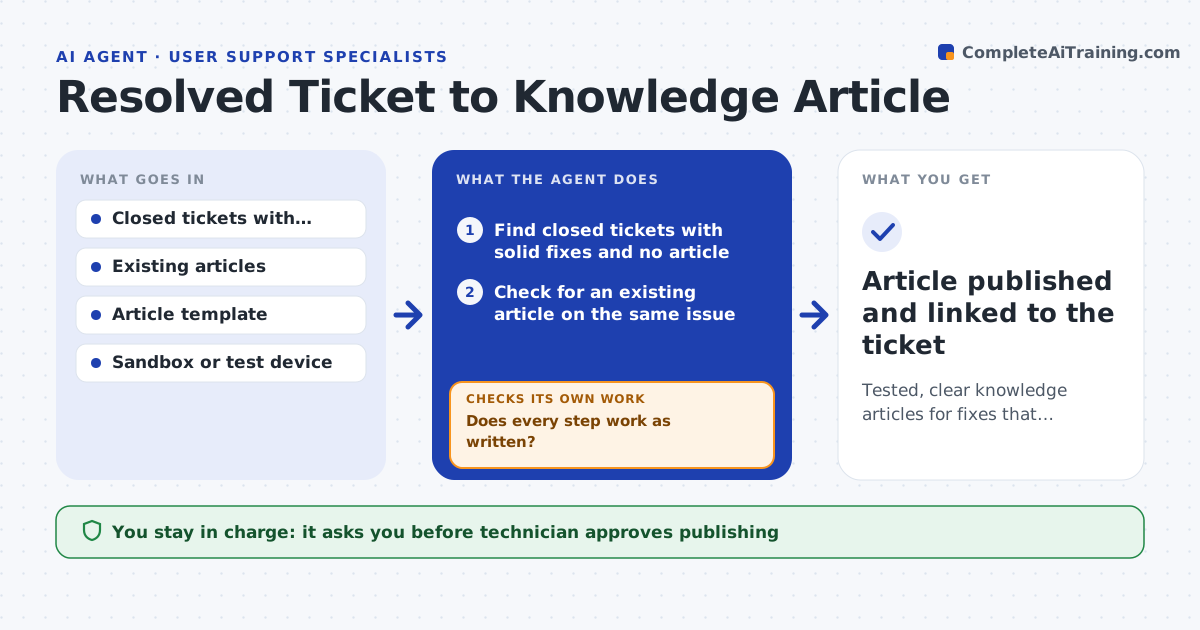
Good fixes stay buried in closed tickets while the knowledge base falls behind. This agent finds closed tickets that have a solid resolution but no matching article. For each one, it drafts a step-by-step article from the technician's notes. It then tests the steps, either in a sandbox or against a second technician's notes. If a step fails, it revises the article and tests again. It also checks that the article does not contain personal data from the ticket. A technician approves publishing. Edge case: a ticket's fix needs admin rights, so the agent marks the article for technicians only.
How it works
Follow the arrows from top to bottom. The orange dashed arrow is the loop: when a check fails, the agent goes back and tries again.
Read the steps as a list
- Weekly article review
- Find closed tickets with solid fixes and no article
- Check for an existing article on the same issue
- Draft a step-by-step article from the resolution notes
- Test each step in a sandbox or against a second technician's notes
- Does every step work as written?If not: revise the failing step and test it again. Back to step 3.
- Is the article free of names, emails and other personal data?If not: remove or replace the personal data. Back to step 3.
- Technician approves publishingThe agent waits here for your OK.
- Article published and linked to the ticket
How it decides
A ticket qualifies when the fix worked, was reused or likely to be, and no matching article exists. An article passes when every step works in testing.
- Choose tickets where the fix has been reused
- Never publish an untested step
- Mark admin-only steps for technicians
- Merge with an existing article when it covers the same fix
Make it yours
Every agent is a starting point. You choose these settings for your own situation.
- Ticket age to review (default: last 7 days)
- Article template
- Reuse count to qualify (default: 2)
- Test environment
What keeps you in control
It always asks you first
- Technician approves publishing
Hard limits
- Never publishes without approval
- Never copies personal data into articles
It stops when
- Done: the article is tested and approved
- Stop: the resolution notes are too thin to draft from
Set it up
We guide you through the set-up, step by step
Members get the full set-up guide for this agent. No technical skills needed: you copy, paste and upload.
- One set of instructions to paste into your AI, with the clicks for ChatGPT, Claude, Microsoft 365 Copilot, Gemini and Grok
- The agent then walks you through connecting your own data, one source at a time
- A downloadable copy with the flow chart, the rules and the full guide