AI agent for vp of sales
Sales Forecast Call Deal Scrub Agent
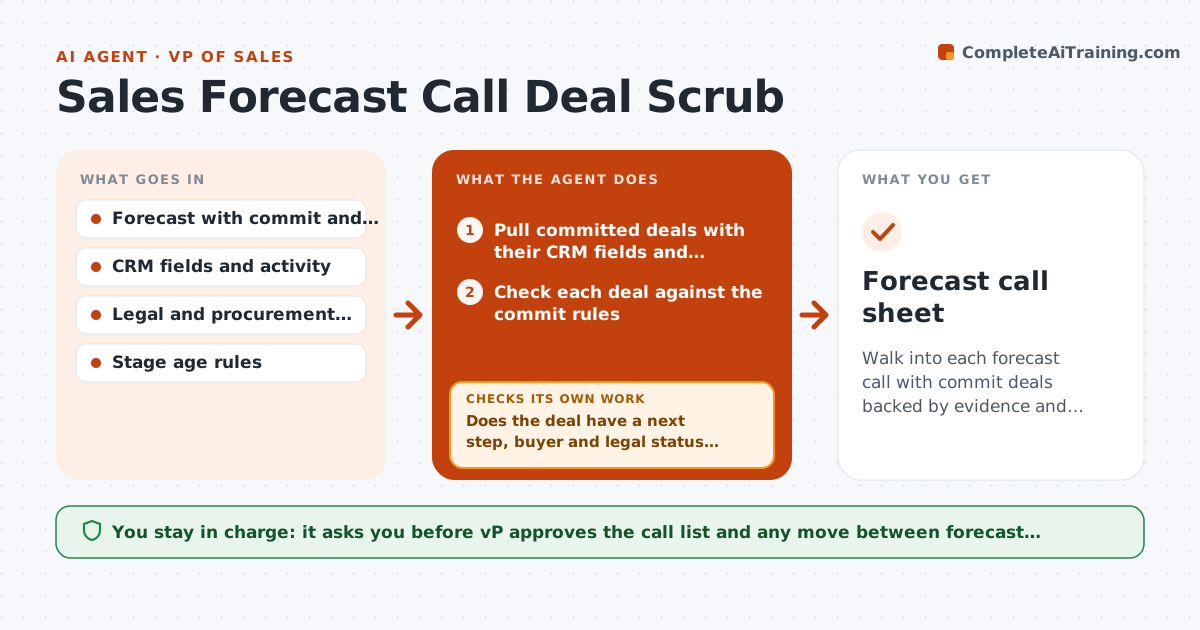
Walk into each forecast call with commit deals backed by evidence and questions ready for the weak ones
What it does
On a forecast call, a rep commits a deal for $200,000 and the VP asks for the next step and the buyer. The room goes quiet. The call turns into guessing. This agent scrubs the deals first. Before the call, it checks each committed deal for next steps, buyer contacts, legal status and the age of the current stage, and compares them with the team's rules for the commit category. It builds a short list of questions for each doubtful deal, sends them to the rep and rechecks after the rep updates the CRM. The VP approves the final call list. Edge case: a deal has been in the same stage for 90 days. The agent asks for a dated reason.
How it works
Follow the arrows from top to bottom. The orange dashed arrow is the loop: when a check fails, the agent goes back and tries again.
Read the steps as a list
- Two days before the forecast call
- Pull committed deals with their CRM fields and activity
- Check each deal against the commit rules
- Does the deal have a next step, buyer and legal status that meet the rules?If not: Build questions for the rep and mark the deal as unsupported. Back to step 3.
- Send questions to the reps and wait for updates
- Reread the CRM after the reps update
- Do the updates answer the questions with dates and names?If not: Move the deal to best case in the proposal and flag it for the call. Back to step 5.
- Build the call list with questions and risk notes per deal
- VP approves the call list and any category changesThe agent waits here for your OK.
- Forecast call sheet
How it decides
A commit deal needs a dated next step within 14 days, a named buyer, an agreed timeline and legal or procurement status. Missing items push it to a question list.
- Commit needs a next step dated within 14 days
- Stage age over 60 days needs a written reason
- No named buyer means it cannot be commit
- Legal not started with a close date under 30 days is flagged
Make it yours
Every agent is a starting point. You choose these settings for your own situation.
- Commit rules
- Stage age limit (default 60 days)
- Next step window (default 14 days)
- Days before the call (default 2)
- Fields required in the CRM
What keeps you in control
It always asks you first
- VP approves the call list and any move between forecast categories
Hard limits
- Never changes forecast categories itself
- Questions are neutral, not accusatory
It stops when
- Done: call sheet ready with questions for each weak deal
- Stop: CRM data is too poor to judge, report the gap to the VP
Set it up
We guide you through the set-up, step by step
Members get the full set-up guide for this agent. No technical skills needed: you copy, paste and upload.
- One set of instructions to paste into your AI, with the clicks for ChatGPT, Claude, Microsoft 365 Copilot, Gemini and Grok
- The agent then walks you through connecting your own data, one source at a time
- A downloadable copy with the flow chart, the rules and the full guide