AI agent for bioinformaticians
Sample Sheet and Metadata Validation Agent
Get a clean, confirmed sample sheet before any compute starts
What it does
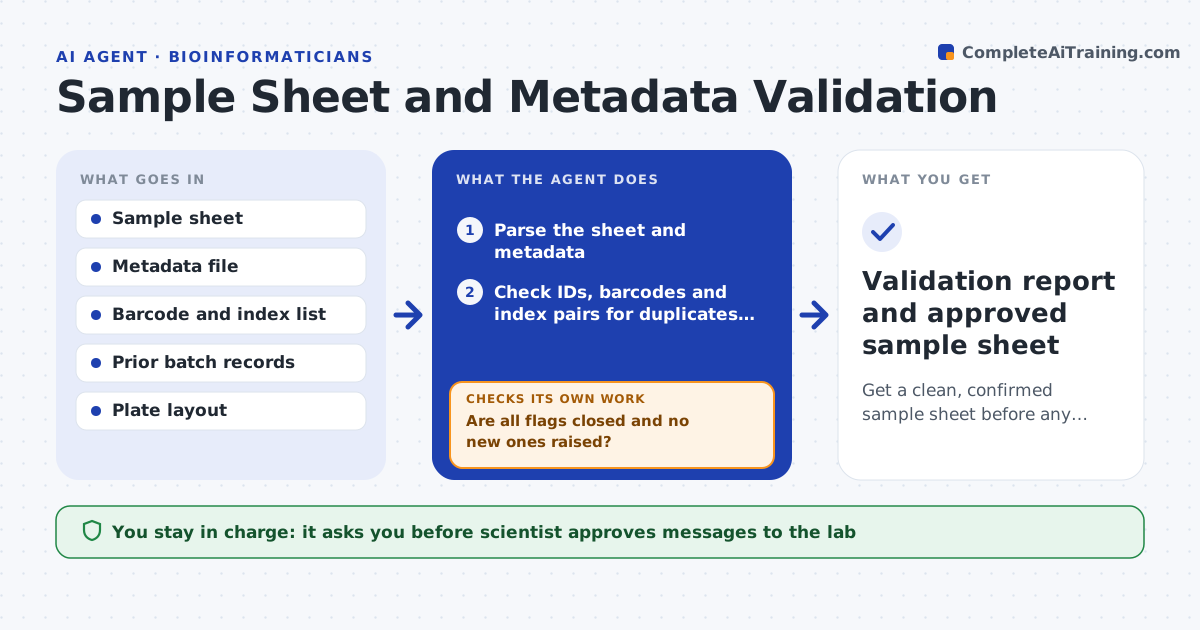
A swapped barcode found after a 14-hour pipeline run wastes compute and can bias results. Before a batch is run, this agent reads the sample sheet and checks sample IDs, barcodes and index pairs for duplicates, typos and collisions. It compares metadata, such as sex, tissue, collection date and batch, with the sheet and with earlier batches of the same subjects. It flags likely swaps, for example a sample whose recorded sex conflicts with the earlier batch. It sends the lab a numbered list of questions, waits for answers, and rechecks the corrected sheet. The scientist approves the run once every flag is closed. Edge case: two samples share a barcode by design, so the agent checks the plate layout before flagging.
How it works
Follow the arrows from top to bottom. The orange dashed arrow is the loop: when a check fails, the agent goes back and tries again.
Read the steps as a list
- New batch and sample sheet received
- Parse the sheet and metadata
- Check IDs, barcodes and index pairs for duplicates and collisions
- Compare metadata with prior batches for the same subjects
- Rank flags by risk to the analysis
- Scientist approves the questions sent to the labThe agent waits here for your OK.
- Send questions and record the lab's answers
- Update the sheet and rerun all checks
- Are all flags closed and no new ones raised?If not: send the remaining and new flags back to the lab for confirmation. Back to step 7.
- Scientist approves the validated sheet for the runThe agent waits here for your OK.
- Validation report and approved sample sheet
How it decides
It flags a sample when IDs, barcodes or metadata break a rule or conflict with earlier records. It ranks flags by how much they could change results.
- Block the run on any duplicate sample ID or index collision
- Flag any metadata field that conflicts with a prior batch for the same subject
- Warn when more than 5% of a required field is empty
- Check the plate layout before flagging a shared barcode
Make it yours
Every agent is a starting point. You choose these settings for your own situation.
- Required metadata fields
- Rules for index collisions by kit
- How many prior batches to compare (default all)
- Missing data warning level (default 5%)
- Who receives lab questions
What keeps you in control
It always asks you first
- Scientist approves messages to the lab
- Scientist approves the run on the final sheet
Hard limits
- Never edit the original sample sheet, only create a corrected copy
- Never start compute on a sheet with open blocking flags
It stops when
- Done: all flags are closed and the sheet is approved
- Stop: the lab cannot confirm a sample identity, so that sample is excluded or held
Set it up
We guide you through the set-up, step by step
Members get the full set-up guide for this agent. No technical skills needed: you copy, paste and upload.
- One set of instructions to paste into your AI, with the clicks for ChatGPT, Claude, Microsoft 365 Copilot, Gemini and Grok
- The agent then walks you through connecting your own data, one source at a time
- A downloadable copy with the flow chart, the rules and the full guide