AI agent for bioinformaticians
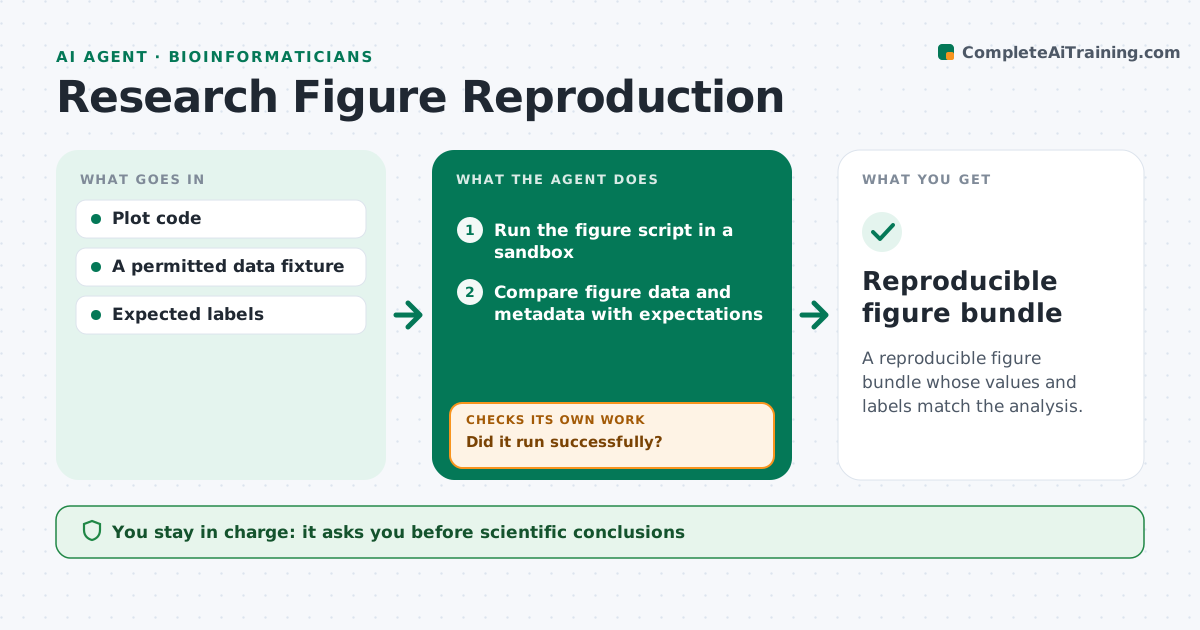
Research Figure Reproduction Agent
A reproducible figure bundle whose values and labels match the analysis.
What it does
Published figures often cannot be traced back to the inputs and code that made them, and a wrong label or unit can go unnoticed. This agent runs the figure script in a sandbox against a permitted data fixture. If the script fails to run, it repairs only execution problems, such as a missing package or a file path, without changing the declared analysis. It then compares the figure's underlying data and metadata, including values, axis labels and units, with the expected values. A figure that looks right but contains different values fails and triggers an investigation of the source data or code. It packages a generation bundle so the figure can be rebuilt. Edge case: a figure produced from a cached intermediate file is regenerated from the raw fixture before it can pass.
How it works
Follow the arrows from top to bottom. The orange dashed arrow is the loop: when a check fails, the agent goes back and tries again.
Read the steps as a list
- Figure prepared
- Run the figure script in a sandbox
- Did it run successfully?If not: repair the execution failure without changing the analysis. Back to step 2.
- Compare figure data and metadata with expectations
- Do values, labels and units match?If not: investigate the source or code and correct labels. Back to step 4.
- Package the generation bundle
- Reproducible figure bundle
How it decides
It repairs only execution problems and compares data, not appearance.
- Execution repairs never change the analysis.
- Matching appearance is not enough; values must match.
- Cached intermediates are regenerated from the fixture.
- Label and unit corrections are logged.
Make it yours
Every agent is a starting point. You choose these settings for your own situation.
- Data fixture and sandbox to use
- Tolerance for value comparison (default exact match)
- Metadata fields to check (default: labels, units, legends)
- Who approves the bundle (default: the figure author)
- Where generation bundles are stored
What keeps you in control
It always asks you first
- Scientific conclusions
- Publication
Hard limits
- No analysis changes.
It stops when
- Done: figure reproduces.
- Stop: values differ and source unclear.
Set it up
We guide you through the set-up, step by step
Members get the full set-up guide for this agent. No technical skills needed: you copy, paste and upload.
- One set of instructions to paste into your AI, with the clicks for ChatGPT, Claude, Microsoft 365 Copilot, Gemini and Grok
- The agent then walks you through connecting your own data, one source at a time
- A downloadable copy with the flow chart, the rules and the full guide