AI agent for bioinformaticians
Build Environment Repair Agent
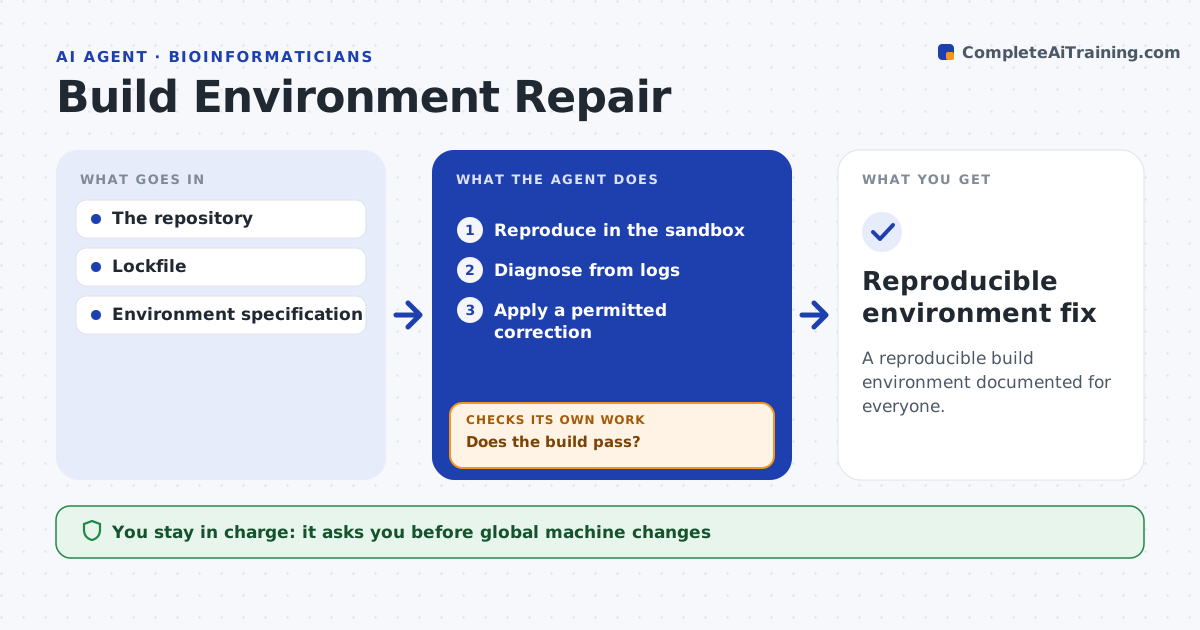
A reproducible build environment documented for everyone.
What it does
Builds fail when developers' environments drift from the declared one. This agent reproduces the failure in a clean sandbox and reads the logs to form a diagnosis. It applies one permitted correction at a time, such as pinning a tool version or fixing a config value, and reruns the build. If a different error appears, it updates its hypothesis from the new error rather than piling on changes. It never installs packages outside the approved list. When the build passes, it records the exact dependency set so everyone can reproduce it. Global machine changes and release deployment stay with people. Edge case: the fix for a compiler version reveals a second failure in a code generator, which the agent handles next.
How it works
Follow the arrows from top to bottom. The orange dashed arrow is the loop: when a check fails, the agent goes back and tries again.
Read the steps as a list
- Build failure
- Reproduce in the sandbox
- Diagnose from logs
- Apply a permitted correction
- Does the build pass?If not: update the hypothesis from the new error. Back to step 3.
- Record the dependency set
- Reproducible environment fix
How it decides
It fixes from actual log evidence one change at a time.
- One change at a time.
- Approved packages only.
- A new error means a new hypothesis, not stacked changes.
Make it yours
Every agent is a starting point. You choose these settings for your own situation.
- Approved package and version list
- Maximum correction attempts (default 5)
- Where the dependency record is saved
- Who is notified of the fix
What keeps you in control
It always asks you first
- Global machine changes
- Release deployment
Hard limits
- Sandbox only.
It stops when
- Done: build passes.
Set it up
We guide you through the set-up, step by step
Members get the full set-up guide for this agent. No technical skills needed: you copy, paste and upload.
- One set of instructions to paste into your AI, with the clicks for ChatGPT, Claude, Microsoft 365 Copilot, Gemini and Grok
- The agent then walks you through connecting your own data, one source at a time
- A downloadable copy with the flow chart, the rules and the full guide