AI agent for academic advisors
Scholarship and Financial Aid Standing Check Agent
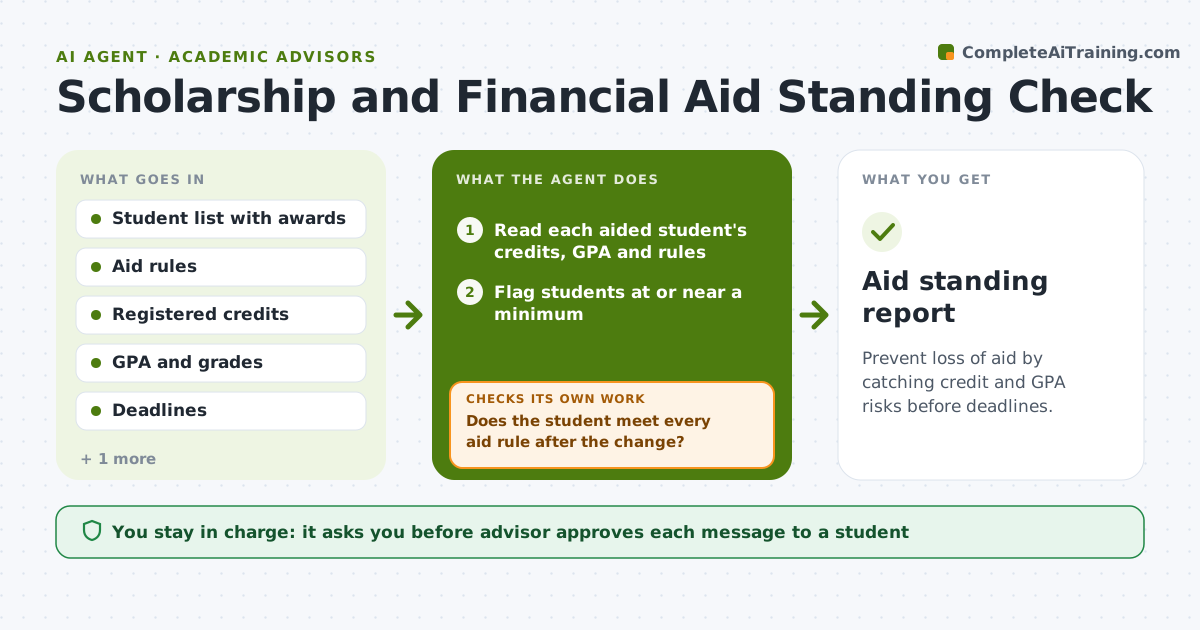
Prevent loss of aid by catching credit and GPA risks before deadlines.
What it does
A student on a merit scholarship drops a course after the add/drop deadline and falls to 11 credits, and the scholarship is cancelled for the term. This agent checks each student on aid against the credit and GPA rules of their award. It runs before the add/drop deadline, after it and after grades post. It flags students who are at risk, such as those near the credit minimum, with a failing midterm grade, or with a GPA close to the cutoff. For each one, it suggests course options that keep them above the minimum and fit the degree plan. After any change, it rechecks the student's standing, since adding or dropping a course can change another rule. The advisor approves the message to the student. Edge case: a student has a documented accommodation that lowers the credit minimum, so the agent applies it.
How it works
Follow the arrows from top to bottom. The orange dashed arrow is the loop: when a check fails, the agent goes back and tries again.
Read the steps as a list
- Check date before or after the add/drop deadline
- Read each aided student's credits, GPA and rules
- Flag students at or near a minimum
- Check accommodations and exceptions on file
- Find course options that keep the student above all minimums
- Draft a message with the risk and the options
- Advisor approves the messageThe agent waits here for your OK.
- Send the message and record the student's choice
- Recheck credits and GPA after the change
- Does the student meet every aid rule after the change?If not: propose another option and draft a new message. Back to step 5.
- Aid standing report
How it decides
A student is at risk if credits are within one course of the minimum or GPA is within 0.2 of the cutoff. Options must keep the student above all aid rules and on the degree plan.
- Flag credits within one course of the minimum
- Flag GPA within 0.2 of the cutoff
- Apply documented accommodations before flagging
- Never suggest a course that is not on the degree plan unless the advisor approves
Make it yours
Every agent is a starting point. You choose these settings for your own situation.
- Aid programs and their rules
- Risk margins for credits and GPA
- Check dates
- Message tone
- Contact for the aid office
What keeps you in control
It always asks you first
- Advisor approves each message to a student
Hard limits
- Never drop or add a course for a student
- Never promise that aid will be kept
It stops when
- Done: every flagged student meets the aid rules or has an advisor plan
- Stop: a student is already below the minimum, so the advisor contacts the aid office
Set it up
We guide you through the set-up, step by step
Members get the full set-up guide for this agent. No technical skills needed: you copy, paste and upload.
- One set of instructions to paste into your AI, with the clicks for ChatGPT, Claude, Microsoft 365 Copilot, Gemini and Grok
- The agent then walks you through connecting your own data, one source at a time
- A downloadable copy with the flow chart, the rules and the full guide