AI agent for academic advisors
Student Transfer Credit Evaluation Agent
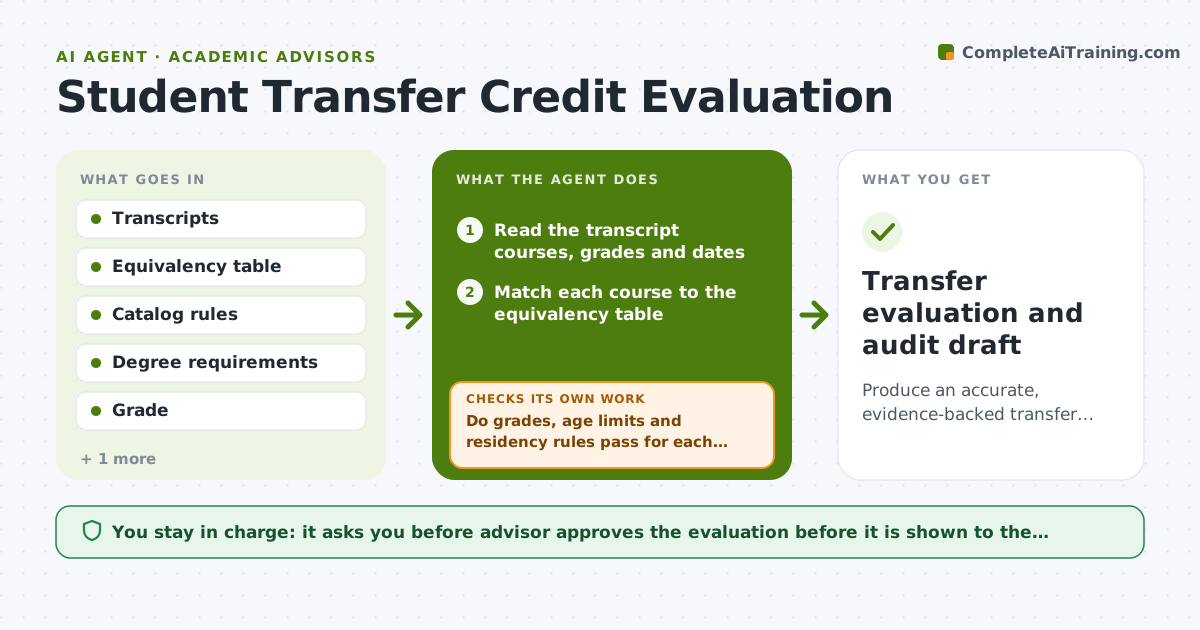
Produce an accurate, evidence-backed transfer credit evaluation and a matching degree audit draft.
What it does
A transfer student arrives with 62 credits from two colleges, and the evaluation takes three weeks, so she registers for classes she may not need. This agent reads the transcript and matches each course to the equivalency table. It marks each as equivalent, general elective or no match, with the source row. For courses without a match, it flags them for faculty review and prepares the syllabus request. It then updates a draft degree audit and checks the remaining requirements against the major map. If a result changes the plan, such as a prerequisite being met, it recalculates the audit. It rechecks all results against catalog rules for residency and grade minimums before anything is shown. The advisor approves the evaluation before the student sees it. Edge case: a course is older than the age limit, so the agent flags it.
How it works
Follow the arrows from top to bottom. The orange dashed arrow is the loop: when a check fails, the agent goes back and tries again.
Read the steps as a list
- Transfer transcript received
- Read the transcript courses, grades and dates
- Match each course to the equivalency table
- Mark each as equivalent, elective or no match
- Draft syllabus requests for the unmatched courses
- Update the draft degree audit
- Do grades, age limits and residency rules pass for each credit?If not: mark the credit as not accepted and note the rule. Back to step 3.
- Recalculate the remaining requirements
- Does the audit total match the credits accepted?If not: find the mismatched course and rebuild the audit. Back to step 5.
- Advisor approves the evaluation before the student sees itThe agent waits here for your OK.
- Transfer evaluation and audit draft
How it decides
A course matches when the equivalency table lists it with an acceptable grade and age. Courses with no table match go to faculty review, never a guess.
- Accept a course only with a table match, a minimum grade of C and within the age limit
- Send courses with no match to faculty review with the syllabus
- Count credits toward residency rules before the audit
- Never apply credits for a course twice
Make it yours
Every agent is a starting point. You choose these settings for your own situation.
- Minimum grade (default C)
- Age limit for courses (default 10 years)
- Equivalency table source
- Residency rules
- Audit format
What keeps you in control
It always asks you first
- Advisor approves the evaluation before it is shown to the student
- Advisor approves syllabus requests
Hard limits
- Never show the evaluation to the student without advisor approval
- Never guess an equivalency
It stops when
- Done: all courses are decided or sent for review
- Stop: the transcript is unreadable or incomplete
Set it up
We guide you through the set-up, step by step
Members get the full set-up guide for this agent. No technical skills needed: you copy, paste and upload.
- One set of instructions to paste into your AI, with the clicks for ChatGPT, Claude, Microsoft 365 Copilot, Gemini and Grok
- The agent then walks you through connecting your own data, one source at a time
- A downloadable copy with the flow chart, the rules and the full guide