AI agent for clinical research coordinators
Source to EDC Verification Agent
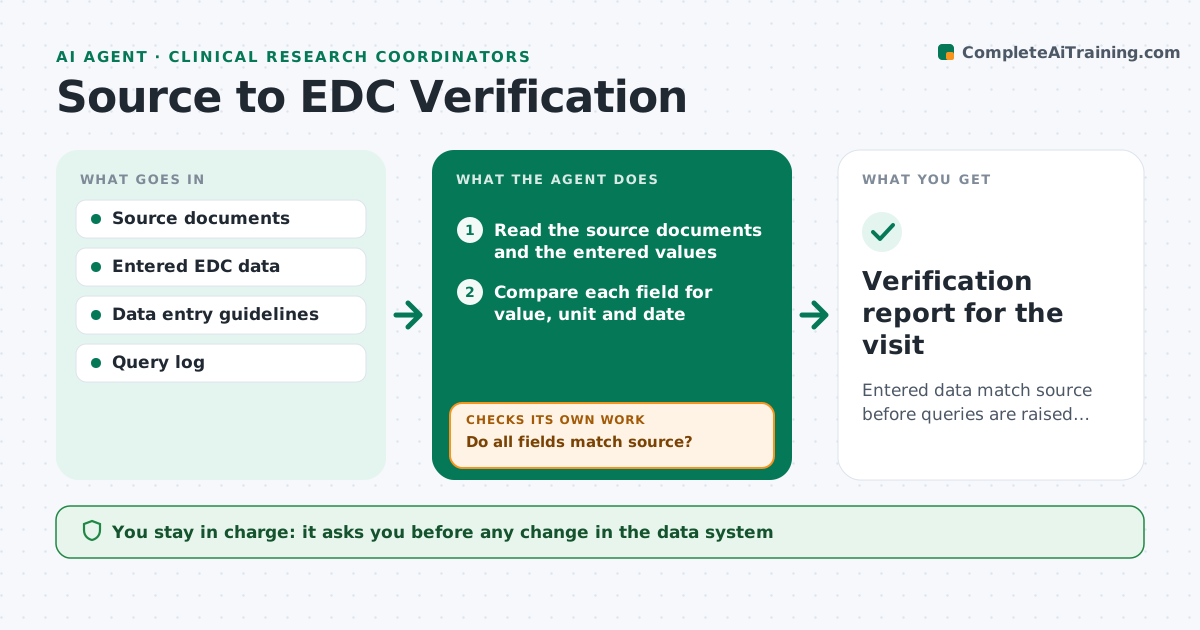
Entered data match source before queries are raised, and corrections come with their source reference.
What it does
A transposed digit in a blood pressure or a wrong visit date enters the data system, and weeks later a query arrives. This agent compares values entered in the electronic data capture system to the source documents, such as visit notes and lab reports. It checks each field for discrepancies in value, unit, date and missing data, and proposes a correction with the source reference, such as the page and line. It does not change anything. After you make the edits, it rechecks the corrected fields. It also looks for patterns, for example the same field wrong across several participants. You approve any change in the data system. Edge case: a source value that is itself unclear is flagged for a note to file rather than a correction.
How it works
Follow the arrows from top to bottom. The orange dashed arrow is the loop: when a check fails, the agent goes back and tries again.
Read the steps as a list
- Visit data entered
- Read the source documents and the entered values
- Compare each field for value, unit and date
- Do all fields match source?If not: list each discrepancy with the source page and a proposed correction. Back to step 3.
- Check for patterns across participants and fields
- Coordinator approves corrections to makeThe agent waits here for your OK.
- Reload the data after edits
- Do the corrected fields now match source?If not: return the remaining items with the source reference and note any unclear source. Back to step 7.
- Draft a note to file for any unclear source value
- Verification report for the visit
How it decides
A field matches if value, unit and date agree with the source. Any difference becomes a proposed correction with the source location.
- Value differs from source: propose correction with page reference
- Unit differs: check conversion and propose correction
- Source value unreadable: do not correct, draft a note to file
- Same error in 3 or more participants: flag a pattern and suggest team guidance
Make it yours
Every agent is a starting point. You choose these settings for your own situation.
- Fields to verify
- Tolerance for rounding
- Run timing
- Pattern threshold
- Report format
What keeps you in control
It always asks you first
- Any change in the data system
- Notes to file
Hard limits
- Never enter or change data
- Never guess an unreadable source value
It stops when
- Done: data verified against source
- Stop: source documents missing
Set it up
We guide you through the set-up, step by step
Members get the full set-up guide for this agent. No technical skills needed: you copy, paste and upload.
- One set of instructions to paste into your AI, with the clicks for ChatGPT, Claude, Microsoft 365 Copilot, Gemini and Grok
- The agent then walks you through connecting your own data, one source at a time
- A downloadable copy with the flow chart, the rules and the full guide