AI agent for hr generalists
Staff Absence Pattern Review Agent
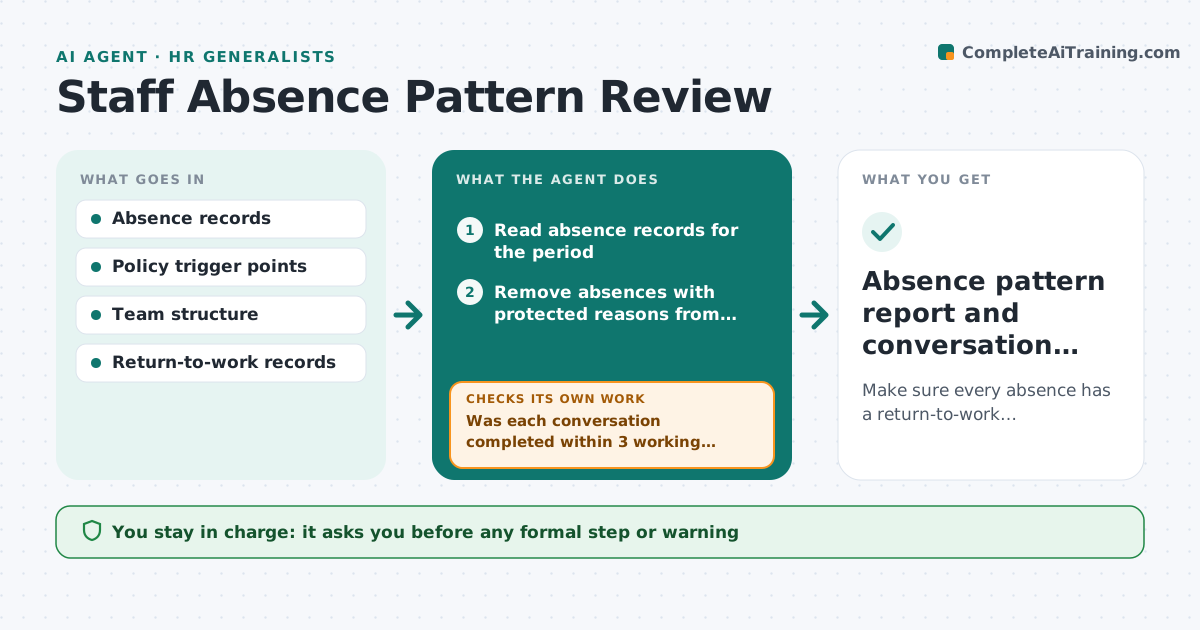
Make sure every absence has a return-to-work conversation and that patterns are seen early and handled consistently.
What it does
Sickness absence is reviewed when it becomes a problem, and different managers react differently. Leaders also forget which return-to-work conversations they owe. This agent reads absence records and looks for patterns by person, weekday, team and policy trigger points, for example three absences in six months. It builds a list of return-to-work conversations that are due and checks that each took place. Each month it reruns across the whole group, so a pattern like many Monday absences in one team shows up. It reports facts, not conclusions. Edge case: absences linked to a protected reason, such as a disability or pregnancy, are removed from trigger counts and flagged for HR to review.
How it works
Follow the arrows from top to bottom. The orange dashed arrow is the loop: when a check fails, the agent goes back and tries again.
Read the steps as a list
- Monthly absence review begins
- Read absence records for the period
- Remove absences with protected reasons from trigger counts
- Count absences per person, day and team and compare with trigger points
- Build the list of return-to-work conversations due
- Was each conversation completed within 3 working days of return?If not: Remind the manager and list the late conversations. Back to step 5.
- Draft the pattern summary with facts only
- Leader approves any formal step or letterThe agent waits here for your OK.
- Recheck next month with the updated records
- Did the pattern improve for flagged teams?If not: Suggest a closer review and list actions to discuss. Back to step 3.
- Absence pattern report and conversation tracker
How it decides
Applies the policy's trigger points to counts and dates, excludes protected reasons, and reports a team pattern only when it is above the team's usual rate.
- Trigger at 3 absences or 10 days in 6 months (default)
- Protected reasons never count toward triggers
- A team above 1.5 times its usual rate is flagged
- Missing conversation after 3 working days is chased
Make it yours
Every agent is a starting point. You choose these settings for your own situation.
- Trigger points and period
- Which teams to compare
- Conversation deadline (default 3 working days)
- Report recipients
- Protected reason codes
What keeps you in control
It always asks you first
- Any formal step or warning
- Any message to an employee
- Sharing patterns beyond HR and the leader
Hard limits
- Never recommend discipline
- Never reveal medical reasons to managers
It stops when
- Done: all conversations complete and report issued
- Stop: legal or medical question needs HR
- Stop: data not available
Set it up
We guide you through the set-up, step by step
Members get the full set-up guide for this agent. No technical skills needed: you copy, paste and upload.
- One set of instructions to paste into your AI, with the clicks for ChatGPT, Claude, Microsoft 365 Copilot, Gemini and Grok
- The agent then walks you through connecting your own data, one source at a time
- A downloadable copy with the flow chart, the rules and the full guide