AI agent for clinical research coordinators
Subject Payment and Stipend Tracking Agent
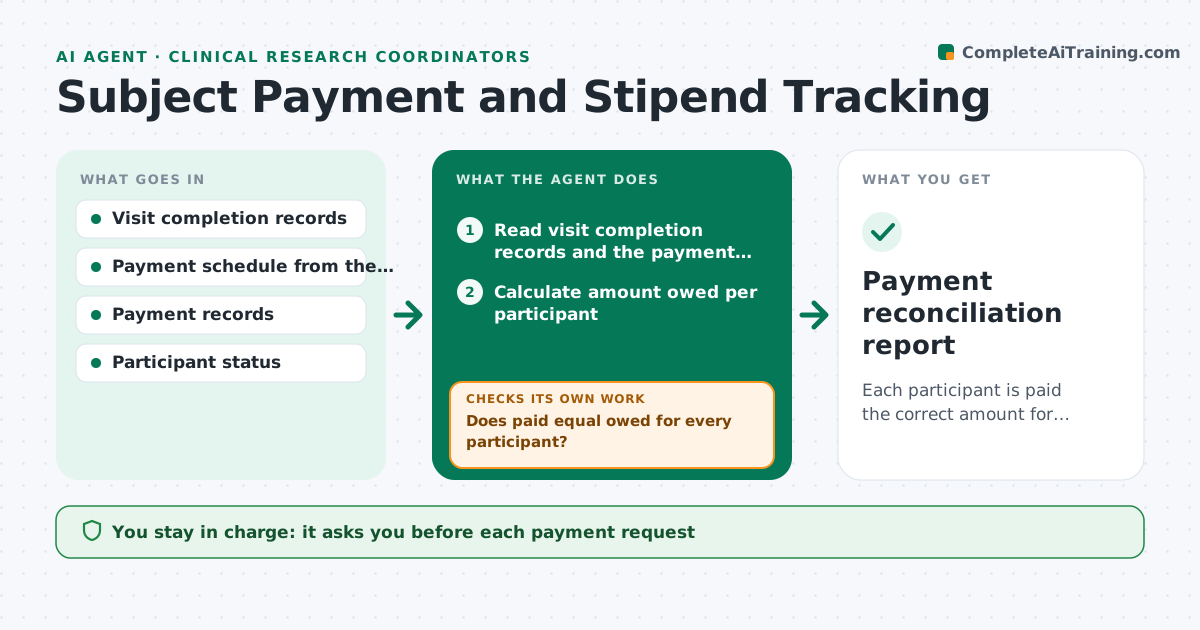
Each participant is paid the correct amount for completed visits, with errors found and corrected
What it does
Participant stipends are easy to get wrong when visits are missed, rescheduled or added. This agent matches completed visits from the study record to the payment schedule in the approved consent and budget. It calculates the amount owed for each participant, including travel or extra procedure payments, and compares it to what was already paid. Unpaid and overpaid items are flagged, and it drafts payment requests for the finance office. After payments are processed, it rereads the payment records and rechecks balances. The coordinator approves every payment. Edge case: a participant withdrew after visit 3, so the agent applies the partial payment rule from the consent and does not pay the completion bonus.
How it works
Follow the arrows from top to bottom. The orange dashed arrow is the loop: when a check fails, the agent goes back and tries again.
Read the steps as a list
- Visits completed or month ends
- Read visit completion records and the payment schedule
- Calculate amount owed per participant
- Read payment records for amounts already paid
- Does paid equal owed for every participant?If not: list each underpayment and overpayment with its cause. Back to step 3.
- Apply partial payment rules for withdrawals and extra visits
- Draft payment requests for finance
- Coordinator approves each payment requestThe agent waits here for your OK.
- Reread payment records after processing
- Did the processed payments match the approved amounts?If not: raise a correction request to finance and keep the item open. Back to step 3.
- Payment reconciliation report
How it decides
Amount owed equals the scheduled payment for each completed visit, plus approved extras, less amounts already paid.
- Pay only visits marked complete in the record
- Apply the consent's partial payment rule on withdrawal
- Flag any overpayment above $10
- Never combine participants in one payment request
Make it yours
Every agent is a starting point. You choose these settings for your own situation.
- Payment amounts per visit
- Overpayment alert level (default $10)
- Reconciliation schedule
- Finance contact for requests
What keeps you in control
It always asks you first
- Each payment request
- Any recovery of an overpayment
Hard limits
- Never issues a payment
- Never exposes participant names outside the payment request
It stops when
- Done: all balances match
- Stop: payment schedule is missing or unclear
Set it up
We guide you through the set-up, step by step
Members get the full set-up guide for this agent. No technical skills needed: you copy, paste and upload.
- One set of instructions to paste into your AI, with the clicks for ChatGPT, Claude, Microsoft 365 Copilot, Gemini and Grok
- The agent then walks you through connecting your own data, one source at a time
- A downloadable copy with the flow chart, the rules and the full guide