AI agent for astronomers
Telescope Time Allocation Tracking Agent
Every awarded program is tracked to completion, and at-risk programs are raised with the observatory early enough to matter.
What it does
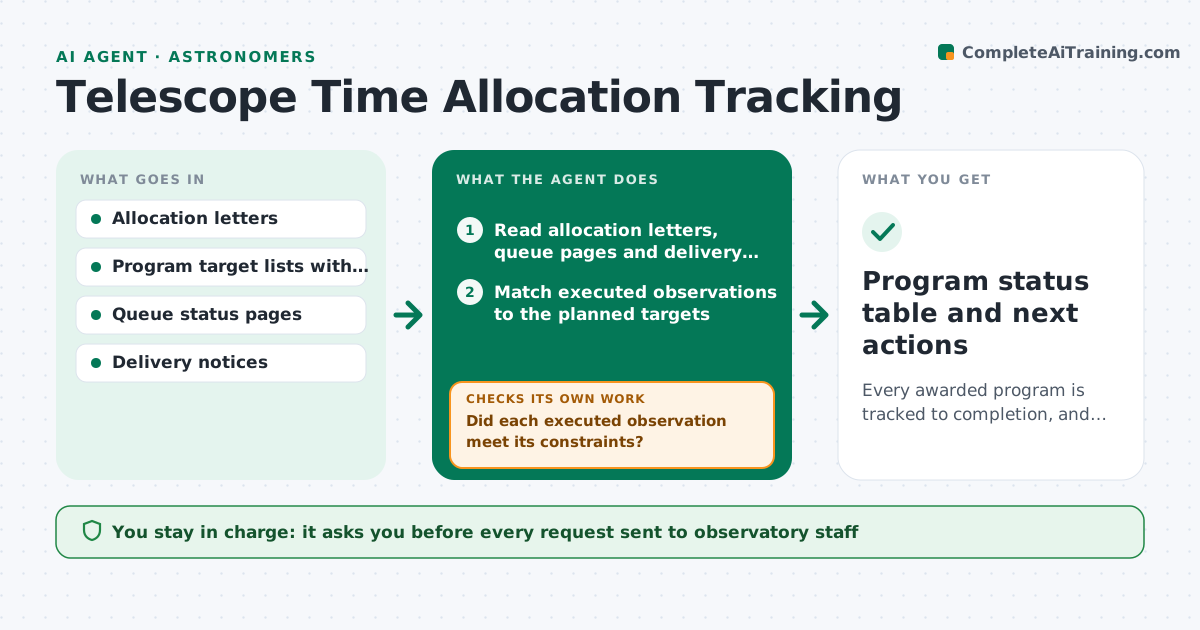
Three awarded programs on three telescopes means three portals, a pile of allocation letters and an unclear picture of what is actually done. This agent reads the allocation letters and queue status pages and builds one tracker. For each program it compares what was observed to the planned targets and constraints, such as seeing, moon phase and cadence, and calculates how much time is left before the semester ends. It flags programs at risk of not finishing and drafts update requests to the support staff, for example asking to raise a target's priority. After each reply it rechecks the queue. You approve every request before it goes out. Edge case: a target observed under worse conditions than required is not counted as complete.
How it works
Follow the arrows from top to bottom. The orange dashed arrow is the loop: when a check fails, the agent goes back and tries again.
Read the steps as a list
- Weekly run or new observatory email
- Read allocation letters, queue pages and delivery notices
- Match executed observations to the planned targets
- Did each executed observation meet its constraints?If not: mark it incomplete and add it back to the remaining list. Back to step 3.
- Calculate remaining time and observing windows for each program
- Flag programs at risk of not finishing
- Draft update requests to support staff for flagged targets
- Astronomer approves each requestThe agent waits here for your OK.
- Recheck the queue after replies
- Did the risk drop after the request?If not: draft an escalation or suggest relaxing a constraint for the astronomer to consider. Back to step 5.
- Program status table and next actions
How it decides
A target counts as done only if its executed observation met the stated constraints. A program is at risk when remaining targets cannot fit in the remaining windows.
- Remaining windows cover less than the remaining time needed: mark at risk
- Seeing worse than the program limit: observation is not complete
- Less than 30 days to semester end with targets left: draft an urgent request
- Data delivered but not downloaded: remind the astronomer to fetch it
Make it yours
Every agent is a starting point. You choose these settings for your own situation.
- Programs and telescopes tracked
- Risk threshold in days to semester end (default 30)
- Constraint rules per program
- Run day
- Request tone
What keeps you in control
It always asks you first
- Every request sent to observatory staff
- Any relaxation of a constraint
Hard limits
- Never send a request to observatory staff without approval
- Never mark a target complete if constraints were missed
It stops when
- Done: all programs complete or accepted as incomplete
- Stop: semester ended
Set it up
We guide you through the set-up, step by step
Members get the full set-up guide for this agent. No technical skills needed: you copy, paste and upload.
- One set of instructions to paste into your AI, with the clicks for ChatGPT, Claude, Microsoft 365 Copilot, Gemini and Grok
- The agent then walks you through connecting your own data, one source at a time
- A downloadable copy with the flow chart, the rules and the full guide