AI agent for hardware engineers
Thermal Margin Verification Agent
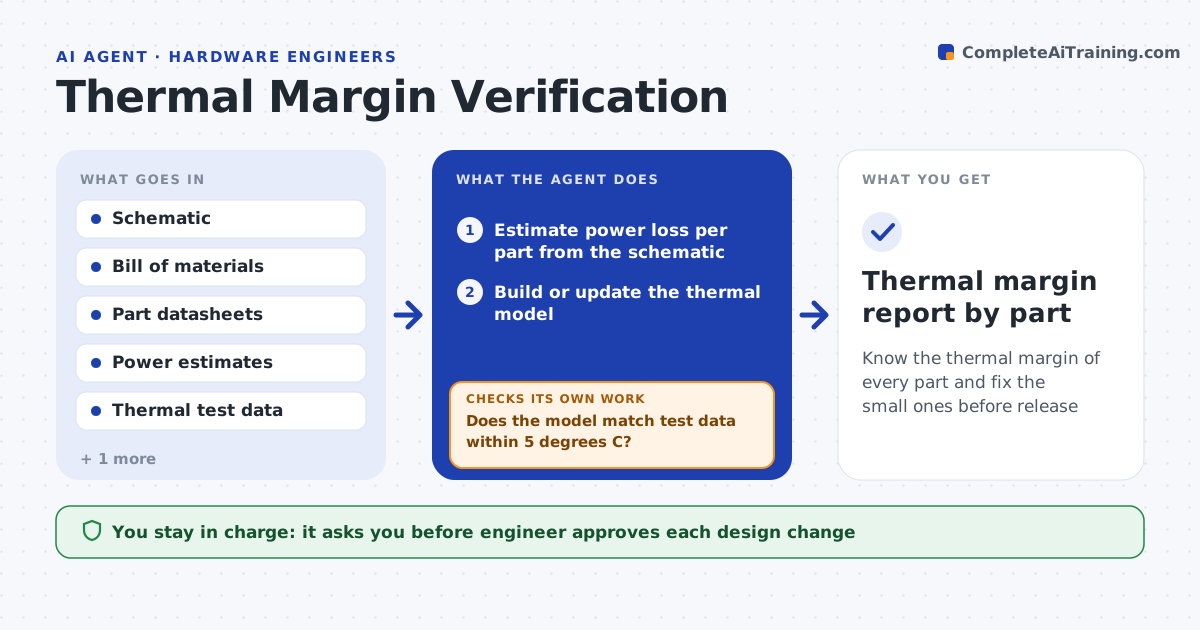
Know the thermal margin of every part and fix the small ones before release
What it does
A product passes on the bench and overheats in a hot enclosure, because thermal margins were checked too late. This agent starts early. It estimates power dissipation for each part from the schematic and datasheets, builds a simple thermal model and predicts temperatures. When thermal chamber or bench data arrives, it reads it and compares each part's temperature with its rated limit at the worst-case ambient. It flags parts with a margin below the target. For each flagged part it tests changes in the model, such as more copper, a heat sink or airflow, and rechecks with new test data after the board changes. The engineer approves design changes. Edge case: a part is cool but sits next to a hot one, so the agent checks neighbor effects.
How it works
Follow the arrows from top to bottom. The orange dashed arrow is the loop: when a check fails, the agent goes back and tries again.
Read the steps as a list
- Design revision or test data ready
- Estimate power loss per part from the schematic
- Build or update the thermal model
- Read bench or chamber test temperatures
- Compare model and test with part limits at worst-case ambient
- Does the model match test data within 5 degrees C?If not: correct power or airflow assumptions and rebuild the model. Back to step 2.
- List parts below the margin target
- Try copper, heat sink or airflow changes in the model
- Engineer approves design changesThe agent waits here for your OK.
- Do retest results show all margins met?If not: repeat the model and propose the next change. Back to step 2.
- Thermal margin report by part
How it decides
It flags a part when its predicted or measured temperature at worst-case ambient is within the margin of the rated limit, and ranks fixes by cost and effect.
- Require at least 15 degrees C margin to the rated limit at worst ambient
- Check hot neighbors of cool parts
- Flag a model that differs from test by more than 5 degrees C
- Prefer layout changes before adding hardware
Make it yours
Every agent is a starting point. You choose these settings for your own situation.
- Margin target (default 15 C)
- Worst-case ambient
- Model accuracy tolerance (default 5 C)
- Parts to include
- Test data format
What keeps you in control
It always asks you first
- Engineer approves each design change
- Lead approves a change to margin targets
Hard limits
- Never use typical ratings for worst-case checks
- Never accept a model that disagrees with the test
It stops when
- Done: all parts meet the margin on retest
- Stop: no change meets the target and the design needs rework
Set it up
We guide you through the set-up, step by step
Members get the full set-up guide for this agent. No technical skills needed: you copy, paste and upload.
- One set of instructions to paste into your AI, with the clicks for ChatGPT, Claude, Microsoft 365 Copilot, Gemini and Grok
- The agent then walks you through connecting your own data, one source at a time
- A downloadable copy with the flow chart, the rules and the full guide