AI agent for embedded systems engineers
Low-Power Mode Measurement Agent
Bring each power state to its budget and record which change fixed what
What it does
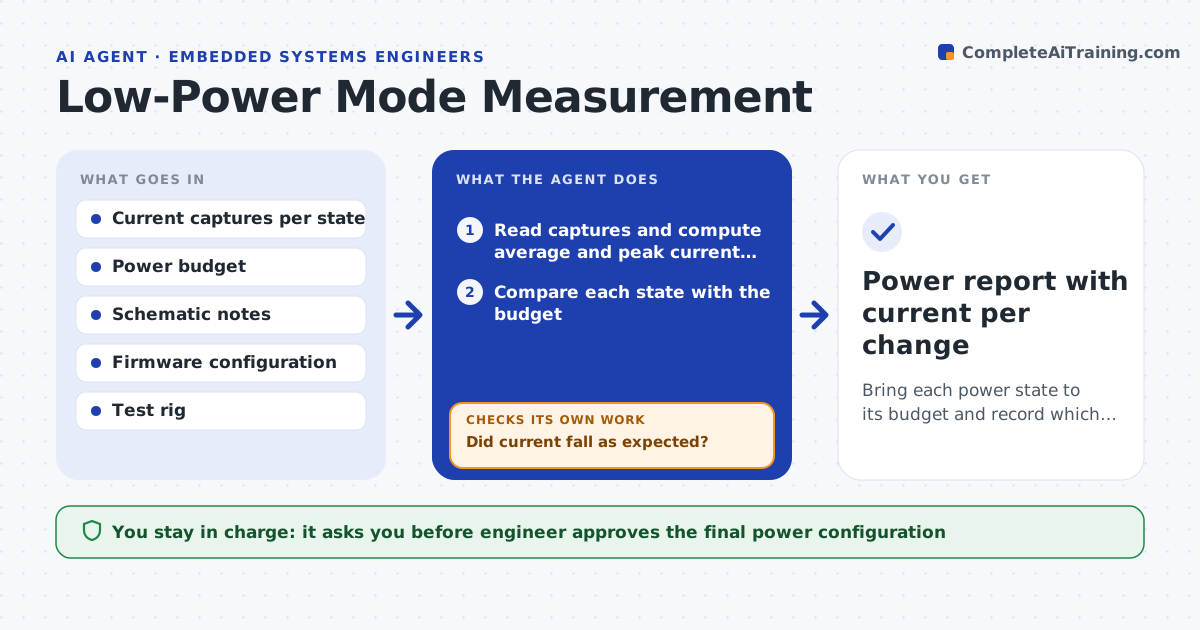
A device that should sleep at 5 microamps draws 80, and the battery life target is gone. This agent reads current captures recorded for each power state: sleep, idle, radio on, sensor reading. It compares each state with the power budget and finds the states that miss. For a failing state it lists likely contributors from the schematic and firmware, such as floating pins, pull-up resistors, an enabled peripheral clock or a leaking regulator. It then tests turning off one contributor at a time, takes a new capture, and records the change in current. It keeps going until the state meets the budget or the list runs out. The engineer approves the final configuration. Edge case: disabling a pin pull saves 30 microamps but breaks wake-up, so the agent reverts it.
How it works
Follow the arrows from top to bottom. The orange dashed arrow is the loop: when a check fails, the agent goes back and tries again.
Read the steps as a list
- New capture set recorded
- Read captures and compute average and peak current per state
- Compare each state with the budget
- List likely contributors from pins, peripherals and regulators
- Change one setting in firmware and take a new capture
- Did current fall as expected?If not: revert it and try the next contributor. Back to step 5.
- Does the device still wake up and pass its function test?If not: revert the change and mark that contributor as required. Back to step 5.
- Is the state now within budget?If not: continue with the next contributor; if none remain, report the gap. Back to step 5.
- Engineer approves the final configurationThe agent waits here for your OK.
- Power report with current per change
How it decides
It tests contributors from largest likely saving to smallest and keeps a change only when current falls and the device still wakes and works.
- Test contributors in order of estimated saving
- Revert any change that breaks wake-up or function
- Treat a state as passing at 110% of budget or lower
- Stop after all listed contributors are tested
Make it yours
Every agent is a starting point. You choose these settings for your own situation.
- Power budget per state
- Order of contributors to test
- Measurement repeats (default 3)
- Tolerance over budget (default 10%)
What keeps you in control
It always asks you first
- Engineer approves the final power configuration
- Lead approves a change to the budget
Hard limits
- Never write settings that disable a protection or watchdog
- Never trust one capture, repeat each measurement
It stops when
- Done: all states are within budget and recorded
- Stop: contributors are exhausted and a hardware change is needed
Set it up
We guide you through the set-up, step by step
Members get the full set-up guide for this agent. No technical skills needed: you copy, paste and upload.
- One set of instructions to paste into your AI, with the clicks for ChatGPT, Claude, Microsoft 365 Copilot, Gemini and Grok
- The agent then walks you through connecting your own data, one source at a time
- A downloadable copy with the flow chart, the rules and the full guide