AI agent for maintenance managers
Vehicle Inspection Defect Follow-Up Agent
Every reported defect is repaired and confirmed fixed before the vehicle runs again
What it does
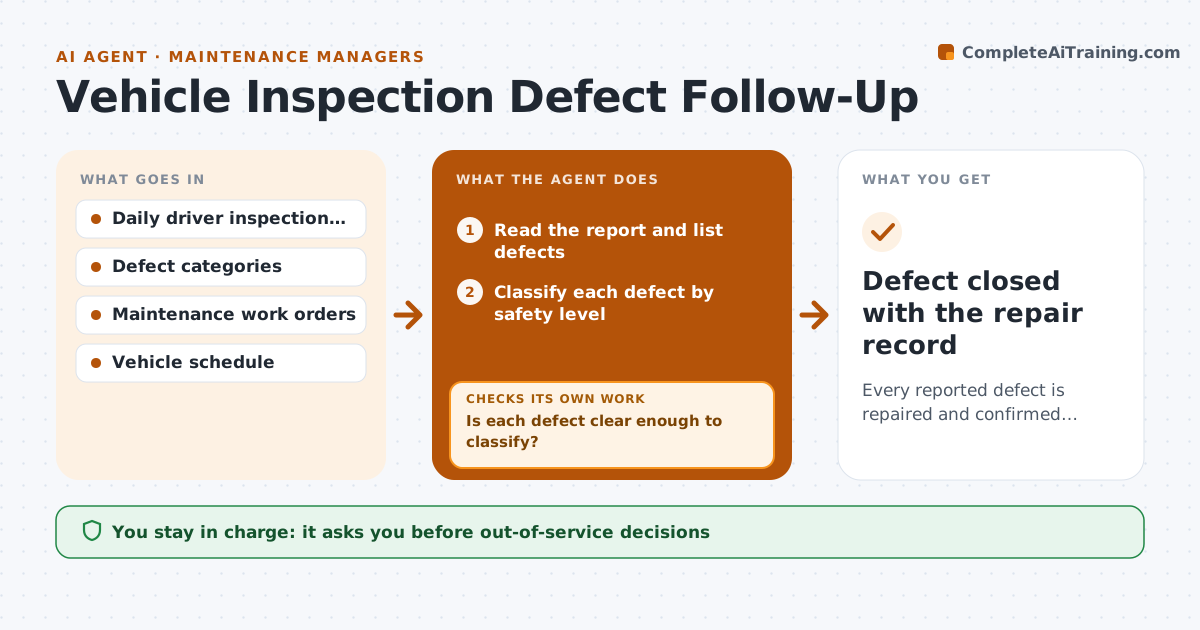
Drivers file daily inspection reports, but a defect noted on Monday can still be on the road on Friday. This agent reads each daily report and classifies every defect by safety level, such as brakes or tires versus a cracked mirror cap. It creates a repair task with the right priority and tracks it to completion. It then reads the next inspection report for the same vehicle and checks whether the defect was repeated. A repeat reopens the task and tells the manager. The manager approves any out-of-service decision. Edge case: the driver describes a noise vaguely, so the agent asks for a quick photo or detail before classifying.
How it works
Follow the arrows from top to bottom. The orange dashed arrow is the loop: when a check fails, the agent goes back and tries again.
Read the steps as a list
- Daily inspection report arrives
- Read the report and list defects
- Classify each defect by safety level
- Is each defect clear enough to classify?If not: ask the driver for a detail or photo, then reclassify. Back to step 2.
- Create or update repair tasks in the maintenance list
- Manager approves any out-of-service decisionThe agent waits here for your OK.
- Track the repair record
- Does the next report show the defect gone?If not: reopen the task, raise its priority and tell the manager. Back to step 7.
- Defect closed with the repair record
How it decides
A defect is closed only when the repair record exists and the next inspection shows no repeat. Safety-critical items go to the manager immediately.
- Treat brakes, steering, tires and lights as safety critical
- Reopen a task when the same defect appears again within 14 days
- Escalate a safety defect with no repair in 24 hours
- Never close a task without a repair record
Make it yours
Every agent is a starting point. You choose these settings for your own situation.
- Safety critical categories
- Repeat window (default 14 days)
- Escalation time (default 24 hours)
- Where tasks are created
What keeps you in control
It always asks you first
- Out-of-service decisions
Hard limits
- Never clear a vehicle to run
- Never delete a defect report
It stops when
- Done: defect closed and confirmed on a later report
- Stop: vehicle removed from service permanently
Set it up
We guide you through the set-up, step by step
Members get the full set-up guide for this agent. No technical skills needed: you copy, paste and upload.
- One set of instructions to paste into your AI, with the clicks for ChatGPT, Claude, Microsoft 365 Copilot, Gemini and Grok
- The agent then walks you through connecting your own data, one source at a time
- A downloadable copy with the flow chart, the rules and the full guide