AI agent for conversion rate optimization specialists
Winning Variant Rollout Validation Agent
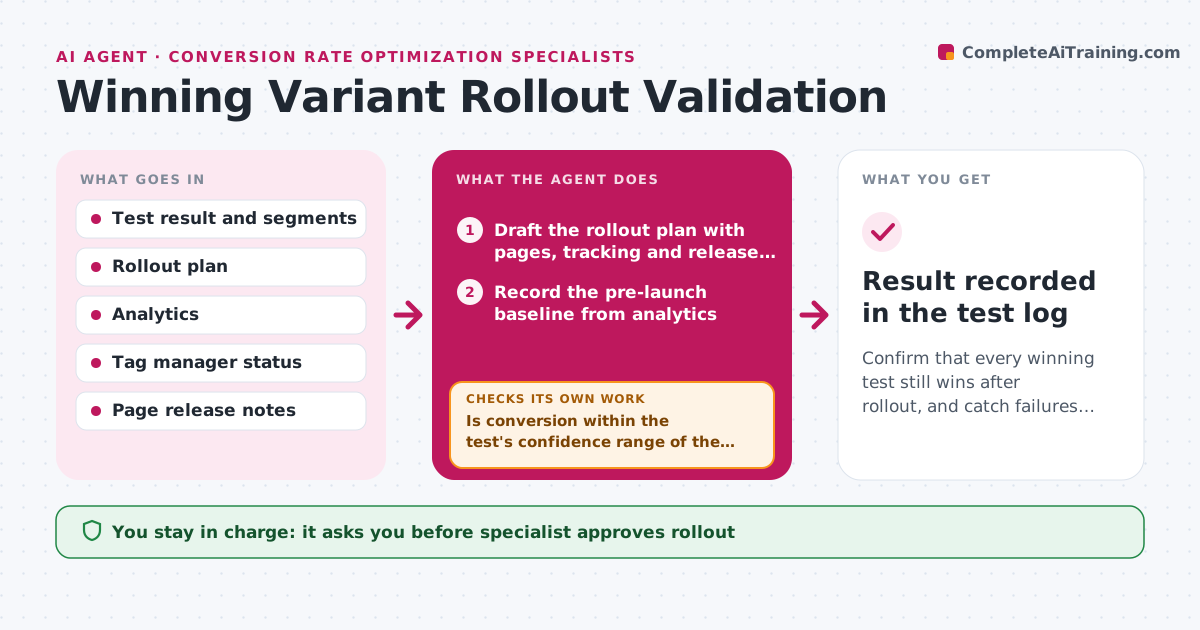
Confirm that every winning test still wins after rollout, and catch failures within weeks.
What it does
A test wins at 12 percent and the change goes live, but nobody checks whether the lift holds. After a test ends, the agent prepares a rollout plan listing pages, tracking changes and the date. Once the winner is live, it compares conversion each week for the following weeks against the test result and against a pre-launch baseline, allowing for normal weekly variation. If the lift holds, it records the result. If it disappears, it investigates: it compares segments such as device, traffic source and country, and checks that tracking still works on the live page. It then recommends a fix or a rollback. Edge case: a winning variant that works on desktop but breaks on mobile in production. The specialist approves rollout and any rollback.
How it works
Follow the arrows from top to bottom. The orange dashed arrow is the loop: when a check fails, the agent goes back and tries again.
Read the steps as a list
- A test is marked as won
- Draft the rollout plan with pages, tracking and release date
- Specialist approves the rolloutThe agent waits here for your OK.
- Record the pre-launch baseline from analytics
- After launch, pull weekly conversion for the new page
- Is conversion within the test's confidence range of the result?If not: after two weeks outside the range, move to diagnosis. Back to step 5.
- Compare segments by device, source and country
- Test that tracking fires correctly on the live page
- Recommend a fix or a rollback with the evidence
- Specialist approves the fix or rollbackThe agent waits here for your OK.
- Result recorded in the test log
How it decides
The lift is holding when post-launch conversion is within the test's confidence range. A drop outside that range for two weeks starts the investigation.
- Start diagnosis after 2 weeks below the range
- Compare mobile and desktop separately before any rollback
- Recommend rollback if the lift is gone and no fix is found within 2 weeks
- Wait at least 2 weeks after launch before judging because of novelty effects
Make it yours
Every agent is a starting point. You choose these settings for your own situation.
- Weeks of post-launch tracking (default 6)
- Range counted as holding
- Segments to compare
- Who receives weekly results
- Rollback rules
What keeps you in control
It always asks you first
- Specialist approves rollout
- Specialist approves fixes or rollback
Hard limits
- Never change live pages or tags itself
- Record the result even when the win fails
It stops when
- Done: 6 weeks of tracking recorded
- Stop: tracking is broken and cannot be verified, report to the specialist
Set it up
We guide you through the set-up, step by step
Members get the full set-up guide for this agent. No technical skills needed: you copy, paste and upload.
- One set of instructions to paste into your AI, with the clicks for ChatGPT, Claude, Microsoft 365 Copilot, Gemini and Grok
- The agent then walks you through connecting your own data, one source at a time
- A downloadable copy with the flow chart, the rules and the full guide