AI agent for network administrators
Wireless Coverage and Interference Review Agent
Fewer Wi-Fi complaints through changes that are tested against signal and retry data
What it does
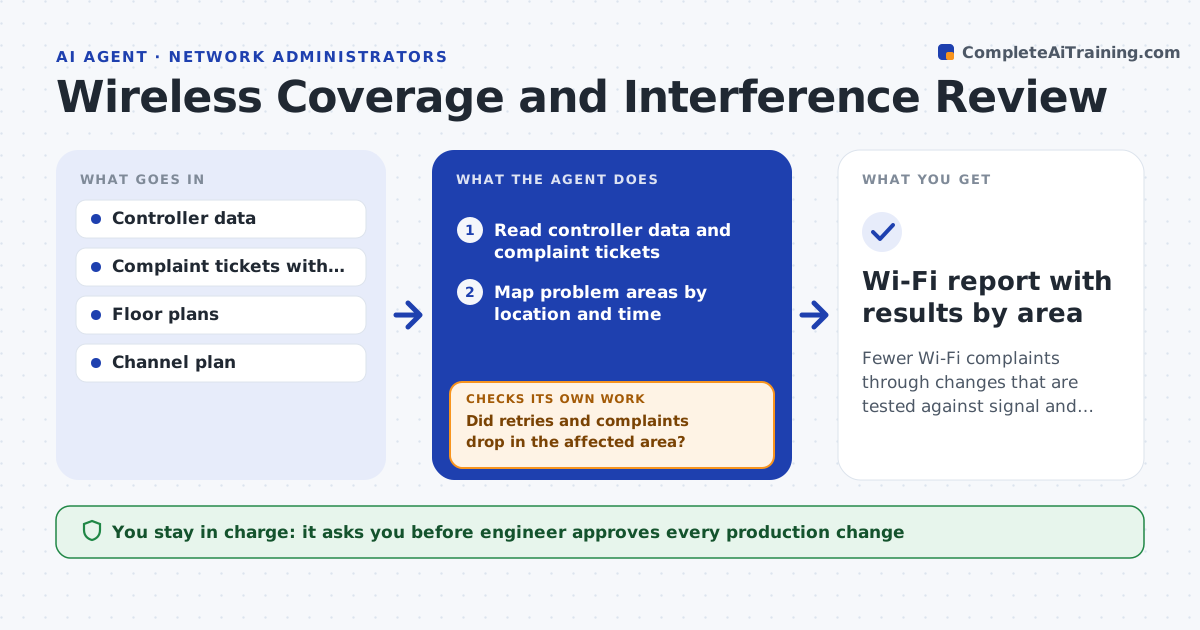
Complaints about slow Wi-Fi are handled one by one, with no pattern. This agent reads controller data and complaint tickets, and maps where the problems cluster. It checks channel overlap and the number of clients per access point and proposes channel and power changes. After a change is made, it rechecks signal strength and retry rates in the affected areas to see whether they improved. If they did not, it tries the next option. The engineer approves changes to production. Edge case: complaints come from one meeting room with one access point, so the agent checks client density before changing channels.
How it works
Follow the arrows from top to bottom. The orange dashed arrow is the loop: when a check fails, the agent goes back and tries again.
Read the steps as a list
- Weekly Wi-Fi review
- Read controller data and complaint tickets
- Map problem areas by location and time
- Check channel overlap and clients per access point
- Propose channel, power or capacity changes
- Engineer approves production changesThe agent waits here for your OK.
- Apply the changes in a quiet window
- Measure signal strength and retry rates again
- Did retries and complaints drop in the affected area?If not: undo the change and test the next option. Back to step 4.
- Wi-Fi report with results by area
How it decides
An area needs action when complaints or retry rates pass the threshold. A change is kept when retries and complaints drop afterward.
- Act on areas with repeated complaints and high retries
- Fix channel overlap before changing power
- Add capacity when client count is the cause
- Undo a change that makes retries worse
Make it yours
Every agent is a starting point. You choose these settings for your own situation.
- Complaint threshold
- Retry rate limit (default: 15%)
- Change window
- Channel plan
What keeps you in control
It always asks you first
- Engineer approves every production change
Hard limits
- Never changes production settings without approval
- Never turns off an access point on its own
It stops when
- Done: retries and complaints are below the threshold
- Stop: coverage needs new hardware, which goes to a purchase request
Set it up
We guide you through the set-up, step by step
Members get the full set-up guide for this agent. No technical skills needed: you copy, paste and upload.
- One set of instructions to paste into your AI, with the clicks for ChatGPT, Claude, Microsoft 365 Copilot, Gemini and Grok
- The agent then walks you through connecting your own data, one source at a time
- A downloadable copy with the flow chart, the rules and the full guide