AI tool
AI Bridge
AI Bridge organizes terminal-based AI coding agents into grouped sessions by job or department, so developers can keep separate contexts for frontend, database, and support work. It is for terminal-first developers who manage multiple agents outsi...
About AI Bridge
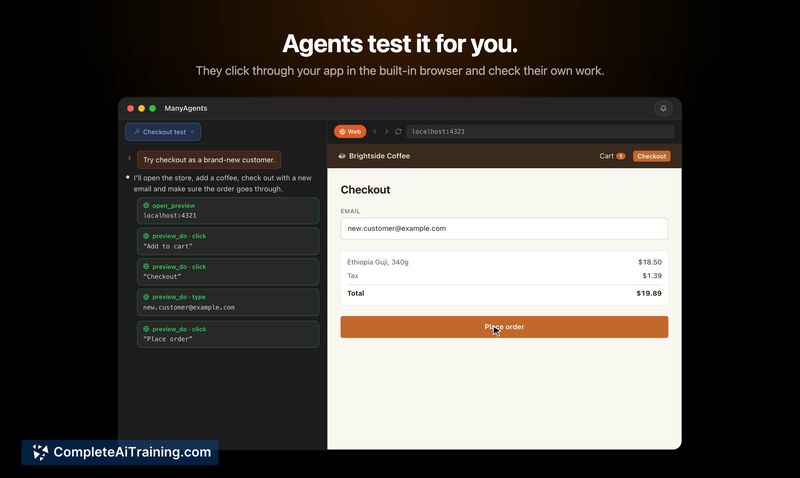
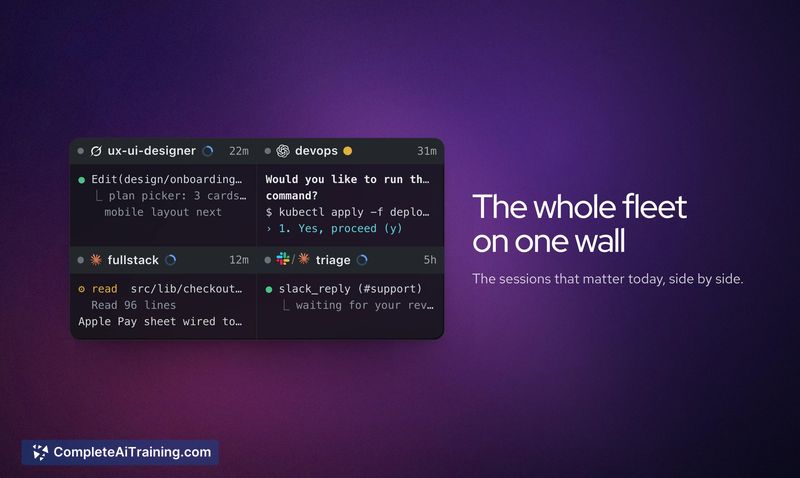
AI Bridge is a Mac application that runs multiple AI coding agents-Claude Code, Codex, Grok, and OpenCode-side by side in real terminal sessions. Each agent connects through the user's own subscription and operates in its own CLI environment. The tool groups agents by function or department, and includes direct database chat and Kubernetes cluster views alongside the terminals.
Review

AI Bridge consolidates the management of several AI coding CLIs into a single Mac interface, addressing the window sprawl that comes with running multiple terminal-based agents. The maker built it after shifting away from IDE-based tools like VS Code and Cursor, choosing instead to work entirely through terminal agents. It's a desktop client that doesn't replace the agents themselves-it hosts them and adds organizational layers, Slack connectivity, and infrastructure visibility.
Key Features
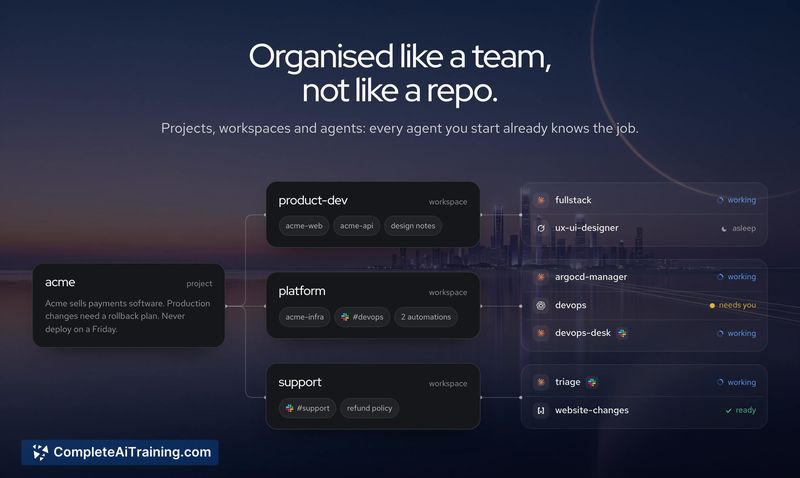
- Agent groups by job function. Users organize agents into teams based on what each one owns-frontend work, database queries, support requests-rather than by repository. Each agent remains a separate CLI session with its own context.
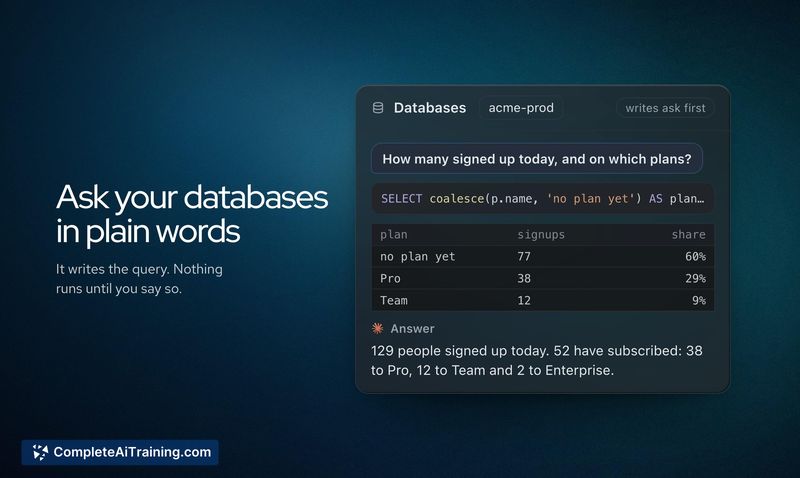
- Direct database chat. A chat interface connects to databases and displays query results inline, removing the need to switch to a separate database tool like phpMyAdmin or Postico for quick lookups.
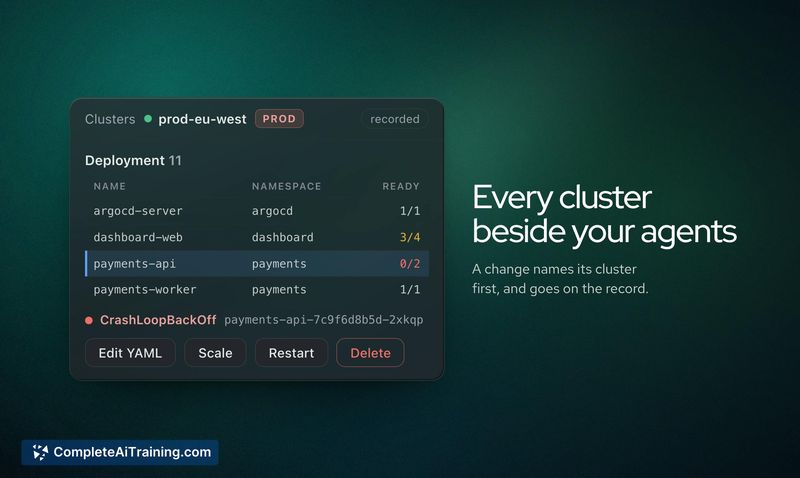
- Kubernetes cluster view. The tool reads the user's own kubeconfig and credentials. It shows pod updates, sync status for tools like External Secrets, Argo, or Flux, and logs any write action with the cluster name before executing it.
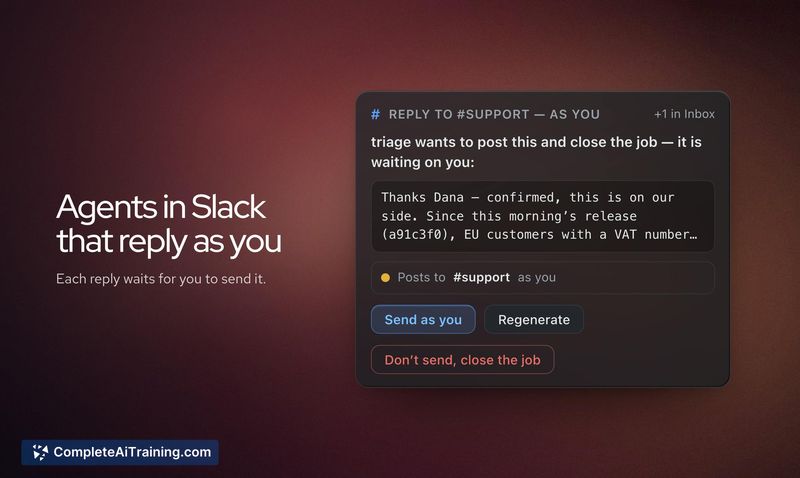
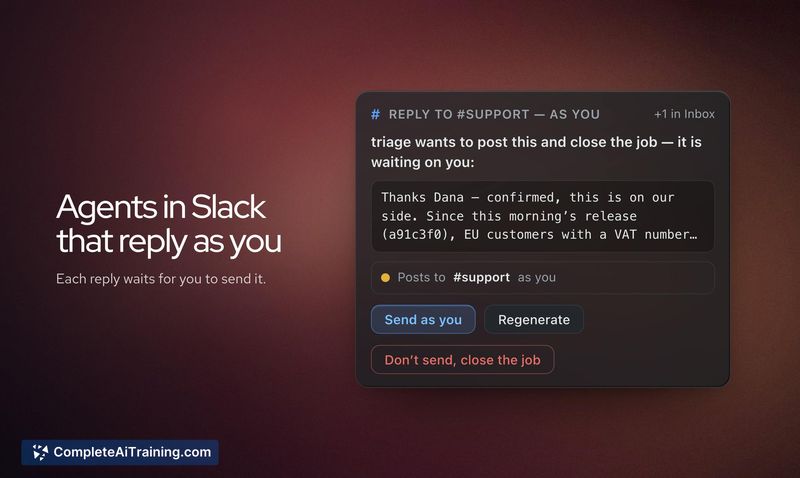
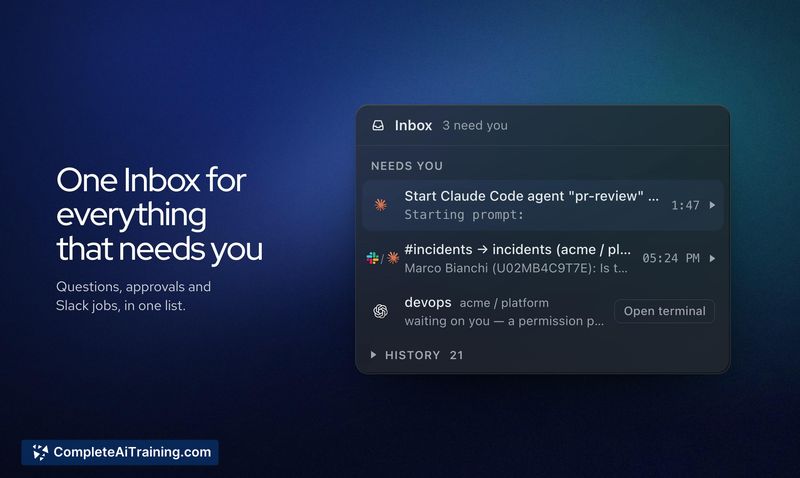
- Slack agent integration. An agent can be connected to a Slack channel. Incoming questions appear in AI Bridge, and the user approves the reply before it posts back to Slack.
- Session portability. Claude Code and Codex sessions can be exported from one Mac and imported on another, letting users move work between laptops.
Pricing and Value
AI Bridge is listed as free at launch. The maker has not published a pricing page or announced future pricing models. Users need their own active subscriptions for each AI agent they run inside the tool-Claude Code, Codex, Grok, or OpenCode-since AI Bridge hosts the real CLIs rather than bundling access.
Pros
- Groups agents by role instead of repo, which keeps context focused per session.
- Uses the actual CLI for each agent, so no abstraction layer hides what the agent is doing.
- Kubernetes access respects existing RBAC/IAM policies through the user's own kubeconfig.
- Slack integration routes team questions through the user's terminal permissions and approval step.
- Export/import moves agent sessions between Macs without losing context.
Cons
- Agents within a group do not see each other's output; collaboration requires the Relay feature, which is described as a back-and-forth review process rather than shared live context.
- The tool is Mac-only, so teams on Windows or Linux cannot use it.
- Not a fit for developers who prefer IDE-integrated AI tools-this is built entirely around terminal workflows and doesn't connect to VS Code or similar editors.
AI Bridge suits engineers and consultants who already work primarily in terminals with multiple AI coding agents and need a way to organize sessions, see infrastructure state, and field team questions without leaving that environment. It's less relevant for those who rely on editor-based AI tools or who only use a single agent. The Slack and Kubernetes features add practical touchpoints for DevOps and platform roles, but the core audience is someone who lives in the CLI.