AI tool
Monish
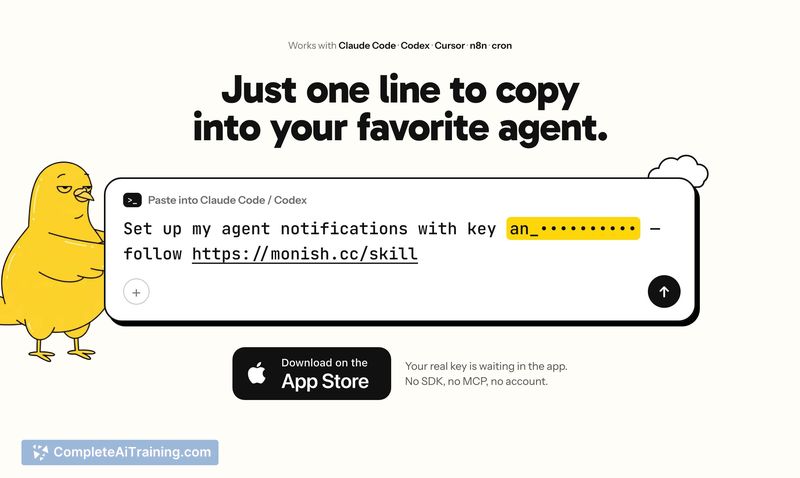
Monish adds iOS monitoring and approval controls to AI agents. Paste one line into a CLI tool, cron job, or workflow. It shows long runs as a Live Activity and notifies you when work finishes or needs approval to proceed.

About Monish
Monish is a free iOS utility from Marius Labs that connects AI agents running on a computer to a user's iPhone lock screen. A single line of code lets agents in Claude Code, Codex, Cursor, n8n, or custom scripts post live progress, send completion pings, and request approval before sensitive actions. No account, SDK, or computer-side installation is required.
Review
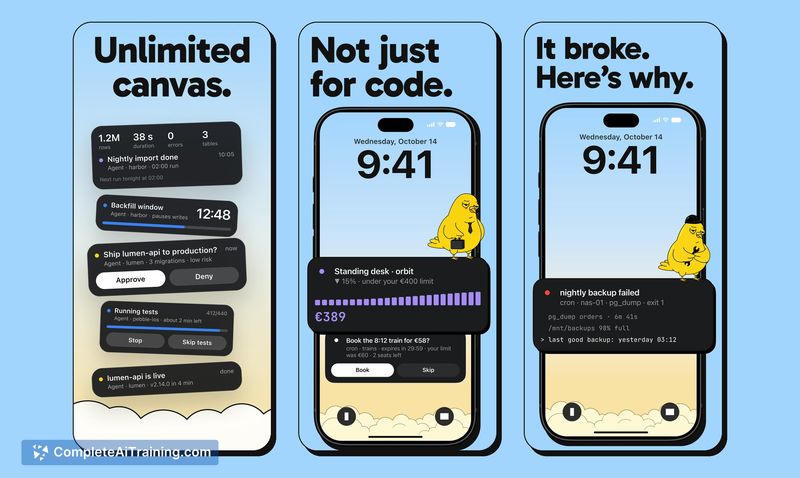
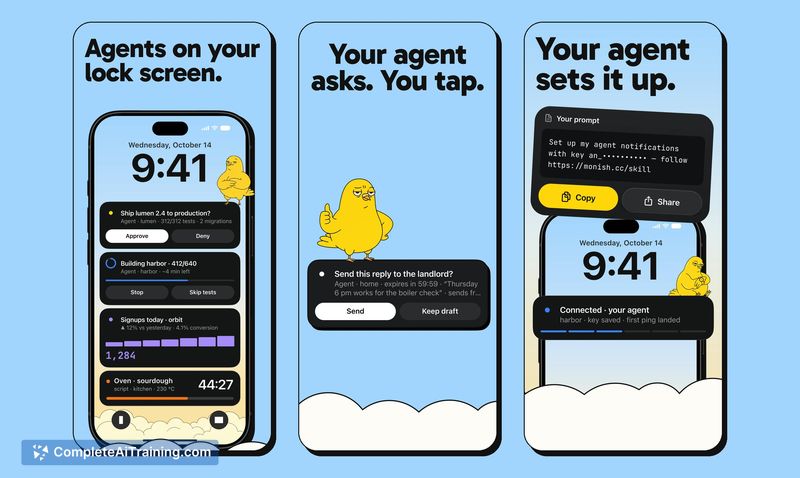
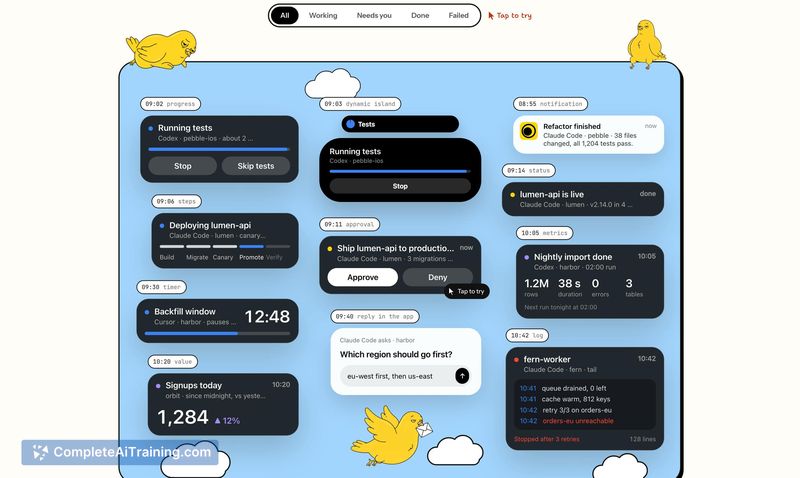
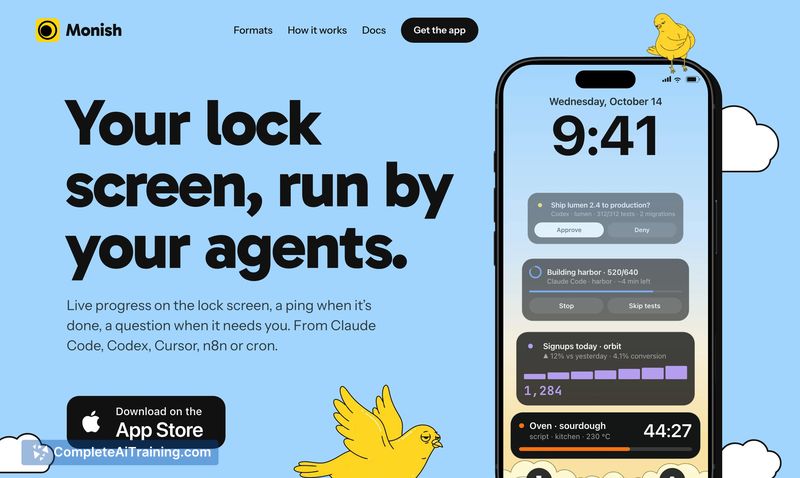
Monish addresses a specific friction point for developers who run long or semi-autonomous AI agent tasks: the need to monitor progress without sitting at a terminal. It shifts agent status and decision requests to the iPhone lock screen and Dynamic Island via Live Activities. The tool is brand new, launched this week, so long-term reliability data doesn't exist yet.
Key Features
- Lock screen Live Activity and Dynamic Island display for long-running agent tasks
- Approve/Deny notifications that let an agent wait for a tap before deploying, sending, or spending
- Completion and failure pings, with failures able to ring during quiet hours
- Single-line integration into Claude Code, Codex, Cursor, n8n, or cron jobs-no SDK or account needed
- Agent data deleted from Monish servers after 48 hours
Pricing and Value
Monish is free with no in-app purchases. The maker has not published a pricing page or indicated plans for future paid tiers. For now, the full feature set is available at no cost.
Pros
- Setup is a single paste into an agent's instructions or script; nothing to install on the computer
- Approval requests carry context: a question, a context line covering what/where/cost, a short detail, and a risk level
- One-tap approve/deny works from the lock screen without Face ID or opening the app
- Typed replies like "yes, but staging only" are supported by opening the app for more nuanced answers
- Unanswered questions expire and count as a denial, preventing agents from blocking indefinitely
Cons
- No web or Android client exists; the tool is iOS-only, which excludes teams on other platforms
- As a launch-week product, there is no track record for uptime or notification delivery consistency under load
- Monish is not well suited for users who need persistent audit logs or compliance-grade approval trails, since agent data is deleted after 48 hours
Monish fits solo developers and small teams who run AI agents overnight or in the background and want to step away from the desk without losing visibility. It's less relevant for regulated environments that require durable approval records or for anyone without an iPhone. The 48-hour data retention and no-account design keep the surface area small, though they also cap what the tool can do for long-term traceability.