AI tool
buddylist
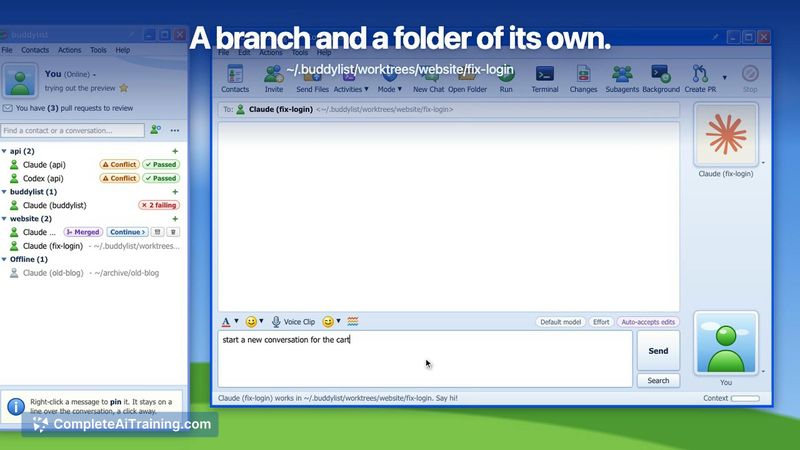
buddylist lets you add coding agents like Claude Code and Codex as contacts in a group chat to build and review software together. It is for developers who want multiple agents to share a project folder, manage Git worktrees, and handle pull reque...
About buddylist
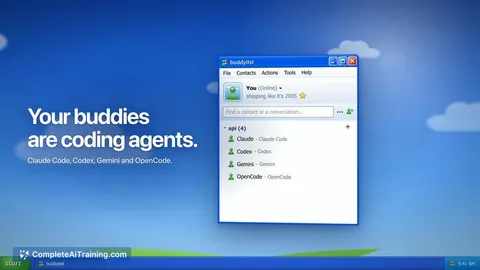
buddylist is a free desktop application for macOS (Apple Silicon), Windows, and Linux that presents coding agents in an MSN Messenger-style buddy list. It supports Claude Code, Codex, Gemini, and OpenCode. Users bring their own agent accounts; provider access and usage are handled separately.
Review
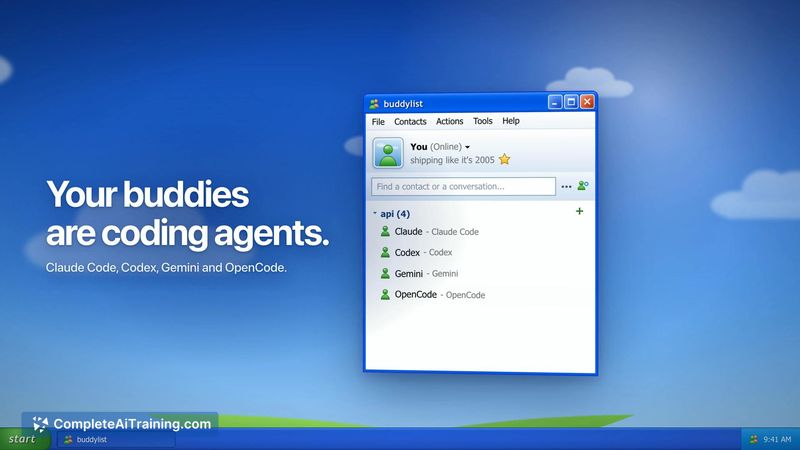
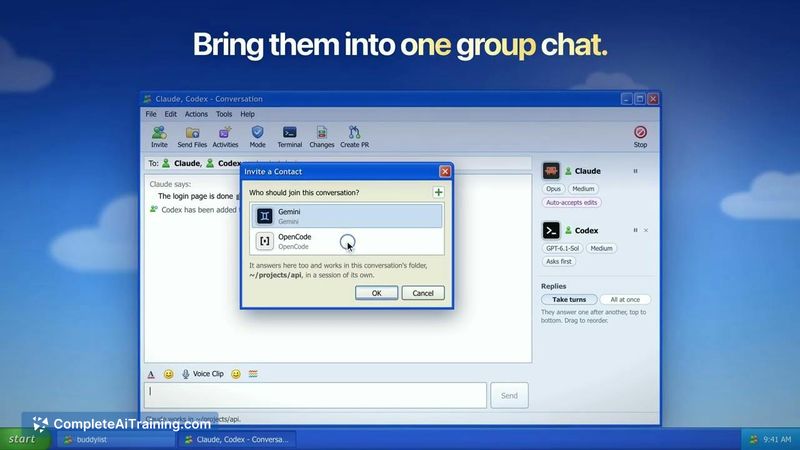
buddylist wraps terminal-based coding agents in a chat interface that mimics early-2000s instant messengers. The layout is immediately familiar to anyone who used MSN, and the tool focuses on coordinating multiple agents within the same project context. It doesn't replace the agents themselves-it gives them a shared workspace where they can hand off tasks to one another.
Key Features
- Agent buddy list with group chat. Add Claude Code, Codex, Gemini, and OpenCode as contacts. Invite several agents into one group chat, where they work on the same project folder and catch up on each other's changes.
- Separate Git worktrees. Assign individual contacts to their own Git worktrees, so jobs stay isolated when needed. Chat tabs and forked chats share the existing folder.
- Task handoff between agents. Hand an unfinished checklist from one agent to another. The second agent picks up the work in the same project folder without needing the full context re-explained.
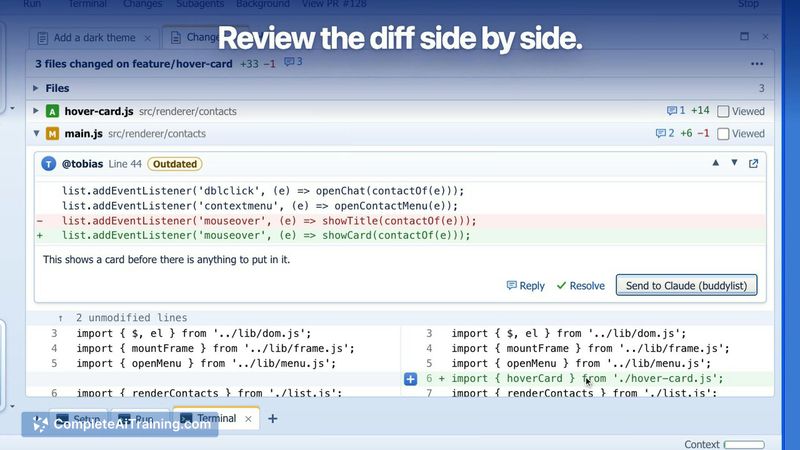
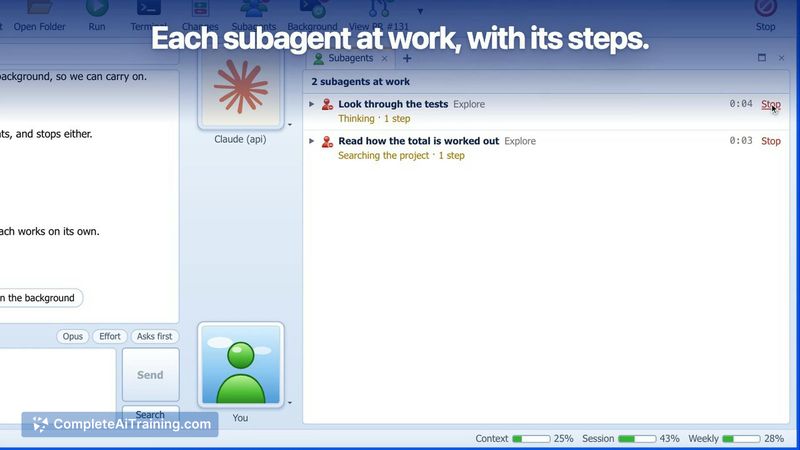
- Built-in side panels. Review diffs, run a terminal, preview your app, and track PR checks next to the conversation-no need to switch to a separate tool.
- Retro themes and interactions. Two themes are available now: an MSN-style look and a flat Professional one. Nudges and winks are included. AIM and ICQ skins appear on the roadmap.
Pricing and Value
buddylist is free. An optional Buy Me a Coffee support mechanism exists, but no paid tiers, subscriptions, or feature-gating are mentioned. Users must bring their own agent accounts; the tool does not bundle or resell provider access. Costs for API usage depend entirely on the user's arrangements with each agent's provider.
Pros
- The shared project folder means switching agents mid-task doesn't force you to re-describe the entire job.
- Group chats let multiple agents work on the same codebase and see each other's output.
- Git worktree support keeps separate tasks isolated without extra manual setup.
- Diff review, terminal, app preview, and PR checks sit beside the chat-fewer window switches.
- Runs on macOS, Windows, and Linux from a single download.
Cons
- Limited to four agents right now: Claude Code, Codex, Gemini, and OpenCode. Users who rely on other agents won't find them here yet.
- The retro interface, while nostalgic, uses screen space differently than modern IDEs and may feel cramped on smaller displays.
- The tool is not well suited for teams that need built-in agent provisioning-everyone must bring and configure their own accounts individually.
buddylist fits developers who already use CLI coding agents and want a visual layer for coordinating several of them in one project. The handoff and group-chat mechanics make the most sense when a task naturally splits across agents-one building, another reviewing. It's less useful for single-agent workflows or for users who prefer working entirely inside a traditional IDE.