AI tool
CraveLens
CraveLens identifies dishes from food photos and generates their recipes. It is built for home cooks and food enthusiasts who want to recreate meals they encounter.
About CraveLens
CraveLens is a Chrome extension that identifies food in supported videos and selected webpage regions using on-device AI. It processes visual data locally through LiteRT and WebGPU, then prepares personalized carts on Swiggy for user review. The tool connects visual cravings directly to food delivery without sending video frames to external servers.
Review

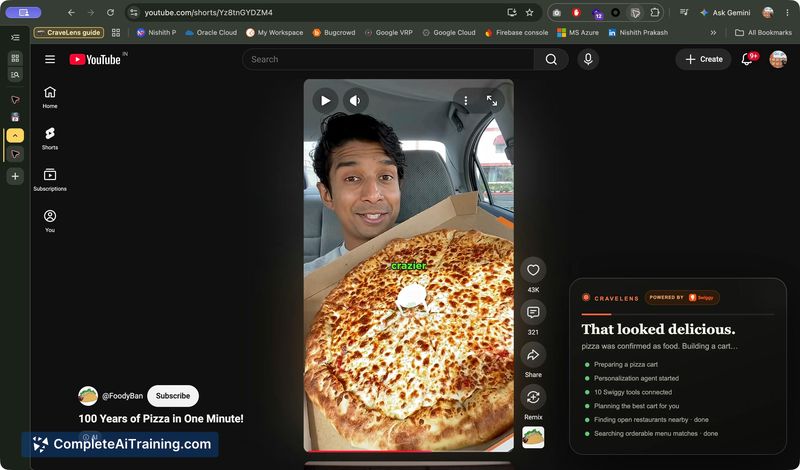
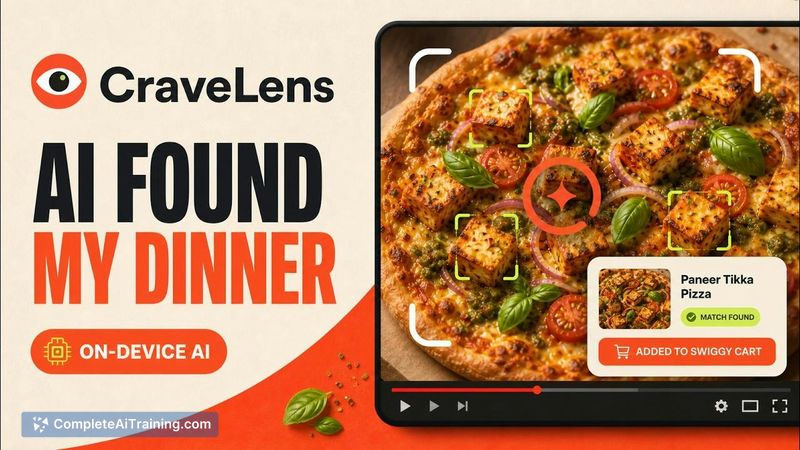
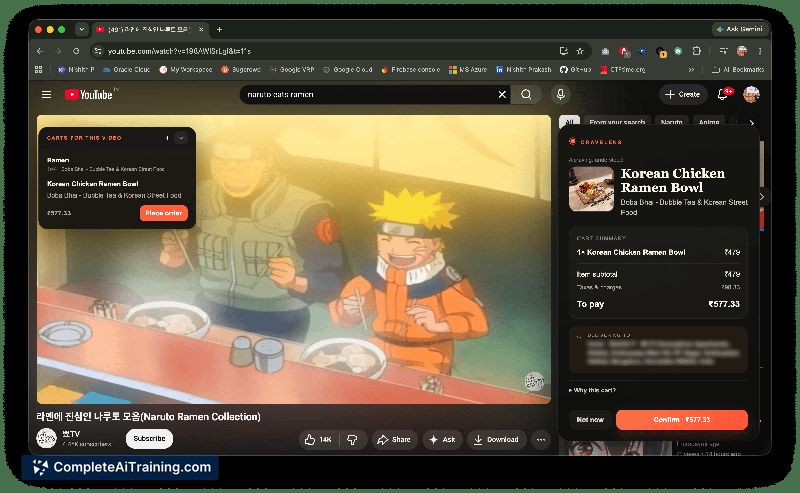
CraveLens tackles a specific problem: the gap between seeing food on screen and ordering it. The extension runs Google Gemma 4 models locally in the browser, so video frames stay on your device. From there, it interacts with Swiggy's Model Context Protocol (MCP) servers to build a cart that matches what you saw.
Key Features
- On-device food identification via LiteRT and WebGPU, using Gemma 4 E2B and E4B instruction-tuned models running locally in the browser extension.
- Autonomous cart preparation through Swiggy MCP tool schemas, which let the local agent verify menu items, customize orders, and process UPI or COD checkout.
- Bi-directional WebSocket streaming between the browser extension and the backend for real-time agent events during cart sessions.
- Containerized Node.js backend on Google Cloud Run that scales from zero to handle concurrent cart sessions, with session state offloaded to Redis and MongoDB.
- Telegram cart delivery as an alternative notification channel for completed carts.
Pricing and Value
CraveLens is listed as free on its product page. The pricing model beyond the current launch phase is not yet defined. Users need a Swiggy account and live in a Swiggy service area to complete orders. The extension's value depends entirely on Swiggy's restaurant coverage and menu accuracy in your location.
Pros
- Video frames never leave the device, addressing privacy concerns around screen content analysis.
- Cloud Run's scale-to-zero model means the backend doesn't consume resources when no carts are active.
- Cloudflare Access and Tunnels protect admin endpoints with identity-based policies while keeping user traffic routes fast.
- The Swiggy Builders Club integration provides direct access to live menu data and real-time availability checks.
- WebSocket support enables the agent to handle follow-up instructions after the initial cart is built.
Cons
- The extension only works with Swiggy, so users outside India or in non-Swiggy regions can't place orders through it.
- On-device inference requires a browser with WebGPU support and sufficient local compute, which older hardware may not have.
- Cart accuracy depends on Swiggy's restaurant matching and menu data-if a dish isn't listed, the agent can't add it regardless of what it identifies on screen.
CraveLens fits users who regularly order from Swiggy and watch food content in a supported browser with WebGPU enabled. It's not a match for anyone outside Swiggy's delivery zones or on hardware that can't run local model inference. The extension's real test will be how reliably the agent handles incomplete menus and ambiguous food scenes in everyday use.