
AI tool
StayCharted
StayCharted trains an AI model from your existing spreadsheet data or sorted photos, then classifies new items automatically. It is built for teams that manually assign categories and want to replace that step without writing prompts or hiring a d...
About StayCharted
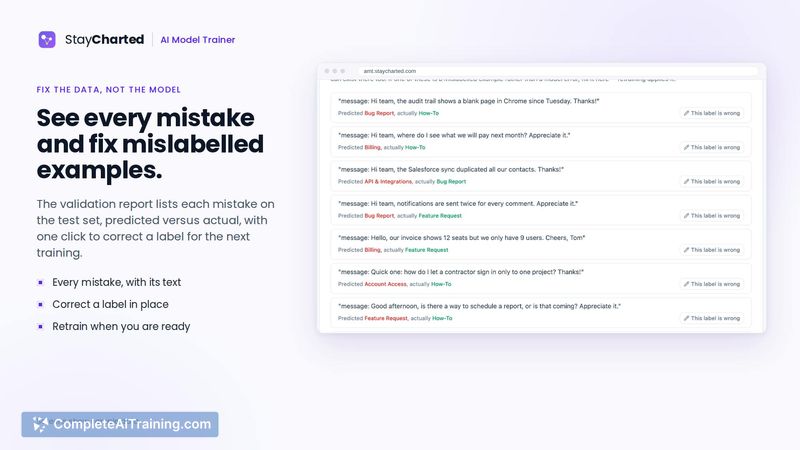
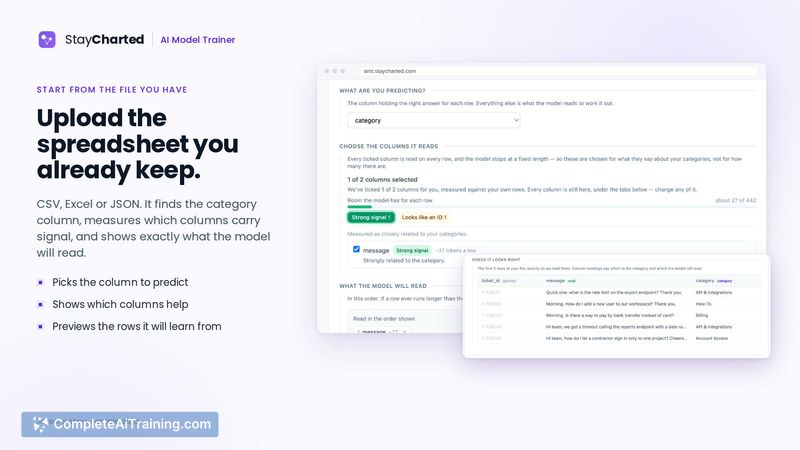
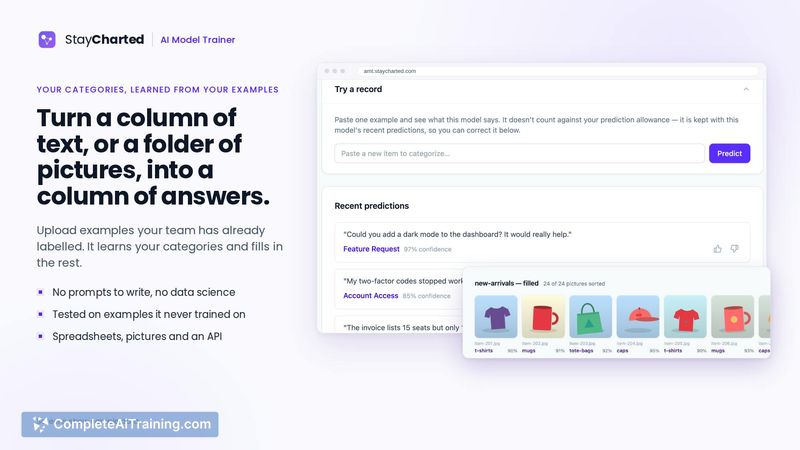
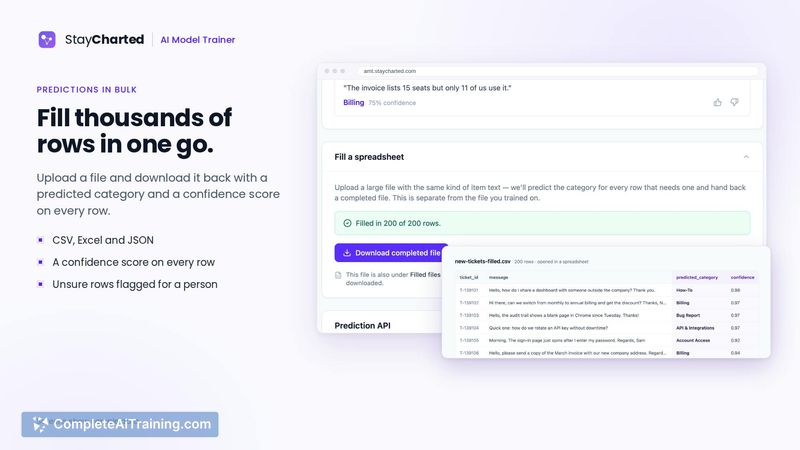
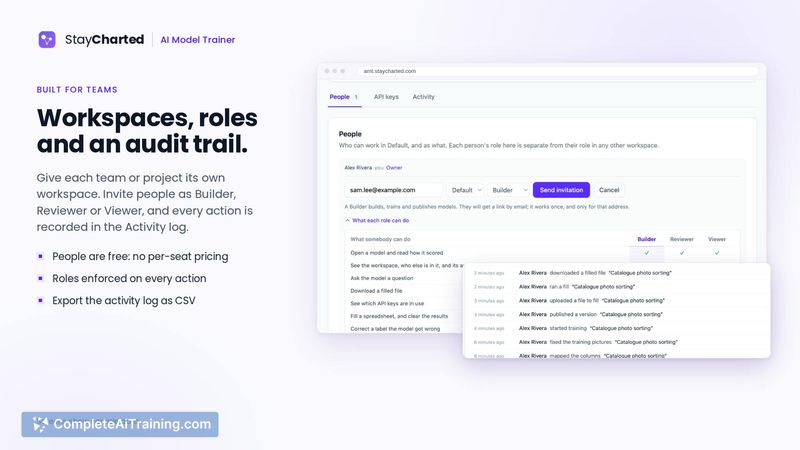
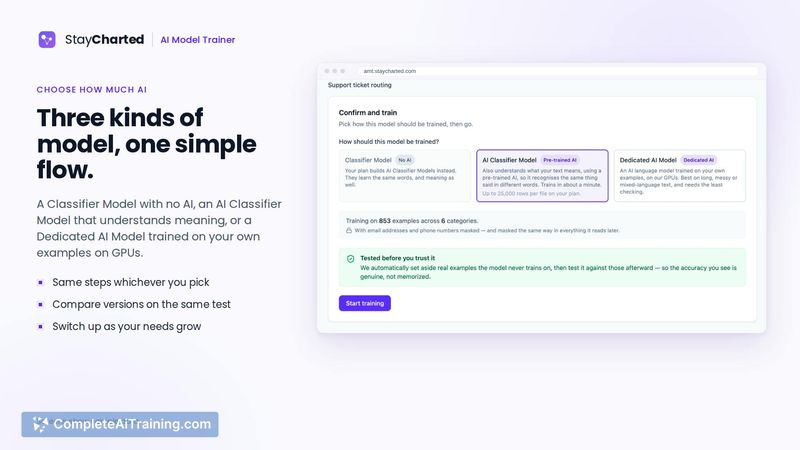
StayCharted is an AI model training tool that learns from a team's existing categorized data-rows in a spreadsheet or sorted photos-to automatically classify new items. Users upload examples they've already labeled, and the tool trains a model on those categories, then applies it to fill in unsorted files or provide answers through an API. It works without writing prompts or code, and includes a review queue where low-confidence answers are routed back to a person for confirmation.
Review

StayCharted tackles a specific workflow: turning the manual categorization work teams already do into a reusable AI model. Rather than relying on general-purpose prompts, it trains directly on a company's own historical labels and category names. The tool was launched this week and is in early stages, with a free plan available and no credit card required.
Key Features
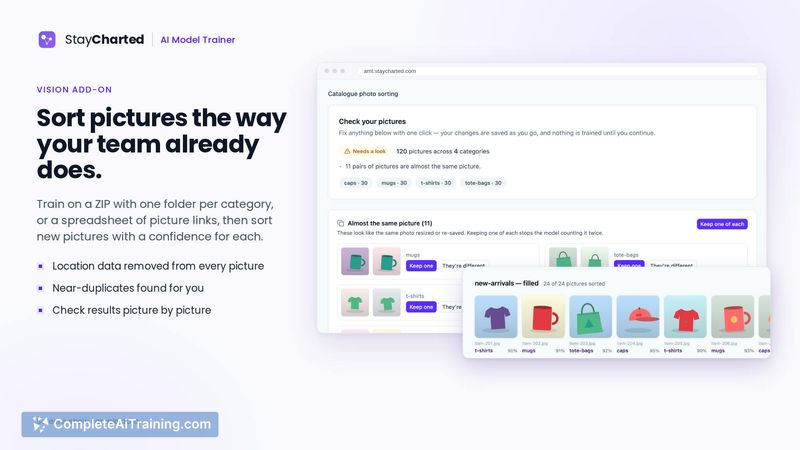
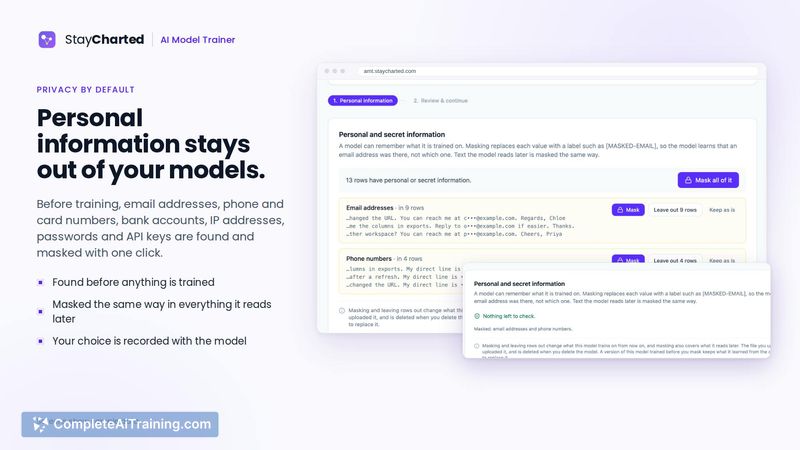
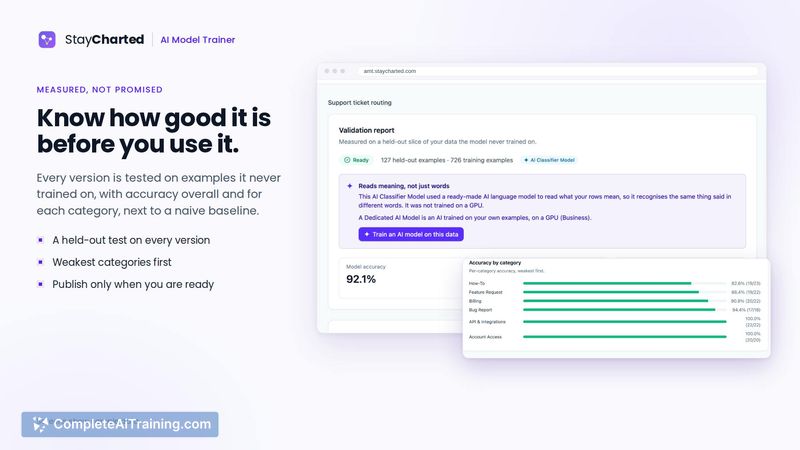
- Custom model training from existing data. Users upload spreadsheets or ZIP files of sorted photos. The system checks for duplicates, conflicting labels, and personal information before training a model on the user's own categories.
- Unsorted data grouping. For teams that haven't defined categories yet, the tool can ingest unsorted rows or photos, group them, and suggest a starting set of categories for the user to name and confirm.
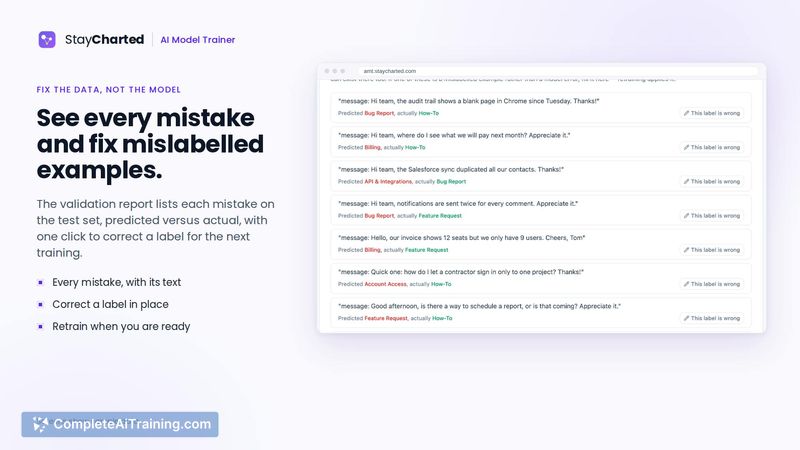
- Review Queue. When the model isn't confident about an answer, that item goes into a queue for manual review. Corrections made during review are used to train the next version of the model.
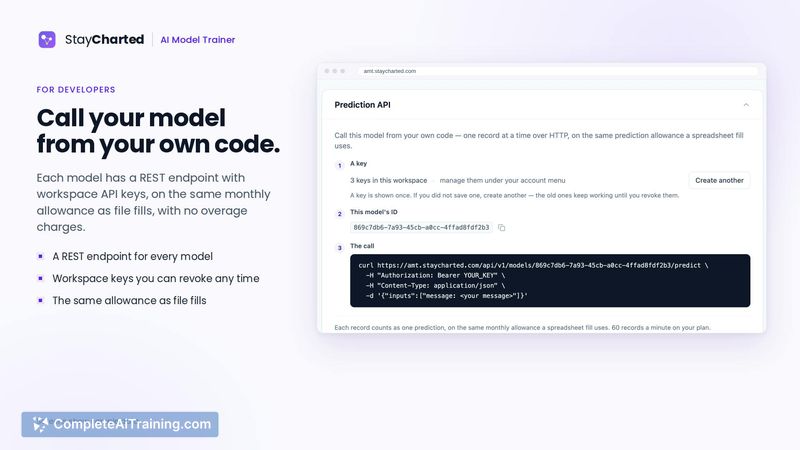
- Multiple output channels. The trained model can fill new files, respond through an API, or work from AI assistants like Claude.
Pricing and Value
StayCharted offers a free plan with no credit card required. Details about paid tiers, usage limits, or future pricing models have not been defined publicly at this stage.
Pros
- Learns from categories a team already uses, avoiding the need to write prompts or hire a data scientist.
- Flags data issues like duplicates and conflicting labels before training begins.
- Routes uncertain answers to a review queue, so low-confidence outputs don't go unchecked.
- Works with both text data (support tickets, survey answers) and image data (product photos).
- No-code setup means team members who aren't developers can train and use a model.
Cons
- The tool is brand new-launched this week-so real-world reliability and edge-case handling are largely unproven.
- It's not well suited for teams that don't already have a substantial set of correctly labeled examples to upload.
- API documentation and integration depth beyond the mentioned Claude assistant aren't detailed yet, which may limit adoption for custom engineering workflows.
StayCharted fits teams that already spend time manually labeling rows or photos and want to automate that step using their own historical decisions. It's less applicable for organizations without an existing labeled dataset or those needing fine-grained control over model behavior. The review queue and data-checking steps suggest a practical focus on catching mistakes before they propagate, which matters in expense reporting, support ticket routing, and similar operational tasks.



