
AI tool
Hypervibe
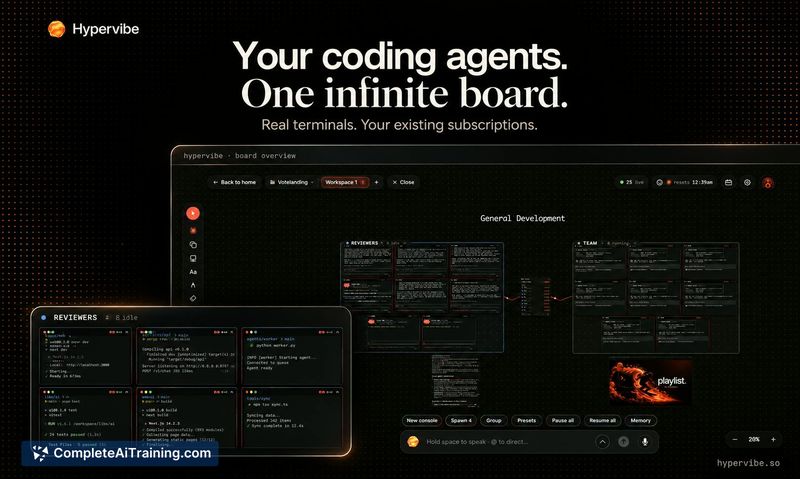
Hypervibe is a macOS workspace that arranges multiple coding agents, their live terminals, web previews, and notes on one infinite board. It is for developers who run several CLI-based agents like Claude Code or Codex and need to keep their work o...

About Hypervibe
Hypervibe is a native macOS application that places multiple AI coding agents onto a single infinite board. It runs CLI tools such as Claude Code, Codex, and Gemini in real terminals side by side, using the agent accounts a user already has. The app requires macOS 14 or later and Apple Silicon.
Review

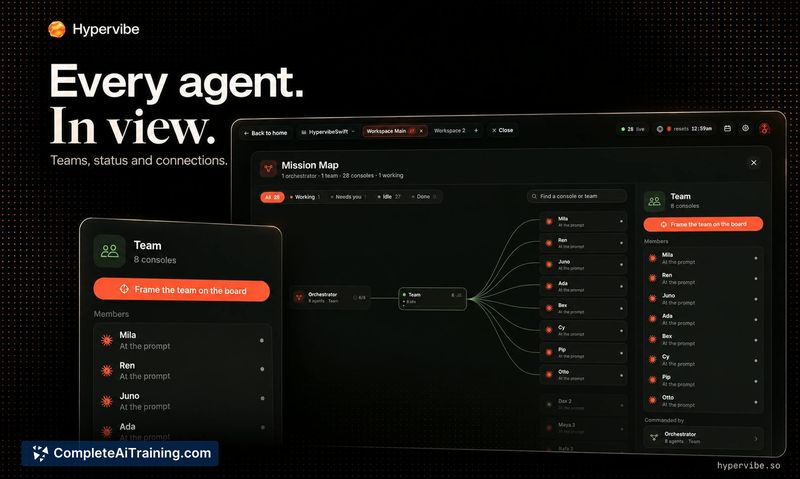
Hypervibe addresses a specific workflow problem: tracking several concurrently running coding agents across separate terminal tabs, browsers, and note files. The app consolidates these elements into one spatial workspace where each agent occupies its own real terminal on an infinite canvas. It's a Mac-only, Apple Silicon-native tool that launched this week, and its feature set reflects that early stage.
Key Features
- Infinite board that holds multiple real terminal instances, each running a different CLI-based coding agent.
- Agent status indicators that show which agents are active or waiting for input.
- Live web previews, a kanban board, and notes placed directly beside running terminals.
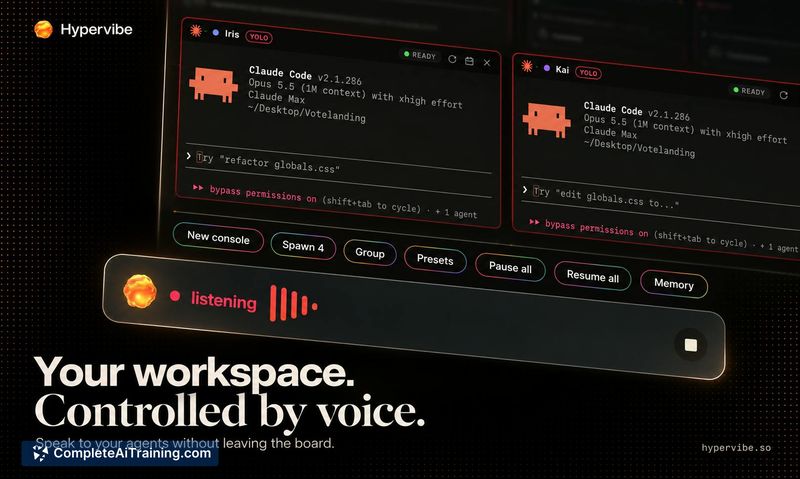
- Voice control for coordinating the board, with on-device dictation transcription and hosted services for spoken replies and voice planning.
- Git tracking per repository, displaying current branch, pending changes, and ahead/behind status in a corner pill, plus a branches card for switching or creating branches.
Pricing and Value
Hypervibe itself requires payment, though the exact pricing model is not yet defined on its page. Agent subscriptions-Claude Code, Codex, Gemini, and others-are separate and not included. Users need their own accounts for each agent they want to run on the board.
Pros
- Reduces context-switching by keeping terminals, previews, and project notes on one board.
- Works with existing agent accounts instead of bundling or reselling API access.
- Voice input is processed locally on the Mac for dictation, which limits data sent off-device.
- Git integration surfaces branch info and change status without leaving the workspace.
- Teams feature allows grouping agents and coordinating them together.
Cons
- Runs only on macOS 14+ with Apple Silicon, excluding Windows, Linux, and older Intel Macs.
- Git tracking does not yet show per-agent branch and test status when each agent uses its own git worktree-this is on the roadmap.
- The tool is not well suited for users who work with a single coding agent or prefer a minimal, terminal-only setup without a spatial canvas.
Hypervibe fits developers who routinely juggle multiple CLI coding agents and want a visual overview of what each one is doing. It's less relevant for single-agent workflows or cross-platform environments. The current build handles the core spatial organization, while per-agent git worktree details remain a planned addition.



