AI tool
Review
Review is a desktop app for developers to review pull requests with pinned diffs and optional AI checks from multiple providers. It lets teams set up AI reviewers that test code against fixed rules, and you decide what to publish to GitHub.
About Review
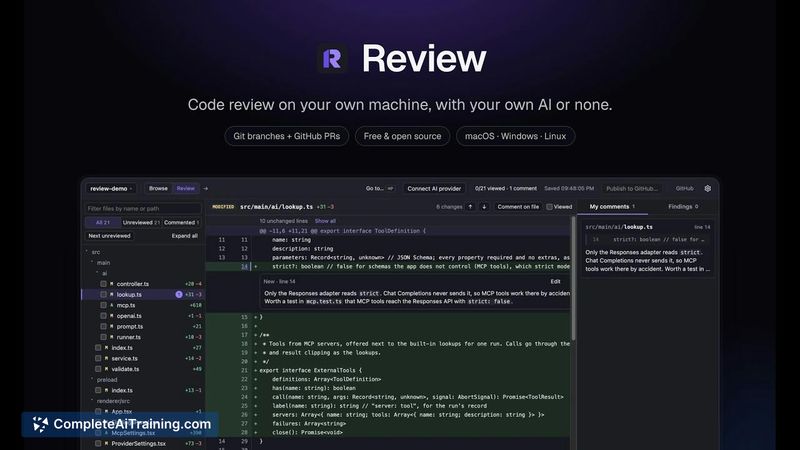
Review is a free, open-source desktop application built by developer Hamed Qaderi. It runs locally on macOS, Windows, and Linux, letting you inspect Git branches and GitHub pull requests in a single window. The tool pins each review to exact commits, keeps comments private on your machine until you publish them, and can integrate AI reviewers using your own API keys or local models.
Review
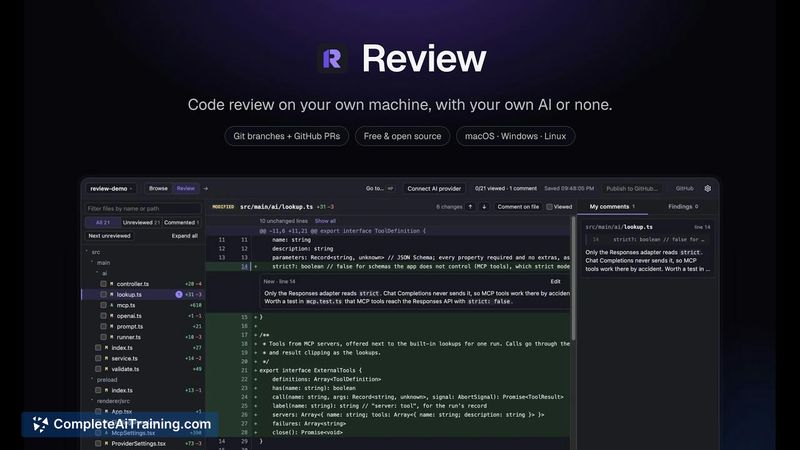
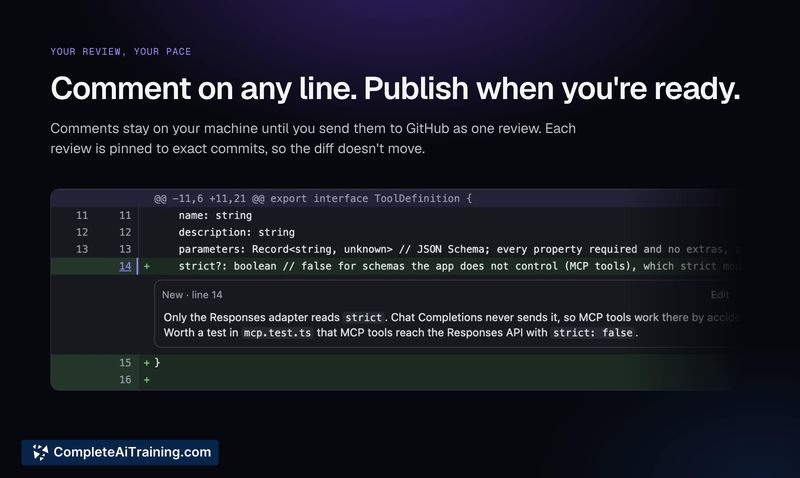
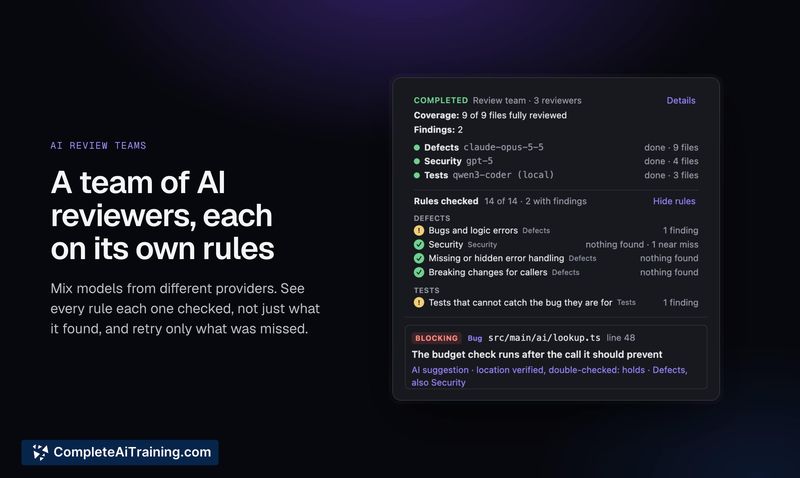
Review approaches code review as a local-first, commit-pinned process. Instead of working inside a browser or an IDE plugin, you open branches and PRs in a standalone desktop interface. The AI component works against a fixed set of rules-bugs, security, error handling, tests, and more-and the interface shows exactly which rules were checked on each pass. Comments stay on your machine until you choose to publish them to GitHub.
Key Features
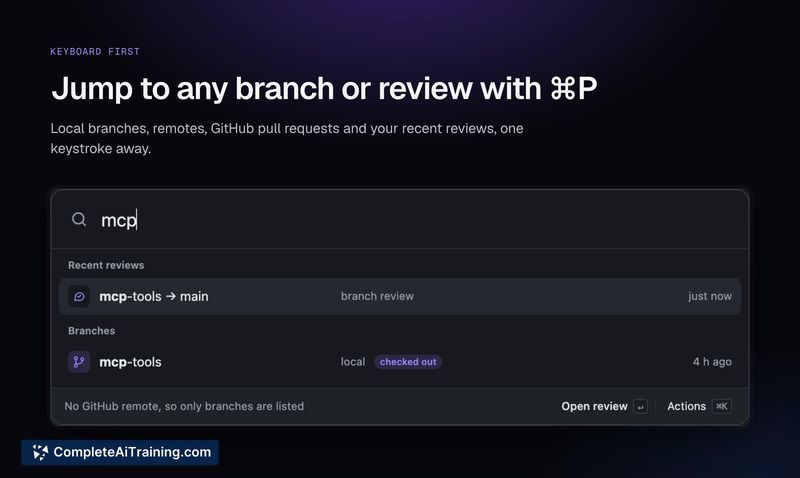
- Opens local Git branches and GitHub pull requests in one window, with ⌘P to jump between them
- Pins each review to exact commits so the diff doesn't shift when new commits are pushed
- Keeps all comments private on your machine until you publish them as a GitHub review
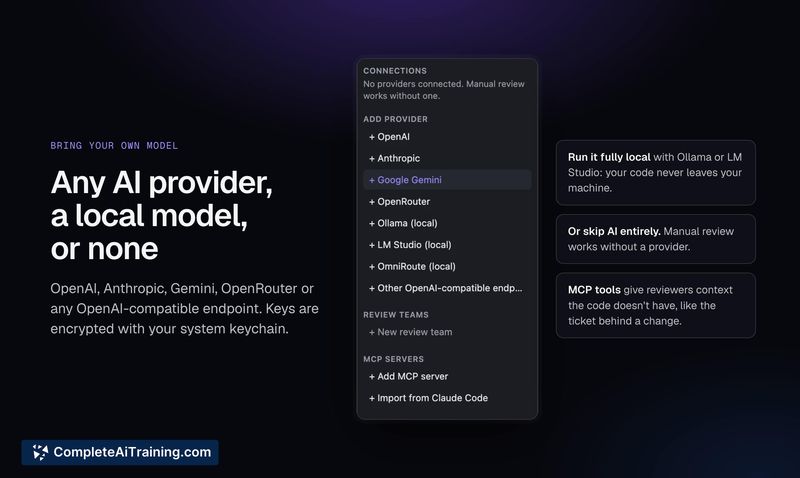
- Adds AI reviewers from OpenAI, Anthropic, Gemini, OpenRouter, or local models via Ollama or LM Studio
- Shows which rules the AI checked against each change and allows retrying only the rules that were missed
- Can call MCP servers for external context, such as the ticket linked to a change
Pricing and Value
Review is free and open source under the MIT license. There is no account system. AI usage costs depend entirely on the models and providers you configure-OpenAI, Anthropic, Gemini, and OpenRouter charge according to their own pricing, while local models run through Ollama or LM Studio incur no API fees. The application itself does not have a paid tier.
Pros
- Runs entirely on your own machine, with no account or cloud dependency for the tool itself
- Commit-pinned reviews prevent diffs from shifting mid-review when teammates push new code
- Comments remain local until you explicitly publish, giving you full control over what reaches GitHub
- Works with multiple AI providers and local models, with keys stored in the system keychain
- Transparent rule-checking display lets you see exactly what was evaluated and retry only gaps
Cons
- Installers are not yet signed, so operating systems will warn on first launch and require a manual override
- The AI review is limited to a predefined rule set; there is no way to define custom rule categories in the current release
- Not well suited for teams that rely on web-based review tools with built-in CI integrations and don't want a separate desktop application
Review fits developers who want a local, commit-stable review environment and are comfortable bringing their own AI models. It's particularly relevant for solo developers or small teams who review code on their own schedule and want to control exactly when comments become visible to others. Teams that need tight integration with hosted CI/CD pipelines or prefer browser-based workflows may find the desktop-only approach limiting.