AI tool
Rill Browser
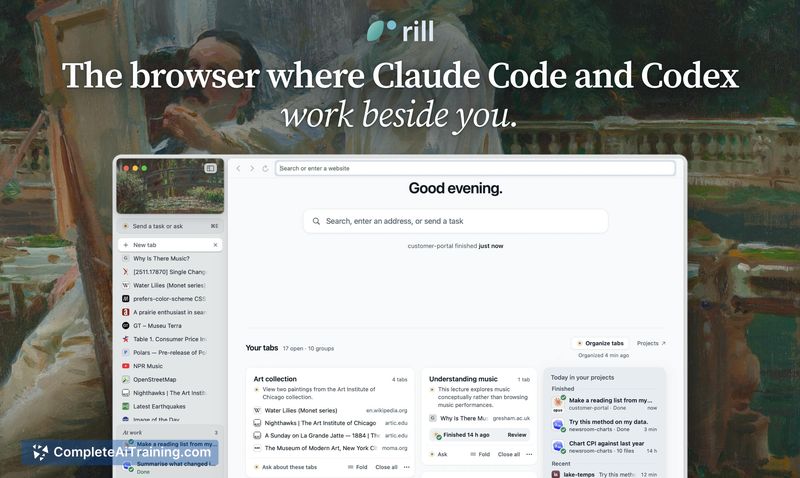
Rill Browser is a free Mac browser that integrates Claude Code or Codex agents directly into your browsing session. It lets developers capture ideas and start coding in the right project without switching contexts.
About Rill Browser
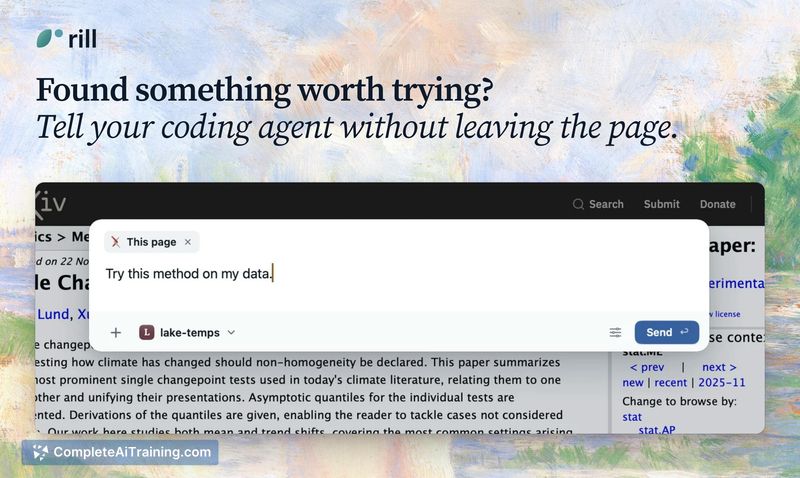
Rill Browser is a WebKit-based, AI-native browser for Mac that integrates directly with Claude Code and Codex. It lets you trigger agent tasks from any webpage using ⌘E, passing the page context to your coding agents without leaving the browser. The tool also organizes tabs into themes, converts browsing history into searchable days, and collects all agent projects into a single view.
Review
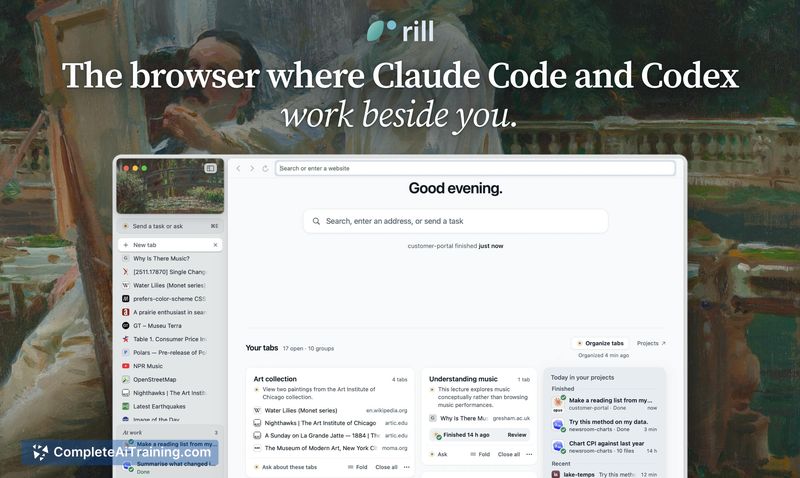

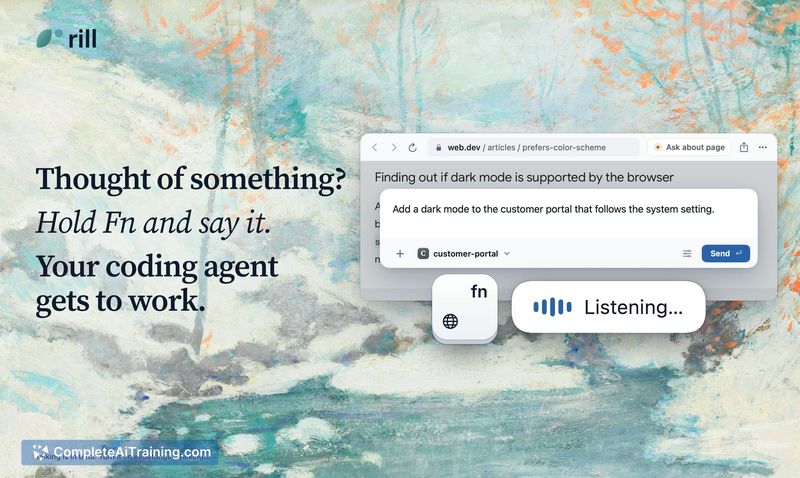

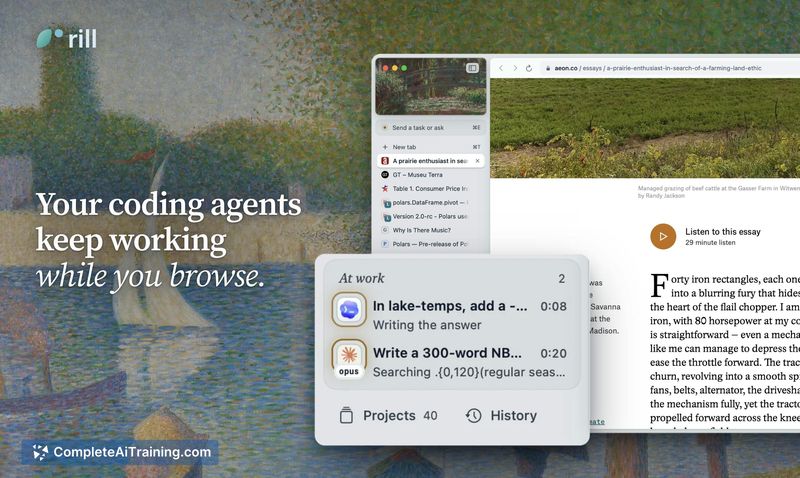


Rill Browser approaches the browser from an agent-first perspective, treating coding agents as primary actors rather than add-ons. It runs on the Claude Code or Codex plan you already pay for, so there's no additional subscription for its agent capabilities. The core idea is to reduce the friction between having an idea while browsing and dispatching work to an agent.
Key Features
- ⌘E Agent Dispatch: Press ⌘E on any webpage to send its content and context to Claude Code or Codex. Rill locates the relevant project and hands off the task while you continue browsing.
- Automatic Project Detection: Rill scans your existing Claude Code and Codex projects and surfaces them in the Projects view. Users report that repositories they've worked on appear without manual setup.
- Tab Theme Sorting: The browser groups open tabs into thematic clusters, reducing clutter from scattered browsing sessions.
- Day-Based History Search: Browsing history is organized by day and remains searchable, turning past sessions into a navigable timeline.
- At Work Tray: Active agents appear in a small tray at the bottom right with color-coded status indicators and a brief line showing current progress.
Pricing and Value
Rill Browser is free. It does not require its own subscription. Instead, it uses the Claude Code or Codex plan you already have on your Mac, calling upon those subscriptions directly without needing separate API keys. There is no additional cost beyond what you currently pay for those services.
Pros
- Removes context-switching between browsing and coding environments by keeping agents accessible from any page.
- Leverages existing Claude Code and Codex subscriptions, so users avoid paying for a new AI plan.
- WebKit-native on Mac, which means it uses Apple's rendering engine and integrates with the Mac keychain for passwords.
- Project detection happens automatically; users don't need to point the browser at specific folders.
- Supports importing passwords from Chrome and other browsers into the Mac keychain.
Cons
- No support for Chrome extensions, which means password managers that rely on browser extensions (like 1Password's extension) don't work directly. The 1Password Mac app's universal autofill does function, but the extension-only experience is absent.
- Limited to Claude Code and Codex for agent tasks. Users who prefer other coding agents or want to swap between multiple tools won't find that flexibility today, though the maker has expressed interest in expanding.
- Not well suited for users who depend on a large library of Chrome extensions as part of their daily workflow. If extensions are central to how you work, Rill's current lack of extension support will be a significant gap.
Rill Browser fits professionals who already use Claude Code or Codex regularly and want to capture ideas at the moment they arise during browsing. It's built for people who find that the gap between inspiration and dispatching an agent is where ideas get lost. The planned "Make your own extension" feature and potential third-party password manager support indicate the tool may broaden its scope, but for now it serves a specific workflow: browse, spot something useful, and send it to an agent without breaking stride.