
AI tool
sideOS.ai
sideOS is a Mac assistant that lives in the notch, letting you speak commands to control apps, dictate text, and run tasks. It uses your own AI provider key or runs models on-device for privacy. It is a one-time purchase for users who want voice-d...
About sideOS.ai
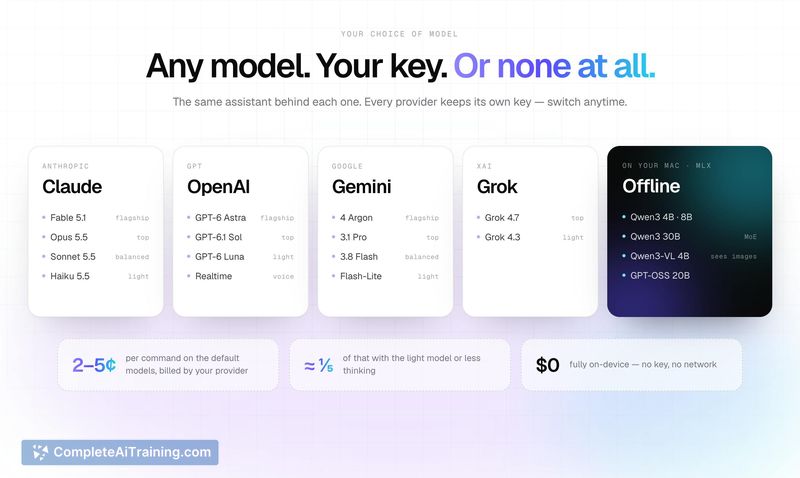
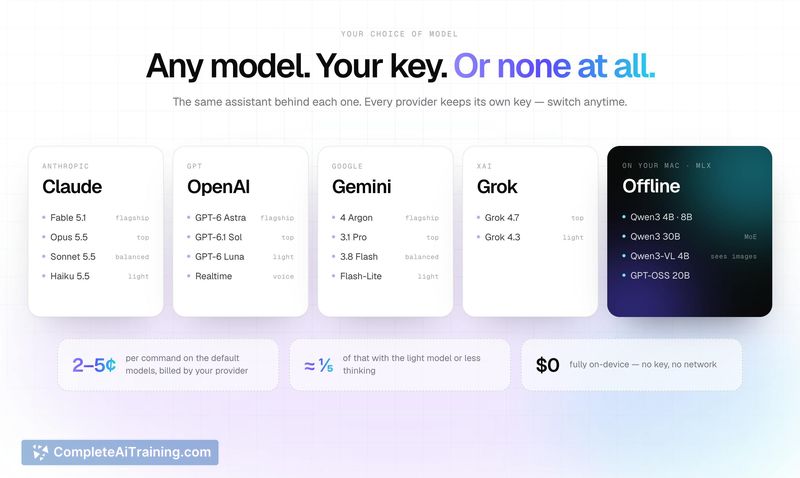
sideOS is a Mac utility that lives in the menu bar notch and executes voice commands across the operating system. Hold Control + Option, speak a task, and the tool reads screen elements via macOS accessibility APIs to click, type, and open applications. It processes speech recognition on-device and connects to either local models through MLX or your own API keys for Claude, OpenAI, Gemini, or Grok.
Review
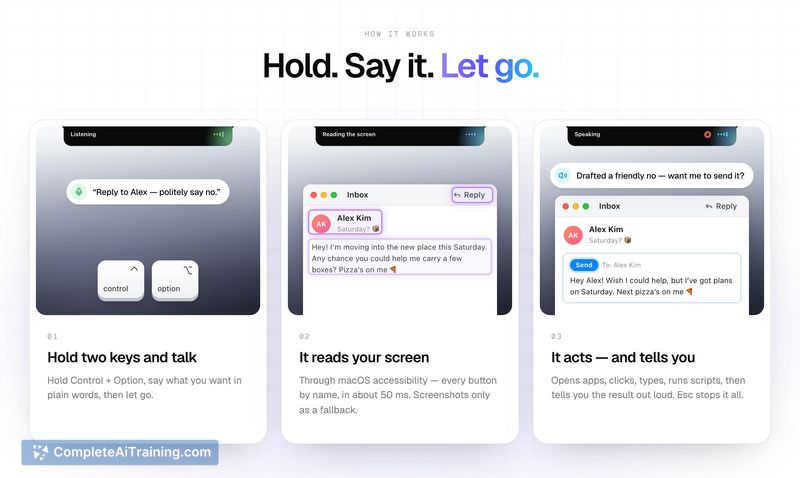
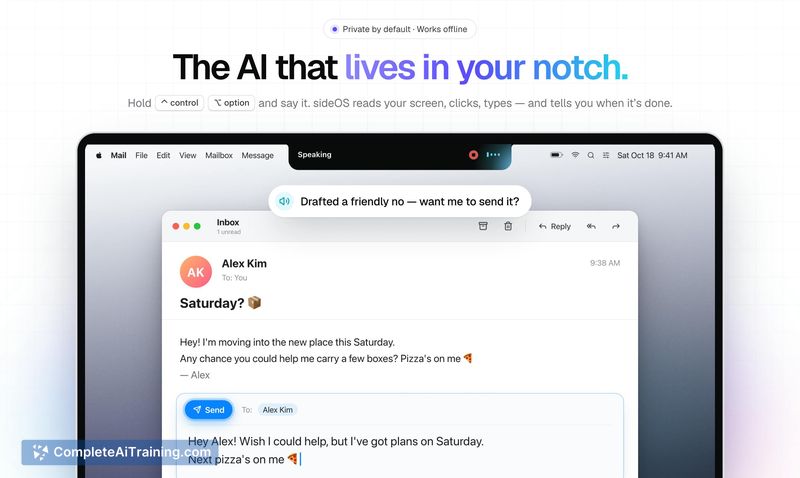
sideOS approaches desktop automation by combining on-screen understanding with direct system control. Instead of opening a chat interface and copying text back and forth, you speak a command and the tool performs the action itself. The reliance on macOS accessibility APIs rather than screenshot-based vision means it identifies buttons by their actual names, which keeps per-command costs low when using cloud models.
Key Features
- Notch-resident voice assistant activated by holding Control + Option, releasing after speaking a command
- Screen reading through macOS accessibility APIs that identify interface elements by name in roughly 50 ms
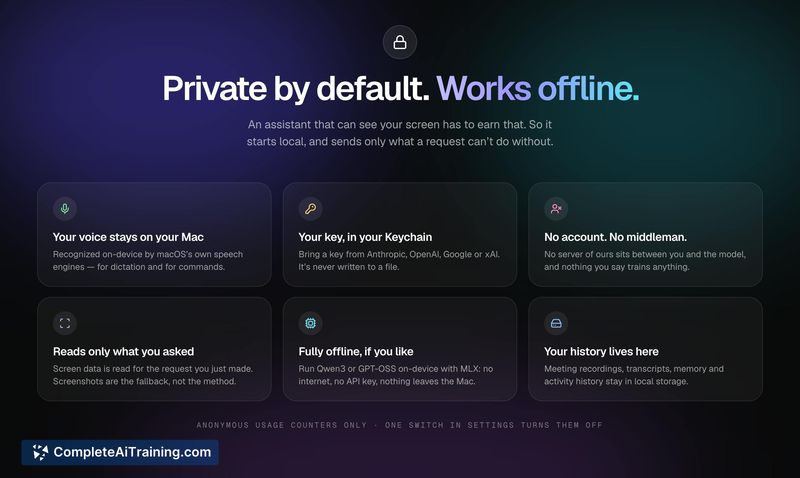
- On-device speech recognition supporting 62 languages, with no audio data leaving the Mac
- Local model support via MLX (Qwen3, GPT-OSS) for fully offline operation, plus bring-your-own-key for Claude, OpenAI, Gemini, or Grok
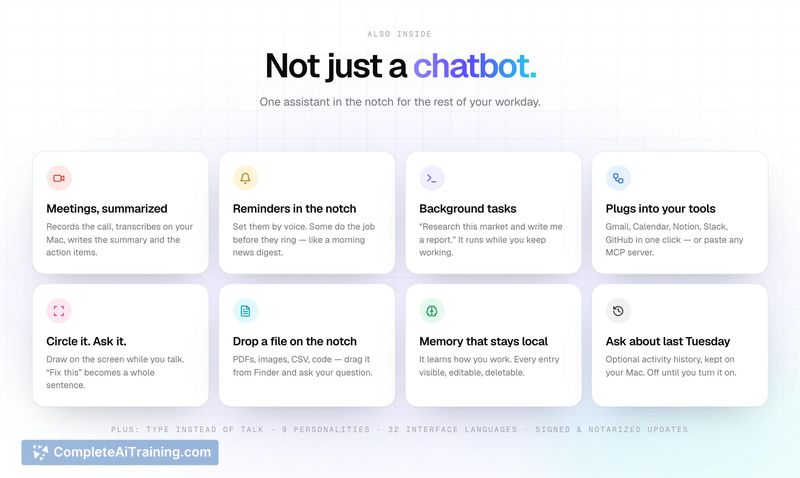
- Built-in meeting recording and transcription, dictation into any app, background research tasks, and connections to Gmail, Calendar, Notion, Slack, GitHub, or MCP servers
Pricing and Value
sideOS is sold as a one-time purchase with no recurring subscription. All future updates are included in that single payment. A 25% discount code (SIDEOS25) is active for the launch period. When using cloud models, you pay your own provider directly-typical commands run between 2 and 5 cents according to the maker. Running local models incurs no per-use cost beyond your machine's resources.
Pros
- Voice commands trigger actual desktop actions-opening apps, clicking buttons, typing text-not just generating replies
- No account required and no intermediary server; API keys stay in your Keychain and speech processing happens on-device
- One-time payment model removes recurring costs, with all updates included
- Works entirely offline when using local models through MLX
- Direct screen element access avoids the latency and expense of screenshot-based vision approaches
Cons
- Limited to macOS, so Windows and Linux users cannot use the tool
- Cloud model usage requires bringing your own API key and managing provider billing separately
- Not well suited for users who prefer typed interactions or need cross-platform compatibility across non-Apple devices
sideOS fits professionals who spend most of their day on a Mac and want to offload repetitive desktop tasks to voice commands without routing data through external servers. It's also a match for those who already hold API keys for major model providers and want direct control over their usage costs. The offline mode makes it viable for sensitive work environments where internet connectivity or data privacy policies rule out cloud-based assistants.



