AI tool
WebAI by Opera
WebAI by Opera lets developers and advanced users run local AI models directly in the browser. It provides a built-in platform for creating custom browser capabilities instead of installing third-party extensions.
About WebAI by Opera
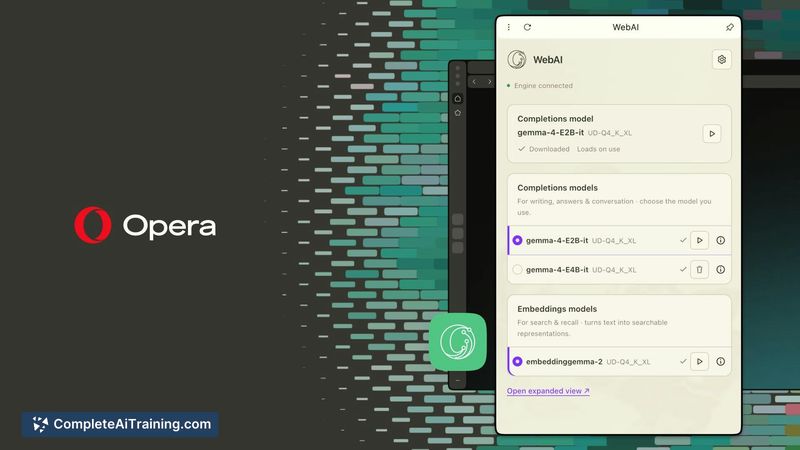
WebAI is a feature built into the Opera One browser that lets websites and extensions run AI models directly on a user's computer. Opera built the inference engine into the browser itself, so page content stays local instead of being sent to a cloud AI service. The feature is currently an opt-in early preview and supports local models including Gemma and, on Macs, Apple's on-device foundation model.
Review
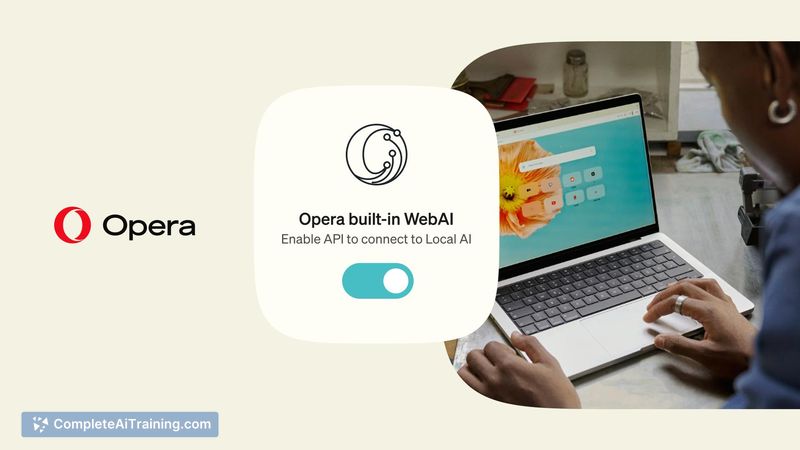

WebAI takes a different path from most browser AI integrations by keeping computation on-device. Developers get three specific APIs to work with, and Opera has published six example extensions to show what's possible. The early preview status means some details about permissions and model negotiation are still being worked out.
Key Features
- Local inference engine - Runs AI models on the user's own hardware, so page content isn't transmitted to external servers.
- Three developer APIs - Text generation, classification, and finding related content are the three capabilities exposed to websites and extensions.
- Example extensions - Opera ships six sample extensions, including one that quizzes readers on an article and another that highlights paragraphs relevant to a project.
- Local model support - Works with Gemma models and Apple's on-device foundation model on Mac hardware.
- Opt-in early preview - Available in Opera One, but users must choose to activate it; it's not enabled by default.
Pricing and Value
WebAI is free. It ships as part of the Opera One browser, which is itself free. There are no subscription tiers or usage-based fees attached to the feature. Since the processing happens on the user's own hardware, there are no API call costs to meter either. Whether Opera will introduce any paid developer tiers or enterprise licensing down the line hasn't been stated.
Pros
- Page content stays on the user's machine, which reduces data exposure compared to cloud-based AI features.
- Developers get a focused set of three APIs rather than a sprawling toolkit, making the scope clear.
- Example extensions give a concrete starting point for understanding what the APIs can do.
- No usage costs for either users or developers since inference runs locally.
- Works with existing local models like Gemma without requiring proprietary models.
Cons
- As an early preview, key behaviors aren't finalized yet-questions about how a website negotiates which local model to use and what context it receives remain open.
- Running models locally can drain battery and consume system resources, and the current preview doesn't clarify what throttling or model selection guardrails exist.
- WebAI is not well suited for users who want a polished, production-ready AI integration. Developers building for broad audiences will likely find the opt-in preview status and unresolved permission model too uncertain for deployment.
WebAI points toward a model where browsers handle AI inference locally rather than phoning home. The three APIs cover sensible starting points for on-device use, and the example extensions make the possibilities tangible. It's most relevant right now for developers who want to experiment with local browser AI and don't mind working within an early preview's constraints.