AI tool
Yubi
Yubi is a Mac dictation and assistance tool for bilingual users who type in Japanese and English. Hold a key, speak, and your words appear at the cursor, with all dictation processed on-device. It also offers on-screen guidance for simple Mac tasks.

About Yubi
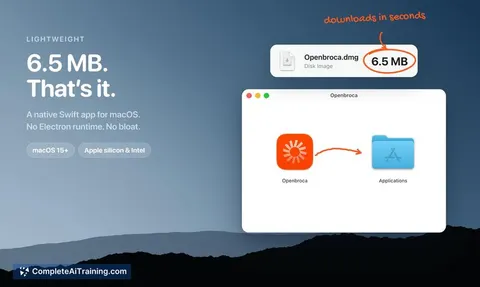
Yubi is a 6 MB Mac app that handles two things: on-device dictation and on-screen assistance. Hold the right Option key, speak, and your spoken words appear at the cursor. Hold the right Command key when you're stuck on screen, and the app can point and help with simple Mac tasks.
Review


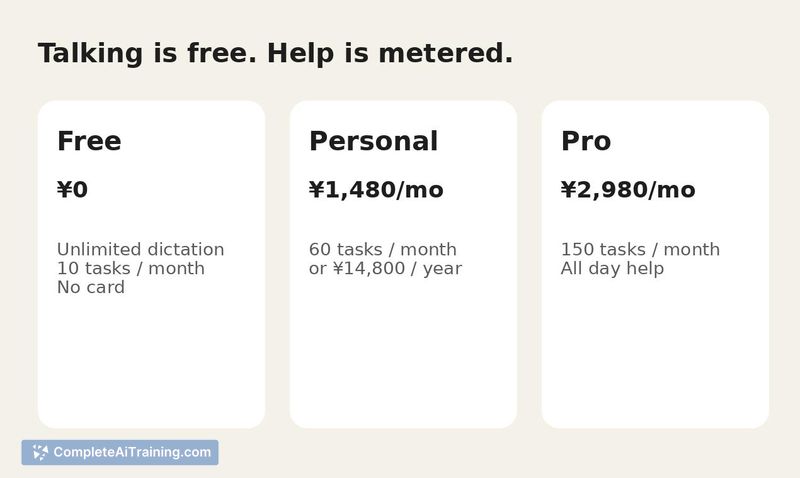



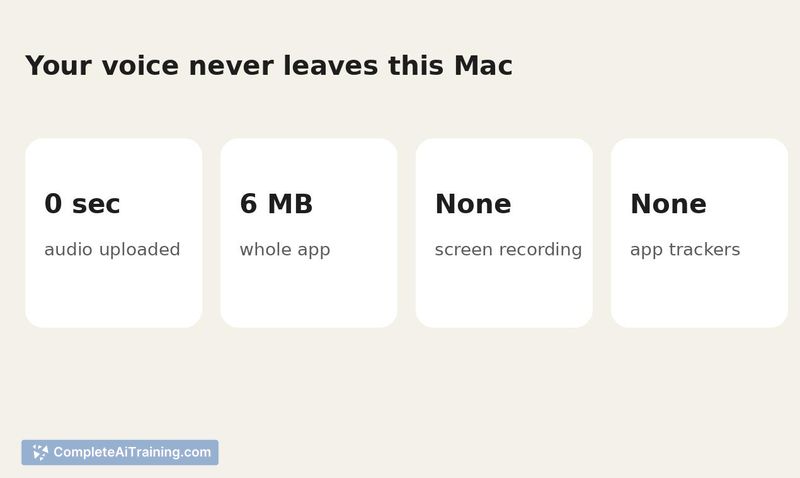
Yubi takes a narrow approach to voice input and screen help on macOS. The dictation side runs entirely on-device - your voice never leaves the Mac. The assistance side (what the maker calls "Tasks") is metered, with a set number of uses per plan tier.
Key Features
- Push-to-talk dictation triggered by holding the right Option key; text lands wherever your cursor is placed.
- On-screen help mode activated by holding the right Command key - the app can point at elements and assist with basic Mac operations.
- On-device speech processing means no audio data is sent to external servers during dictation.
- Small footprint at roughly 6 MB installed.
- Works on Apple Silicon Macs.
Pricing and Value
The Free plan requires an email sign-in but no credit card. Dictation is free. The Tasks feature (on-screen help) is metered: Free users get 10 Tasks. Higher usage requires the Personal or Pro plan. Exact pricing for those paid tiers is not yet defined in the available product page information.
Pros
- Dictation stays local - useful for anyone handling sensitive or bilingual text in Slack, Mail, and similar apps.
- Two distinct functions (typing vs. screen help) are separated into two different key holds, reducing accidental triggers.
- Small download size doesn't add much to system overhead.
- Free tier lets you test dictation without handing over payment details.
- Built by a bilingual maker, so the dictation model has been exercised across Japanese and English from the start.
Cons
- Tasks are sharply limited on the Free plan - 10 uses runs out quickly if you lean on the screen-help feature.
- Only available for Apple Silicon Macs, which leaves Intel Mac users out entirely.
- Not well suited for people who need long-form, continuous dictation or specialized transcription workflows; the push-to-talk model targets short message-style input.
Yubi fits best for someone who types frequent short messages across languages and wants dictation that doesn't phone home. The screen-help side could reduce friction for simple "where do I click" moments, but the metered limit means you'll hit the cap fast if you rely on it throughout the day. If you're on an Apple Silicon Mac and curious about local dictation that doesn't require a subscription just to try, downloading it and running one real message is the most direct way to see where it holds up and where it breaks.
Jobs Yubi suits
We checked Yubi against 500+ jobs; these get the most out of it.