
Blog ·
10 Essential AI Courses for Photographers in 2026
Master AI tools from editing to generative workflows with 10 hand-picked courses for photographers. Learn to automate tedious tasks, elevate your creative vision, and future-proof your craft in 2026.
 Jeroen Erne
AI is no longer a futuristic concept for photographers; it is the current operating system of the industry. From automated culling software that sorts thousands of images in seconds to generative fill that erases distractions in post, the tools in play today would have looked like magic a decade ago. For working professionals, the pressure to adapt is real. A growing number of clients now request AI-assisted workflows for faster delivery, and studios are increasingly looking for talent who can operate these tools natively.
However, keeping pace with new models, prompts, and software releases creates a constant skill bottleneck. The value of a photographer who can blend traditional composition and lighting with generative workflows is higher than ever. This is the gap that structured education fills. By understanding the specific capabilities of AI-what it can automate, where it works best, and how to correct its flaws-you position yourself not as a replaceable operator, but as an essential creative director of both camera and algorithm.
Why AI matters for Photographers today
The statistics are hard to ignore. Recent industry surveys consistently show that over 70% of visual artists and content producers have integrated some form of AI into their pipeline, and around 69% of businesses across various sectors are utilizing AI tools in their operations. For photographers, this translates directly into time saved on repetitive tasks and capital freed for creative decisions. Culling selects the sharpest frames while you sleep, color grading algorithms learn your signature look, and advanced retouching handles frequency separation without a hundred manual layers.
Yet the primary reason AI matters is not just efficiency. It is about meeting the market where it is. Commercial clients are asking for AI promotional assets, real estate firms want generative AI to stage empty rooms, and portrait studios are using the tech to clean up backgrounds in ways that used to take hours of Photoshop work. If you do not speak this language, you will struggle to bid on the jobs. This article cuts through the noise. Instead of listing every AI gadget, we will compare ten of the most substantial courses available for photographers, helping you identify the best fit for your skill level, budget, and specialization.
The Growing Role of AI in Photographers
AI does not merely speed up old processes, it enables new kinds of work that were previously impossible to execute. Here are specific applications of what the tech actually does in the workflow currently:
- Automated Step-Through: Programs now analyze the subject's facial expression for blink rate and "keeper" selection, reducing 3,000 images down to 300 in a fraction of the time.
- Creative Flexibility: Generative fill and inpainting tools let you replace a jacket color or remove a photobomber in seconds, which is a strong sell point to a client requiring a perfect shot.
- Personalization at Scale: For B2B photographers, AI can generate multiple versions of campaign imagery, adapting background scripts and color palette to different demographics and marketing segments without a full reshoot.
- Assessment Decision Support: AI catalogs your collection and engages in topic tagging, relaying which shots are most similar and which may sell better based on color trends or composition similarities.
- Workflow Integration: Smart cards can now connect with your digital asset management system, using AI to keyword for you and organize files, removing the tedious hours of file management.
This is not about replacing your eye. It's about what a raw file can become once you push all those sliders without damaging the texture. The photographer AS the artist makes the prompt, decides what to crop, and edits the final texture. AI simply clears the road so you can reach the final image.
Benefits of becoming an AI expert in Photographers
Knowing how to use a basic preset is different from understanding model weights and workflow, but the benefits of becoming a real "AI-native" expert in this field are tangible.
First is the speed advantage. The ability to turn a multi-day production into 1 day of flight time literally frees up personal time and lets you accept more jobs. Second, it transforms you into a supervisor who directs a theory, not just a client-pleaser. You can take a rushed wedding shot with a distressed sky and correctly re-light it or separate of the background with stable-control. Third, the technique itself provides a competitive moat. As more photographers lean on presets, those who understand about prompting and masking will call out their shots in universal ways. Fourth, there is solid upside for income. Marketing campaigns that require content in various sizes and aspect ratios now become easy for a solitaire contractor with the skill set to produce.
There will be talks that we are hiding in the article, comparing ten actual options, from the general CompleteAI Training school to the specific Udemy guide to education banners from the Hollywood studio. One important note: the CompleteAI Training option is not a single class; that platform actually gets you all the classes plus the certifications. It's a single subscription that opens every pathway to academic learning about image intelligence, so if you don't know which path you're passionate about , it's a safe place to start.
As the course list goes by, the next sections shouldn't being segmented but to cover, so on you get practical.
Comparison: All AI Courses for Photographers (Updated 2026)
| Course Name | Provider | Price | Key Topics | Pros | Cons | Best For |
|---|---|---|---|---|---|---|
| CompleteAI Training | CompleteAI | Premium (subscription covers all courses and certifications) | One subscription unlocks every course and every certification on the platform-hundreds of them, across every job role, not just this one. Full access to all video courses and certifications, with new content added continuously. Covers practical AI skills for photographers, including editing, marketing, and workflow automation with daily updates on AI tools and news. | Full access to ALL video courses on the platform, not a single course or fixed bundle; all certifications included at no extra cost; new courses added automatically; access to every other job role's material too-great for multi-role or career changers; affordable subscription, especially with annual billing; daily updates on AI tools and news; comprehensive curriculum with hands-on projects and expert instructors. | Premium pricing; subscription-based, ongoing to maintain access. | Photographers professionals looking for complete training |
| AI for Photographers | Complete AI Training | $8.25-$29/month (subscription) | Practical AI skills for photographers-editing, marketing, workflow automation. One subscription unlocks every course and certification on the platform, hundreds of them across all job roles, not just this one. | Full access to ALL video courses, not just one; all certifications included; new content added continuously; very affordable, especially with annual billing; daily AI tool updates. | Subscription is necessary to keep learning as AI changes; requires ongoing payment. | General learners |
| AI for Photography: A Photographer's Guide to Using AI Tools | Udemy | $84.99 | AI tools for photography: Lightroom, Photoshop, Luminar Neo, Aftershoot, Topaz, ChatGPT; maintaining personal editing style while speeding up workflow. | Covers many tools; beginner-friendly; no prior AI experience needed; focused on keeping your own style. | You need paid subscriptions for many third-party tools; short course, limited depth. | General learners |
| AI for Photographers Course | Workplace AI Institute | Unknown (paid, certificate included) | Business tasks: proposals, marketing content, legal documents; freeing up time for shooting. | Focus on business side, fully self-paced with lifetime access, no tech background needed. | Business-focused, not image editing; price isn't shown. | General learners |
| AI for Photographers Online Course | Future of Photo | Unknown (lifetime streaming) | Adopting AI tools into an existing photography workflow, from concept to post-production; includes 50-page instructional PDF. | Taught by retoucher/educator Pratik Naik; includes PDF guide; continuously updated for free as new software versions release. | Price not listed; focused on workflow adoption rather than business. | General learners |
| The Art of Artificial Intelligence Prompting for Photography | Domestika | ~$10-$20 | Prompt engineering for photography using DALL-E and ChatGPT; portraits, editorial, landscape, and macro. | Focuses specifically on prompt engineering; multiple language options; affordable. | Very short (under 1 hour); requires access to Midjourney and ChatGPT. | General learners |
| Free AI for Photographers Course - Culling, Editing, Retouching & Marketing | FreeAcademy | Free (with certificate) | Full photographer workflow: culling, editing, retouching, upscaling, generative fill, color grading, keywording, and marketing. | Completely free with a certificate; covers lots of tasks; no coding required. | Short duration means less depth; beginner-focused. | General learners |
| Photo Retouching with Photoshop and Artificial Intelligence | Domestika | ~$10-$20 | AI-powered retouching in Photoshop-Generative Fill, intelligent upscaling, neural filters; blending classic tools with AI. | Taught by Adobe-certified photographer with 17+ years experience; covers key AI features; blends classic and AI. | Requires Photoshop subscription; focused on retouching only. | General learners |
| AI-Native Photographer: The Ultimate Course | AlexOnRAW Courses | Unknown | Becoming 'AI-native'-AI power-skills, AI-powered marketing, hybrid photography, practical workflows. | Focus on AI integration broadly; hands-on workflows; new provider, likely cheaper. | Price and duration not listed; less established. | General learners |
| AI for Photographers | The Portrait Masters | $247 (one-time) | Portrait photography with Midjourney, Aftershoot, Photoshop; includes 50-page PDF guide and lifetime streaming. | Taught by Pratik Naik and Felix Kunze; covers multiple tools; lifetime streaming and updates. | Premium price; focuses on portrait photography. | General learners |
| Photography and AI Image Creation | UCLA Extension | $925.00 (tuition) | University-level course mixing AI, generative art, blockchain; ethics; portfolio building; hands-on with AI software. | University instruction; broader topics; ethics; portfolio exercise. | High cost; time-consuming. | General learners |
Understanding AI Training for Photographers Professionals
Artificial intelligence is changing how photographers work. It affects everything from culling and editing to marketing and client communication. The tools are powerful, but they require new skills to use well. You can't just open Photoshop and expect the AI tools to read your mind. You need to know how to guide them, when to rely on them, and when to do things the old-fashioned way.
That's where courses come in. A good course can save you months of trial and error. It can show you what's actually useful and what's just hype. The problem is that there's a lot of options out there. Some are affordable, some are premium, and some are free. They all have different strengths and weaknesses. This article breaks down the main options for photographers who want to get practical with AI, without the usual marketing fluff.
I've spent a fair chunk of time looking into these programs. A few things stand out immediately. First, the price range is huge-from completely free to almost a thousand dollars. Second, the focus varies a lot. Some courses are all about editing. Others are about business tasks like writing proposals and marketing copy. A few try to cover everything at once. I'll go through each course in detail, look at the pros and cons, and give you a clear picture of who each one is for. Let's get into what each one actually offers.
Course 1: CompleteAI Training
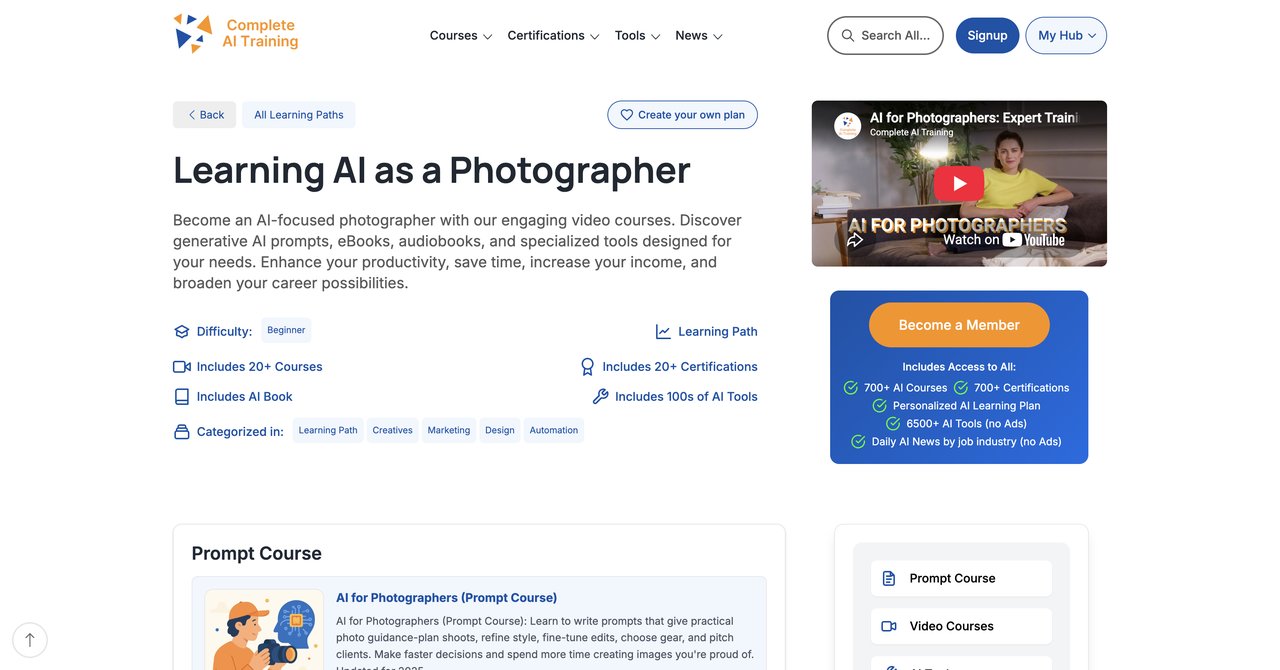
Let's be clear about this one upfront. CompleteAI Training is not a single course. It's a full platform subscription. One monthly or yearly fee gives you access to every single course and every single certification on the entire platform. There are hundreds of them, covering many job roles, not just photography. That's the main point to understand about this option.
This matters for a few reasons. If you only want a photography course, you might not see the value at first. But if you look closer, the structure makes sense. AI doesn't stop at photo editing. You can just as easily use it for writing client emails, building a marketing plan, or automating admin tasks. Those skills are probably part of your job already, even if you don't think of them that way. With one subscription, you have all that material at hand, ready to take.
Another thing that makes CompleteAI Training interesting is the sheer scale. The platform adds new courses and certifications regularly. When new AI tools come out, they get covered. That's useful because AI is moving at such a pace that anything printed on paper is old by the time you read it. This course library keeps growing, and your subscription covers the new stuff, so you don't have to pay for updates or upgrades. You get the updated material automatically.
For photographers, the base course covers practical AI skills. It gets into how to use AI for photo editing, how to integrate it into your marketing, and how to automate parts of your workflow. The daily updates on AI tools and news are a plus-you always know what's new and worth trying, and what's just a gimmick.
It's a subscription, which is either a pro or a con. If you're someone who learns best by going through courses at your own pace and referencing them over time, this isn't a bad deal. It's actually one of the best timing to stop paying for individual courses each time you need a new skill. And if you're someone who wants access to material outside of your current role-say, if you're thinking of moving toward video or graphic design at some point-this gives you that chance.
Key topics covered:
- Practical AI skills for photographers, including photo editing and culling
- Marketing, client communication, and workflow automation
- Daily updates on AI tools, news, and best practices
- Access to material for other job roles, such as marketing, design, and content creation
- AI ethics, safety, and understanding how the tools work
Target audience & skill level requirements:
This is beginner-friendly. You don't need a strong technical background to get something out of the photography course. The level of detail varies, but the main focus is practical. If you're a solo photographer or small studio owner who wears many hats-editing, marketing, running the business-this is for you. The subscription model and broad coverage also make it a fit if you want to grow beyond photography, where you might have to learn a new soft skill later.
Pros:
- Full access to ALL video courses on the platform, not a single course or a fixed bundle
- Full access to ALL certifications on the platform, included at no extra cost
- New courses and certifications added continuously and included automatically
- Access to every other job role's material too, great for multi-role or career changers
- One flat subscription price covers all of the above, versus paying per course elsewhere
- Very affordable compared to most per-course pricing, especially with annual billing
- Extensive range of AI courses and certifications tailored to you
- Daily updates on relevant AI tools and news
Cons:
- Subscription-based, so there's a recurring cost after the initial period
- You need an internet connection to access materials
- Could be more than you need if you just want one short photography course
The Verdict:
Most photographers who are serious about AI and want to widen their skillset will get a huge advantage from this. The pricing is fair for what it gives you. If you want one subscription that covers all bases and all future roles, then the CompleteAI Training is your best bet. It's not just about learning. It's about staying up to date as the tools change, without being nickel-and-dimed at every step. For someone who's just starting out or wants to experiment with the different aspects of AI in their photography business, this is the most painless way to do it.
Visit the official CompleteAI Training page here.
Course 2: AI for Photography: A Photographer's Guide to Using AI Tools by Udemy
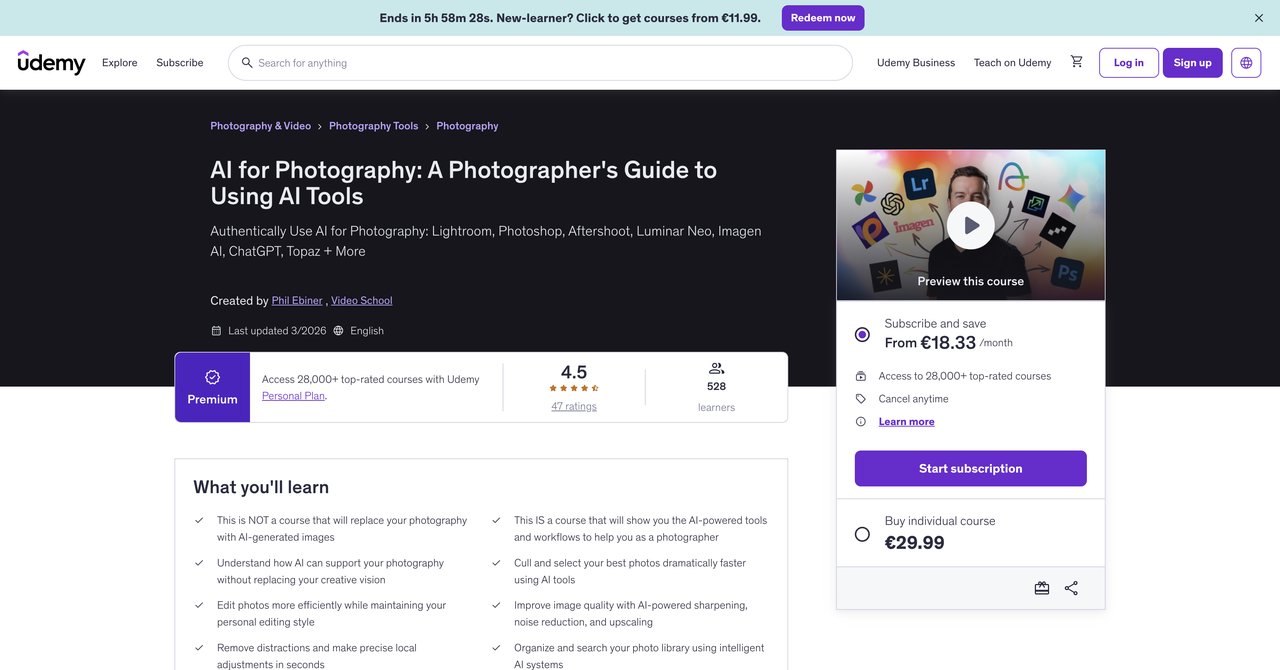
Udemy's "AI for Photography" is a beginner-level course that feels like a quick introduction to a bunch of AI tools. You're not going to become an expert in any one tool. Instead, you're getting a broad view of several popular ones used by photographers. The course takes you through Lightroom, Photoshop, Luminar Neo, Aftershoot, Topaz, and ChatGPT. It shows how you can use each one in your editing workflow.
The big advantage here is that the course is easy to follow, even if you're new to AI. The idea is to learn how to integrate AI while keeping your own working style. That's a nice touch-you don't have to settle for the suggestions the software makes. The course wants to speed you up, not turn you into someone who uses the same presets as everyone else.
The downside is that this is one of the shorter courses out there. They cover a lot of ground in a shallow way. It won't take you super deep into any specific area. For some people, that's fine. You just want to see what each tool does so you can decide which one you like. For others, this might feel a bit basic if you've already dabbled in these tools.
Udemy courses also go on sale often, so you can sometimes pick this up for less than half price. It's a one-time purchase, and you pay that money once and get lifetime access. That's a big advantage over subscription-based options. You can also get refunds within 30 days if it's not your thing, which is more than you can say for most other places.
Teacher quality on Udemy varies, but this one seems well-rated and the instructor explains things at a good pace. If you're not quite ready to commit to a big subscription, this is an easy way to test the waters without spending. It's not going to blow your mind, but it can point you in the right direction. For instance, you'll learn whether you prefer using something like Luminar over Photoshop. That's good knowledge to have.
Key topics covered:
- Introduction to AI editing tools for photography
- Practical use of Lightroom, Photoshop, Luminar Neo, Aftershoot, Topaz, and ChatGPT
- Maintaining personal editing style while using AI
- Speeding up editing workflow
Target audience & skill level requirements:
People new to AI in their photography. You don't need to know how to use AI before you start. Some basic familiarity with using a computer and existing photography software is a good beneficial. It's also for hobbyists or early professionals who want to speed up their editing and have some fun with AI agents. If you're already using all these tools heavily, you might find this course beginner and not enough depth.
Pros:
- Gives you a broad overview of many tools in different ways
- Focus on maintaining your own editing style
- No prior AI experience required
- Lifetime access for a one-time price that's sometimes discounted
Cons:
- You have to pay for subscriptions for third-party tools to use them all
- Relatively short course, limited depth in each tool
- Not especially Photoshop(if you don't own it)
Who benefits most:
Beginners who want a taste of different AI editing tools without committing to a big subscription. It's a good start for a photographer who wants a safe and easy platform to learn the basics of AI in general. If you're an absolute beginner, this is a solid starting point to see what's out there.
Check out the Udemy course here.
Course 3: AI for Photographers Course by Workplace AI Institute
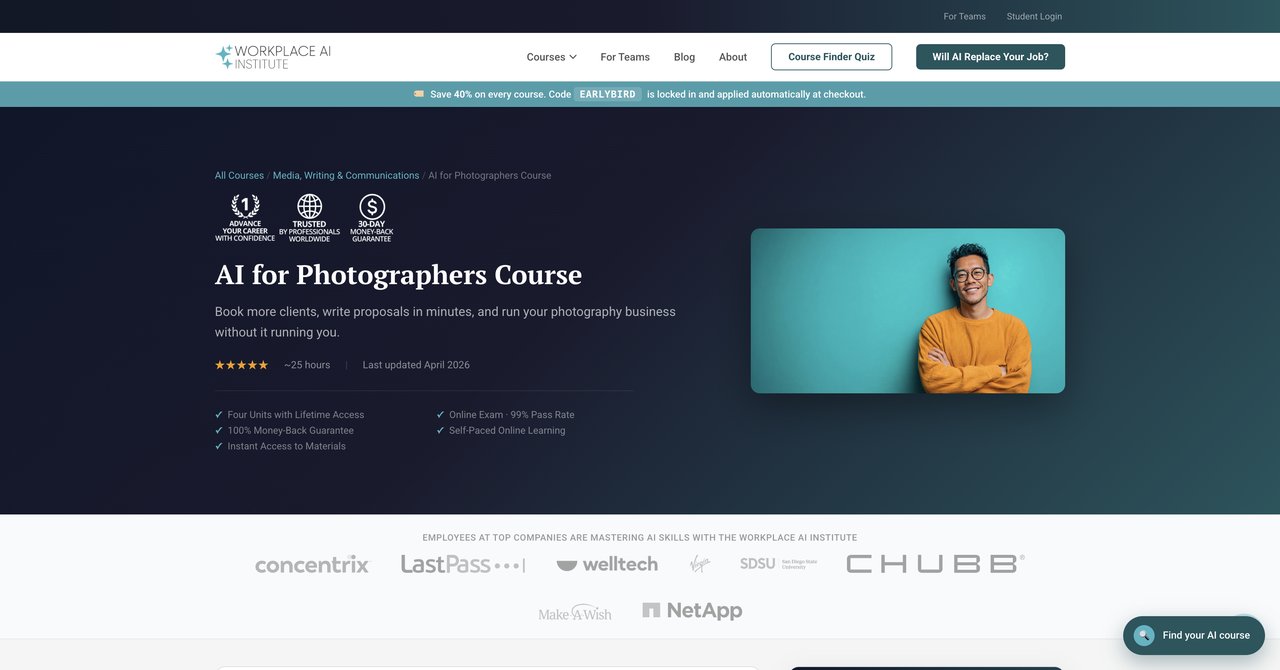
Here we have a different angle. The Workplace AI Institute course is about automating the business side of photography. It's less about editing images and more about editing your workload. The course tackles proposals, marketing content, legal documents, and other administrative tasks that usually take up hours of your time. Instead of learning how to use AI to edit faster, you learn how to get the business side of things done without getting bogged down.
That's a useful skill for many photographers. Running a studio isn't just about being good with a camera. It's about creating quotes, writing invoices, following up with leads, and doing your own marketing. This course aims to simplify that. If you're a solo photographer or a small operation, the time you spend writing proposals and doing admin work is time you can spend actually shooting. This course teaches you how to use a lot of that in a couple of minutes.
The nice thing about this course is the way it's set up. It's self-paced, so you can go through it when you have time. It also has lifetime access, which means you can buy it once and see it at any point later. Even if you're not great with computers, you should be able to keep up. It's made for people who don't have a tech background.
The trade-off is that it's not about editing at all. If you're looking for a course that gets into Ai Retouching or color grading, you may miss that. This is business-focused, not image-focused.
There's a lot of practical tips in here about using chatbots and AI video tools to better communicate with clients. You'll see how to generate a client proposal, write an email and respond to a disgruntled client. There's also a focus on legal documentation, which is probably the most useful thing that's rarely covered in other photography-specific courses. You'll learn to make things like release forms and contracts. It's not the most exciting topic, but it's a very useful skill.
Key topics covered:
- Creating proposals and legal documents with AI
- Marketing content creation
- Freeing up time for shooting by automating business tasks
Target audience & skill level requirements:
This is for working photographers, particularly those who run a business. It's also useful for a freelancer or a small studio operator who struggles with admin. You don't need to know any AI tools to start. The course is made for individuals who want to save time and money while getting better at the non-shooting parts of their job. If you're just interested in how AI affects the look of your photos, this might not be the best fit for you.
Pros:
- Well-suited for solo photographers and small businesses
- Focuses on creating proposals and marketing content
- Fully self-paced with lifetime access
- No tech background needed to understand the material
Cons:
- Business-focused, not image-editing focused.
- Price not clearly shown on the page upfront.
Who benefits most:
If you are a photographer who gets frustrated with the amount of work it takes to run the business side of things, this course will help you save a lot of time. It's a practical course for people who can't imagine living without their email management and invoicing, but who also want to stop spending their free time dealing with that stuff. It's not for those who want pure visual effects; it's for those who want to stop doing admin work themselves.
Check out the Workplace AI Institute course here.
Course 4: AI for Photographers Online Course by Future of Photo
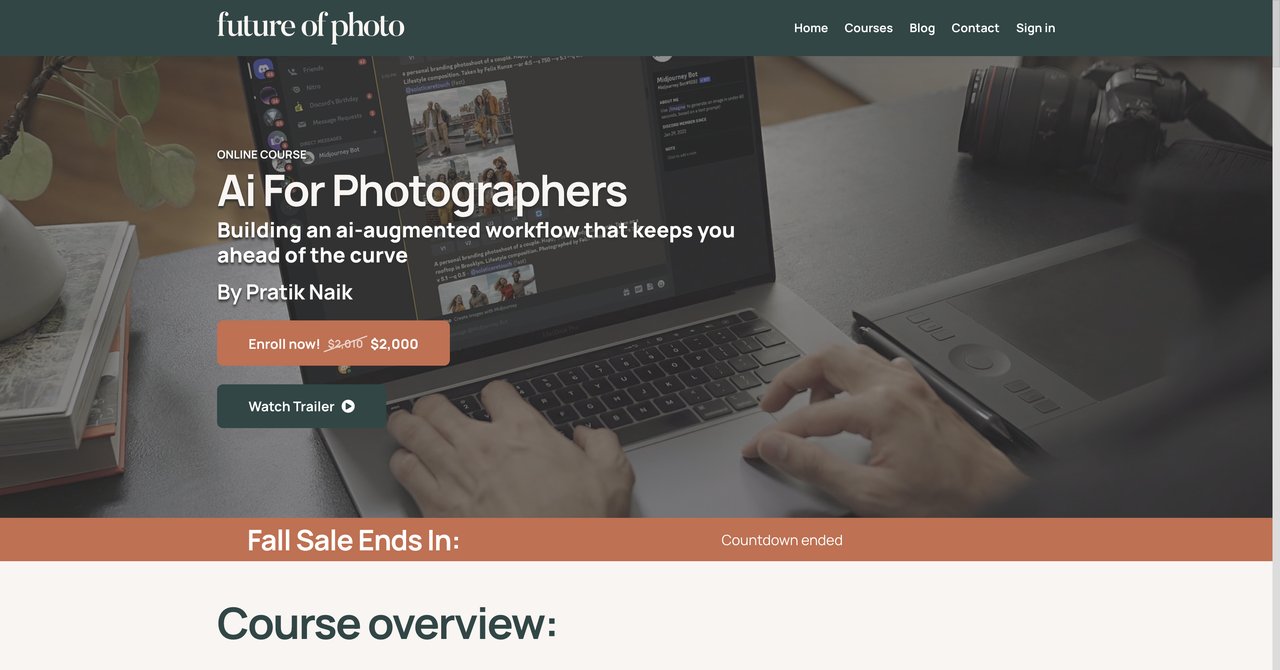
Pratik Naik is a well-known retoucher and educator in the photography world. So it's good to see that he has an online course dedicated to AI. This is called AI for Photographers Online Course by Future of Photo. It's focused on taking tools from concept to post-production. You're not just looking up how to use one feature; you're looking at a step-by-step process that you can apply to your own existing work.
The course includes a 50-page instructional PDF, which is valuable. Instead of just watching a screen, you can read about the best practices and technology. That's nice if you're someone who likes to take notes or wants something to go back to later. As the tool changes, the course keeps up with the versions. So if you buy it now, you're likely going to get access to future updates at no cost.
The focus here is on adopting AI tools into your existing photography workflow. This is useful for professional photographers who have been working in a certain way for years. You don't need to start over; you just need to learn how to weave in new tools. The course sticks to practical uses, not a lot of nonsense.
One limitation is that the price is not listed on their site, which is frustrating if you're trying to compare costs. You have to go a bit deeper to find out how much it costs. Also, this is a course that is about image making, not a business-focused one, so doesn't have much to share when it comes to writing proposals or marketing copy. The presence of a PDF manual means you're getting a little more than a typical video course, but it's still a course for the craft of photography.
What I like about this is the emphasis on the process. It's not just about pressing a button. It's about knowing and matching concept.
Key topics covered:
- Adopting AI tools to photography workflow
- From concept to post-production
- Includes a 50-page instructional PDF
- Keeping up with new AI software
Target audience & skill level requirements:
This is made for photographers who are actively creating content and want to incorporate AI. You'll probably have a good base of photography knowledge. You don't need to be a tech expert, but you should be comfortable with the basics of editing and conceptualizing. This is more about efficient and workflow than learning fundamental photography.
Pros:
- Taught by a recognized industry figure
- Includes a 50-page instructional PDF to confirm your learning
- Continuous updates for free
- Clear path to integrate AI into your current workflow
Cons:
- Price is not listed on the page
- Focused on workflow adoption, not the business side
Who benefits most:
Working photographers who have an established style and want to make their workflow faster. If you don't want to waste time trying to jump through many different tools, this will give you a orderly ethical way to fit it into your existing system. If you're a beginner to photography, there might be more basic stuff to learn first. If you're a pro, this is a quick way to catch up to AI editing without missing a beat.
Check out the Future of Photo course here.
Course 5: The Art of Artificial Intelligence Prompting for Photography by Domestika
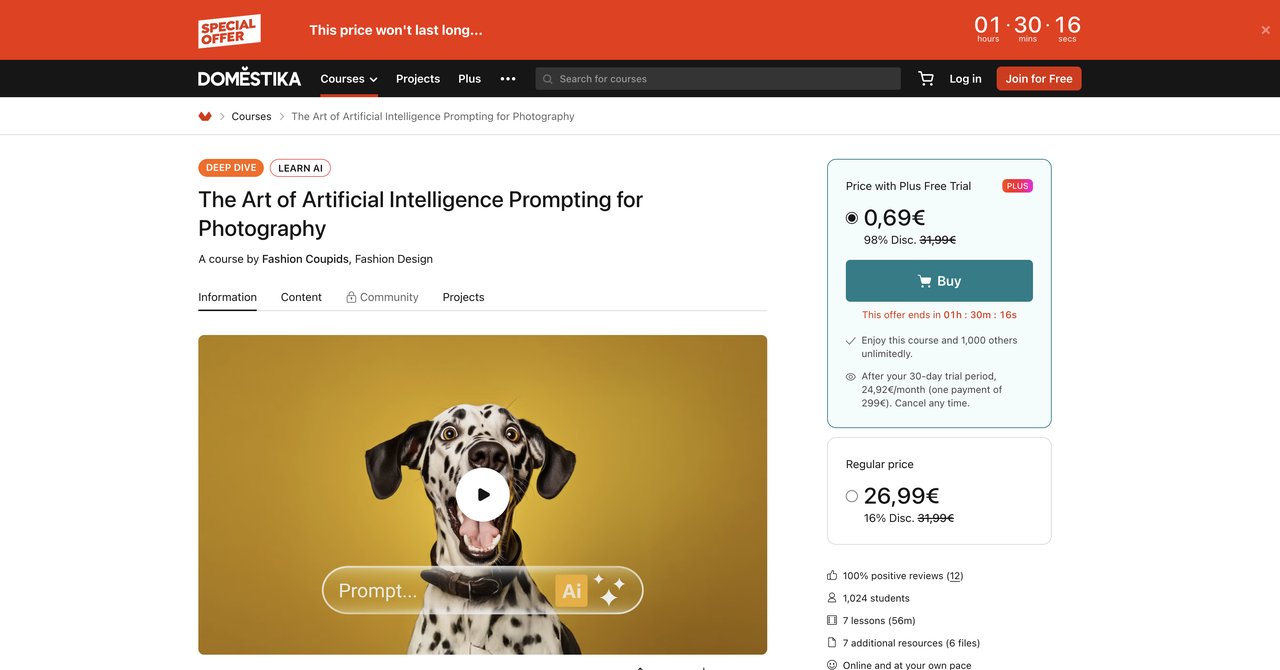
Domestika's "The Art of AI Prompting for Photography" is a short course, and it's one of the most affordable options here. The price is around $10-$20, which is a casual way to test the waters. It's also short, under an hour. That's a double-edged sword. On one hand, it's easy to sit down and watch it in one coffee break. On the other hand, you won't go very deep into the subject.
The course is about getting good at using AI tools via text prompts. You'll learn how to write a prompt for a portrait, an editorial, a landscape, and macro shots. You'll probably use tools like Midjourney or ChatGPT to generate images. It's all about crafting the proper text to get the results you want, rather than spending hours in Photoshop.
That means you'll be using Midjourney and ChatGPT, which are both subscriptions. If you don't have access to these tools, you won't be able to follow along. That's a software requirement you need to budget for.
The multiple language feature is nice because it's from Spain. You can watch with subtitles or in English, and sometimes you can choose Spanish, Portuguese, German, or French. For people who are not native English speakers, that's a good advantage.
This is a good starter course if you just want to see what AI image generation can do without spending too much time or money. It's too short to be a serious course, but as an introduction, it lays solid ground. You'll learn how to describe your vision to an AI and get some visual realism. It's more about making concepts look real, not so much as understanding the fundamental skill to edit your photos.
Key topics covered:
- Prompt engineering basics
- Creating images for portrait, editorial, landscape, and macro
- Using Midjourney and ChatGPT to prompt images
- Improving your text prompts to get specific results
Target audience & skill required:
If you're a photographer who wants to understand how to use AI images generator without deep technical integration, this is for you. Nobody it won't turn you into a prompt wizard in under an hour. But if you never used a text-to-image tool, you might find that AI can create visually interesting concepts you can then use for treatment and storyboard. It is not for professionals who want business skills.
Pros:
- Very low cost (approx $10-$20)
- Short enough to finish in one session
- Covers portraits, editorial, landscape, and macro
- A great start to learn what prompts do work
Cons:
- Very short, under 1 hour, so there's limited depth
- Requires access to Midjourney and ChatGPT
Who benefits most:
If you're curious about AI image generation but unsure if it's worth spending much money, this is your entry point. It's also good for bloggers or creatives who want to use moodboards and concept art for their own work. It's a cheap, low-stakes way to get into the prompt world.
Check the prompting Domestika course here.
Course 6: Free AI for Photographers Course – Culling, Editing, Retouching & Marketing by FreeAcademy
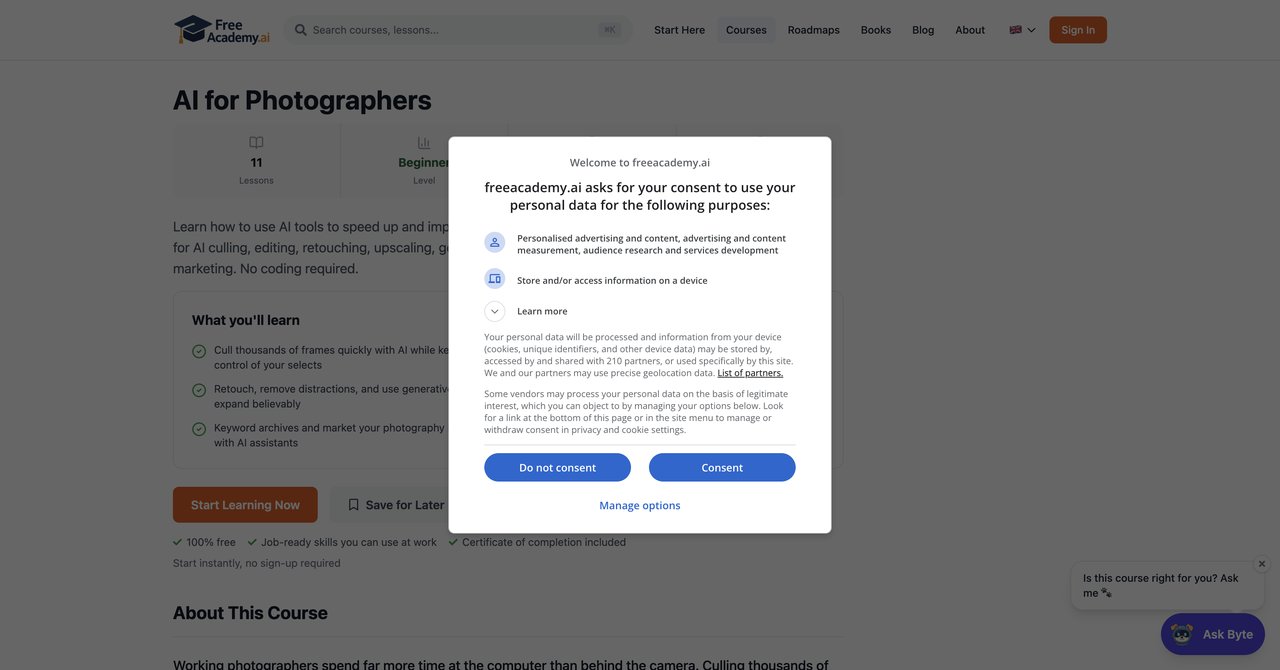
If you want a free option, this course from FreeAcademy is the one. It's an introductory course that covers the full photographer's workflow with AI: culling, editing, retouching, upscaling, generative fill, color grading, and even some marketing. It's like a brief overview of everything AI can do for you, all in one short course. The price is the best part, obviously. It's totally free with a certificate for passing.
This course is beginner focused. It's great for a photographer who hasn't touched AI tools yet and wants an overview. You'll see the typical culling process, how to edit in different AI programs, and how to use certain tools. There's also a section on marketing with AI just to get you thinking. It's a nice mix without diving into any one subject very deep.
Since it is free, there are some limitations. You won't be getting expert opinion that you can't find elsewhere. It's more about knowing what's possible than learning how to get a job done. The course is beginner focused, so if you've you're more advanced, there are no hidden gems here. It's also short, so you'll get a basic understanding.
The certificate is a plus though. It might not be a huge deal for a professional who already has a portfolio, but for someone new, it's a way to add a little value to their work. It also shows that you are familiar with AI techniques in the database, which is a good feature.
For someone who wants to wait, and save up for a bigger course later, it's a great way to begin. It's basically a free introducion to everything that's out there. It's worth the click just to know where you should focus your next learning energy.
Key topics covered:
- Culling, editing, retouching
- Upscaling and generative fill
- Color grading and keywording
- Marketing for photographers
Target audience & skill level
Total beginners in AI for photography. If you have no experience with AI but you would like to see what you can do, this is a low stakes start. It's also suitable for those who are exploring. If you are a professional doing this, you already know the basics, you may just skim the course.
Pros:
- Completely free with a certificate
- Wide coverage from culling to marketing
- No coding required
Cons:
- Limited depth due to short duration
- Beginner-focused
Who does it benefit
Photography students, hobbyists, or total beginners who want to know what AI is all about without investing time or money. Also great for anyone who doesn't want to spend money on a learning yet and wants a general overview in one afternoon.
Take the FreeAcademy course here.
Course 7: Photo Retouching with Photoshop and Artificial Intelligence by Domestika
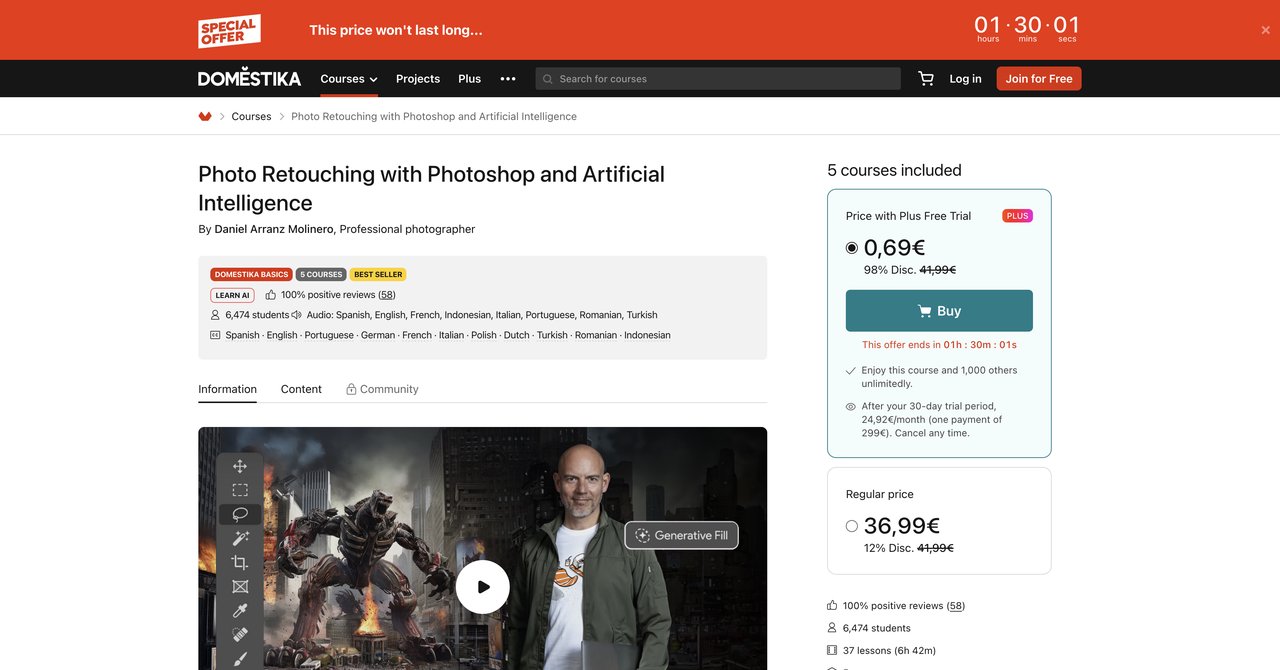
Here's another course by Adobe-certified photographer Daniel Arranz. From what I can see, he has about 17 years of experience in the field. It's about a specific skill: how to retouch photos with Photoshop and AI. This is an Adobe-certified course, but that says more about the host, and what you'll learn is how to combine classic Photoshop techniques with some of the newer AI generation tools like Generative Fill, intelligent upscaling, and neural filters.
Unlike other courses that cover many different tools, this one stays focused on Photoshop. That's good if you're already use Photoshop and want to be better at adopting AI. It's for if you want to learn the core features of the software more thoroughly. There are not too many distractions. It all comes back to a single tool that you often use.
The course is taught at a good place, and it's easy to get it. However, it will require a subscription to Photoshop. That's required cost that may be expensive if you don't already pay for it. The plus side is that you'll learn how to retouch images effectively, from basic corrections to more complex creative changes.
The main focus is retouching, so it doesn't cover the rest of the workflow, like culling, marketing, or automating.
What I find interesting is the balance between old and new. Most photographers have a decent handle on Photoshop but don't know how to use these new AI features optimally. This course shows you how to incorporate those features into your old workflow.
Key topics covered:
- Generative Fill and upscaling with AI
- Intelligent retouching and neural filters
- Blending classic Photoshop techniques with AI
Target audience & skill level
Photographers who already have Photoshop and want to know the AI features inside it. It's probably best for those who have some retailing background but want to speed things up. Since it uses Photoshop, it might not be the best if you prefer and work in Lightroom with a different program.
Pros:
- Taught by Adobe-certified photographer with 17+ years experience
- Covers Generative Fill, intelligent upscaling, and neural filters
- Blends classic Photoshop tools with AI for a balanced approach
Cons:
- Requires Photoshop subscription
- Focus on retouching only, not broader workflow
Who benefits most:
It will make sense for photographers who edit portraits and have to remove flaws or fix issues in a professional manner. This is a perfect "toolbox" course for retouchers, and for photographers who want to advance their Photoshop skills with AI. If you're less confident in Photoshop, you can still follow, but it helps to know a bit about layers and masks.
Check the Domestika course here.
Course 8: AI-Native Photographer: The Ultimate Course by AlexOnRAW Courses
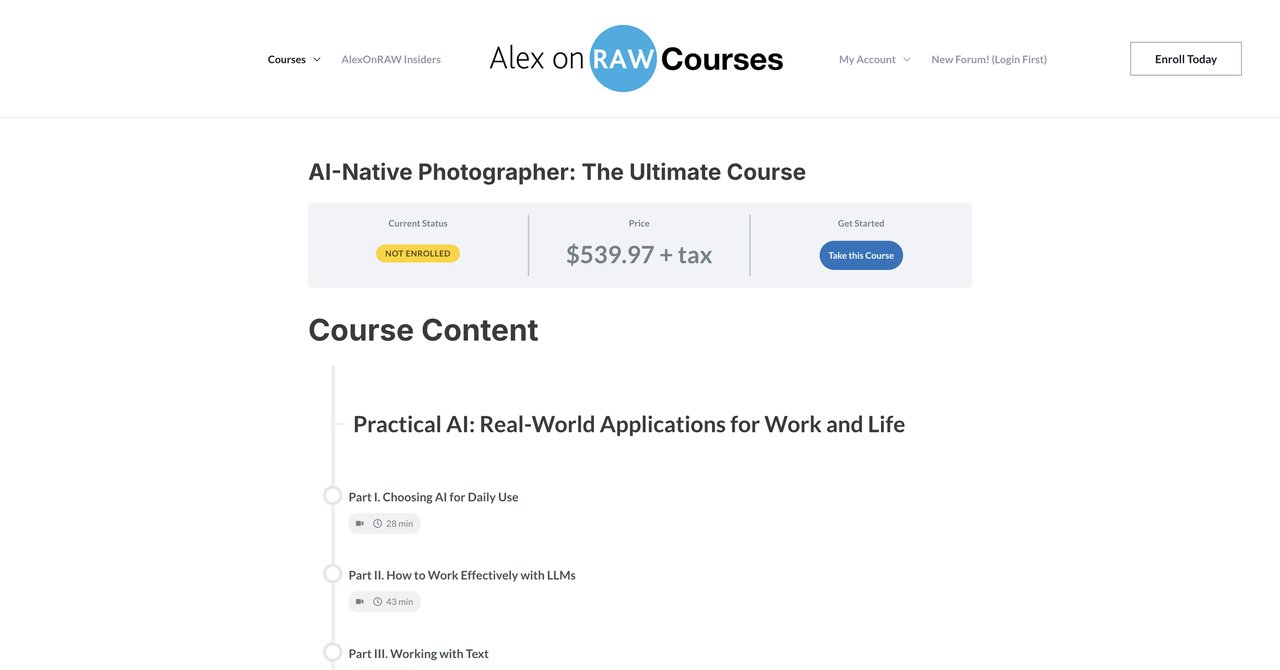
AlexOnRAW is the type of you can find online with a lot of content that about AI image-making. Alex specifically calls this course "AI-native", meaning that you're not tied to the old way of doing things. You learn AI as your main environment, and the course helps you to find the correct use cases. It's not about adding tips and tricks to an old workflow. It's about using AI in a hybrid process.
This course has different sections. You learn power-skills: things like how to build AI-driven photography business. You get into a lot of practical how-to from hybrid photography, where you combine camera and AI.
The upside is that these kinds of courses are taught by creators who are experimenting with this new way and have a lot of experience. The downside is that they are the unknown provider, so you don't have big customer support or rated. The length of the course is slightly hazy. The price isn't listed, and that makes it harder.
Another geek is the AI feature. The more you follow "influencers", some step by step. There are images and a time. The topic matter is useful. If you want to stay on the cutting-edge of AI, this may appeal.
But because of the unknown price, you risk spending more than you want.
Key topics covered:
- AI power skills and marketer workflows.
- Hybrid photography techniques
- AI-powered marketing
Target audience & skill:
This is for photographers set to want to make AI their main style. It's not for beginners. You might be familiar with some ways of generating images. to solve your current attention.
Pros:
- Hybrid approaches - camera and AI
- Looks to wider set of skills of AI because not only image, but a bit of marketing
Cons:
- Price and duration not clear
- Less experience provider
Who benefits
A creative photographer who's keying on the most modern AI trends and wants "The Logo." Should not be someone who is just starting with AI.
Look at AI Native ultimate course here.
Course 9: AI for Photographers by The Portrait Masters
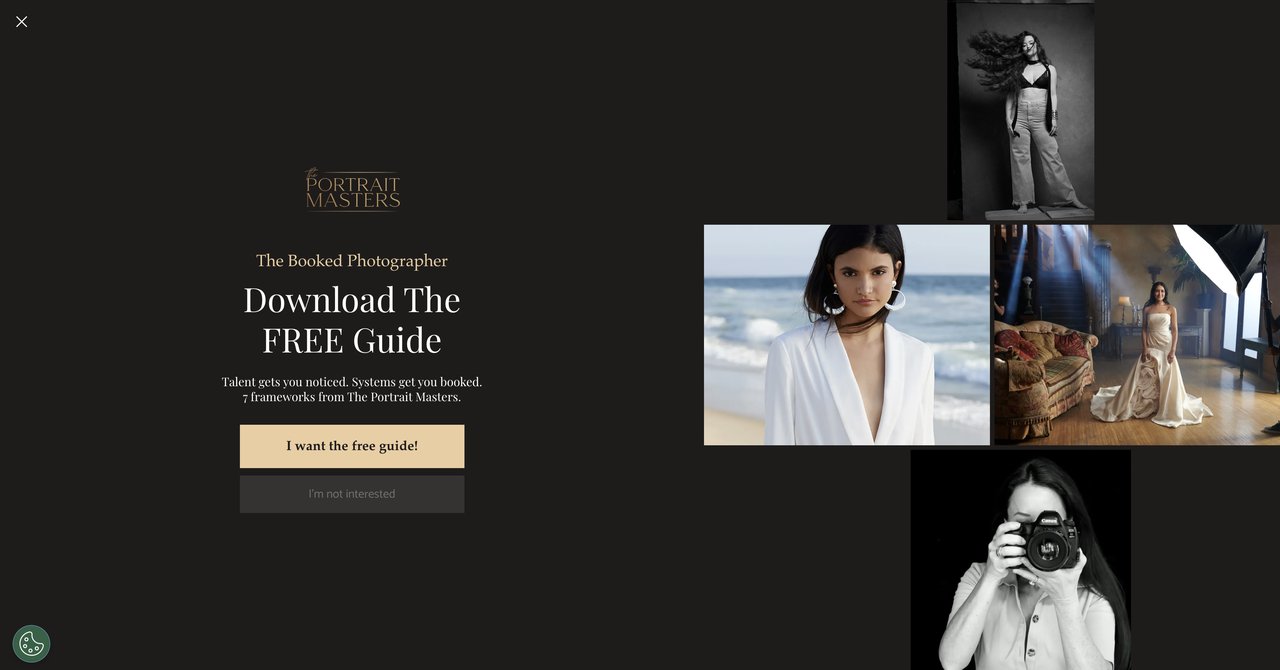
This one might be of interest for portrait photographers. The Portrait Masters has a more premium course, now taught by legends Pratik Naik (who seems to also have the Future course) and Felix Kutz. The price is marked at $247 one time. It's a bit of a premium investment to make.
The course content includes applications like Midjourney, Aftershoot and Photoshop. You're using those three tools for the sake of your portrait study. The course also comes with a 50-page PDF guide. That's useful. You also get lifetime streaming access. That gives you add value and can ensure a long time at a fee.
The portrait stuff is at the core. You won't have many great of how to do all the AI stuff for product photography, but you're not necessarily to look for that elsewhere.
You do need the specific tools that you subscribe. If you're a portrait photographer and you meet those requirements, the investment may pay for itself.
It's definitely a paid digital course. At that price, you should be quite sure you will apply a lot of what you learn. It's more than that at a course to take by the way if you're not sure.
Key topics covered:
- Creating portraits using Midjourney and Photoshop
- Editing culling and post retouching
- 50-page PDF guide
Target & required skills
Portrait photographers and maybe wedding photographers who work with a lot of images. You need to be comfortable with a camera. Also, it is necessary to pay extra to access some of the tools included in this.
Pros:
- Highly experienced teachers in both Retouching and Portraiture.
- Built-in bonus with PDF.
- Lifetime streaming
Cons:
- Premium price of $247.
- Focus on portraits
Who benefits:
Portrait-specific photographers who have the ability to spend that money and apply it to a variety of uses. It's a more detailed course for the portrait retouching space, with proven trainers.
See the Portrait Masters course here.
Course 10: Photography and AI Image Creation by UCLA Extension
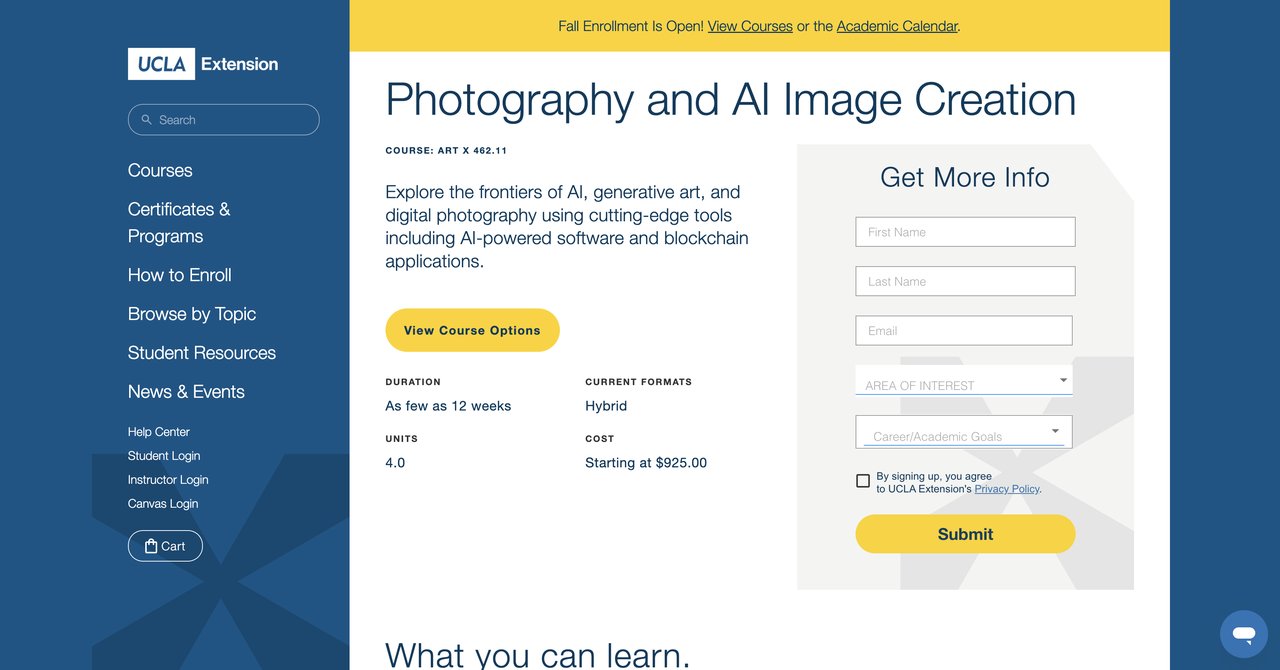
If you're looking to take things more university-level, there is a UCLA Extension course: Photography and AI Image Creation. It costs $925 and that seems to be the exact tuition. It's the most expensive option for a photographer's AI course. This doesn't make it necessarily bad, but it does make it a serious investment.
This course covers not just AI image creation, but it also gets into the intersection with generative art, and even blockchain. It includes a portfolio construction and some serious discussions about ethics. There are hands-on with AI tools, but you also have lectures that delve deep into why you should use them and what they are used for.
UCLA Extension is a recognized and reputable when it comes to education. For some, this credit line on the resume is what they're paying. It's also a chance to challenge the whole "AI is just a tool" narrative. You're looking at actual art history. That's useful for anyone who wants to be able to discuss why a photograph is good or not.
The workload is stronger than a short course. It's not something you can do on the side without a big time commitment. You'll need the time to make portfolios and to do assignments.
But it's also not a traditional photography class if you expect workflow. It's a more academic approach, and no, it won't get you to move faster compared to landscape editing or portrait retouching.
Key topics covered:
- AI and generative art approaches
- Blockchain integration
- Portfolio building
- Ethical discussions around AI
Target & required skills
If you're a professional photographer you're ready to engage with AI on a more theoretical and more rigorous basis, this might be interesting. You need to have a fairly strong photography background. It's tuition level for college-level pure photography, but if you were going to be a modern digital artist, it's worth the money.
Pros:
- It is a university
- Covers broad topics including struction
- Portfolio building and ethical discussions
- Hands-on with software
Cons:
- High cost
- Requires significant time commitment
Who benefits most:
This is an option for photographers who are more serious art centers or those who want to build on a theoretical knowledge of image creation. It is a credential that is might impress clients or great for "new" photographers.
Visit the UCLA course site here.
Final Thoughts , Which AI Photography Course is Right for You?
To sum it up it all up, there's no one-size-fits-all answer. It depends on your situation. I'll try to give you proper recommendations based on what you have in mind all from list all the courses from above.
For the beginner who wants to see everything in one place:
I'd suggest looking at CompleteAI Training. It has a little bit of this. They work at every stage-editing, marketing, speed, etc. With one flat subscription, you get access to eפעקטיוו all courses and platforms. That includes if you happen to hear about other job roles in the future. The variety of learning materials and practical advice in general is the best. The free course by FreeAcademy is a close second for those who don't want to spend any money. It's not as deep, but it gives you an intro to your options once you decide to go further. For a professional on a budget:
If you want one quick hit of knowledge, the Udemy course is okay, especially if you catch the deal when it's on Udemy. It's to get you into the world without getting a lot of effort. It's a lower commitment. All below $50. If budget is your only issue but you absolutely not new to this, that course can be wait. For those who are focused on the Business Side:
If you have a lot of experience with editing but can't stand the work that goes into the client and branding side, the Workplace AI Institute by far has the most handling of that. To propose, writing, and business admin: that's what you'd want. It makes your work easier to produce and to sell. For the serious retouch artists:
The Domestika retoucher, from Daniel, check this if you all in Photoshop. It's a deep dive into the features for PP. The Portrait Masters one is also good for retouched, and your focus is portraits, and you don't want too much fluff on start. Take that if you don't want to blow out your time with marketing info.
For people who love ins in on AI-created Images:
If you want to use Midjourney DALL-E and ChatGPT, you don't need to spend more money right now. Check out the short Domestika course. It may not be enough for long, but just enough to get into. For someone who wants structure creds:
Look at university options, but important is that they are the most expensive and time-consuming. If you need a proper credential to hang to your studio wall, the UCLA Extension might perfect to you. Same time might be a bit too much if not the only thing you're using this for. One important caveat:
All of the courses above have either hidden requirements (paid software) aside from monthly fee. Some use Lightroom, Photoshop, or other programs. It's almost no way to avoid paying some kinds of things if you want to work with AI. Everything is subscription-based, for example. Consider that regular to your monthly costs before committing to a premium online lesson.
Having said all that, if you asked me to pick the best overall for professional passionate about the topic, I'd lean with the CompleteAI Training. Access to all courses and not one. I sign up and very cheaply get all aspects of what I need to manage and grow my job. But if you are a certain tool that it needs are covered, other courses are just as right. It's just knowing what you focus.
The course choices are not fully amplitude. You can use them in order. There's nothing wrong with a few courses or working across various offers.
Whatever path you choose is less important than actually and practicing. Once you have that, you're in great shape.