
Blog ·
12 Essential AI Courses for Website Developers in 2026
Master AI tools shaping 2026 web development—from LLM integration to automated testing—with 12 curated courses that turn buzzwords into build-ready skills.
 Jeroen Erne
The artificial intelligence market isn't coming-it's already here, and it is reshaping how businesses operate, how software is built, and how teams allocate their time. For Website Developers professionals, this shift brings a mix of pressure and opportunity. On one hand, AI tools are automating repetitive code tasks, generating layouts, and even handling debugging. On the other hand, the demand for developers who can actually integrate, manage, and optimize these tools is growing. The developers who ignore this are running a real risk of being left behind. Upskilling is not optional anymore; it has become a core component of career resilience. That is why this guide exists-to help Website Developers professionals cut through the noise and identify the AI courses that genuinely deliver.
Why AI matters for Website Developers today
AI adoption is no longer a niche experiment. Recent data indicates that roughly 69% of businesses are actively using AI in some capacity, with many more planning to increase their investment in the next fiscal year. This level of adoption sends a clear signal: the market is shifting. For developers, it translates into an immediate workplace reality-AI tools are now integrated into the major development environments and even code-review processes. If you don't know how to use them, your workflow will be considerably slower than peers who do. Moreover, it is not just about writing code faster; it is about understanding what AI can and cannot do, how to integrate it securely, and how to spot hallucinated or flawed outputs. The purpose of this article is to help you identify the best AI courses for Website Developers. We have examined and compared 60 AI courses in this field, including CompleteAI Training (https://completeaitraining.com/course/ai-for-website-developers/), to give you clarity on where to start.
The Growing Role of AI in Website Developers
AI's role in the daily work of website and software developers expands far beyond simple autocomplete tools. It now impacts every stage of the development pipeline. For example, AI is used to automate the generation of boilerplate code and CSS frameworks, turning hours of work into minutes. It handles personalized site content on large scale, dynamically adjusting text and design elements based on user behavior. On the backend, machine learning models can be deployed to predict server loads, or to flag suspicious user activity in real-time. Furthermore, AI is rapidly changing how development workflows are structured. Instead of manually writing unit tests, developers can use AI to generate test cases. Even database query optimization uses AI to find inefficient code paths that human eyes often miss. The result is that the role of a developer is shifting: less time checking for missing syntax or writing repetitive code, and more time designing the logic and user experience of AI-integrated features. This change is not a future-it is happening right now, on projects big and small.
Benefits of becoming an AI expert in Website Developers
Getting solid AI training for Website developers has direct and tangible benefits rather than generic career advice. First, there is the efficiency gain. Learning how to properly use AI tools for front-end, back-end, and automated testing can shrink project timelines significantly. This directly impacts your soft skill set and your reputation as a developer. Secondly, there is a significant salary premium for developers with AI integration experience. When you understand the basics of deploying an AI model or connecting a third-party AI service, you immediately become more valuable for the company. It also opens the door to more strategic roles, like managing your company's AI strategy for product development. Furthermore, working with AI makes you better at solving complex problems quickly. AI can scan a huge codebase in seconds to find an issue that might take you hours, but you need the knowledge to interpret its suggestions and reject false ones. Developers who acquire these skills gain a edge, transforming from being someone who writes code to someone who decides how the technology is applied. Every course mentioned in this article aims to assist in that process. CompleteAI Training also stands out, because instead of just buying a single course, a subscription grants access to ALL courses and ALL certifications on the platform, which is useful for those who want broader knowledge in multiple areas, not just one narrow course.
Comparison: All AI Courses for Website Developers (Updated 2026)
| Course Name | Provider | Price | Key Topics | Pros | Cons | Best For |
|---|---|---|---|---|---|---|
| CompleteAI Training | CompleteAI | Premium (one subscription covers everything) | Comprehensive AI training for Website Developers. Includes ALL video courses AND ALL certifications on the platform, not just a single course. Covers a full library of 100+ specialized video courses with new content added continuously. | Comprehensive curriculum, Hands-on projects, Expert instructors, Full access to ALL courses and ALL certifications, New courses added automatically, One flat subscription price covers everything rather than paying per course | Premium pricing compared to single-course options | Website Developers professionals looking for complete training; those who want all courses and certifications rather than one isolated topic |
| AI for Website Developers by Complete AI Training | Complete AI Training | $8.25/month (billed annually) or $29/month | Full access to over 100 specialized video courses and certifications for Website Developers professionals. Includes every job role's material, with new courses and certifications added continuously at no extra cost. | Full access to ALL video courses on the platform, not a fixed bundle; Full access to ALL certifications included at no extra cost; New courses and certifications added automatically; Access to every other job role's material; Daily updates on relevant AI tools; Very affordable pricing with annual billing | Subscription-based; requires continuous learning as AI evolves | General learners who want a broad, ever-expanding library rather than a single course |
| AI for Web Developers | Coursera | Free to audit; paid certificate (amount not specified) | Generative AI for writing, documenting, debugging code; deploying AI apps with Cloudflare; prompt engineering for web developers | Targets generative AI for practical coding tasks; includes a dedicated course on deploying AI apps with Cloudflare; covers prompt engineering for web developers | Intermediate level may be hard for beginners; certificate requires payment | General learners |
| Generative AI for Web Development | Coursera | Free to audit; paid certificate (amount not specified) | Hands-on with Cursor AI, OpenAI's Codex, and Claude; coding, debugging, and development tasks; prompt engineering | Real tool practice with Cursor AI, Codex, and Claude; covers coding, debugging, and dev tasks; includes prompt engineering for web developers | Requires existing web development knowledge; heavy 10 hours per week commitment | General learners |
| Building AI-Powered Web Applications with React and Next.js | Coursera | Free to audit; paid certificate (amount not specified) | Front-end fundamentals; full-stack architecture; AI chatbot integration using React and Next.js | Good coverage of front-end and full-stack basics; uses widely adopted React/Next.js stack; beginner-friendly | May be too basic for experienced React devs; AI API costs not addressed | General learners |
| Foundations of AI in Web Development | Coursera (Packt) | Free to audit; paid certificate (amount not specified) | AI fundamentals for web development; machine learning; NLP; computer vision integration | Covers core AI concepts applied to web; includes ML, NLP, and vision; short and focused (5 hours) | Can be theory-heavy; limited hands-on project work | General learners |
| GenAI for Front-End Developers | Coursera | Free | Responsible GenAI integration with human oversight; front-end specific functions | Only 2 hours long; role-specific for front-end; covers responsible AI usage | Too brief for deep skill building; no hands-on coding | General learners |
| Designing Intelligent Web Solutions with AI | Coursera (Packt) | Free to audit; paid certificate (amount not specified) | Scalable AI-powered web solutions; advanced coding tools; building intelligent web experiences | Discusses scalable solutions; covers advanced tools; focus on intelligent experiences | Limited syllabus details; Packt quality can be uneven | General learners |
| Foundations of AI-Assisted Web Development | Coursera | Free to audit; paid certificate (amount not specified) | AI coding assistants (Cursor, GitHub Copilot, Claude Code); frontend/backend/database/API mental model; writing effective AI prompts | Hands-on with popular AI coding tools; builds a clear mental model; focuses on prompt writing | Beginner level may not suit experienced devs; only 3 hours | General learners |
| Generative AI for Software Development | Coursera (DeepLearning.AI) | Free to audit; paid certificate (amount not specified) | Team software engineering with AI; AI-powered system design; taught by Laurence Moroney | Taught by a well-known AI expert; covers team AI workflows; professional certificate credential | Broader software engineering focus, not web-specific; longer commitment | General learners |
| Build AI Apps with ChatGPT, Dall-E, and GPT-4 | Coursera | Free to audit; paid certificate (amount not specified) | OpenAI JavaScript SDK; GPT-4 and Dall-E APIs; deploying AI apps on the web | Practical with OpenAI libraries; covers GPT-4 and Dall-E; includes web deployment | Limited to OpenAI; content may get outdated as APIs evolve | General learners |
| Build AI Web Applications (Online) | General Assembly | $2,950 | AI APIs; in-browser ML models; production deployment; responsive interface design | Instructor-led with hands-on practice; covers APIs, ML in browser, and deployment; includes responsive design | Expensive at $2,950; requires existing JavaScript and dev tools experience | General learners |
| Prompt Engineering for Web Developers (part of AI for Web Developers Specialization) | Coursera | Free to audit; paid certificate (amount not specified) | Prompt engineering specifically for web developers; crafting prompts to generate clean, workable web code | Focused solely on prompt engineering for web; part of a structured specialization; practical for daily coding | One course within a larger specialization; requires enrolling in the full track | General learners |
Understanding AI Training for Website Developers Professionals
Artificial intelligence is changing how websites get built. It's not just about adding a chatbot to a page anymore. AI tools can write code, debug errors, generate entire layouts, and even handle database queries. For website developers, learning how to use these tools effectively is becoming as important as knowing JavaScript or CSS. But the training market is crowded, and courses vary wildly in quality, depth, and price. Some are short primers that take a couple of hours. Others are full bootcamps that cost thousands of dollars. Some focus on specific tools like Cursor or GitHub Copilot, while others take a broader approach.
This comparison breaks down the main options available right now for website developers who want to get serious about AI. We'll look at what each course actually covers, who it's for, what it costs, and where it falls short. By the end, you should have a clear picture of which path makes sense for your experience level, your career goals, and your budget.
Course 1: CompleteAI Training
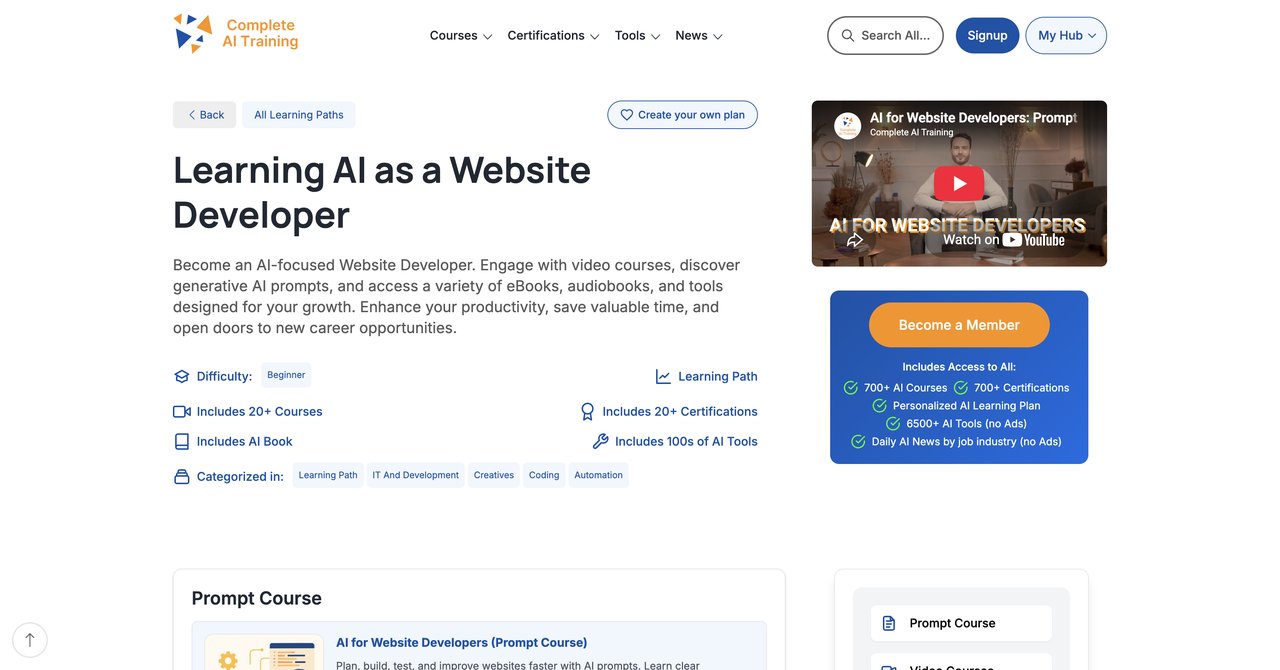
CompleteAI Training is not a single course. This is the first thing to understand. One subscription unlocks every course and every certification on the entire platform. We're talking about hundreds of video courses across dozens of job roles, not just website development. You get full access to all video courses, not a single course or a fixed bundle. You also get full access to all certifications, and they're included at no extra cost. New courses and certifications get added continuously, and they're automatically included in your subscription. This matters because AI changes fast. A course that's current today might be outdated in six months. With CompleteAI Training, you don't have to buy a new course every time something changes.
The platform also gives you access to every other job role's material. If your work spans front-end development, back-end, DevOps, or even marketing and design, you can study all of it under one flat subscription price. That's a key differentiator. Every other provider in this comparison sells courses individually. You pay per course, and you pay separately for certificates. CompleteAI Training flips that model on its head. One price covers everything.
The AI for Website Developers track is comprehensive. It covers using AI for front-end and back-end development, integrating AI APIs, prompt engineering for code generation, debugging with AI assistance, and deploying AI-powered features. The courses are video-based and practical, with real coding examples you can follow along with.
The subscription costs $8.25 per month when billed annually, or $29 month-to-month. That's remarkably affordable compared to the alternatives, especially when you consider the sheer volume of content included. The platform also provides daily updates on relevant AI tools and news, so you stay current without having to hunt for information yourself.
Key Topics Covered
- AI-assisted front-end and back-end development
- Integrating AI APIs into web applications
- Prompt engineering specifically for generating working code
- Debugging and refactoring with AI tools
- Deploying AI-powered features to production
- AI for database design and query optimization
Target Audience and Skill Level
The content is designed for working developers. Some courses assume familiarity with core web development concepts, while others are beginner-friendly. The platform's breadth means you can start where you are and progress at your own pace. If you're new to AI, there are foundational courses. If you're already using AI tools, there's advanced material on architecture and deployment.
Pros
- Full access to ALL video courses on the platform, not a single course or a fixed bundle
- Full access to ALL certifications on the platform, included at no extra cost
- New courses and certifications added continuously and included automatically
- Access to every other job role's material, ideal for multi-disciplinary work or career changes
- One flat subscription price covers everything, versus paying per course elsewhere
- Daily updates on relevant AI tools and news
- Very affordable pricing, especially with annual billing
Cons
- Subscription-based, requires continuous learning as AI evolves
Who Would Benefit Most
Developers who want ongoing access to a growing library of AI training. If you're the kind of person who likes to learn across multiple disciplines, or if you're considering a career shift into a different area of tech, the all-access model is hard to beat. It's also ideal for teams. One subscription can train front-end devs, back-end devs, designers, and project managers without needing to purchase separate courses for each person. The value proposition is simple: you pay one price and get everything the platform offers, now and in the future.
Visit CompleteAI Training for Website Developers
Course 2: AI for Web Developers by Coursera
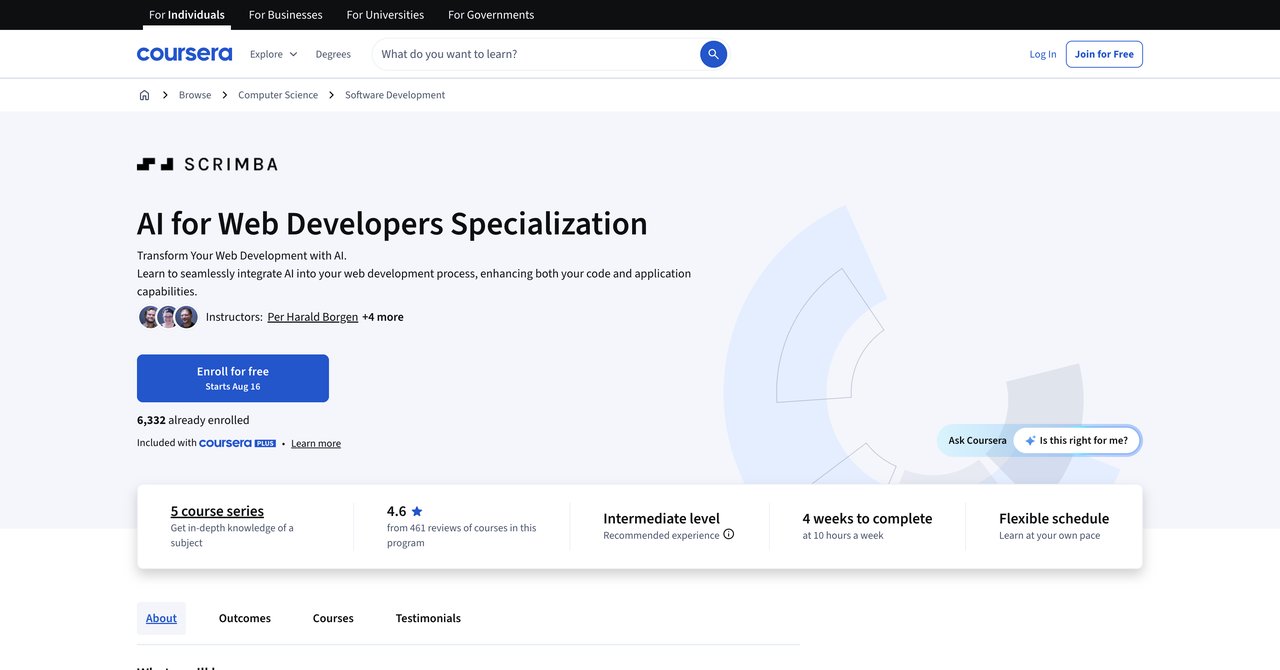
This specialization from Coursera focuses on generative AI for writing, documenting, and debugging code. It includes a dedicated course on deploying AI apps with Cloudflare and covers prompt engineering specifically for web developers. The specialization is structured as a series of courses that build on each other, so you progress from basics to more advanced topics in a logical order.
The material is practical. You'll actually write prompts, generate code, and deploy applications. The Cloudflare component is particularly useful because it teaches you how to take an AI-powered app from your local machine to a live URL. That's a step many courses skip.
The specialization is free to audit, meaning you can access the video lectures and readings without paying. If you want the certificate, there's a fee, though the exact amount isn't publicly listed and can vary based on financial aid. The intermediate level designation suggests you should have some web development experience before starting.
Key Topics Covered
- Generative AI for writing, documenting, and debugging code
- Deploying AI apps with Cloudflare
- Prompt engineering tailored for web developers
- AI-assisted code review and refactoring
Target Audience and Skill Level
Intermediate. You should be comfortable with at least one programming language and have a basic understanding of how web applications work. The course moves quickly and assumes you can read code without struggling.
Pros
- Focuses on generative AI for writing, documenting, and debugging code
- Includes a dedicated course on deploying AI apps with Cloudflare
- Covers prompt engineering tailored for web developers
Cons
- Intermediate level may be challenging for beginners
- Certificate requires payment
Who Would Benefit Most
Developers with some experience who want a structured, specialization-style approach to AI. The Cloudflare deployment piece is a standout feature that you won't find in many other courses. If you're already comfortable with Coursera's platform and want a guided path, this is a solid choice.
Visit AI for Web Developers on Coursera
Course 3: Generative AI for Web Development by Coursera
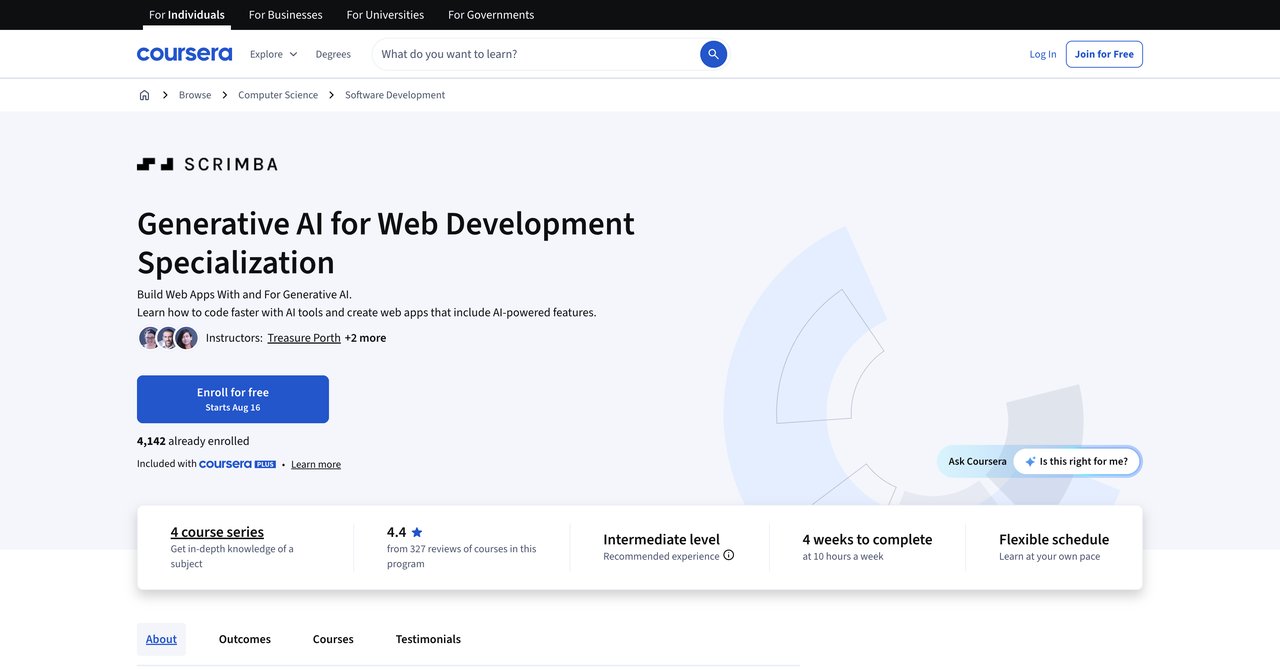
This hands-on course uses Cursor AI, OpenAI's Codex, and Claude to tackle coding, debugging, and development tasks. It's heavily practical. You're not just watching videos and taking notes; you're working with the actual tools that are reshaping how developers do their jobs. The course includes prompt engineering for web developers, which is a core skill in the AI era.
The choice of tools is current and relevant. Cursor and Codex are both popular among working developers, and Claude is increasingly being used for code generation and analysis. Learning these tools in a structured setting is valuable because you get guidance on best practices rather than just fumbling around on your own.
The course is free to audit, with a paid certificate option. However, it requires existing web development knowledge. If you're a complete beginner, you'll struggle. The commitment is also significant: about 10 hours per week. That's a substantial time investment, especially if you're balancing a full-time job.
Key Topics Covered
- Hands-on use of Cursor AI, OpenAI's Codex, and Claude
- Coding, debugging, and development tasks with AI
- Prompt engineering for web developers
- Integrating AI tools into your development workflow
Target Audience and Skill Level
Intermediate to advanced. You need solid web development skills and familiarity with modern development environments. The 10-hour weekly commitment makes it more suitable for people who can dedicate significant time to learning.
Pros
- Hands-on with Cursor AI, OpenAI's Codex, and Claude
- Covers coding, debugging, and development tasks
- Includes prompt engineering for web developers
Cons
- Requires existing web development knowledge
- 10 hours per week commitment
Who Would Benefit Most
Developers who learn by doing and want direct experience with the most popular AI coding tools. If you have the time to commit and the foundational skills to keep up, this course will give you practical, transferable skills. It's less suitable for beginners or anyone who can't carve out regular study time.
Visit Generative AI for Web Development on Coursera
Course 4: Building AI-Powered Web Applications with React and Next.js by Coursera
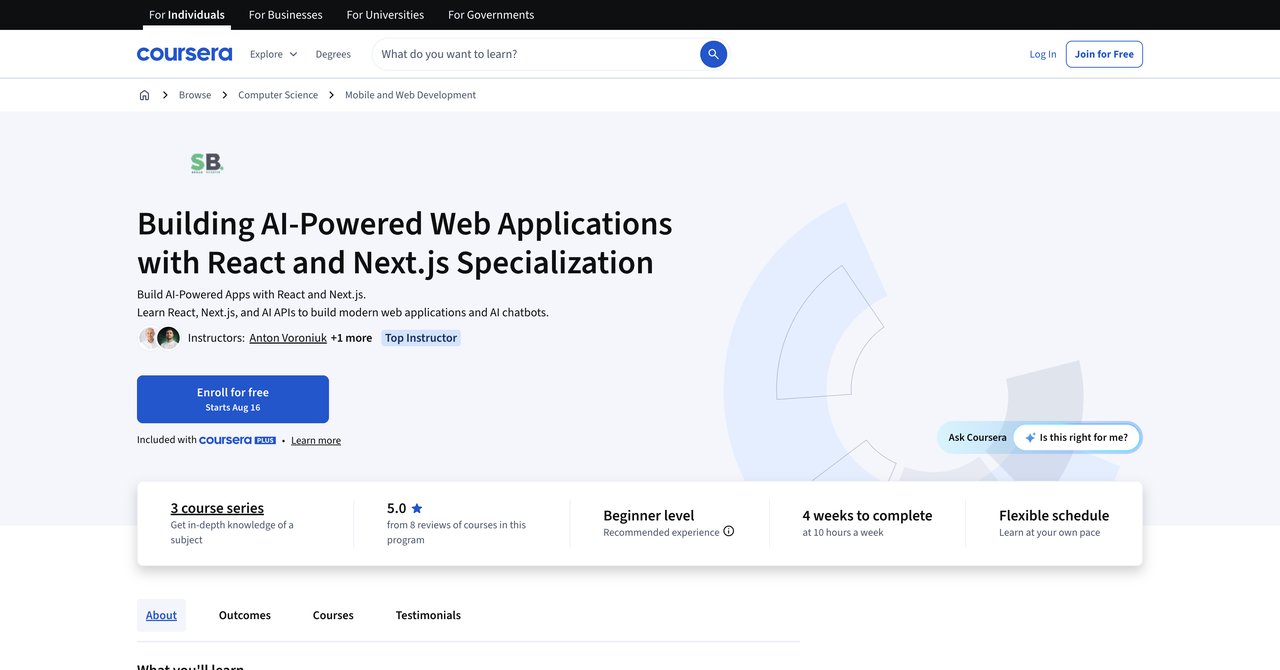
This beginner-friendly course covers front-end fundamentals, full-stack architecture, and AI chatbot integration using React and Next.js. The stack is industry-standard, so the skills you learn are directly applicable to real-world projects. If you're new to AI-powered web development but already know some React, this course is a good entry point.
The course structure walks you through building actual applications. You'll learn how to architect a full-stack app that incorporates AI features, which is more complex than just adding an API call. The chatbot integration module is particularly relevant, as chatbots remain one of the most common AI features in web applications.
The course is free to audit, with a paid certificate option. However, if you're an experienced React developer, you might find the front-end fundamentals sections redundant. The course also doesn't cover AI API costs, which can be a practical concern when you're deploying applications in the real world.
Key Topics Covered
- Front-end fundamentals with React
- Full-stack architecture for AI applications
- AI chatbot integration
- Deployment considerations for AI-powered apps
Target Audience and Skill Level
Beginner to intermediate. You should have some familiarity with React and JavaScript. The course is designed to be accessible, so you won't be thrown into the deep end, but you also shouldn't expect to learn React from scratch here.
Pros
- Covers front-end fundamentals, full-stack architecture, and AI chatbot integration
- Uses React and Next.js (industry-standard stack)
- Beginner-friendly entry into AI web apps
Cons
- May be too basic for experienced React developers
- AI API costs not covered
Who Would Benefit Most
Developers who are comfortable with React but new to AI. If you want to build AI-powered features without having to learn a completely new stack, this course is a practical choice. It's less useful for senior developers who already know how to integrate APIs and are looking for advanced AI architecture patterns.
Visit Building AI-Powered Web Applications on Coursera
Course 5: Foundations of AI in Web Development by Coursera (Packt)
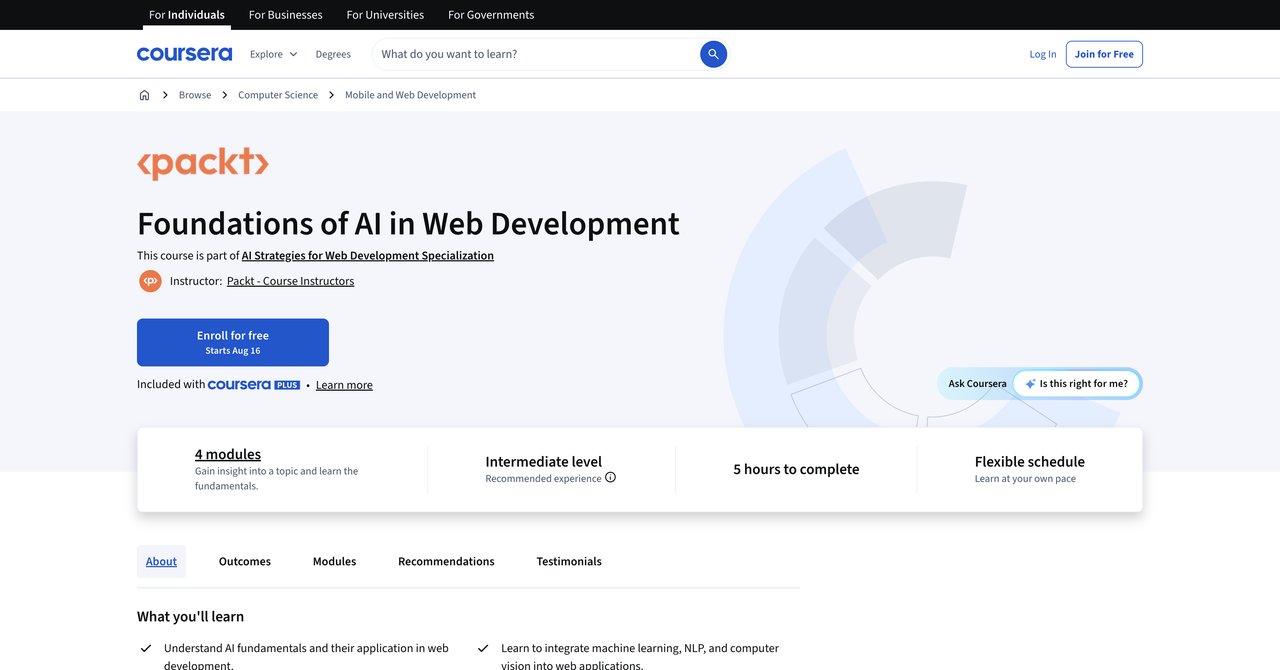
This short course from Packt covers AI fundamentals applied to web development, including machine learning, NLP, and computer vision integration. It's a broad overview rather than a deep dive. The course runs about 5 hours, making it one of the shorter options in this comparison.
The content is theoretical in nature. You'll learn about the concepts behind machine learning and NLP, and how they can be applied to web projects. There's some discussion of practical integration, but it's not a hands-on coding course. If you're looking for a quick introduction to the AI landscape as it relates to web development, this fits the bill.
Packt courses have a reputation for being hit-or-miss in terms of quality. Some are excellent, others feel rushed. This one leans toward the theory-heavy side, which might not be what you're looking for if you want to write code. The course is free to audit, with a paid certificate.
Key Topics Covered
- AI fundamentals applied to web development
- Machine learning concepts and integration
- NLP and computer vision basics
- High-level architecture for AI features
Target Audience and Skill Level
Beginners or developers who want a conceptual understanding of AI before diving into practical implementation. No advanced skills required, but you should have basic web development knowledge to contextualize the material.
Pros
- Covers AI fundamentals applied to web development
- Includes machine learning, NLP, and computer vision integration
- Short and focused (5 hours)
Cons
- Packt courses can be theory-heavy
- Limited hands-on project work
Who Would Benefit Most
Developers who want a quick, low-commitment overview of AI concepts. If you're not sure where to start and want to understand the landscape before investing in a more intensive course, this is a reasonable first step. It's less suitable for hands-on learners who want to write code immediately.
Visit Foundations of AI in Web Development on Coursera
Course 6: GenAI for Front-End Developers by Coursera
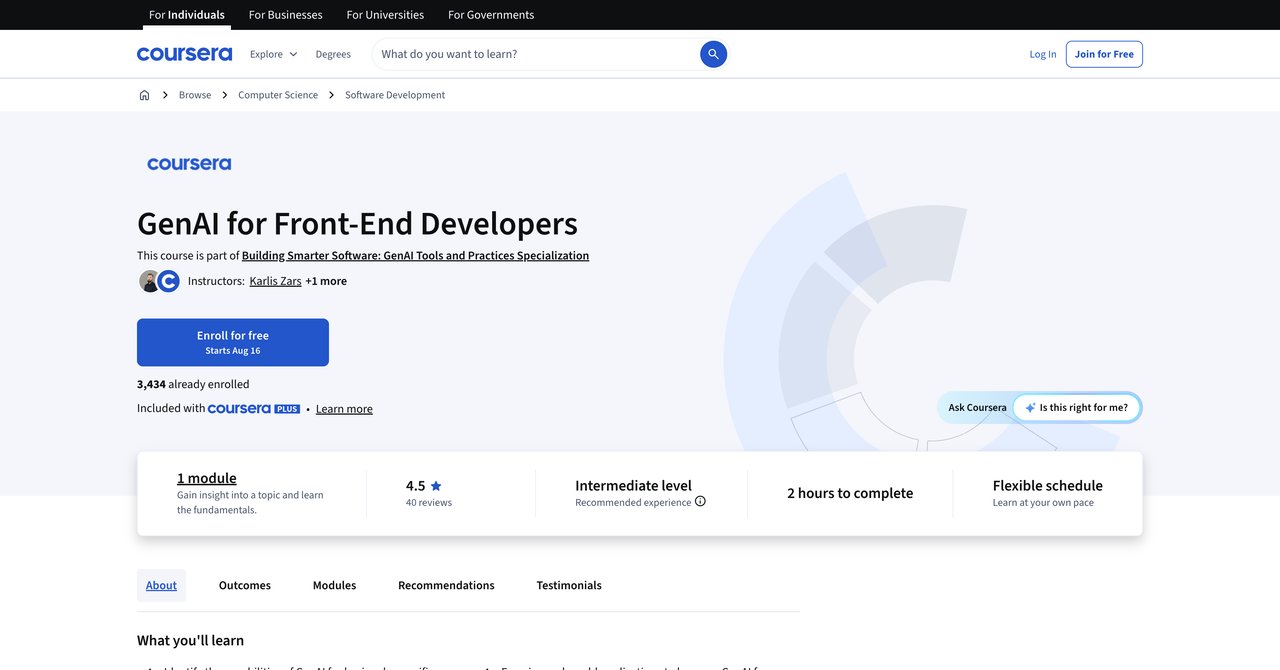
This is a very short course, about 2 hours, designed as a primer for front-end developers on responsible GenAI integration with human oversight. It's not a deep dive. It's more of a "here's what you need to know" course that touches on the ethical considerations and practical boundaries of using AI in front-end work.
The focus on human oversight is a distinguishing feature. Many courses treat AI as a magic solution, but this one emphasizes the importance of reviewing and validating AI-generated code. That's a valuable perspective, even if the course doesn't go deep enough to build substantial skills.
The course is completely free, which is unusual. There's no paid certificate option, so if you need a credential, this won't provide one. But if you just want a quick introduction to responsible AI use in front-end development, it's worth the two hours.
Key Topics Covered
- Responsible GenAI integration
- Human oversight of AI-generated code
- Front-end specific AI applications
- Ethical considerations
Target Audience and Skill Level
Front-end developers of any level. The content is accessible and doesn't require advanced skills. It's a good starting point for developers who haven't yet explored AI and want to understand the basics without a big time commitment.
Pros
- Very short (2 hours)
- Focuses on role-specific front-end functions
- Covers responsible GenAI integration with human oversight
Cons
- Too brief for deep skill building
- No hands-on coding projects
Who Would Benefit Most
Front-end developers who are curious about AI but haven't started using it. The short format makes it easy to fit into a busy schedule. It's less useful for developers who already use AI tools and want to deepen their expertise.
Visit GenAI for Front-End Developers on Coursera
Course 7: Designing Intelligent Web Solutions with AI by Coursera (Packt)
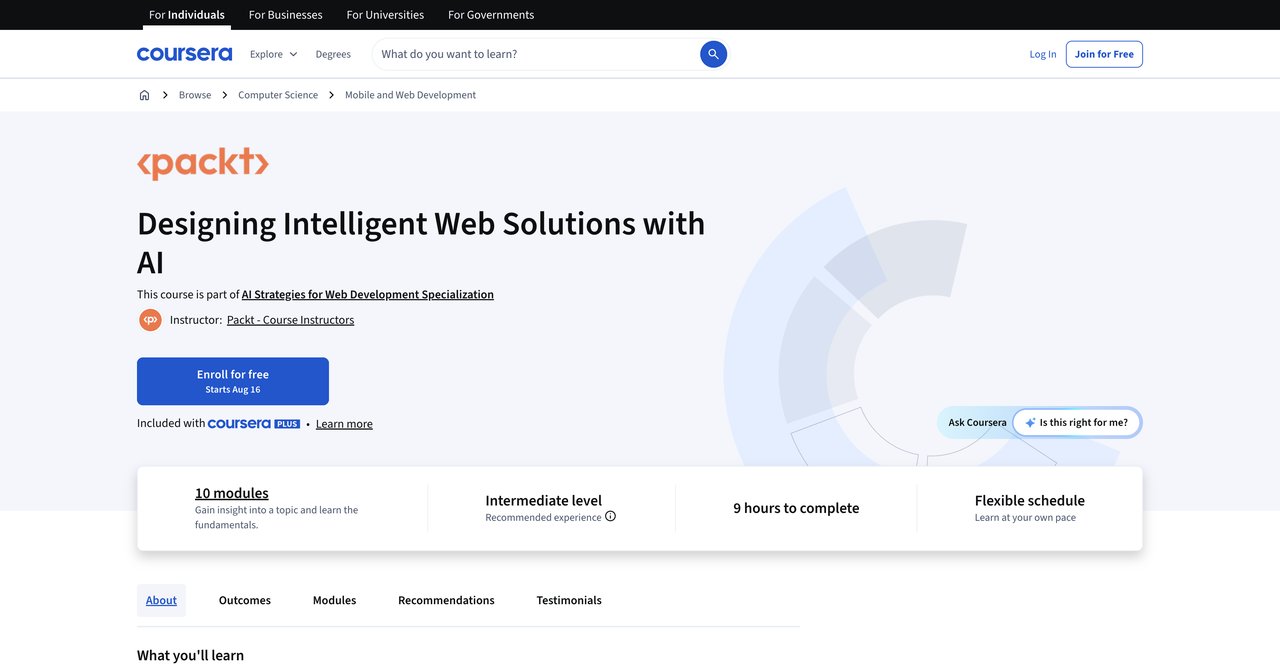
This course explores scalable AI-powered web solutions, covering advanced coding tools and creating intelligent web experiences. The emphasis is on design and architecture rather than just writing code. You'll learn how to structure applications that can grow and handle increasing complexity.
The course covers advanced coding tools, which is useful for developers who already have a handle on the basics. The focus on creating intelligent web experiences is forward-looking, addressing how AI can improve user interactions and personalization.
However, there are some drawbacks. The syllabus is limited in detail, so it's hard to know exactly what you're getting. Packt courses can also be uneven in quality, and this one has less community feedback to go on. The course is free to audit, with a paid certificate option.
Key Topics Covered
- Scalable AI-powered web solutions
- Advanced coding tools
- Intelligent web experiences
- Architecture patterns for AI features
Target Audience and Skill Level
Intermediate to advanced developers. The focus on scalability and architecture assumes you're already comfortable with basic web development and AI integration. Beginners will likely find it overwhelming.
Pros
- Explores scalable AI-powered web solutions
- Covers advanced coding tools
- Focuses on creating intelligent web experiences
Cons
- Limited details on syllabus
- Packt courses can be uneven in quality
Who Would Benefit Most
Developers working on larger projects where scalability is a concern. If you're building applications that need to handle significant user loads and complex AI features, the architecture-focused approach is valuable. It's less suitable for developers looking for step-by-step coding tutorials.
Visit Designing Intelligent Web Solutions on Coursera
Course 8: Foundations of AI-Assisted Web Development by Coursera
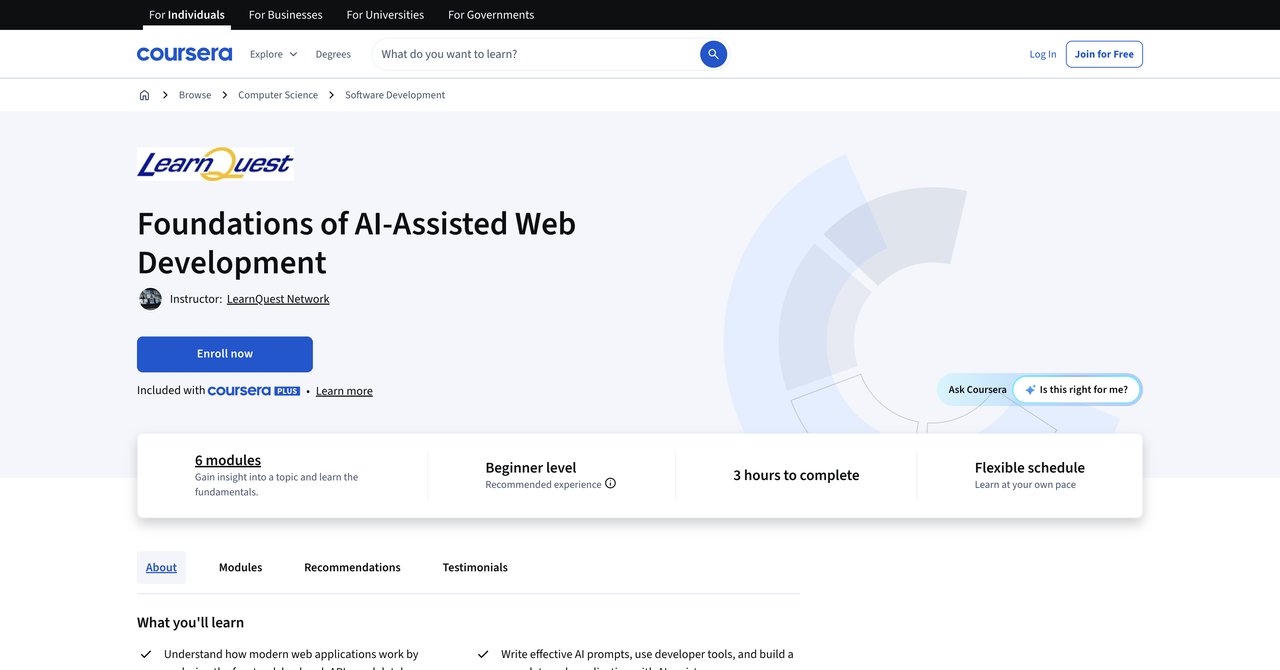
This beginner-level course teaches AI coding assistants like Cursor, GitHub Copilot, and Claude Code. It also helps you build a mental model of frontend, backend, database, and API layers, which is valuable for understanding how everything fits together. The course places a strong emphasis on writing effective AI prompts.
The "vibe coding" approach is interesting. It acknowledges that AI-assisted development is different from traditional coding. You're not just writing code; you're directing an AI to write code for you. Learning to do that effectively is a distinct skill, and this course addresses it head-on.
The course runs about 3 hours, which is manageable for most schedules. However, the beginner focus means experienced developers might find it too basic. The course is free to audit, with a paid certificate option.
Key Topics Covered
- AI coding assistants (Cursor, GitHub Copilot, Claude Code)
- Mental model of frontend/backend/database/API layers
- Writing effective AI prompts
- Integrating AI into your development workflow
Target Audience and Skill Level
Beginners. If you're new to AI-assisted development or even new to some aspects of web development, this course provides a solid foundation. It's less suitable for experienced developers who already use these tools daily.
Pros
- Teaches AI coding assistants (Cursor, GitHub Copilot, Claude Code)
- Builds a mental model of frontend/backend/database/API layers
- Focuses on writing effective AI prompts
Cons
- Beginner level may not suit experienced devs
- Only 3 hours
Who Would Benefit Most
Junior developers or those transitioning into web development who want to start with AI-assisted practices from the beginning. The mental model approach is particularly helpful for understanding how different parts of a web application interact.
Visit Foundations of AI-Assisted Web Development on Coursera
Course 9: Generative AI for Software Development Skill Certificate by Coursera (DeepLearning.AI)
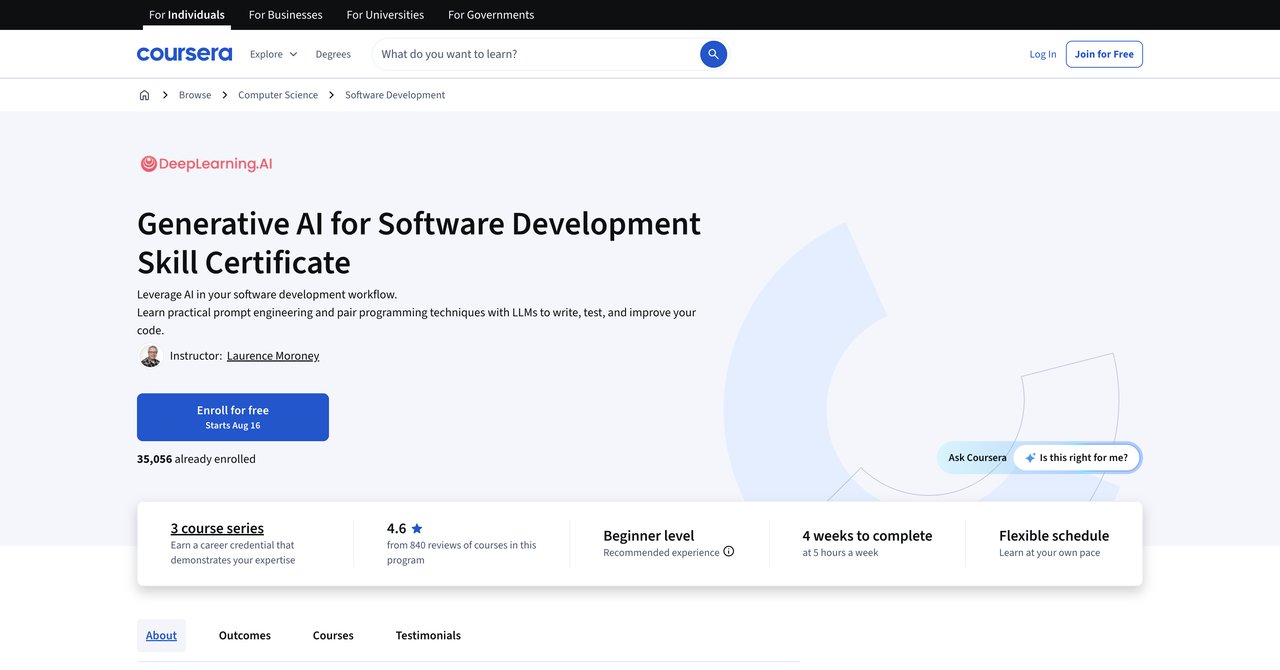
This professional certificate is taught by Laurence Moroney, who previously worked as an AI lead at Google. The credential carries weight in the industry. The course covers team software engineering with AI and AI-powered system design, taking a broader view than web development specifically.
The focus on team engineering is a differentiator. Most courses assume you're working alone. This one addresses how AI tools affect collaboration, code review, and project management. That's a perspective that's often missing from other training.
The professional certificate is a recognized credential, which can be valuable for career advancement. However, the broader software engineering focus means it's not web-specific. If you're looking for front-end or back-end web development training, you might find the material too general. The course is free to audit, with a paid certificate option.
Key Topics Covered
- Team software engineering with AI
- AI-powered system design
- Generative AI for code generation and review
- Collaboration and workflow with AI tools
Target Audience and Skill Level
Intermediate to advanced. The team engineering focus suggests it's aimed at developers who work in collaborative environments. A longer commitment is required compared to shorter courses, and some web-specific topics are not covered in depth.
Pros
- Taught by Laurence Moroney (former AI lead at Google)
- Covers team software engineering with AI and AI-powered system design
- Professional certificate credential
Cons
- Broader software engineering focus, not web-specific
- Longer commitment
Who Would Benefit Most
Developers working in teams who want a recognized credential and a broader understanding of how AI affects software engineering beyond just web development. If you're in a leadership role or aspire to be, the team engineering focus is particularly relevant.
Visit Generative AI for Software Development on Coursera
Course 10: Build AI Apps with ChatGPT, Dall-E, and GPT-4 by Coursera
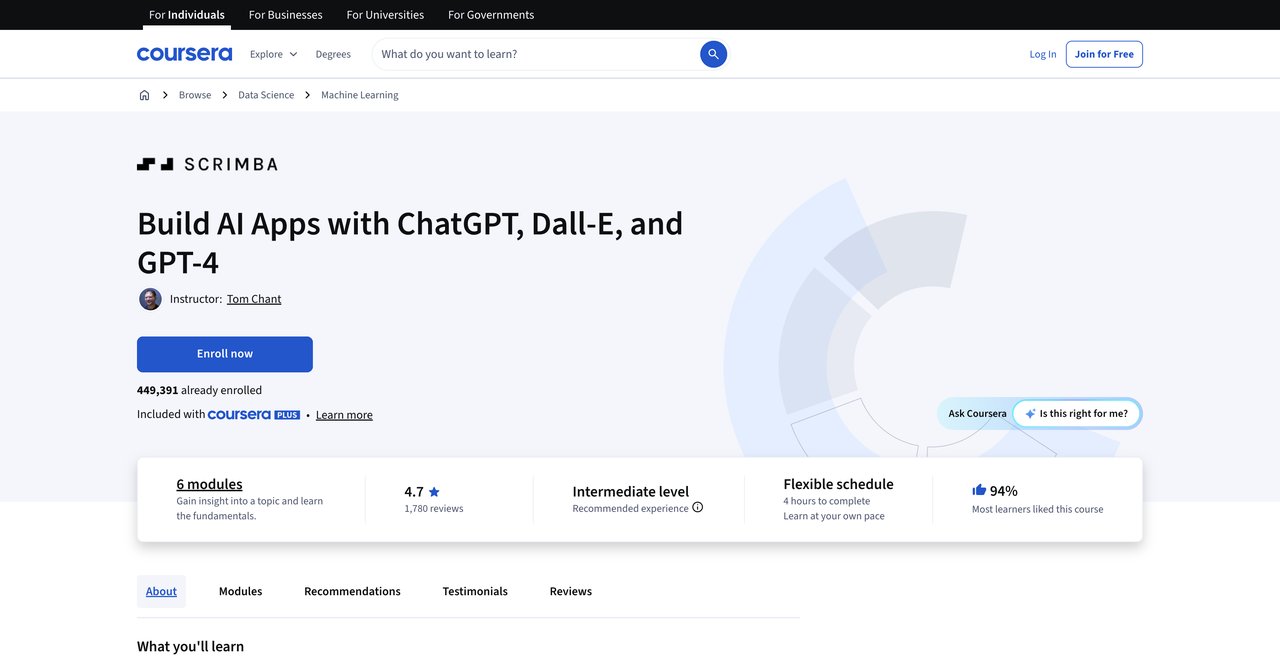
This hands-on course uses OpenAI's JavaScript SDK to build applications with GPT-4 and Dall-E APIs. It includes deploying AI apps on the web, which is a practical skill that many courses overlook. You'll learn how to integrate these powerful models into real web applications.
The focus on OpenAI's ecosystem is both a strength and a limitation. On one hand, OpenAI's APIs are industry-standard and widely used. On the other hand, the course doesn't cover other providers like Anthropic's Claude or Google's Gemini. If you want a broader perspective, you'll need to look elsewhere.
The course is free to audit, with a paid certificate option. However, the AI field moves quickly, and OpenAI's APIs change frequently. Content that was current when the course was created may be outdated now. You'll want to check the recency of the material before committing.
Key Topics Covered
- OpenAI's JavaScript SDK
- GPT-4 and Dall-E APIs
- Deploying AI apps on the web
- Building AI-powered features
Target Audience and Skill Level
Intermediate. You should have solid JavaScript skills and a basic understanding of API integration. The deployment component assumes you're comfortable with web hosting and basic DevOps concepts.
Pros
- Hands-on with OpenAI's JavaScript SDK
- Covers GPT-4 and Dall-E APIs
- Includes deploying AI apps on the web
Cons
- Focused only on OpenAI (not other providers)
- May be outdated as APIs evolve
Who Would Benefit Most
Developers building applications specifically on OpenAI's platform. If you're creating chatbots, image generation tools, or other GPT-powered features, this course gives you practical, hands-on experience. It's less useful if you want to work with multiple AI providers or need a broader perspective.
Visit Build AI Apps with ChatGPT, Dall-E, and GPT-4 on Coursera
Course 11: Build AI Web Applications (Online) by General Assembly
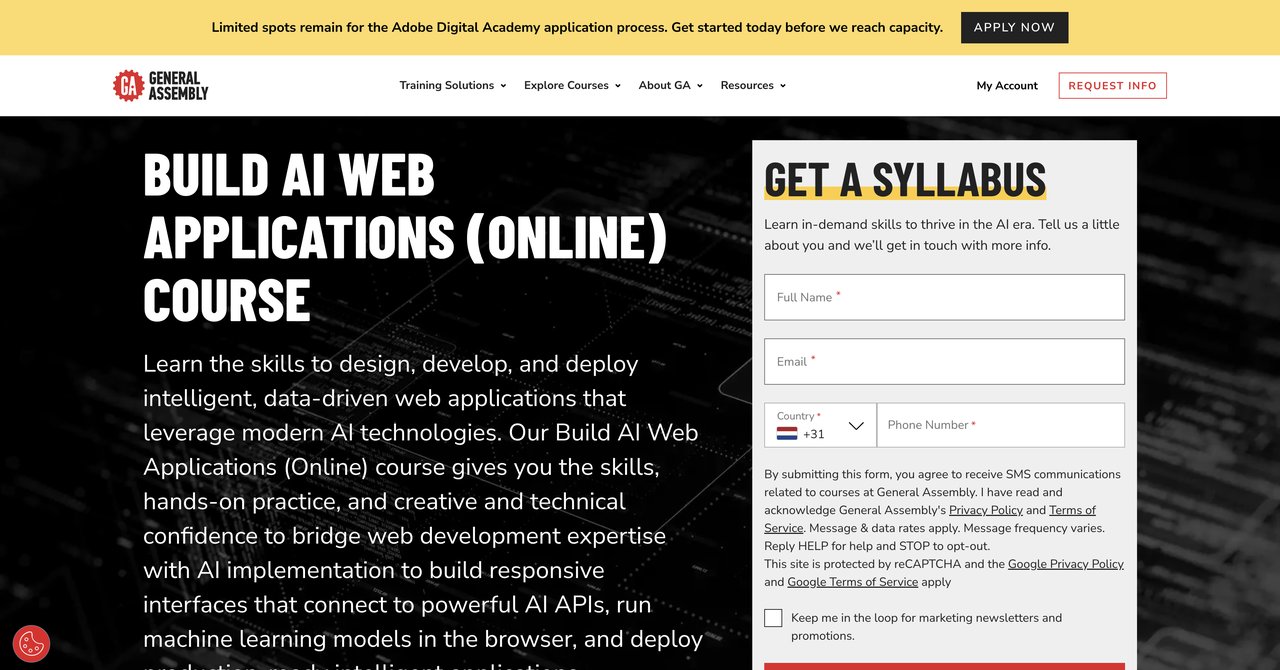
General Assembly offers an instructor-led bootcamp-style course on building AI web applications. The price tag is significant at $2,950, but you get live instruction and hands-on practice. The course covers AI APIs, in-browser ML models, and production deployment, including responsive interface design.
The instructor-led format is a major advantage for some learners. You can ask questions in real-time, get feedback on your work, and benefit from the instructor's experience. The bootcamp-style approach is intensive, which suits people who learn best in immersive environments.
The cost is a significant barrier for many developers. At nearly $3,000, it's the most expensive option in this comparison by a wide margin. The course also requires existing JavaScript and dev tools experience, so it's not for beginners.
Key Topics Covered
- AI APIs integration
- In-browser ML models
- Production deployment
- Responsive interface design
Target Audience and Skill Level
Intermediate to advanced. You need solid JavaScript skills and familiarity with modern development tools. The intensive format requires a significant time commitment, and the price point suggests it's aimed at working professionals who can justify the investment.
Pros
- Instructor-led with hands-on practice
- Covers AI APIs, in-browser ML models, and production deployment
- Includes responsive interface design
Cons
- Expensive ($2,950)
- Requires existing JavaScript and dev tools experience
Who Would Benefit Most
Developers who prefer structured, instructor-led learning and have the budget for a premium experience. If you thrive in a classroom environment and want direct feedback from an expert, the cost may be justified. It's less suitable for self-directed learners or anyone on a tight budget.
Visit Build AI Web Applications on General Assembly
Course 12: Prompt Engineering for Web Developers by Coursera (part of AI for Web Developers Specialization)
This dedicated prompt engineering course is part of the larger AI for Web Developers specialization. It teaches how to craft prompts that generate clean, working web code. The focus is practical and immediately applicable to daily coding tasks.
Prompt engineering is arguably the most important skill for developers working with AI. The quality of the code you get from an AI model depends heavily on the quality of the prompts you write. This course addresses that skill directly, which is valuable regardless of which AI tools you use.
The course is free to audit, with a paid certificate option. However, it's only one course within a larger specialization. To get the full benefit, you'll likely need to enroll in the entire track, which increases the time and cost commitment.
Key Topics Covered
- Prompt engineering for web developers
- Crafting prompts that generate clean, working code
- Practical applications for daily coding tasks
- Iterative prompt refinement
Target Audience and Skill Level
Intermediate. You should have basic web development skills and some familiarity with AI tools. The content is practical and doesn't require deep theoretical knowledge.
Pros
- Dedicated prompt engineering course for web developers
- Part of a structured specialization
- Practical for daily coding tasks
Cons
- Only one course in a larger specialization
- Requires enrolling in the full track
Who Would Benefit Most
Developers who want to improve their prompt-writing skills specifically for code generation. If you're already using AI tools but getting inconsistent results, this course can help you get more reliable output. It's less useful if you're looking for a comprehensive AI training program.
Visit Prompt Engineering for Web Developers on Coursera
Final Recommendations
Choosing the right AI course depends on your situation. Let's break down the options based on different needs.
For comprehensive, ongoing access: CompleteAI Training stands out. The subscription model gives you everything the platform offers, including certifications and courses across all job roles. At $8.25 per month with annual billing, it's remarkably affordable. The continuous updates mean you won't be left behind as AI evolves. This is the best value for developers who want ongoing learning without repeatedly paying for new courses. The all-access model is particularly strong if you work across multiple disciplines or anticipate changing roles.
For a recognized certificate from a reputable institution: The Generative AI for Software Development certificate from DeepLearning.AI, taught by Laurence Moroney, carries significant weight. If you're looking to add a credential to your resume that employers will recognize, this is a strong option. The team engineering focus is a bonus if you work in collaborative environments.
For hands-on learning with specific tools: The Generative AI for Web Development course on Coursera offers practical experience with Cursor, Codex, and Claude. It's more focused than CompleteAI Training but requires existing web development knowledge and a significant time commitment. The Build AI Apps with ChatGPT, Dall-E, and GPT-4 course is also hands-on but limited to OpenAI's ecosystem.
For beginners: The Foundations of AI-Assisted Web Development course is a good starting point. It covers the basics of AI coding assistants and helps you understand how different parts of a web application fit together. The GenAI for Front-End Developers course is even shorter and completely free, making it a low-risk introduction.
For experienced developers on larger projects: The Designing Intelligent Web Solutions with AI course addresses scalability and architecture, which is relevant for complex applications. The General Assembly bootcamp offers instructor-led training but at a premium price.
For budget-conscious learners: Many of the Coursera courses can be audited for free, giving you access to video lectures and readings without paying. If you don't need a certificate, this is a viable way to learn. CompleteAI Training's subscription is also affordable, especially when you consider the volume of content.
In the end, the best choice depends on your goals. If you want a recognized credential, consider the DeepLearning.AI certificate. If you want hands-on experience with specific tools, look at the Coursera courses that cover those tools. If you want comprehensive, ongoing access to a growing library of training at a low price, CompleteAI Training is hard to beat. The subscription model addresses the core challenge of AI training: the field changes fast, and your education needs to keep up without requiring you to buy a new course every few months.
Whatever you choose, the important thing is to start. AI is not going away, and developers who learn to work with it will have a significant advantage. The courses above represent the main options available, and each has its strengths. Consider your experience level, your career goals, and your budget, and pick the one that fits best.