AI app for it and development · no coding needed
AI coding session record and search console
Reduce debugging time and improve team collaboration by making AI coding sessions searchable and inspectable.
Made for: Engineering teams and individual developers using AI coding agents
What it does for you
The problem
AI coding sessions are not recorded, searchable or inspectable, so debugging and collaboration rely on memory and manual notes.
What it gives you
Searchable, reviewable session record
What you give it
Local session logstool callsfile changesconversation context
Build your own version of Bench for Claude Code, Juggler and more
One app with what these 5 AI tools do, yours to keep and change: Bench for Claude Code, Juggler, Inventory, claude-devtools, session-indexer.
Everything these tools do, in one app
- Automatic session recording Automatically records AI coding sessions without manual steps.Found in Bench for Claude Code
- Detailed action traces Exposes tool calls, file changes, and conversation context to see what led to each change.Found in Bench for Claude Code, claude-devtools
- Shareable session links Generates a single link to share an entire session or embed history in pull requests.Found in Bench for Claude Code
- Privacy controls Allows deleting traces, setting expirations, using separate tracking codes, and opt-in sharing.Found in Bench for Claude Code
- Session summaries Provides summary helpers to speed up session analysis.Found in Bench for Claude Code
- Column-based layout Displays tool calls, approvals, thread structure, and raw context in adjacent columns.Found in Juggler
- Branching conversation threads Allows forking a session into sub-threads to isolate experiments and backtrack without losing context.Found in Juggler
- Persistent sessions Stores sessions in a database so they survive quits, crashes, and reconnects.Found in Juggler
- Multi-client operation Supports multiple live client views simultaneously, including headless operation.Found in Juggler
- Pluggable tools Allows every tool the model calls to be a JavaScript plugin that can be inspected, forked, or replaced.Found in Juggler
- Historical indexing Indexes all historical conversations from supported tools at install time, not just new ones.Found in Inventory
- Local-only storage Runs entirely on the local machine with no account creation or data upload.Found in Inventory, session-indexer, claude-devtools
- Encryption Encrypts the index file with SQLCipher, storing the key in macOS Keychain.Found in Inventory
- Self-repair mechanism Re-runs indexing on next launch if a parse fails, rather than recording a failed parse as completed.Found in Inventory
- Unified search bar Searches across all indexed tools simultaneously from a single bar.Found in Inventory
- Execution trace reconstruction Reconstructs full execution traces from local session logs without modifying the CLI.Found in claude-devtools
- Token and context visualization Shows per-turn context attribution and token consumption breakdowns, including compaction visualization.Found in claude-devtools
- Inline diffs and file reads Displays inline diffs for file edits and syntax-highlighted file reads.Found in claude-devtools
- Subagent execution trees Shows subagent execution trees and tool call chains with inputs and results.Found in claude-devtools
- Per-project indexing Indexes sessions per project, resolving the database path via git rev-parse --show-toplevel.Found in session-indexer
- Semantic search Searches session history using bge-m3 embeddings via Ollama.Found in session-indexer
- Keyword search fallback Automatically falls back to FTS5 BM25 keyword search when Ollama is not running.Found in session-indexer
- Context auto-injection Injects relevant past context at the start of a new session.Found in session-indexer
- CLI commands Provides commands like mine, search, embed, and stats, with a --db flag for custom database paths.Found in session-indexer
How it works, step by step
- Record AI coding sessions automatically
- Expose tool calls, file changes and conversation context
- Generate shareable session links and PR embeds
- Provide privacy controls for deletion, expiration and opt-in sharing
- Summarize sessions for quick analysis
- Display tool calls, approvals and threads in columns
- Allow branching conversation threads for experiments
- Store sessions persistently across crashes and reconnects
- Support multiple live client views and headless operation
- Make every tool call a pluggable, inspectable JavaScript plugin
- Index historical conversations at install time
- Run entirely locally with no account or upload
- Encrypt the index with SQLCipher and macOS Keychain
- Re-run indexing on parse failure
- Search across all indexed tools from one bar
- Reconstruct execution traces from local logs
- Visualize token and context consumption per turn
- Show inline diffs and syntax-highlighted file reads
- Display subagent execution trees and tool call chains
- Index sessions per project via git root
- Search semantically using local embeddings
- Fall back to keyword search when embeddings are unavailable
- Inject relevant past context into new sessions
- Provide CLI commands for mining, search, embed and stats
Jobs this app suits
Our AI checked this app against 500 jobs; these get the most out of it. Each job links to its learning path.
Build it yourself with your AI system
Build this app yourself, no coding needed
Start with a quick version you can try in a few minutes. Like it? Then build the full app by copying and pasting our step-by-step instructions: everything is prepared for you.
Sign in to see how to build it yourself
Build a quick version to try, or get the full app pack for AI coding session record and search console with the step-by-step building instructions. You don't need any technical skills: you copy, paste and answer a few questions. Both are included in the membership.
4 Have it built for you days to a few weeks
Rather not do it yourself, or want it fully tailored to your data, your way of working and your brand? Nexibeo builds AI coding session record and search console with you.
What's in the app pack
Included in the Complete AI Training membership.
- The building instructions your AI follows, step by step
- The questions your AI will ask you about your business before it starts
- A clickable demo you can open in your browser, to see how it should work
- A detailed blueprint of the screens, the information it keeps and the checks it runs
Become a member to get the app packAlready a member? Sign in
The files, for the technically curious
- START-HERE.mdHow to build it with your own AI (read first)3 KB
- README.mdOverview and links5 KB
- questions.mdQuestions to answer before you build2 KB
- prompt-cloudflare.mdThe full build prompt, hosted on Cloudflare25 KB
- prompt-vps.mdThe same build on your own server (Docker)25 KB
- spec.jsonData model, API, AI pipeline, acceptance criteria12 KB
- demo/index.htmlThe working demo on sample data195 KB
Questions
Do I need to know how to code?
No. You copy and paste the prompts on this page into ChatGPT or Claude, and the AI does the building. When it asks you something, you answer in your own words.
What does it cost?
The quick version, the app pack and the step-by-step instructions are for members: you pay the membership price, not a price per app (see the plans). Building the full app uses your own ChatGPT or Claude subscription. Putting it online is often cheap or no cost at the start, and your AI tells you before anything costs money.
How long does it take?
The quick version: about two minutes. The real app: an afternoon for a first version you can use, longer if you want every feature.
Can I change it to fit my business?
Yes. Tell your AI what to change in plain words, like “add a column for the price” or “use our logo and colours”. Or have Nexibeo build and customise it for you.
More detailsHow the AI works, safeguards and what to build first
Reduce debugging time and improve team collaboration by making AI coding sessions searchable and inspectable. For engineering teams and individual developers using AI coding agents, convert local session logs, tool calls, file changes and conversation context into a searchable, reviewable session record. The benefit is a testable hypothesis, measured through time to find a past session, debugging time saved and team collaboration quality; do not assume that AI output alone produces business value.
Confirm the buyer's problem and scope, collect local session logs, tool calls, file changes and conversation context, then follow this sequence: 1. Record AI coding sessions automatically. 2. Expose tool calls, file changes and conversation context. 3. Generate shareable session links and PR embeds. Resolve uncertain cases with qualified reviewers, approve searchable, reviewable session record, and measure time to find a past session, debugging time saved and team collaboration quality against a documented baseline.
How the AI works
Use AI to interpret permitted inputs, suggest structured mappings and generate candidate outputs for the three stated task modules. Use deterministic code for arithmetic, schema validation, hard constraints and reproducible tests. Review source-linked explanations and uncertainty before accepting results. Local-only storage and encryption; final debugging and collaboration decisions remain with the developer. A model suggestion is never a verified fact, professional decision or authorization to act.
Safeguards
Preserve developer voice, source attribution, quotation accuracy and usage permissions. Developers approve substantive changes and publication scope. Local-only storage and encryption; final debugging and collaboration decisions remain with the developer. Keep all consequential actions under authorized human control and do not fabricate missing inputs, permissions, professional judgments or market evidence.
What to build first
Pilot scope: Local-only storage and encryption; final debugging and collaboration decisions remain with the developer. Implement one approved input format, a bounded representative case set and the first two task modules: record AI coding sessions automatically; expose tool calls, file changes and conversation context. Support the third module with operator review: generate shareable session links and PR embeds. Include source references, corrections, basic organization access, approval states, export and value measurement. Use managed operator assistance for unresolved exceptions. The cost estimate covers this narrow prototype, not unrestricted multi-tenant scale, complex production integrations, specialist certification or physical operations.
What it can connect to
Developer-owned session logs, authorized tool outputs and permitted research sources. Local file storage, git repositories and CI destinations. Start with file exchange and validate destination specifications before promising direct publishing. Start with authorized file exchange. Validate current provider access, usage rights and schema behavior before promising a connector.
The screens in detail
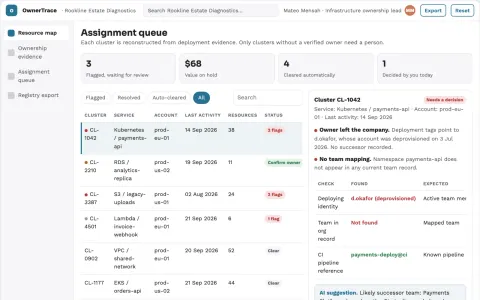
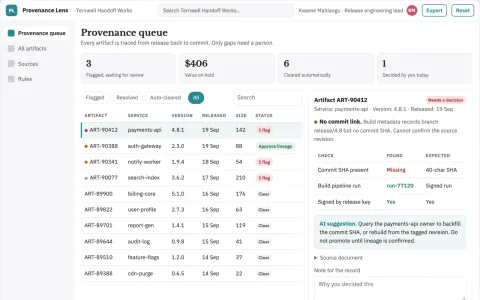
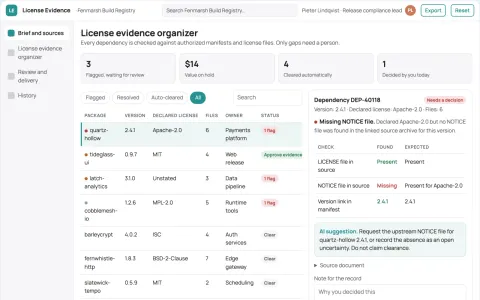
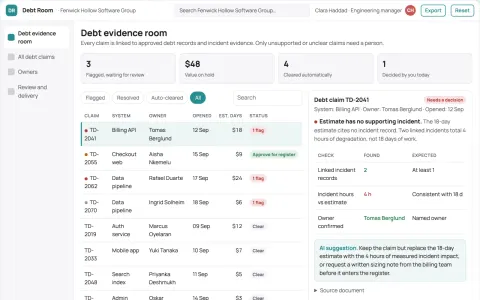
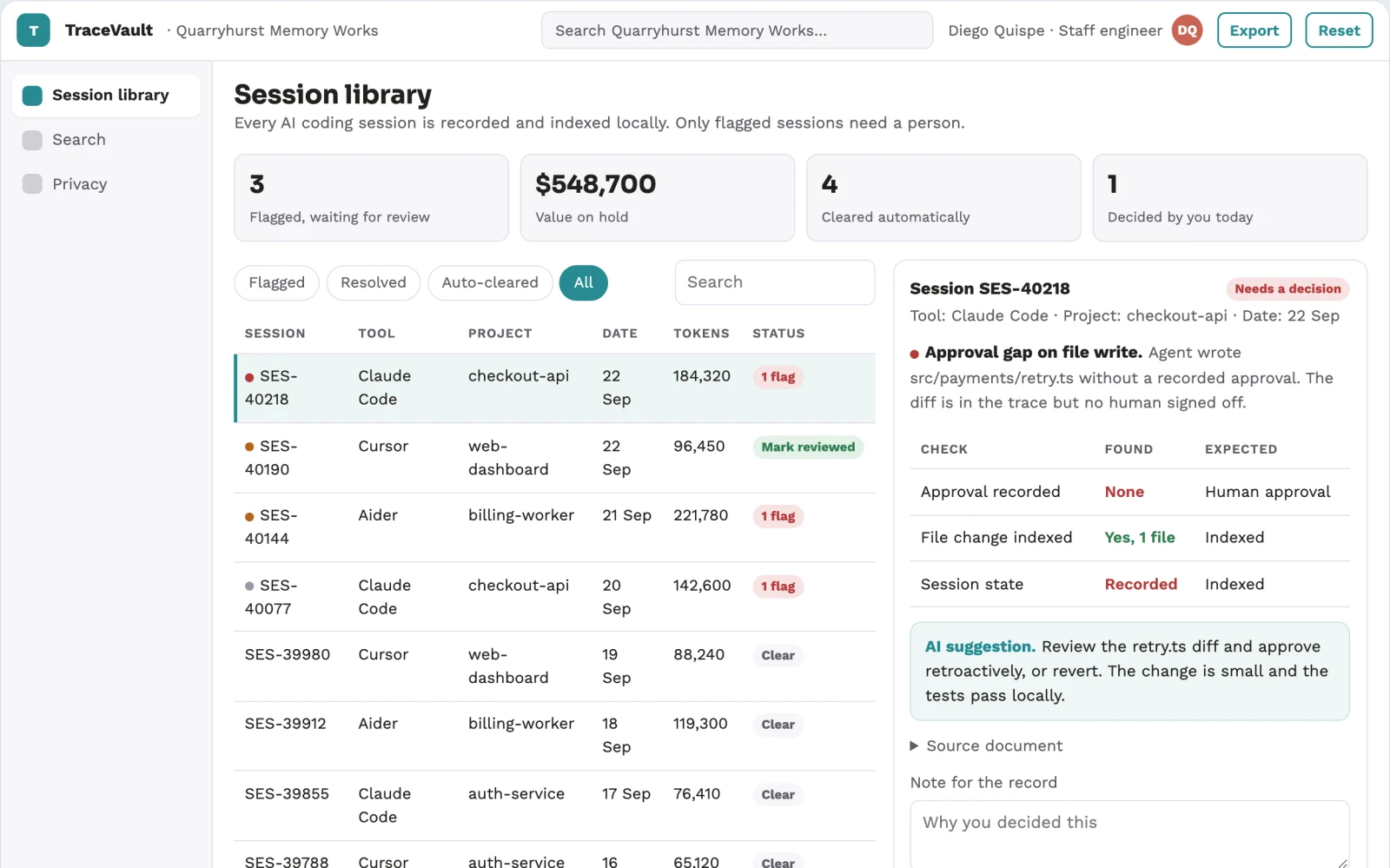
Primary screens: Session library, Session detail, Search and filters. Use a list or table for sessions with columns for tool, project, date and summary. Provide a detail view with columns for tool calls, approvals, thread structure and raw context. Include a unified search bar with semantic and keyword modes. Show privacy controls and expiration settings. Display session state as recorded, indexed, shared or expired. Make the task-specific outcome searchable, reviewable session record visible beside its evidence, review state and value baseline.