AI app for it and development · no coding needed
Shared human-agent work coordination portal
Reduce tool sprawl and keep human-agent work in one owned, reviewable place.
Made for: Engineering and operations teams that want AI agents working alongside people in shared conversations
What it does for you
The problem
Teams rent several separate AI chat, agent and meeting tools, so context, approvals and records are scattered across subscriptions they do not own.
What it gives you
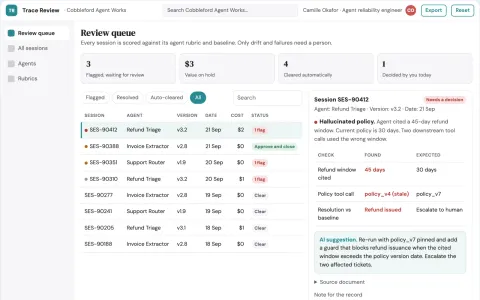
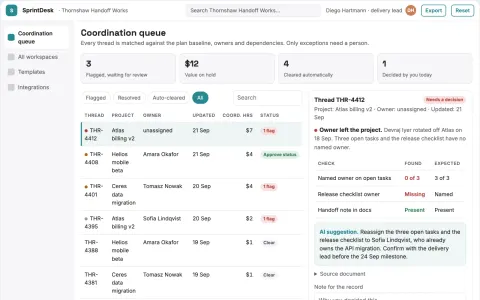
Reviewed human-agent work records with provenance
What you give it
Team goalsconnected toolsagent profilesapproval rules
Build your own version of Glue, CoChat and more
One app with what these 9 AI tools do, yours to keep and change: Glue, CoChat, Respell, Vokal, Den, Faby, Stork.ai, Alpaca Chat, ClawTeams.
Everything these tools do, in one app
- Shared human-agent threads Humans and AI agents collaborate in the same conversation threads, preserving context and roles.Found in Glue, CoChat, Vokal and 2 more
- Custom AI agent creation Teams can create and customize AI agents with guided prompts, templates, and shared access.Found in Den, Alpaca Chat
- Multi-agent coordination Multiple specialist agents work together, often under a lead agent, to execute tasks in parallel.Found in ClawTeams
- Goal-oriented threads Conversations are structured around specific outcomes to keep discussions focused and actionable.Found in Glue
- Agent execution environment Agents have a browser and code editor to perform tasks end-to-end rather than just replying with text.Found in Faby
- Slack-native workflow Users can make requests and receive results directly within Slack.Found in Faby
- MCP-powered integrations Connect many external apps and internal tools so agents can operate across systems.Found in Glue
- API and webhook integration Expand agent capabilities by integrating custom API calls and webhooks.Found in Alpaca Chat
- Multi-LLM support Switch between different large language models to suit specific tasks.Found in Alpaca Chat
- Model selection and speed options The platform can pick or switch models to balance speed and quality for different tasks.Found in Glue
- Agent memory and personalities Agents have persistent memory, distinct personalities, and scheduled responsibilities.Found in CoChat
- Knowledge base and memory Indexed knowledge base and memory save reusable prompts, decisions, and outputs.Found in Vokal
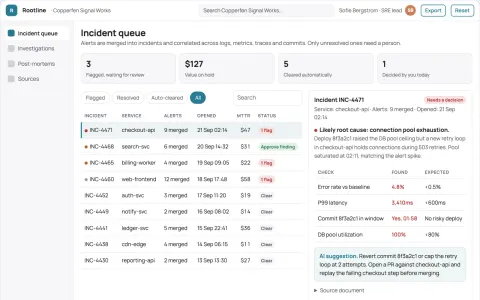
- Event log and review workflow Records handoffs, approvals, and provenance for agent runs, enabling review and accountability.Found in Vokal
- Security audits and logging Automatic security audits and reporting for connections, with logs and approval steps for sensitive operations.Found in CoChat
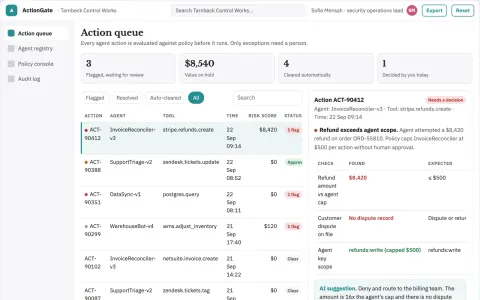
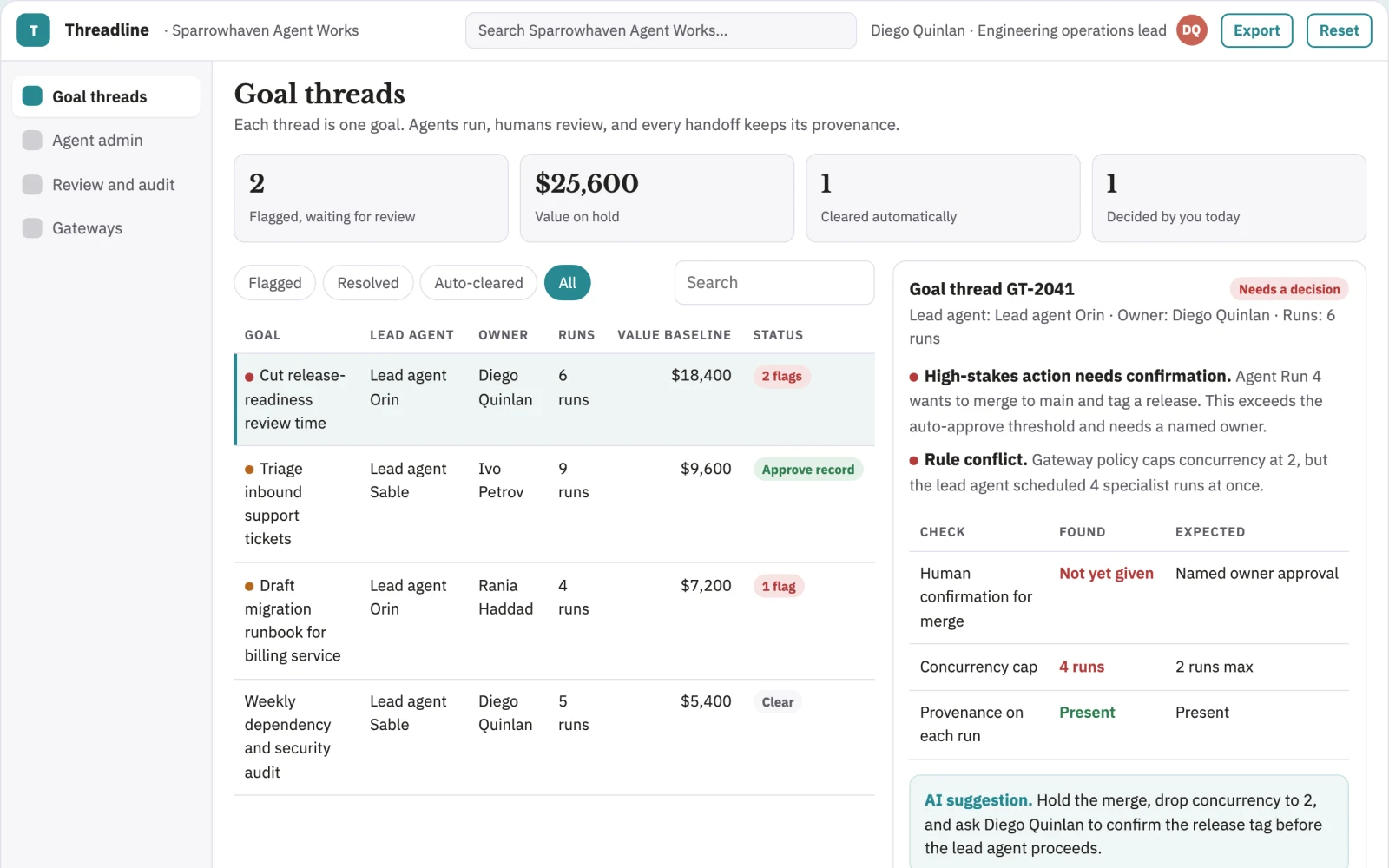
- Approval gates High-stakes actions require explicit human confirmation before an agent can proceed.Found in ClawTeams
- Data portability and access controls Content is designed to be secure, portable, and extensible for teams that need to keep ownership of their data.Found in Glue
- Agent profiles and permissions Agent profiles include names, roles, owners, permissions, memory scope, and app access.Found in Vokal
- Gateway connections Support self-hosted or managed gateways to connect agents without exposing machines.Found in CoChat
- Platform-aware pacing Rate limiting, randomized delays, and concurrency caps reduce risk of triggering anti-bot detection.Found in ClawTeams
- Persistent cross-run state Stored decisions, fresh data, and outputs carry forward across goals so new tasks don't start from scratch.Found in ClawTeams
- Rule conflict detection Flags when a new rule contradicts an existing constraint and asks the user to decide.Found in ClawTeams
- Real-time spelling and grammar correction Identifies and corrects spelling, grammar, and punctuation errors in real time with contextual suggestions.Found in Respell
- Multi-language support Supports multiple languages and dialects for writing assistance.Found in Respell
- Customizable correction strictness Adjust the strictness of corrections to match user preferences.Found in Respell
- Detailed explanations for changes Provides explanations for suggested changes to help users learn.Found in Respell
- Call recording Automatically records meetings and calls for later review.Found in Stork.ai
- Voice and video notes Capture and share messages in audio or video format.Found in Stork.ai
- Dedicated channels Structured spaces for team alignment and project-related discussions.Found in Stork.ai
- Watercoolers Informal virtual meeting spots that foster spontaneous interactions.Found in Stork.ai
- Built-in screen recorder Create and share video stories or walkthroughs for clarity.Found in Stork.ai
- Read and playback receipts Indicates when messages, video, and audio conferences have been read or played back.Found in Stork.ai
- Automation of routine tasks Automates tasks such as summarizing discussions and generating reports.Found in Den
- Real-time collaboration Teammates collaborate in real time within an organized interface.Found in Den
- Flexible adoption Accommodates different work styles within a team.Found in Den
- Code-focused capabilities Write, run, test, debug, and ship code changes within a connected environment.Found in Faby
- Orchestration across tools Triages tickets, moves work between systems, and updates records as a teammate would.Found in Faby
- Image generation Generates images alongside chat functionality.Found in Alpaca Chat
- Central billing Simplifies cost management for businesses with a central billing system.Found in Alpaca Chat
- Goal decomposition An AI team lead breaks down a high-level goal into tasks and assigns them to specialists.Found in ClawTeams
How it works, step by step
- Run shared human-agent threads with preserved context and roles
- Create and customize AI agents with guided prompts, templates and shared access
- Coordinate multiple specialist agents under a lead agent
- Structure threads around specific goals and outcomes
- Give agents a browser and code editor to execute tasks end-to-end
- Make requests and receive results inside Slack
- Connect external apps and internal tools through MCP
- Add custom API calls and webhooks
- Switch between multiple large language models per task
- Pick or switch models to balance speed and quality
- Give agents persistent memory, personalities and scheduled responsibilities
- Index a knowledge base and memory of prompts, decisions and outputs
- Record handoffs, approvals and provenance for agent runs
- Run automatic security audits and connection logging
- Require explicit human confirmation for high-stakes actions
- Keep content secure, portable and extensible with access controls
- Define agent names, roles, owners, permissions, memory scope and app access
- Support self-hosted or managed gateways without exposing machines
- Apply rate limits, randomized delays and concurrency caps
- Carry stored decisions, fresh data and outputs across goals
- Flag rule conflicts and ask the user to decide
- Correct spelling, grammar and punctuation in real time with contextual suggestions
- Support multiple languages and dialects
- Adjust correction strictness to user preference
- Explain suggested changes
- Record meetings and calls for later review
- Capture and share audio and video notes
- Provide dedicated channels for team and project alignment
- Provide informal watercooler spaces
- Record screens for walkthroughs and stories
- Show read and playback receipts for messages, video and audio
- Automate summarizing discussions and generating reports
- Let teammates collaborate in real time in one interface
- Accommodate different work styles within a team
- Write, run, test, debug and ship code changes in a connected environment
- Triage tickets, move work between systems and update records
- Generate images alongside chat
- Centralize billing for the team
- Decompose a high-level goal into tasks and assign them to specialists
- Compare the reviewed result with the recorded baseline and value assumptions
- Capture corrections and named-owner approval before consequential use
- Export a versioned reviewed human-agent work records with provenance with source references and unresolved questions
Jobs this app suits
Our AI checked this app against 500 jobs; these get the most out of it. Each job links to its learning path.
Build it yourself with your AI system
Build this app yourself, no coding needed
Start with a quick version you can try in a few minutes. Like it? Then build the full app by copying and pasting our step-by-step instructions: everything is prepared for you.
Sign in to see how to build it yourself
Build a quick version to try, or get the full app pack for Shared human-agent work coordination portal with the step-by-step building instructions. You don't need any technical skills: you copy, paste and answer a few questions. Both are included in the membership.
4 Have it built for you days to a few weeks
Rather not do it yourself, or want it fully tailored to your data, your way of working and your brand? Nexibeo builds Shared human-agent work coordination portal with you.
What's in the app pack
Included in the Complete AI Training membership.
- The building instructions your AI follows, step by step
- The questions your AI will ask you about your business before it starts
- A clickable demo you can open in your browser, to see how it should work
- A detailed blueprint of the screens, the information it keeps and the checks it runs
Become a member to get the app packAlready a member? Sign in
The files, for the technically curious
- START-HERE.mdHow to build it with your own AI (read first)3 KB
- README.mdOverview and links7 KB
- questions.mdQuestions to answer before you build2 KB
- prompt-cloudflare.mdThe full build prompt, hosted on Cloudflare28 KB
- prompt-vps.mdThe same build on your own server (Docker)28 KB
- spec.jsonData model, API, AI pipeline, acceptance criteria11 KB
- demo/index.htmlThe working demo on sample data195 KB
Questions
Do I need to know how to code?
No. You copy and paste the prompts on this page into ChatGPT or Claude, and the AI does the building. When it asks you something, you answer in your own words.
What does it cost?
The quick version, the app pack and the step-by-step instructions are for members: you pay the membership price, not a price per app (see the plans). Building the full app uses your own ChatGPT or Claude subscription. Putting it online is often cheap or no cost at the start, and your AI tells you before anything costs money.
How long does it take?
The quick version: about two minutes. The real app: an afternoon for a first version you can use, longer if you want every feature.
Can I change it to fit my business?
Yes. Tell your AI what to change in plain words, like “add a column for the price” or “use our logo and colours”. Or have Nexibeo build and customise it for you.
More detailsHow the AI works, safeguards and what to build first
Reduce tool sprawl and keep human-agent work in one owned, reviewable place. For engineering and operations teams that want AI agents working alongside people in shared conversations, convert team goals, connected tools, agent profiles and approval rules into reviewed human-agent work records with provenance. The benefit is a testable hypothesis, measured through completed goals per team hour and rework after agent handoffs; do not assume that AI output alone produces business value.
Confirm the buyer's problem and scope, collect team goals, connected tools, agent profiles and approval rules, then follow this sequence: 1. Run shared human-agent threads with preserved context and roles. 2. Create and customize AI agents with guided prompts, templates and shared access. 3. Coordinate multiple specialist agents under a lead agent. 4. Structure threads around specific goals and outcomes. 5. Give agents a browser and code editor to execute tasks end-to-end. 6. Make requests and receive results inside Slack. 7. Connect external apps and internal tools through MCP. 8. Add custom API calls and webhooks. 9. Switch between multiple large language models per task. 10. Pick or switch models to balance speed and quality. 11. Give agents persistent memory, personalities and scheduled responsibilities. 12. Index a knowledge base and memory of prompts, decisions and outputs. 13. Record handoffs, approvals and provenance for agent runs. 14. Run automatic security audits and connection logging. 15. Require explicit human confirmation for high-stakes actions. 16. Keep content secure, portable and extensible with access controls. 17. Define agent names, roles, owners, permissions, memory scope and app access. 18. Support self-hosted or managed gateways without exposing machines. 19. Apply rate limits, randomized delays and concurrency caps. 20. Carry stored decisions, fresh data and outputs across goals. 21. Flag rule conflicts and ask the user to decide. 22. Correct spelling, grammar and punctuation in real time with contextual suggestions. 23. Support multiple languages and dialects. 24. Adjust correction strictness to user preference. 25. Explain suggested changes. 26. Record meetings and calls for later review. 27. Capture and share audio and video notes. 28. Provide dedicated channels for team and project alignment. 29. Provide informal watercooler spaces. 30. Record screens for walkthroughs and stories. 31. Show read and playback receipts for messages, video and audio. 32. Automate summarizing discussions and generating reports. 33. Let teammates collaborate in real time in one interface. 34. Accommodate different work styles within a team. 35. Write, run, test, debug and ship code changes in a connected environment. 36. Triage tickets, move work between systems and update records. 37. Generate images alongside chat. 38. Centralize billing for the team. 39. Decompose a high-level goal into tasks and assign them to specialists. Resolve uncertain cases with qualified reviewers, approve reviewed human-agent work records with provenance, and measure completed goals per team hour and rework after agent handoffs against a documented baseline.
How the AI works
Use AI to interpret permitted inputs, suggest structured mappings and generate candidate outputs for the three stated task modules. Use deterministic code for arithmetic, schema validation, hard constraints and reproducible tests. Review source-linked explanations and uncertainty before accepting results. One fixed team workspace and approved connector set; final approvals and consequential actions remain human. A model suggestion is never a verified fact, professional decision or authorization to act.
Safeguards
Preserve team voice, source attribution, quotation accuracy and usage permissions. Named owners approve substantive changes and external actions. One fixed team workspace and approved connector set; final approvals and consequential actions remain human. Keep all consequential actions under authorized human control and do not fabricate missing inputs, permissions, professional judgments or market evidence.
What to build first
Pilot scope: One fixed team workspace and approved connector set; final approvals and consequential actions remain human. Implement one approved input format, a bounded representative case set and the first two task modules: run shared human-agent threads with preserved context and roles; create and customize AI agents with guided prompts, templates and shared access. Support the third module with operator review: coordinate multiple specialist agents under a lead agent. Include source references, corrections, basic organization access, approval states, export and value measurement. Use managed operator assistance for unresolved exceptions. The cost estimate covers this narrow prototype, not unrestricted multi-tenant scale, complex production integrations, specialist certification or physical operations.
What it can connect to
Team-owned repositories, issue trackers, chat platforms and internal tools. Cloud storage, identity providers, Slack and approved API endpoints. Start with file exchange and validate destination specifications before promising direct publishing. Start with authorized file exchange. Validate current provider access, usage rights and schema behavior before promising a connector.
The screens in detail
Primary screens: Goal and thread setup, Shared human-agent thread, Agent and gateway administration, Review and audit log. Use a thread list for goals, a large central conversation canvas showing human and agent messages with roles, and a right-hand panel for agent profiles, permissions, connected tools and approvals. Let users compare agent runs side by side. Display draft, awaiting approval, approved and blocked states. Provide a review view with comments anchored to the relevant run. Make the task-specific outcome reviewed human-agent work records with provenance visible beside its evidence, review state and value baseline.