
Certification
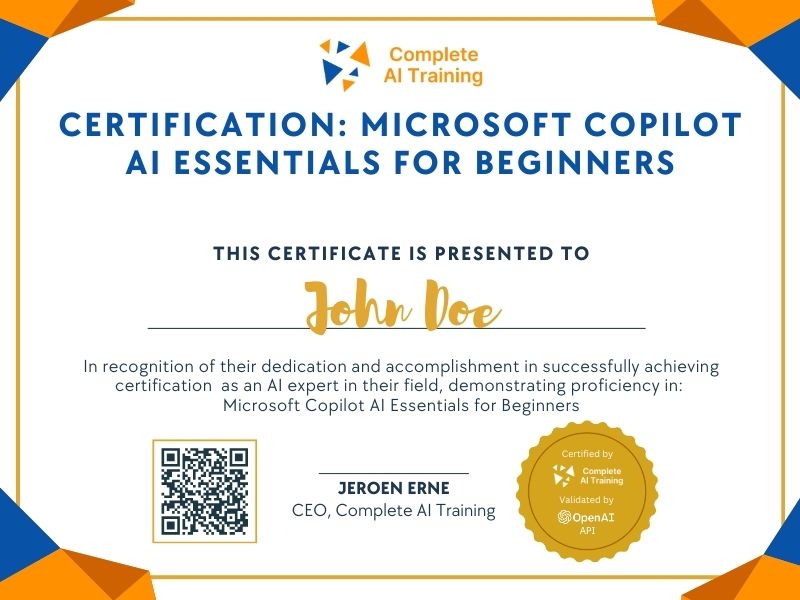
Certification: Microsoft Copilot AI Essentials for Beginners
Show the world you have AI skills with Microsoft Copilot. This certification introduces key AI concepts and practical Copilot tools, helping you confidently apply AI in everyday tasks and boost your professional credibility.
The exam
Take the certification exam
Multiple-choice questions about the course. Pass with 70% or more and your certificate is issued at once, with a public page and an "Add to LinkedIn" button.
What the exam covers
2 questions from each of the 15 chapters of the course
20 multiple-choice questions, drawn fresh for every attempt. Pass with 70% or more.
- 01Log in and first prompt6:04
- 02Compare PDFs and install the app3:07
- 03Tips and tricks cheat sheet3:15
- 04Copilot vs ChatGPT6:54
- 05Copilot licensing4:40
- 06How to prompt3:30
- 07Four keys of prompts4:00
- 08Use cases for professionals4:48
- 09Analyse a PDF11:41
- 10Copilot in PowerPoint3:47
- 11VLOOKUP/XLOOKUP with Copilot11:31
- 12PivotTables with Copilot21:14
- 13Excel formulas with Copilot16:35
- 14Rick the Accountant5:44
- 15Top 48 tips and conclusion5:18
The Certification: Microsoft Copilot AI Essentials for Beginners introduces you to the core features and functionalities of Microsoft Copilot. Gain valuable skills such as increased productivity, improved decision-making, and adaptability to the latest AI advancements in the workplace. Enroll now to unlock the potential of Copilot and advance your professional capabilities.
This certification covers the following topics:
- What is Microsoft Copilot?
- Saving Time and Increasing Efficiency
- Mastering Prompt Engineering
- Integration with Microsoft 365
- Understanding Different Copilot Versions and Licensing
- Practical Use Cases Across Applications
- Security and Data Privacy
- Copilot in Microsoft 365 Applications
- Excel Specific Use Cases Demonstrated
- PowerPoint Presentation Generation
- Prompting Framework (GOAL - Context - Expectation - Source)
- Distinction Between Copilot and ChatGPT
- Limitations and Best Practices
Jobs this certification suits
Our AI checked this certification against 500 jobs; these get the most out of it. Each job links to its learning path.