
Learning path
Learning AI as an Office Manager
This path helps office managers use AI for daily admin work. You will set up your AI, learn job specific skills, and try prompts that save time on emails, schedules, and supplies.

Your path
Everything in the Office Manager AI kit, in the order that makes sense. Members tick off each step and see their progress.
Set up your AI
We guide you through each click.
Let skills do your everyday tasks
Connect your apps and pick your AI apps
Hand whole tasks to AI agents
Build your own tools
Everything for office managers
All the courses, certifications, AI tools, MCP servers and apps for office managers, most relevant first. Open any list to see more.
Take the prompt courses
A short framework course to learn how to ask, then 8 lessons with ready-to-use prompts for office managers.
Start with this framework: how to talk to AI
CO-STAR helps you write clear staff emails, like announcing a holiday closure, by setting audience and tone first.
Then your prompt course for office managers- 1Drafting Everyday Correspondence3 prompts
- 2Scheduling and Meeting Coordination3 prompts
- 3Office Supplies and Vendor Quotes3 prompts
- 4Facilities and Maintenance Requests3 prompts
- 5Expenses and Budget Tracking3 prompts
- 6Staff Coordination and Supervision3 prompts
- 7Policies and Onboarding Documentation3 prompts
- 8Advanced Troubleshooting and Vendor Management3 prompts
Watch the video courses or add them to your Favorites for later
108 video courses our AI picked for office managers, most useful first. Save the ones you want to watch later with the heart.
Favorites are saved to your account: sign in or get your AI kit first.
Show all 108 video courses
Get certified, or add certifications to your Favorites
Every course ends in an exam and a certificate you can add to LinkedIn. Save the certifications you are aiming for with the heart.
Favorites are saved to your account: sign in or get your AI kit first.
More certifications for office managersShow all 24 certifications
Try the AI tools for office managers
24 AI tools our AI matched to the work of office managers, best fit first. Each review shows what it does, its alternatives and the jobs it suits.
Favorites are saved to your account: sign in or get your AI kit first.
Show all 24 AI tools
Connect your AI to the apps office managers use
MCP servers let ChatGPT, Claude or Copilot look things up and get work done in other apps, like your email, calendar or bookkeeping software. These 12 fit the work of office managers best, well-known apps first.
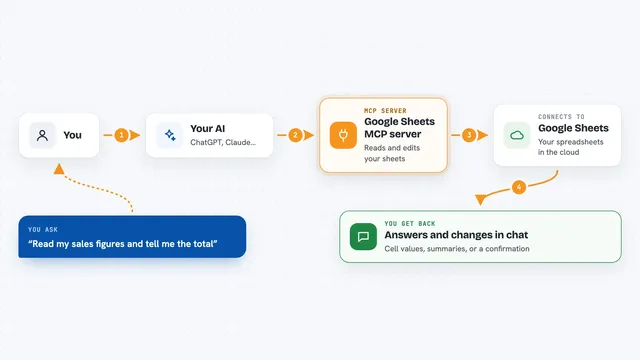
Google Sheets MCP server
by freemaLets your AI read, write, and format your Google Sheets for you, right from the chat.

Google Workspace MCP server
by taylorwilsdonLets your AI read and write your Gmail, Calendar, Drive, Docs, Sheets and more, all from one chat.

Gmail MCP server
by A1-x-TechLet your AI read, search, draft and send your Gmail, and keep labels and trash tidy, from the chat.

MCP Emails server
by AlbretsenLet your AI read, search, send and organize email in your own mailbox.
EmailNo install
Google MCP server
by vakharwalad23Lets your AI read and send Gmail, manage Calendar events, browse Drive files and handle Tasks for you.

Outlook Assistant MCP server
by littlebearappsLets your AI read, search, send, and organise your Outlook email, calendar, and contacts from the chat.
Show all 12 MCP servers

Mailwarden Gmail MCP server
by csitteLet your AI read, search, label, archive, trash and snooze your Gmail without opening a browser.

Microsoft 365 MCP server
by softeriaLets your AI read and send Outlook mail, check your calendar, and work with OneDrive and Excel files.

Microsoft Graph MCP server
by nitin27mayLets your AI read your Outlook mail and calendar, Teams chats, files and notes inside Microsoft 365.

Outlook Local MCP server
by desekLets your AI read your Outlook calendar and mail, and write draft emails for you.

Google Drive MCP server
by isaacphiLets your AI search and read your Google Drive files and read or edit your Google Sheets.

Google Calendar MCP server
by takumi0706Lets your AI read, create, change, and delete events in your Google Calendar for you.
Build your own AI apps for office managers
Apps you build yourself with your own AI, no coding needed and no monthly fee. Our AI picked the 11 that fit the work of office managers.
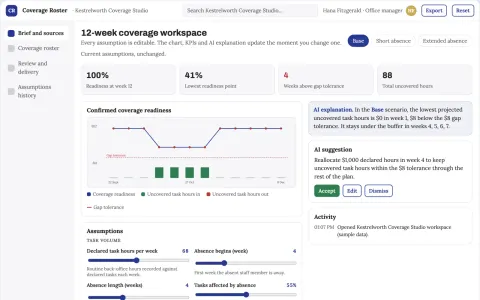
Shared administrative role coverage
Task continuity without inferring worker value.
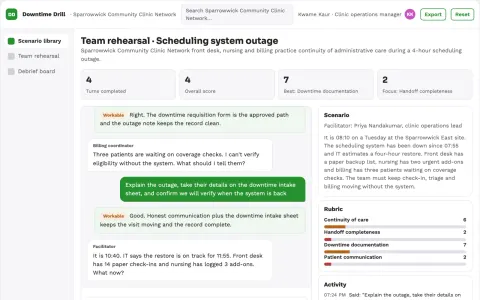
Clinic downtime rehearsal kit
Practice continuity of administrative care processes.
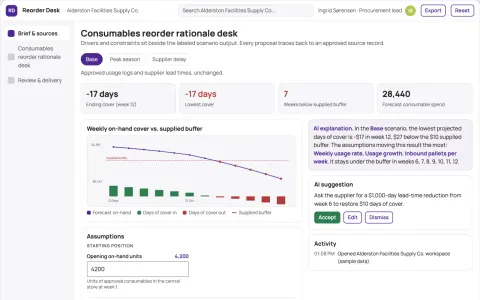
Consumables reorder rationale desk
Explain assumptions behind consumable requests.
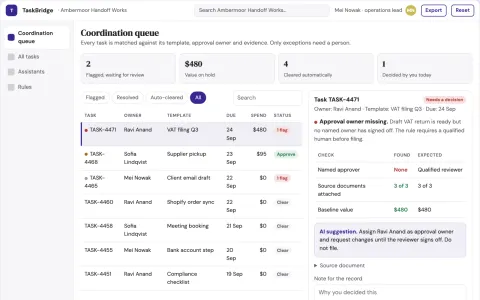
AI team and human task coordination portal
Reduce coordination overhead while keeping one owned record of tasks, approvals and spend.
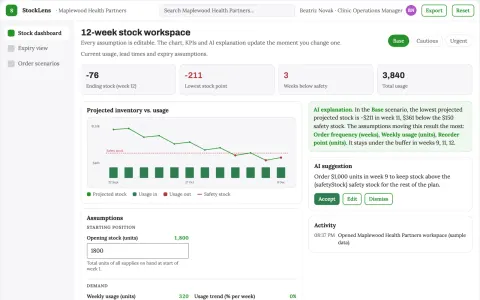
Medical inventory planning tool
Small-clinic planning combines consumption with expiry and storage constraints.
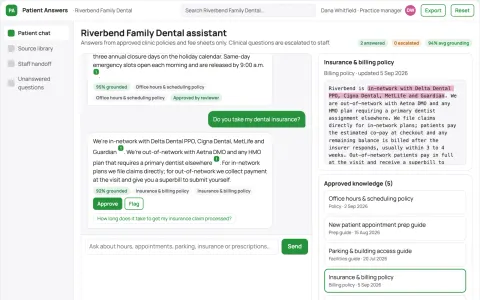
Clinic information assistant
Clinic-specific administrative answers with immediate clinical handoff.
Show all 11 apps
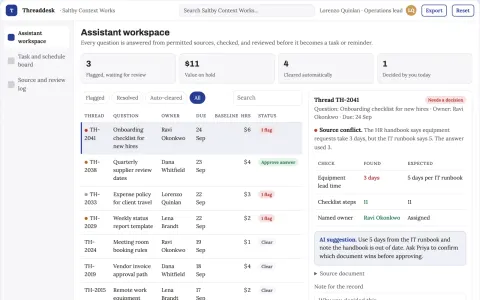
Conversational assistant and task coordination portal
Reduce tool switching and missed follow-ups while keeping one owned record of questions, sources and tasks.
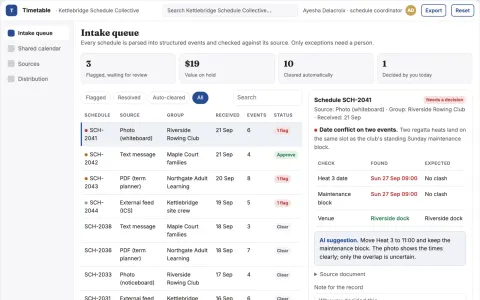
Shared schedule coordination portal
Reduce manual calendar entry and missed updates while keeping one shared schedule everyone can see.
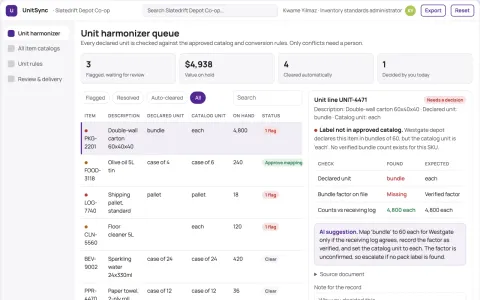
Inventory unit-definition harmonizer
Explicit units before aggregation.
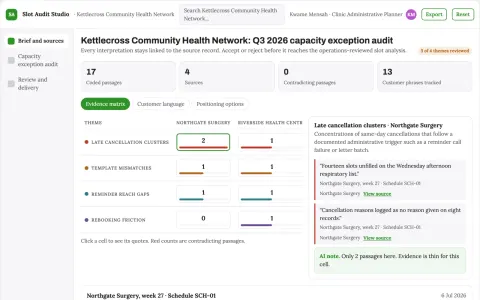
Clinic appointment capacity exception audit
Explain operational gaps without clinical prioritization.
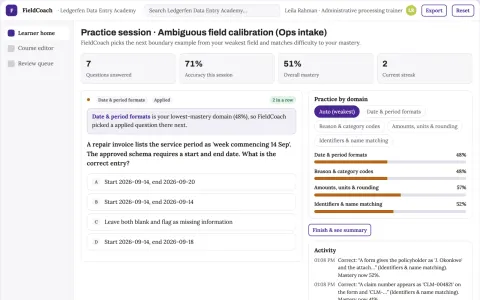
Operations data-entry ambiguity coach
Calibrate data entry before production.







































































































About this learning path
6 topicsOffice managers: a practical path to working with AI
Office managers keep many moving parts in order. AI can help with the writing, planning, and tracking that fill your day.
This path is built for people who are not technical. You will set up your AI, learn job specific prompts, and watch short video courses chosen for your role, with the certifications that come with them.
Why AI matters now
Offices are busy, and requests come from everywhere. AI can help you draft replies, organize tasks, and track details without adding hours. It is becoming a normal part of administrative work.
What this path includes
You get setup questions to connect your AI. Then you learn job specific skills, take this prompt course, and watch video courses picked for office managers. The video courses include their own certifications.
How it saves you time
You will use prompts to write emails, plan meetings, compare vendor quotes, and track expenses. Small tasks get faster. You spend less time on repetitive writing and more time on the parts of your job that need a human touch.
How it protects your career
Learning to work with AI helps you stay valuable as offices change. You will know how to check AI output, keep private information safe, and use these tools responsibly. That makes you a stronger candidate for new responsibilities.
How to get started
Begin with the setup questions to connect your AI. Then take the prompt course in order. Try one lesson prompt on a real task the same day. Add a video course when you want to go deeper.
Frequently asked questions
Do I need technical skills?
No. This path is made for office managers who use computers for everyday work but do not write code. You will learn by doing simple, guided steps.Which AI tools will I use?
You can use ChatGPT, Claude, or Gemini. The path shows you how to connect whichever one you choose. The prompts work in all three.How long does the path take?
You can move at your own pace. Most people finish the prompt course in a few short sittings. The video courses are broken into small lessons you can watch when you have time.Will this help with sensitive office information?
Yes. You will learn what to share and what to keep private. There are clear rules for handling staff details, budgets, and vendor contracts safely.