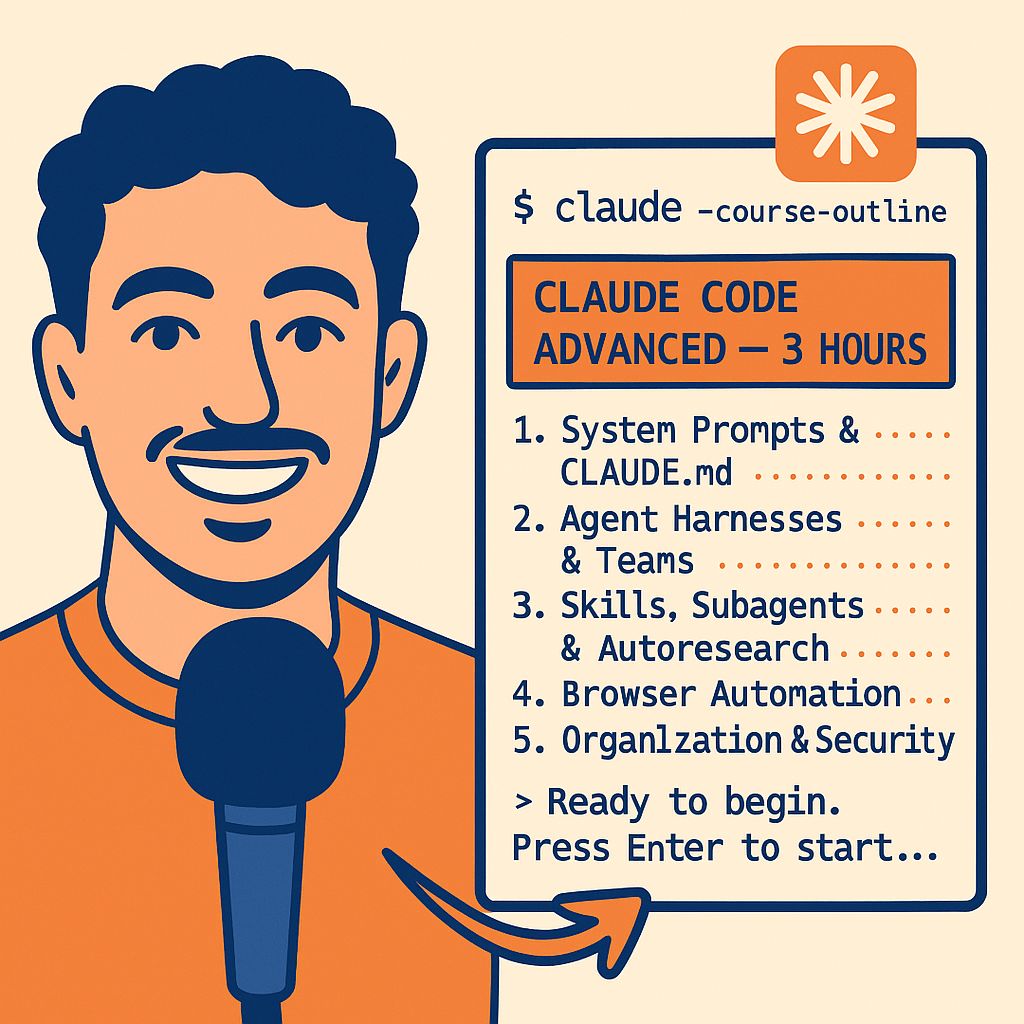
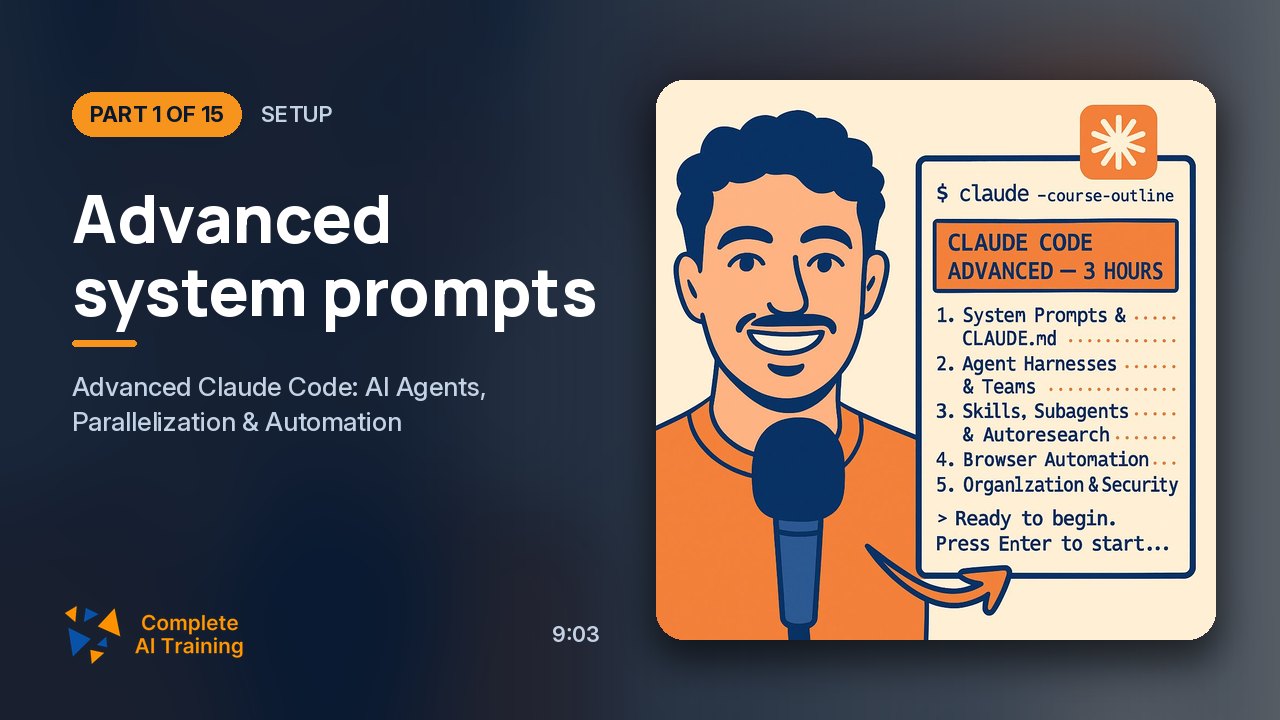
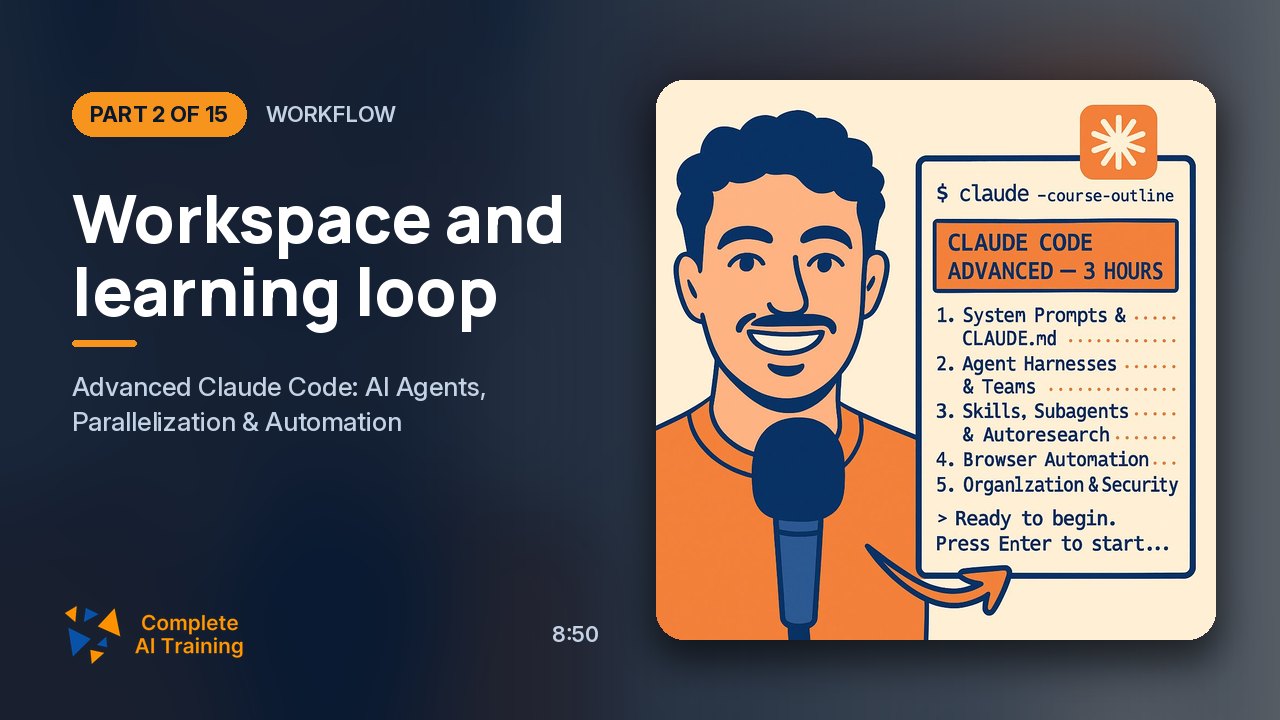
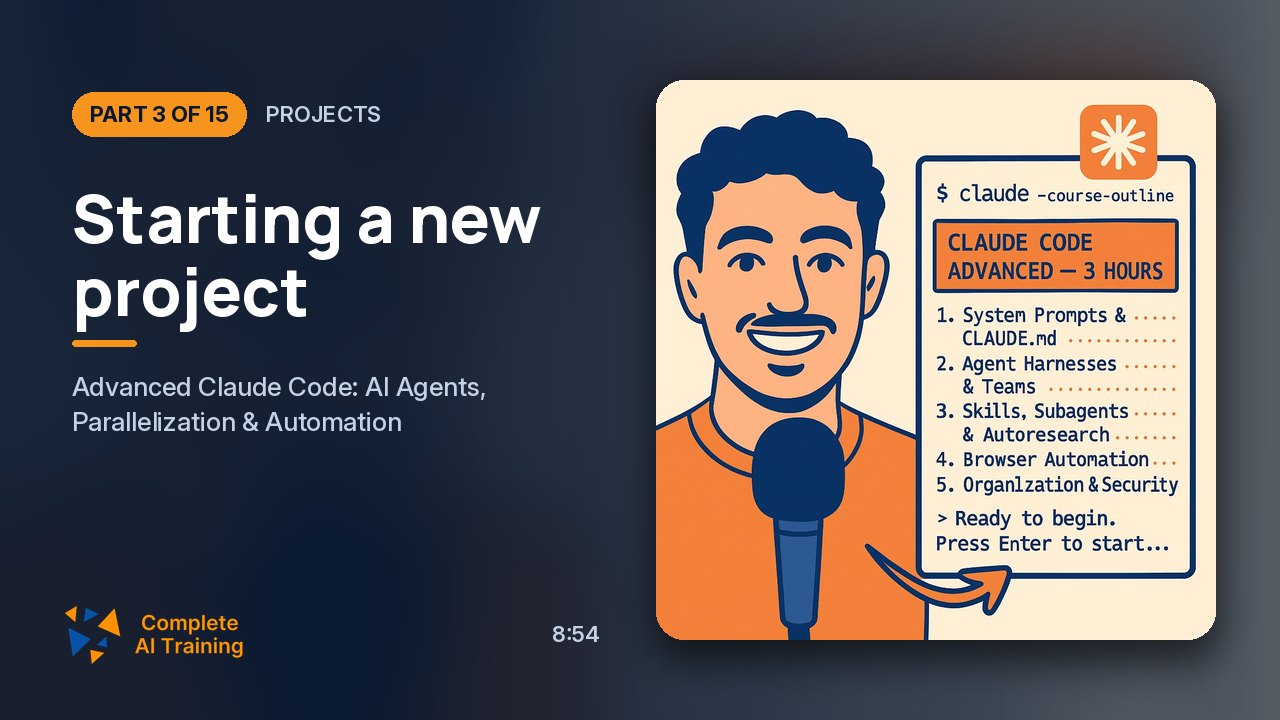
Advanced Claude Code: AI Agents, Parallelization & Automation (Video Course)

Turn Claude Code from autocomplete into your dev engine. In 3 hours, learn to orchestrate whole teams of agents, automate testing and iterative refinement, and build a self-improving system that writes, reviews, and optimizes your code.

Duration: 4 hours
Rating: 5/5 Stars
Expert (technical)

Related Certification: Certification in Building AI Agents and Automating Complex Workflows

Advanced Claude Code: AI Agents, Parallelization & Automation (Video Course)
Access this Course

Also includes Access to All:

700+ AI Courses
700+ Certifications
Personalized AI Learning Plan
6500+ AI Tools (no Ads)
Daily AI News by job industry (no Ads)

Video Course

What You Will Learn

  • Craft a high-performance claude.md to compress knowledge and declare capabilities
  • Orchestrate agent teams using fan-out/fan-in, debate, and sequential pipelines
  • Implement auto-research loops to hypothesize, execute changes, and assess metrics
  • Choose and apply HTTP, browser, or computer automation strategically
  • Organize scalable workspaces and enforce security best practices for AI code

Study Guide

Alright, let's get into it. This is a deep dive. A full-on masterclass in taking Claude Code from a fancy autocomplete to the core engine of your entire development workflow. We're not talking about simple prompts and refactoring scripts here. This is about architecting systems, orchestrating digital workers, and building a self-improving operation that runs while you sleep. Over the next three hours, we're going to tear down the walls of traditional programming. We'll build them back up using the fundamental principles of agentic development. You're going to learn the strategies that separate curious tinkerers from the people who are genuinely building the future of software. This course is structured to be a complete journey. We start with the bedrock,the system prompt. That's your `claude.md` file. Think of it as the constitution for your digital workforce. Get this wrong, and everything else crumbles. Get it right, and you're working with a superhuman operator that understands your goals, your preferences, and your codebase better than most human teammates. From there, we'll scale up. We'll look at how to parallelize massive tasks. You'll learn how to split a monolithic job into a team of specialized AI agents that work in concert, debate solutions, and synthesize results far beyond the capability of a single model. This is where the real speed and quality leaps happen. Then, we're going to automate improvement itself. We're not just talking about automating code generation, but automating the *learning* and *optimization* of that code. We'll build feedback loops that constantly test, measure, and refine to hit a specific metric. It's not magic, it's a structured framework. We'll also get our hands dirty with the different levels of automation. You'll understand when to use cheap, fast HTTP requests versus full-blown browser control. This strategic decision-making is what separates an efficient operator from someone who just burns tokens. Finally, we'll talk about resilience and safety. We'll build a workspace that's organized for scale, and we'll harden it against the unique security threats of AI-generated code. This isn't just about writing code anymore; it's about building a sustainable, secure, and unstoppable development engine. Let's begin.

The Foundation: Why Your `claude.md` Is Your Most Valuable Asset

The Four Pillars of a High-Performance System Prompt
Most people treat the system prompt as a simple instruction manual. "You are a helpful assistant." That's a massive underutilization. A truly powerful `claude.md` file is a multi-functional tool that serves four critical purposes simultaneously. First, it's a mechanism for **knowledge compression.** Consider a large project with hundreds of files. The AI shouldn't have to read every single file to understand the context. By summarizing the architecture, key dependencies, and design patterns in `claude.md`, you're giving the AI a high-level map. It's the difference between exploring a new city by walking every street and having a guide give you an overview of the neighborhoods before you start. This saves an enormous amount of tokens and processing time. In fact, a highly effective `claude.md` can compress a 1,100-token file into a 22-token summary, a 45x reduction. That's your leverage. Second, it's the repository for your **user preferences and conventions.** The AI doesn't know you prefer functional programming over object-oriented, or that you want all API keys in a specific file, or that your team uses a specific format for documentation. This isn't built-in knowledge. You must declare it. This is where you codify your personal workflow so the AI doesn't have to guess. Third, it's a **declaration of capabilities.** The AI operates best when it knows exactly what tools it has at its disposal. You're not just saying "write code," you're saying "You have access to a browser, a shell, and a file system. You are permitted to read and write files autonomously." This sounds simple, but it's crucial. If the AI doesn't know it can act, it will stop and ask for permission, breaking your flow. You're preemptively removing friction. Fourth, and often the most overlooked, it's a **log of failures and successes.** This is your project's collective memory. Instead of the AI trying the same failed approach every time, it can see from its "lab notes" that this strategy didn't work in the past. It's a constraint that prunes the search space. You're using past experience to prevent the AI from wasting time on known dead ends. This is the difference between an intern who makes the same mistakes repeatedly and a senior engineer who knows not to go down that path. Global vs. Local Scopes: Laying the Groundwork
You don't put everything in one massive file. You have a layered system. The first layer is your **global prompt**, typically located in your home directory. This is loaded for every single session, regardless of the project. This is for your universal rules,your high-level reasoning strategies, your personal context like "I'm a solo founder who values speed over perfection," and your token conservation rules that apply everywhere. The second layer is the **local prompt**, located in each project's `.claude/` directory. This is specific to a single repository. It contains the project's unique context, like a summary of the codebase, the specific framework you're using, or the location of the most important files. This is the "on-the-ground" intelligence that the global prompt can't provide. The key is to use both. The global prompt provides the stable foundation, and the local prompt provides the dynamic, project-specific details. This combination gives the AI a complete picture every time.

The Iterative Optimization Loop: Building a Self-Improving System

Refining Your Local Prompt
Your system prompt is not a document you write once and forget. It's a living, breathing entity that must evolve with your project. The most effective workflow is a continuous loop of learning and updating. Here's how it works. You start a new feature. You plan it, you let the AI instantiate it. During that process, the AI will inevitably hit a wall or discover a more efficient way to do something. For example, it might initially try to edit a file five times, when a single `write` call would have been more efficient and used fewer tokens. That's a learning. After the feature is implemented, you ask the AI, "How could you have done this faster or with fewer tokens?" The AI will analyze its own process and give you a direct answer. You then take that insight and add it to your local `claude.md`. You update your "lab notes" with the new rule: "When making widespread changes, use a single `write` call instead of multiple `edit` calls." The next time you ask the AI to do something similar, it will consult its notes and use the better method. This is how you compound your efficiency. Each feature you build makes the AI's future performance better. Promoting Learnings to the Global Prompt
Now, you can't just keep everything in local project files. Some patterns are universal. This is where the `/insights` command comes in. After running hundreds of local iterations across many projects, you can run this command to analyze your entire history and find recurring themes. Let's say you discover that the AI keeps failing on tasks because it doesn't consult the API documentation before writing code. That's a high-level insight. It's not specific to one project; it's a general principle. You take that insight, you review it manually to make sure it's a universal rule, and then you promote it to your global `claude.md`. You add a rule: "Always consult the official API documentation for a library before writing code that uses it." Now, every single session, across every project, will benefit from this hard-won wisdom. This is the fast lane to a highly optimized system. You're turning your own experience,both successes and failures,into a reusable asset.

Scaling Up: The Power of Agent Teams and Parallelization

Why Break Tasks Down?
A single AI model, no matter how powerful, has limitations. It's a single stream of thought. It suffers from context window constraints, and its outputs are stochastic,meaning they're not always the same even with the same input. This is great for creativity, but it also means you might not always get the best answer on the first try. To overcome these limitations, we introduce parallelization. By breaking down a large, complex task into smaller, independent sub-tasks, we can assign each sub-task to a different agent. This has several massive benefits. First, it reduces total completion time. Ten agents working on ten different parts of a problem is ten times faster than one agent working on all of them sequentially. Second, it generates higher-quality, more diverse outputs. Each agent approaches the problem from a slightly different angle, giving you a richer set of solutions. Third, it keeps context windows small. A focused agent with a clean context window performs better than a monolithic agent drowning in information. Pattern 1: Fan-Out/Fan-In
This is the workhorse for research and exploration tasks. It's a classic orchestration pattern. You have an "orchestrator" agent,usually the most powerful model you have,that spawns multiple "researcher" sub-agents. Let's say you need to figure out the best way to implement user authentication for a new app. You're not sure whether to use OAuth, JWT, or something else. The orchestrator issues a fan-out. It spawns three separate researcher agents. Agent A is tasked with researching OAuth, Agent B with JWT, and Agent C with API keys. These agents can be cheaper, faster models (like Sonnet) because their job is just to fetch and compile information. They work in parallel, each completely focused on their own task. Once they're done, they fan their findings back in to the orchestrator. The orchestrator,a more powerful model (like Opus),takes these three separate reports, synthesizes them, identifies the pros and cons of each approach in the context of a new app, and produces a single, comprehensive recommendation. This is far more efficient than trying to make one agent do all the research and then all the synthesis. Pattern 2: Debate and Stochastic Consensus
This pattern is for generating creative solutions or making decisions where there's no single right answer. It leverages the stochastic nature of AI models to your advantage. Let's say you're designing a new marketing page for a product. You ask ten agents to come up with a catchy headline. Because each agent is stochastic, you'll get ten different answers. Now, you have a synthesizer agent aggregate all these answers. It will find **consensus ideas**,headlines that multiple agents proposed independently. These are your highest-confidence options. But it will also find **outlier ideas**,unique, high-variance headlines that only one agent came up with. These are your most creative, out-of-the-box options. You can take this a step further with a true debate. In this format, the agents don't just produce their answer in a vacuum. They see each other's outputs. After the first round, Agent A sees that Agent B suggested a slightly different angle. Agent A can then refine its own idea, building on Agent B's insight. This iterative back-and-forth leads to a more nuanced, robust, and refined solution than any single agent could have produced on its own. Pattern 3: Sequential Pipeline
This is the specialist handoff. It mimics an assembly line. Instead of everyone working on the same problem, each agent has a distinct role, and the output of one becomes the input for the next. For example, imagine a standard development workflow. You have a "Developer" agent write the initial code for a new feature. Once it's done, it hands the code off to a "QA" agent. This agent is programmed to be a critic. Its entire job is to find bugs, edge cases, and security vulnerabilities. It's not a creator; it's an auditor. It takes the developer's code and pokes holes in it. This is brilliant because it removes the conflict of interest. A developer agent is incentivized to believe its code is good. A QA agent has no such bias. It just wants to find problems. It will then pass its feedback back to the developer, who fixes the issues. This loop continues until the QA agent gives a clean bill of health. This creates a polished final product that's far more robust than anything a single agent could produce on its own.

Organizing for Scale: Skills, Sub-agents, and Workspace Structure

The Power of Clean Context
Imagine trying to do a complex task while someone is screaming random facts and opinions in your ear. That's what it's like for an AI with a huge, cluttered context window. To perform at its best, an agent needs a focused, clean context. This is where sub-agents come in. A sub-agent is a temporary, specialized worker you spawn for a specific task. It starts with a fresh context window. It doesn't have the baggage of the entire project conversation. This makes it highly reliable for its designated function. When you need to audit your code for security vulnerabilities, you don't ask the same agent that wrote the code to check it. You spawn a fresh "Security Auditor" sub-agent. It has no bias, no assumptions, and a clear mission. Skills: Your Reusable Playbooks
Now, let's talk about **Skills**. If sub-agents are your specialist workers, then Skills are their standard operating procedures. They're self-contained markdown files that define a reusable process for a complex task. Let's say you have a very specific way you want to run code reviews. You can create a skill file that outlines the exact steps, the tools to use, and the output format. This skill is essentially a compressed set of instructions that can be loaded and executed by an agent whenever you invoke it. This is a powerful form of knowledge compression. Instead of re-prompting the AI with your 50-step process every single time, you just call the skill. It's the difference between explaining a recipe from scratch every time and just handing someone a well-written cookbook. A Pragmatic Workspace Layout
Forget the complex, anthropomorphic hierarchies like "CEO" and "CTO" agents. That's over-engineering. The most effective patterns are simple and functional. Focus on roles that have clear incentives. The **Parent-Researcher-QA** pattern is a great example. You have a smart "Parent" agent (Opus) that acts as the orchestrator. It spawns cheaper, faster "Researcher" agents (Sonnet) to do bulk information gathering. Once they're done, the Parent uses that information to write the code. Then, it spawns a dedicated "QA" agent (Opus) to review its work. This balances cost and capability perfectly. Or even simpler, the **Developer-QA** loop. A Developer agent builds the feature, then spawns a fresh, unbiased QA agent to review it. This is often all you need to dramatically improve code quality. The key takeaway is to keep it simple. Define clear roles with clear objectives, and let the agents play their part.

Automating Improvement: The Auto-Research Framework

The Three Pillars of Autonomous Optimization
This is where things get truly advanced. We're not just automating the work; we're automating the *improvement* of the work. This concept, often called "auto-research," is a framework for creating a system that continuously tests and optimizes its own performance. You need three things to make this work. First, you need a **clear metric**. This is a single, quantifiable value you want to optimize. It could be a Google Lighthouse performance score, the parse-and-render time for your codebase, email open rates, or server cost. You need one number that defines success. Second, you need a **change method**. This is the tool the AI uses to influence the metric. It could be editing a website's code, adjusting a server configuration, or rewriting an email subject line. The AI needs a lever it can pull. Third, you need a **fast assessment**. This is a way to measure the metric after every single change. It has to be quick and automated. Running a Lighthouse test is fast. Sending a test API request and timing the response is fast. If you can't measure it quickly, the loop breaks down. The Loop: Hypothesis, Execute, Assess
With these three pillars in place, the AI can operate in a continuous, autonomous loop. It's the scientific method, fully automated. First, the AI makes a **hypothesis**. It looks at the current state and says, "I think minifying the CSS will reduce page size and improve the load time." Second, it **executes** that change. It minifies the CSS. Third, it **assesses**. It runs the load time test again and compares the result to the previous baseline. Then, it makes a decision. If the metric improved, it keeps the change. If it got worse or didn't change, it reverts. It then logs the entire attempt in its memory. This is crucial. The next time it formulates a hypothesis, it has a richer understanding of what works and what doesn't. This loop can run thousands of times a day. It's relentless, it's methodical, and it finds optimizations that humans miss. It's not just making a couple of tweaks; it's an exponential search for improvement. One company, Shopify, applied this method to their entire Liquid codebase and achieved a 53% faster combined parse-and-render time. That's the kind of compounding improvement this framework delivers.

The Automation Spectrum: HTTP, Browser, and Computer Control

Level 1: HTTP Requests
Automating web tasks isn't a single approach. It's a spectrum, and each level has its trade-offs. The first level is **HTTP Requests**. This is the fastest, cheapest, and most scalable method. It involves directly interacting with a service's API. You're not clicking buttons; you're sending raw requests to a server and getting structured data back. This is the method of choice for interacting with well-documented APIs like Stripe or Twilio. It's incredibly efficient. However, it's also the most fragile. It requires setup, and if the website doesn't have a public API, you might have to reverse-engineer their internal one, which is a lot of work and can break at any time. It's also easily blocked by anti-bot measures. Level 2: Browser Automation
The next level is **Browser Automation**. This is far more general-purpose. Instead of talking to a server directly, the AI controls a real web browser instance. It can navigate to pages, click buttons, fill out forms, and read the content. Tools like Chrome DevTools MCP make this possible. This is slower and more expensive per action than HTTP requests, because it's rendering a full browser. But it works on a much wider range of websites, especially those without public APIs. If you need to interact with a social media platform or scrape a complex, dynamic web app, this is your tool. There are also "undetectable" browser automation platforms specifically designed for interacting with sites that have aggressive anti-bot measures, like social media. This is the perfect middle ground for a huge variety of tasks. Level 3: Computer Automation
The most powerful and universal method is **Computer Automation**. This is where the AI takes control of your actual mouse and keyboard. It can open desktop applications, type in them, and interact with your operating system. This is the ultimate fallback, as it can do anything a human can do on a computer. However, it's also the slowest, most token-intensive, and most expensive method. It's like watching a robot with a blurry camera trying to navigate. It's not graceful. It's best reserved for tasks that cannot be accomplished through any other means. The Strategic Workflow
The smart practitioner doesn't just pick one level. They prototype with one and then optimize. You might start with browser automation to validate that a workflow works. You can see the website, click around, and confirm your process. Once it's proven, you analyze the network requests your browser made during the process. You'll likely discover the underlying API being called. You can then re-implement that same workflow using raw HTTP requests, which are 10x faster and 100x cheaper. It's a "prototype with generality, productionize with specificity" approach.

Building a Resilient AI Portfolio: The Case for Diversification

The Monoculture Risk
Relying on a single AI model or platform is a dangerous game. It's a monoculture. If that provider has a massive outage, performance degradation, or changes their pricing or ethical stance, your entire development pipeline comes to a screeching halt. You have no choice but to wait for them. This is a risk you can't ignore. The future of AI development is multi-model. You need to think of yourself as an orchestrator of diverse AI talent, not a user of a single tool. Strategies for a Multi-Model Workflow
So, how do you diversify? First, you can use **multi-agent orchestration platforms** like Conductor. These tools let you run and manage a team of agents from different providers,like Claude and OpenAI's Codex,side-by-side in a single interface. You can send a task to whichever model is best suited for it, all from one place. Second, you can set up **MCP servers** to integrate models. Within your Claude Code environment, you can create an MCP server that allows Claude to delegate a specific task to another model, like Codex. This lets you combine the strengths of both. Maybe Claude is better at architectural reasoning, but Codex is better at a specific coding challenge. You can create a workflow where Claude makes the plan and Codex executes it. Third, you need to maintain **agnostic workspaces**. This means structuring your projects and prompts so they can be easily adapted to different AI systems. For example, you'd create equivalent system prompt files for different platforms: a `claude.md` for Claude, an `agents.md` for another tool, and a `gemini.md` for yet another. You can even write a sync script to keep them all in alignment. The pragmatic approach is to allocate the majority of your work, maybe 70-80%, to the best-in-class model for your needs. But you maintain active integrations and proficiency with alternatives. That way, if your primary model has an issue, you have a fully functional backup plan ready to go.

Workspace and Security: The Non-Negotiables

Organizing for Efficiency
A cluttered mind is a cluttered workspace, and this applies to AI agents too. A clean, logical folder structure is crucial for efficient agent operation. It reduces the time the AI spends searching for files and reduces the risk of it making mistakes. A core structure I recommend is to have a `.claude/` folder for skills, agent definitions, and other Claude-specific files. Then, have an `active/` or `temp/` folder for all generated files, outputs, and temporary data. This keeps your root directory clean. Also, have a `.env` file for all your API keys and secrets. Never hardcode a key into a source file. For larger operations, maintain separate high-level workspaces for `Business` and `Personal` matters. Within the `Business` workspace, create a sub-folder for each client project. Each project folder then contains its own context, skills, and prompts. This separation of concerns is critical for scale. And don't forget periodic cleanup. You can even run an AI-powered cleanup script to organize your `active/` folder, archiving old files and structuring outputs into logical sub-directories. Security: The Top Priority
AI-generated code introduces new security risks. You must be proactive. The first rule is to **protect your API keys**. Never paste a secret into a chat prompt. It can be logged and become a leak vector. Store them exclusively in `.env` files and reference them from there. Second, **audit your dependencies**. AI models can hallucinate package names. An AI might recommend installing `lodash` when you actually need `lodashs`, a malicious package that's typosquatting on the real one. Always have the AI audit its dependency list before installation. You can ask it to verify a package's existence and reputation before you install it. Third, **enable database security**. If you're using a database like Supabase, always turn on Row-Level Security (RLS). This is a database feature that prevents a user from accessing data that doesn't belong to them. It's a critical layer of protection that should never be left off. Fourth, and this is a big one, **run security audits**. Before deploying any public-facing application, use a comprehensive security audit prompt to have a fresh AI instance check for common vulnerabilities. This includes scanning for hard-coded secrets, insecure dependencies, exposed data, and misconfigurations. Having a fresh, unbiased AI look at your code is an incredibly powerful way to catch issues you might have missed.

Putting It All Together: The Architecture of an AI-First Developer

From Prompting to Architecting
We've covered a lot of ground. We started with the foundational layer of the system prompt, teaching you how to compress knowledge and codify your preferences. We then scaled up to the orchestration of agent teams, using parallelization patterns like fan-out/fan-in and debate to produce faster, higher-quality, and more creative results. We then dove into the auto-research framework, which allows you to automate the very process of improvement, turning your codebase into a self-optimizing system. We navigated the automation spectrum, from lightning-fast HTTP requests to the universal control of computer automation. We built a resilient portfolio by diversifying our AI models, and we established a secure, organized workspace to ensure our entire operation is stable and safe. The shift here is profound. You're no longer a "prompter," asking a chatbot for snippets of code. You have become an architect of intelligent systems. You're designing workflows, orchestrating digital teams, and building autonomous engines that solve problems and improve themselves. The Future is a Workflow
The future of software development isn't about writing lines of code. It's about designing the workflows that generate the code. It's about defining the research patterns, the quality gates, and the optimization loops. Your ability to conceptualize a task, break it down into a system, and then orchestrate the AI to execute it is now your most valuable skill. The companies and individuals who master this will build software at a pace and scale that was previously unimaginable. They'll be hyper-leveraged, able to do the work of a massive team with just a few people and a lot of well-orchestrated AI. The strategies you've learned here are the building blocks of that new reality. So, don't just read this and forget it. Start small. Implement a global `claude.md` file with your personal context. Use `/init` to create a local one for your next project. Try a simple fan-out/fan-in pattern for a research task. Experiment with a Developer-QA loop. The key is to start building these systems. The more you practice, the more natural this way of thinking becomes. The future is here, and it's waiting for you to build it.

Frequently Asked Questions

What is this FAQ about?

This FAQ answers the most common questions about advanced Claude Code workflows, system prompt engineering, and multi-agent architectures. It covers everything from setting up your first `claude.md` file to orchestrating complex agent teams, automating progressive improvement, and securing your AI-driven projects. The questions are organized from foundational concepts to advanced strategies, giving you a practical reference that grows with your skill level.
Each answer focuses on actionable advice you can apply immediately, not just theory. Real-world examples are included where they help clarify the context. Whether you're a developer looking to break through a productivity plateau, a team lead exploring AI-assisted workflows, or a professional running multiple client projects, the responses below address the specific challenges you are likely to face.

What is the primary purpose of a `claude.md` file?

The primary purpose is to give the AI model a concentrated dose of context about your project or workspace without forcing it to re-read everything from scratch. It saves tokens, speeds up responses, and makes the output more relevant. Think of it as a briefing document you hand to a new team member on day one. It covers the project goals, key file structures, and the conventions you expect to be followed. Instead of exploring the entire repository to figure out what's going on, the model can get straight to work. This "compressed knowledge" approach is the difference between an AI that feels like a search engine and one that feels like a collaborator who already knows the lay of the land. A well-structured file answers the most common questions before they are even asked, and it constantly evolves as the project reaches new milestones.

What are the four key functions of a well-structured `claude.md`?

A high-quality `claude.md` file does four things simultaneously, and skipping any of them reduces its effectiveness.
First, it compresses knowledge. It provides a summary of the file tree, dependencies, and overall architecture, giving the AI a quick "bird's-eye view" of the work. Second, it codifies user preferences. It records your preferred coding conventions, output formats, and general workflow choices so the AI doesn't have to guess. Third, it declares capabilities. It explicitly tells the model what tools and skills are available in the workspace, preventing the frustrating scenario where the AI claims it can't do something it actually can. Fourth, it acts as a lab notebook. It logs past failures and successful strategies, helping the AI avoid known dead-ends and narrowing its focus to fruitful paths. When all four functions are present, the model operates at peak efficiency for your specific context.

What is the difference between a global and local `claude.md`?

Think of the global file as your personal operating manual and the local file as the project-specific playbook. The global `claude.md` lives in your home directory (like `~/.claude/claude.md`) and loads into every session you start. It's the right place for your high-level reasoning strategies, personal background, and universal rules about token conservation. The local file lives inside a specific project's `.claude/` folder and only loads when you're working in that workspace. This is where you put information about the specific codebase, relevant API docs, and project-specific capabilities. They work together hierarchically, with the global content loaded first and the local content appended after. Both are combined to form the complete system prompt, giving you a clean separation between "how I work" and "what this project needs."

How do I create an initial `claude.md` file for a new project?

The best way to get started is with the `/init` command. When you run it, Claude Code analyzes the entire workspace structure, identifies dependencies, and generates a local `claude.md` file that captures the current state of the project. This gives you an instant starting point, which is far better than staring at a blank file. Once that initial draft exists, you should review it carefully and add any missing sections, particularly your personal conventions and the key capabilities you want the model to know about.
Don't treat the `/init` output as final. It's a first draft that gives you a solid foundation, but the real value comes from iterating on it over time. If you're working with legacy code or a complex monorepo, you may need to refine the generated summary to emphasize the parts of the codebase that matter most for your current work.

How do I update `claude.md` as the project evolves?

Updating should follow a continuous feedback loop, not an occasional chore. Start by planning a feature and letting the AI implement it. During that implementation, watch for moments of inefficiency or failure. After the task is complete, ask the AI to reflect on how it could have done the job faster or with fewer tokens. The answers to these questions become your new bullet points in the local file. For example, if the AI made multiple `edit` calls to modify a file when a single `write` would have sufficed, add a rule about using batch operations. Run this loop for every feature. Over time, the file becomes a living document that captures the hard-won lessons of every task, preventing the model from repeating mistakes. This "Plan -> Instantiate -> Compile Learnings -> Update" loop turns your system prompt into an intellectual asset that compounds in value.

How do I optimize the global `claude.md` file?

Optimizing the global file requires a higher-level approach. Run the `/insights` command after you've accumulated a significant history of sessions. This analyzes your conversation patterns and highlights recurring struggles and common behaviors. For example, it might reveal that the model repeatedly attempts a failing browser automation or misunderstands your default response format. Once you see these patterns, you need to manually review them. Since changes to the global file affect every session you will ever run, your oversight is critical. Look for contradictions and filter out anything that's not universally applicable. Then distill these insights into high-ROI bullet points. A good example would be adding a rule like: "When adding a new dependency, first verify it exists on the package registry to avoid typosquatting attacks." These distilled principles make your entire AI experience smoother across all projects.

What is an agent harness?

An agent harness is the infrastructure and tooling that turns a raw language model into an agent that can take real-world actions. The model provides the intelligence, but the harness provides the body. It includes the system prompts that frame the task, the tools the agent can call, the memory system for storing and retrieving information, the orchestration logic for planning and error handling, and the security safeguards that prevent harmful actions. Claude Code itself is a prime example of a sophisticated harness, giving the model access to file operations, terminal commands, and web fetching. Understanding this distinction matters because it shifts your mental model. You're not chatting with a model, you're directing an agent that has a growing set of capabilities. When you design workflows, you're designing for the harness as much as for the model, deciding which tools to expose and how the orchestration logic should handle failures.

Why is parallelization important?

Parallelization matters because it solves three problems simultaneously. First, it reduces total time drastically. A task that takes one agent thirty minutes of sequential work might take five agents five minutes. Second, it improves output quality through diversity. Since models are stochastic, running the same prompt through multiple agents produces different results. This variance is valuable. You can capture outlier ideas that a single run would miss. Third, it maintains performance. Language models degrade as their context window fills up and the conversation becomes unwieldy. Spawning a fresh sub-agent with a clean context window allows that agent to operate at peak performance. The time savings alone are worth the effort, but the quality improvements are often the real game-changer, especially for research and ideation tasks.

What is the fan-out/fan-in pattern?

This is a research and brainstorming architecture modeled on a manager delegating work to a team. The process starts with an orchestrator agent. This orchestrator "fans out" the work by spawning multiple researcher sub-agents, each assigned to investigate a different angle of the problem. Once these researchers complete their tasks, their outputs are "fanned in" to a single synthesizer agent. The synthesizer's job is not to research but to read, compare, and integrate all the findings into a coherent final report. This approach works well because researchers can operate concurrently with short, focused contexts, and the synthesizer builds on pre-processed information rather than raw data. It's also cost-efficient. You can use a cheaper, faster model like Sonnet for bulk research and allocate the more powerful Opus model to the synthesis step where reasoning is critical.

What is the difference between stochastic consensus and debate?

Both generate diverse ideas, but they structure interaction differently. Stochastic consensus involves spawning several agents with different personas, letting them work independently, and then aggregating their outputs. The synthesizer counts the frequency of similar ideas, identifying consensus solutions that multiple agents proposed, and also highlights outliers that only one agent suggested. This is a fast way to see both the mainstream answers and creative new possibilities. Debate is more interactive. Agents are placed in a shared conversational "room" and generate ideas in rounds. After each round, they can read each other's outputs. This allows them to build on, critique, and refine each other's work. The result is often more nuanced, with weaker ideas discarded quickly and strong ones polished collaboratively. Consensus serves you well in brainstorming; debate serves you well when you need deep refinement.

What is a sequential pipeline of agents?

This is an assembly line approach where a task passes from one specialist to the next. A classic example is a development pipeline with three roles. The Developer Agent writes code quickly. It sends the output to a QA Agent, which runs tests and looks for bugs. The QA feedback goes back to the developer. This loop continues until the code passes. Then it might move to a Reviewer Agent that checks code style and documentation. The value here lies in the separation of incentives. A developer's bias is usually speed and getting features working; a QA agent is biased toward thoroughness and breaking things. By putting them in different harnesses, you remove the conflict of interest. You get honest evaluation because the QA agent doesn't have skin in the game regarding how quickly the code was written.

What is the practical difference between sub-agents and skills?

They are functionally similar, both being structured markdown files that define a name, description, prompt, and tools. The primary difference is how they're invoked. A sub-agent is spawned as a new, fresh agent with a clean context window. This is ideal when you want unbiased analysis, free of the parent conversation's bias. A skill is invoked within the current agent's context. The agent reads the skill file and follows its instructions as part of its ongoing thought process. The context is not cleared. For tasks that require independent judgment, you want a sub-agent. For processes that build on the current conversation state, you want a skill. The distinction is blurring as tools evolve, so the key takeaway is that both give you reusable Standard Operating Procedures (SOPs) to call on demand.

How should I organize my workspace for AI agent use?

A clean, logical structure is critical. A recommended layout includes a `.claude/` folder for all Claude-specific files, an `active/` folder where the agent saves all generated files and logs, and a `.env` file for sensitive keys that should never be committed to version control. If you handle multiple clients, create separate folders for each client, each with its own `.claude/` directory containing project-specific skills and prompts. The key principle is separation of concerns.
Keep the root directory clean. Generated files go into `active/`, organized by type in subfolders like `/research`, `/code`, or `/reports`. This structure lets the AI navigate quickly without scanning clutter. It also makes cleanup routines straightforward, which can be automated into a housekeeping skill.

What is auto-research?

Auto-research is an autonomous framework for progressive improvement, popularized by Andrej Karpathy. It turns the scientific method into a continuous AI-driven loop. The system needs three components: a clear metric to optimize, a defined way to change that metric, and a fast automated way to assess the result of the change. Once in place, the agent runs a loop: hypothesize a change, execute it, assess the impact, and decide whether to keep or revert it. If the metric improved, the change stays; if not, it's rolled back. This loop can run thousands of times, refining a system in ways humans rarely have the patience for. It's useful for optimizing code performance, tuning site speed, or improving conversion rates, all without human intervention. The real power comes from the compounding effect of hundreds of small wins.

What are the three pillars of auto-research?

The three required components are a metric, a change method, and an assessment method. The metric must be objective and quantifiable. A common example is a Lighthouse performance score or a page load time. The change method is the mechanism the AI uses to influence that metric, like modifying code or adjusting a configuration file. The assessment method is the fast, automated way to measure the metric after a change, such as running a test suite or querying an API. Without all three, the loop collapses. If you can't measure it, you can't improve it. If the AI has no way to make changes, it's just a spectator. If assessment is slow, the loop grinds to a halt. With all three pillars in place, the autonomy of the framework becomes a powerful engine for optimization.

What is the difference between HTTP, browser, and computer automation?

These are three levels of automation with different trade-offs in speed, reliability, and generality. HTTP automation targets a backend API directly. It's the fastest and cheapest method, but it's fragile, requires reverse-engineering, and is often blocked by anti-bot measures. Browser automation controls a real web browser using tools like Chrome DevTools Protocol. The AI can navigate pages, click buttons, and fill forms just like a person would. It's slower than HTTP requests but far more general and reliable for dynamic sites. Computer automation gives the AI full control over the operating system, using mouse and keyboard inputs. It's the slowest and most expensive method, but it's the most universal. A good strategy is to prototype with browser automation, then reverse-engineer the network calls it makes to build a faster HTTP version for production.

Why does my model's performance fluctuate and what can I do about it?

Performance fluctuations are normal. They can result from model updates, infrastructure issues like memory leaks, or temporary outages. The risk is what you might call "monoculture farming." If your entire productivity depends on one model and that model has a bad day, everything stops. The solution is diversification. Use multi-model platforms that can run different AI agents in parallel. If one degrades, shift the work to another. Alternatively, set up your environment with the option to delegate tasks to a different model via API during an outage. A good rule is to keep 70-80 percent of your workflow on your best-in-class model, but maintain 20-30 percent of your tooling ready to work with alternatives. This way, a single model failure becomes an inconvenience, not a catastrophe.

What are the most critical low-hanging security risks?

Several simple practices prevent most common vulnerabilities. First, protect your API keys by storing them in an `.env` file and never pasting them directly into chat. All conversations get logged. Second, audit dependencies. Models sometimes hallucinate package names with small misspellings, and attackers publish malicious packages at those names. Always verify the package list in a new project. Third, if you're building with a database like Supabase, enable Row-Level Security. It's often disabled by default, meaning any authenticated user could read or delete your data. Fourth, never store raw credit card information anywhere in your system. Use a dedicated payment processor like Stripe. For public-facing apps, run a security audit with a fresh agent that has no prior context and ask it to look for these common issues.

What is the most effective agent hierarchy for small projects?

For most small projects, a simple Developer-QA pattern is the most effective. A developer agent builds the feature, then spawns a fresh QA agent with a clean context window to review the work. This loop continues until the QA agent finds no further issues. The complexity of your hierarchy should match the complexity of your task. Elaborate hierarchies with CEO, CTO, and CMO agents often add overhead without much benefit. They spend too many tokens on communication and role-playing, and the potential for error increases with every link in the chain. Unless you need the specialized capabilities that a larger team offers, keep it simple. A good parent agent orchestrating cheaper researcher agents and a dedicated QA agent usually gives you the right balance of cost, speed, and quality.

How can I implement agent teams in my own projects?

Start small. Choose a task that involves research or code review, and build a simple two-agent team. The first agent executes the task; the second reviews the output. Once you're comfortable with that flow, experiment with a fan-out/fan-in pattern for a research question. Use an orchestrator to spawn three researchers, each with a slightly different angle, then synthesize their results. As you gain confidence, add a sequential pipeline for more complex workflows. Consider using different models for different roles, saving costs by putting cheaper models on simpler tasks. The technology is evolving, but the fundamental principles of delegation, review, and iteration remain constant. Don't try to build the perfect agent team from day one. Build a minimally viable team, then expand as you discover what your tasks require.

Certification

About the Certification

Get certified in Advanced Claude Code and show you can orchestrate agent teams, automate iterative testing, and build self-improving systems that write, review, and optimize code , turning Claude into your dev engine.

Official Certification

Upon successful completion of the "Certification in Building AI Agents and Automating Complex Workflows", you will receive a verifiable digital certificate. This certificate demonstrates your expertise in the subject matter covered in this course.

Benefits of Certification

  • Enhance your professional credibility and stand out in the job market.
  • Validate your skills and knowledge in cutting-edge AI technologies.
  • Unlock new career opportunities in the rapidly growing AI field.
  • Share your achievement on your resume, LinkedIn, and other professional platforms.

How to complete your certification successfully?

To earn your certification, you’ll need to complete all video lessons, study the guide carefully, and review the FAQ. After that, you’ll be prepared to pass the certification requirements.

Join 20,000+ Professionals, Using AI to transform their Careers

Join professionals who didn’t just adapt, they thrived. You can too, with AI training designed for your job.