
Learning path
Learning AI as a Technical Support Specialist
Embark on a journey to become an AI-savvy Technical Support Specialist. Engage with video courses, discover generative AI prompts, and access eBooks and audiobooks. Enhance your skills, increase your efficiency, and open new career avenues while elevating your earning potential.
Your path
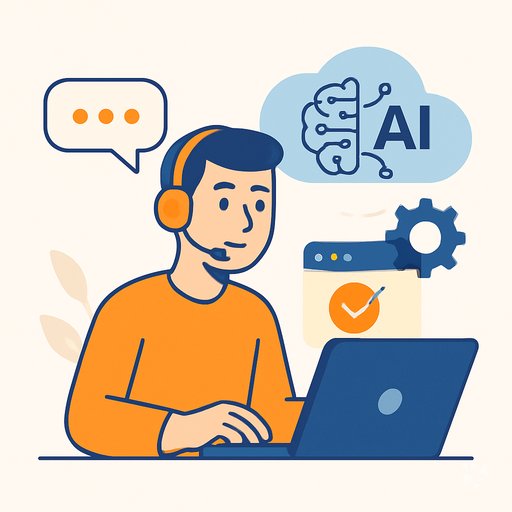
Everything in the Technical Support Specialist AI kit, in the order that makes sense. Members tick off each step and see their progress.
Set up your AI
We guide you through each click.
Let skills do your everyday tasks
Connect your apps and pick your AI apps
Hand whole tasks to AI agents
Build your own tools
Keep growing
Everything for technical support specialists
All the courses, certifications, AI tools, MCP servers and apps for technical support specialists, most relevant first. Open any list to see more.
Take the prompt courses
Two short framework courses to learn how to ask, then 14 lessons with ready-to-use prompts for technical support specialists.
Start with these frameworks: how to talk to AI
CARE fits technical support because a VPN ticket needs context, action, result, and a model fix for future cases.
TIDD-EC fits technical support by forcing precise do and don't steps, like guiding a password reset without exposing account data.
Then your prompt course for technical support specialists- 1Diagnosing Technical Issues10 prompts
- 2Troubleshooting Guidance20 prompts
- 3Software Installation and Configuration20 prompts
- 4Hardware Support22 prompts
- 5Network Troubleshooting20 prompts
- 6Security and Virus Protection6 prompts
- 7System Upgrades and Updates6 prompts
- 8Data Backup and Recovery19 prompts
- 9User Training and Support19 prompts
- 10Performance Optimization19 prompts
- 11Helpdesk Management19 prompts
- 12Documentation and Reporting13 prompts
- 13Remote Support Techniques21 prompts
- 14Integration of New Technologies19 prompts
Watch the video courses or add them to your Favorites for later
143 video courses our AI picked for technical support specialists, most useful first. Save the ones you want to watch later with the heart.
Favorites are saved to your account: sign in or get your AI kit first.
Show all 143 video courses
Get certified, or add certifications to your Favorites
Every course ends in an exam and a certificate you can add to LinkedIn. Save the certifications you are aiming for with the heart.
Favorites are saved to your account: sign in or get your AI kit first.
Main certification for technical support specialists
More certifications for technical support specialistsShow all 16 certifications
Try the AI tools for technical support specialists
24 AI tools our AI matched to the work of technical support specialists, best fit first. Each review shows what it does, its alternatives and the jobs it suits.
Favorites are saved to your account: sign in or get your AI kit first.
Show all 24 AI tools
Connect your AI to the apps technical support specialists use
MCP servers let ChatGPT, Claude or Copilot look things up and get work done in other apps, like your email, calendar or bookkeeping software. These 12 fit the work of technical support specialists best, well-known apps first.

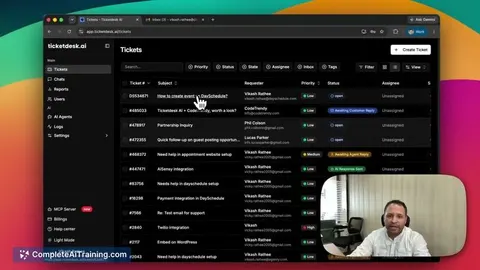
Zendesk MCP server
by michaelriceLets your AI read, search, and update Zendesk tickets, comments, views, and macros for you.

Freshdesk MCP server
by omnom62Lets your AI look up Freshdesk tickets, read conversations and pull text out of attachments for you.
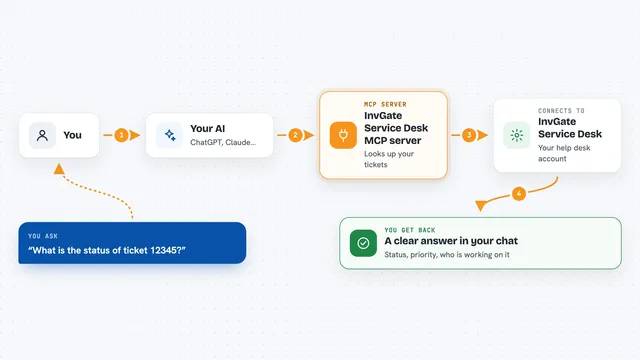
InvGate Service Desk MCP server
by tracegazerLets your AI look up InvGate tickets, users, knowledge base articles and assets, and optionally update them.

PipesHub MCP server
by pipeshub-aiLets your AI search across your work apps like Google Workspace, Microsoft 365, Slack and Jira, and answer with the sources it found.

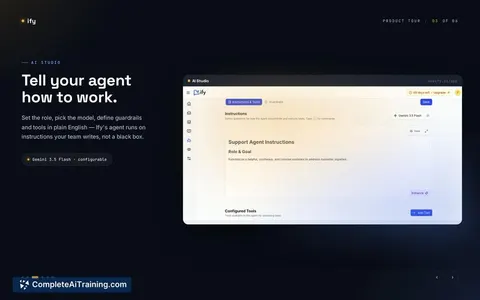
Jira MCP server
by KS-GEN-AILet your AI read, search, create, edit, and assign Jira tickets for you.

Atlassian MCP server
by soopersetLets your AI search, read, and update your Jira tickets and Confluence pages for you.
Show all 12 MCP servers

Pinecone Assistant MCP server
by pinecone-ioLet your AI search your Pinecone Assistant knowledge base and bring back answers with sources.
Notes Official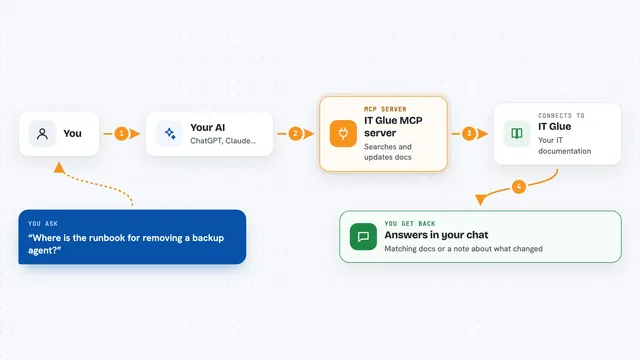
IT Glue MCP server
by selicLets your AI search, read, and update your IT Glue documentation for you.

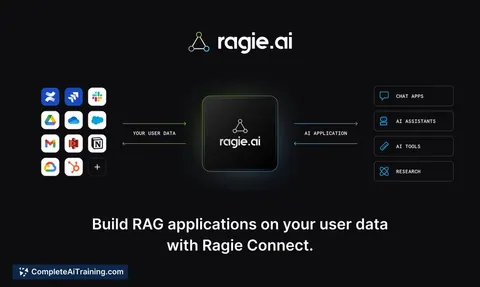
Ragie MCP server
by ragieaiLet your AI search your Ragie knowledge base and pull back the right passages when you ask a question.

Entra ID MCP server
by hieuttmmoLets your AI look up Microsoft Entra ID users, groups, devices, sign-ins and MFA status for you.

Yandex Tracker MCP server
by aiktsLets your AI look up and manage Yandex Tracker issues, queues, and users for you.
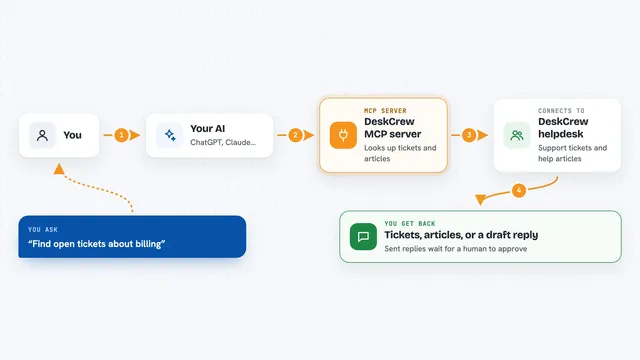
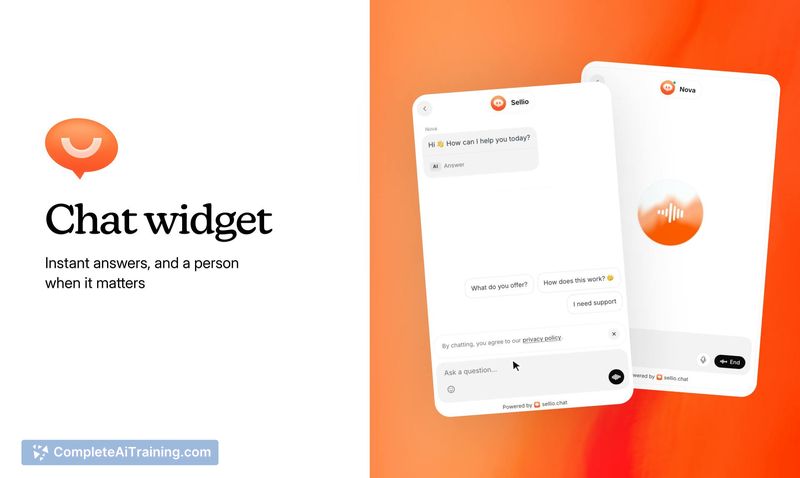
DeskCrew MCP server
by webmilmind1Let your AI read, draft, and triage support tickets on a helpdesk, paying per action in USDC.
Customer communicationNo installBuild your own AI apps for technical support specialists
Apps you build yourself with your own AI, no coding needed and no monthly fee. Our AI picked the 12 that fit the work of technical support specialists.
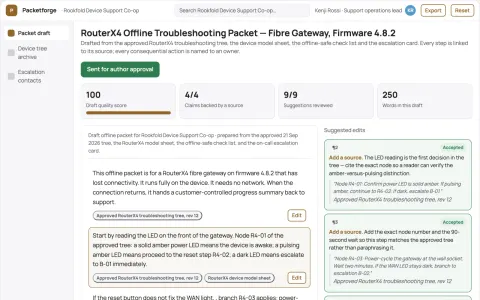
Offline troubleshooting packet compiler
Let customers complete approved troubleshooting without a working internet connection.
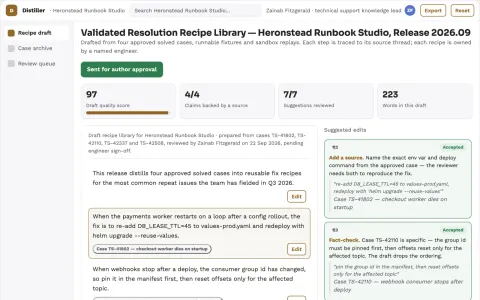
Support resolution knowledge distiller
Turn verified fixes into reusable operational knowledge.
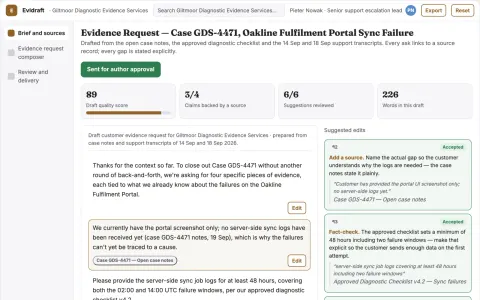
Customer evidence request composer
Clear bounded requests before another support round.
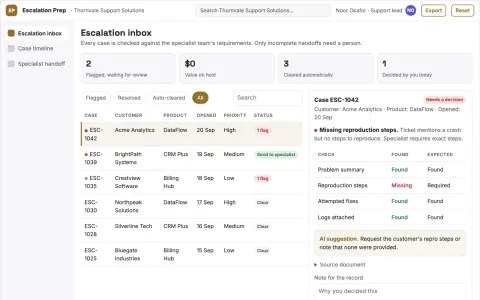
Escalation preparation tool
Structured evidence packages matched to each specialist team's requirements.
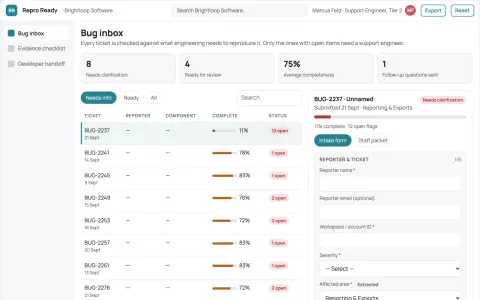
Bug reproduction assistant
A complete reproducibility package before engineering triage.
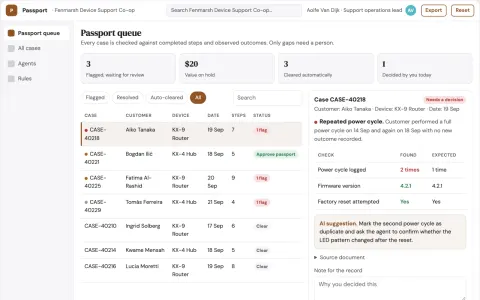
Customer troubleshooting progress passport
Portable evidence of attempted steps.
Show all 12 apps
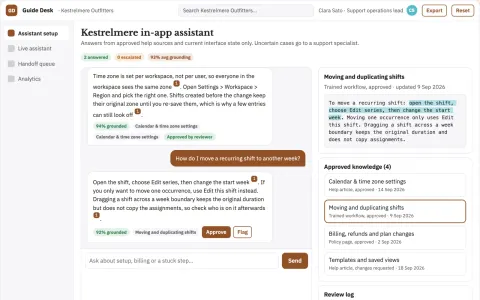
Source-linked in-app support assistant console
Reduce repeated support contacts while keeping answers tied to approved sources.
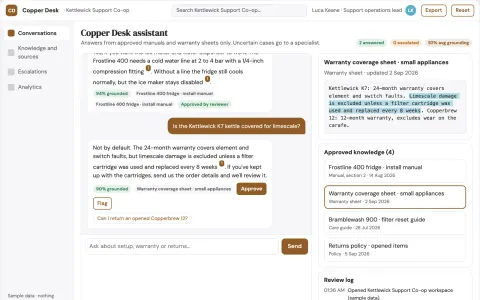
Source-linked support assistant and admin console
Reduce tool sprawl while keeping every answer tied to an approved source.
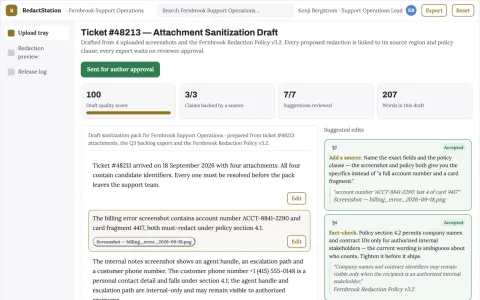
Support attachment redaction station
Reviewable screenshot sanitization before tickets leave the team.
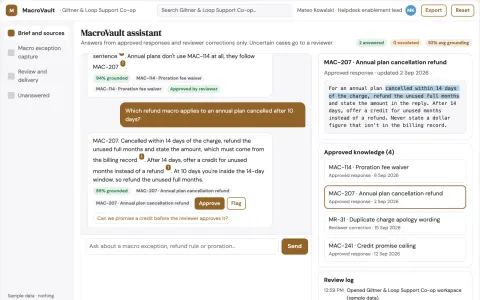
Support macro exception capture
Learn from approved changes without automatic policy drift.
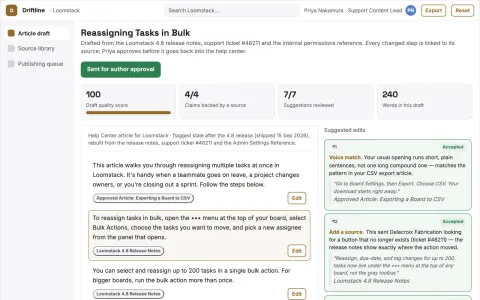
Knowledge base maintenance
Documentation updates begin with real customer friction and verified fixes.
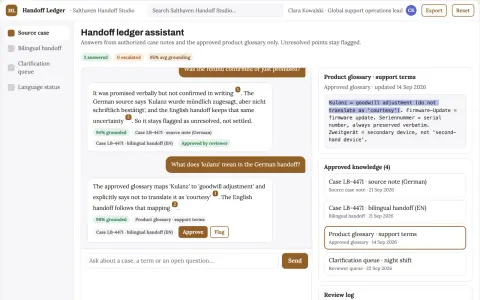
Support handoff translation ledger
Preserve uncertainty and unresolved questions across language handoffs.
Read the handbook





























































































































About this learning path
20 topicsHow to Become an AI Expert as a Technical Support Specialist
If you're a Technical Support Specialist looking to level up, AI isn't optional—it's essential. AI is no longer just a buzzword but an integral part of the tech ecosystem. In this comprehensive guide, you'll discover:
- Why becoming proficient with AI is crucial for your career path
- Common questions Technical Support Specialists have about AI
- What specific AI knowledge you need to master to stand out in your field
You could spend countless hours scouring the internet for scattered resources, or you could dive into curated content designed specifically for your role. We've simplified the process by organizing all necessary knowledge for over 220 unique professions, including yours.
Why Should a Technical Support Specialist Learn AI?
AI is not just a skill—it's your ticket to staying relevant. Here’s why your job as a Technical Support Specialist depends on mastering AI:
- Stay Relevant and Competitive:
Technology evolves rapidly; embrace AI to stay ahead and remain indispensable. - Boost Your Productivity:
Automate mundane tasks to free up your time for complex problem-solving and innovation. - Enhance Your Earnings Potential:
Professionals skilled in AI command higher salaries and enjoy greater opportunities. - Job Security:
AI-savvy specialists are valuable assets for any company navigating digital transformation.
- Stay Relevant and Competitive:
How to Get Started: Your Roadmap to AI Mastery for Technical Support Specialization
Moving from basic knowledge to expert proficiency is a clear, structured journey. Here’s your step-by-step roadmap:
From AI Basics to Expert-Level Understanding
Our structured video courses guide you through AI fundamentals to advanced use cases relevant to your daily tasks. Topics include:
- Understanding Generative AI: Concepts and Practical Applications
- Mastering ChatGPT: Beginner to Advanced Techniques
- AI Essentials: Getting Started with Claude2
- A Beginner's Guide to Google Gemini for Technical Support
Enhance Daily Efficiency with Specialized AI Prompt Courses
Prompting is the language of AI. Master the art of prompt design to assist your workflow in areas like:
- Email Automation and Customer Communications
- Data Analysis and Troubleshooting
- Efficient System Updates and Software Maintenance
- Network and Infrastructure Diagnostics
Stay at the Forefront with Cutting-Edge AI Tools
AI tools evolve continuously. We curate the most relevant resources, keeping you informed and efficient. You’ll stay ahead of the competition with knowledge of:
- AI-powered analytics tools
- Automation and scripting tools enhanced by AI
- Real-time monitoring and predictive maintenance applications
- Intelligent chatbots and virtual assistants for help desks
Commit to Lifelong Learning and Continuous Updates
The AI landscape shifts rapidly. We regularly update our resources, ensuring you're always prepared to adapt and thrive. By staying informed, you position yourself as a go-to expert within your organization.
Dive Deep with AI Books and Comprehensive Guides
Our in-depth guides, such as "The Artificial Intelligence Handbook for Technical Support Specialists", offer structured knowledge to enhance your expertise. These resources provide actionable insights that you can immediately apply in your daily tasks.
Frequently Asked Questions by Technical Support Specialists
Is AI difficult to learn and use effectively?
AI is intuitive, especially when you approach it strategically. While initial exposure can be overwhelming, our structured courses and resources simplify the process. Once you grasp the foundational concepts and best practices for prompting, the rest becomes second nature.
Can I rely on AI to handle important tasks?
Yes, AI technology has matured significantly, becoming highly dependable for critical operations. Choosing reputable tools and understanding their capabilities ensures consistent reliability. AI complements your expertise, helping you deliver exceptional results.
Will AI eventually replace Technical Support Specialists?
AI won't replace you—but someone skilled with AI might. AI excels at repetitive and predictable tasks, freeing humans to handle complex issues and strategic thinking. Embracing AI will strengthen your position rather than threaten it.
How can I keep pace with rapid AI developments?
Continuous learning is central to staying current. Our regularly updated resources and courses make it simple for you to remain informed and equipped to adapt quickly to new AI advancements.
Is AI just another passing trend?
Far from it. AI is integral to modern technology infrastructures and continues to grow. It’s not hype—it's a fundamental shift in how we work and live.
With AI, am I still the one making decisions?
Absolutely. AI is your assistant, not your replacement. It enhances your capabilities by providing insights and automating tasks, but you maintain ultimate control and decision-making authority.
What’s the best way to advance from beginner to AI expert?
Start by mastering foundational concepts and gradually progress to more advanced techniques. Our structured approach clearly outlines the skills and knowledge you’ll need at every stage, making your learning journey efficient and effective.
How to Start Your AI Journey as a Technical Support Specialist Today
Our comprehensive AI training program provides unlimited access to curated content tailored specifically for your role. You’ll gain immediate entry to:
- All structured AI Video Courses
- Curated AI Tools relevant to Technical Support
- Thousands of specialized Prompts for your role
- Comprehensive AI eBooks and Guides
- Continuous updates and additional exclusive content
Ready to leverage AI for professional growth? Join a community of ambitious Technical Support Specialists who are embracing AI, not fearing it. Together, we’ll unlock a future where your job is not just secure—it’s elevated.
The best way to predict your professional future is to create it. Take action today, and ensure your skills stay relevant in a world increasingly driven by AI.
Additional Insights for AI Proficiency
Practical Application and Real-World Examples
Our resources are designed with real-world scenarios and practical applications in mind. You'll learn actionable strategies to immediately apply to your work, enabling you to see tangible improvements in your efficiency and effectiveness.
Networking and Community Support
Being part of a thriving community of professionals who are also mastering AI creates valuable opportunities to network, share insights, and grow together. Our platform encourages interaction and collaboration, ensuring you're never alone on your AI journey.
Measuring Your Progress and Success
We provide clear benchmarks and milestones to track your progress. Regularly assessing your growth helps you stay motivated and understand precisely where you stand in your learning trajectory.
AI proficiency isn't just about knowledge—it's about implementation, continual practice, and active refinement. Our resources and community support empower you to turn knowledge into real-world expertise.
The future is AI-driven, and your role as a Technical Support Specialist is evolving rapidly. With the right tools, knowledge, and mindset, you can not only adapt but excel. Start today, and position yourself as an indispensable professional in your field.