
AI news ·
Bengaluru rolls out contactless AI attendance for School Education Department staff
Bengaluru rolls out AI, touch-free attendance for school staff to speed check-ins and clean up records. Dashboards curb proxies, and backups plus audits help keep data safe.
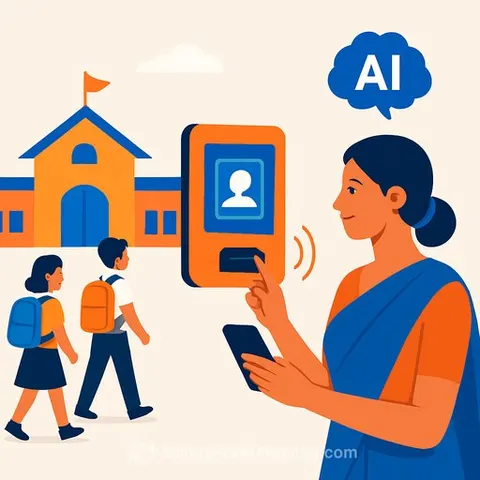
Bengaluru rolls out AI-based attendance for School Education Department staff
Bengaluru has introduced an AI-driven attendance system for School Education Department employees. The key shift: verification without physical touch or manual punch-in. The goal is simple-faster check-ins, fewer bottlenecks, cleaner records.
What changes on the ground
- No physical intervention. Check-ins happen via AI-typically face recognition at entry points or secure mobile-based verification.
- Real-time dashboards for heads of institutions and block officers to see who's in, who's late, and who's on leave.
- Automatic logs reduce duplicate entries, proxy attendance, and end-of-month reconciliation headaches.
How AI attendance usually works
- Fixed camera at the gate for face verification, or a geofenced mobile check-in for field staff.
- Secure time stamps with location/network validation to prevent spoofing.
- Integration with HRMS/payroll for leave, overtime, and shift data.
- Audit trail of every attempt-accepted or rejected-for transparency.
Why this helps schools and offices
- Less time spent in queues and manual registers.
- Cleaner data for inspections, audits, and compliance.
- Quicker exception handling-medical leave, duty outside campus, training days.
- Predictable reports for staffing, substitutions, and school opening/closing trends.
Implementation checklist for heads, administrators, and BEOs
- Policy and consent: Inform all staff, document lawful use, and obtain consent where required under data protection rules.
- Accessibility: Provide alternatives for people with disabilities or those facing verification issues.
- Fallbacks: Keep a manual register and OTP-based backup for outages or mismatches.
- Network readiness: Stable internet at entry points; offline capture with later sync if connectivity is weak.
- Data controls: Define who can view logs, how long data is kept, and how it's deleted.
- Training: Short onboarding for staff and a clear SOP for exceptions.
- Vendor due diligence: Check security certifications, uptime SLAs, and support response times.
Privacy, consent, and compliance
Biometric or camera-based systems handle sensitive personal information. Treat it with care. Set clear purposes, get explicit consent where needed, and limit access to authorized admins only.
- Map data flows (capture, storage, access, retention, deletion).
- Encrypt data in transit and at rest; log every admin action.
- Publish a simple privacy notice for staff.
- Review compliance under India's data protection framework. See MeitY resources on the Digital Personal Data Protection Act, 2023 here.
Accuracy and fairness
- Track false rejections and set a quick override path (OTP + supervisor approval).
- Test performance across different lighting conditions and demographics.
- Use liveness checks to prevent photo or video spoofing.
- Review monthly: mismatch rates by location and time of day.
What to monitor in the first 90 days
- Average check-in time per person.
- System uptime and sync delays.
- Mismatch/exception percentage and resolution time.
- Staff feedback and accessibility issues.
- Data access logs-who viewed or exported what.
Practical rollout tips
- Start with a pilot in 2-3 schools or one block office. Fix issues, then scale.
- Place clear signboards where to stand and how to check in.
- Assign one "attendance champion" per site for the first month.
- Keep a daily exception sheet to spot patterns early.
For educators who want to stay ahead
If you're building AI literacy for your team-policy, ethics, and simple automation-browse curated learning paths for education roles here or explore the latest AI course updates here.
The takeaway: AI-based attendance, done right, reduces friction without adding risk. Keep it simple, protect staff data, and review the numbers every month. That's how this upgrade pays off for schools.