
AI news ·
Onshape AI Advisor Adds Real-Time Design Guidance and Previews Agent-Driven Workflows
Onshape's new AI Advisor brings step-by-step guidance, troubleshooting, and best practices right into your CAD workspace. Expect faster decisions and agent-driven workflows next.
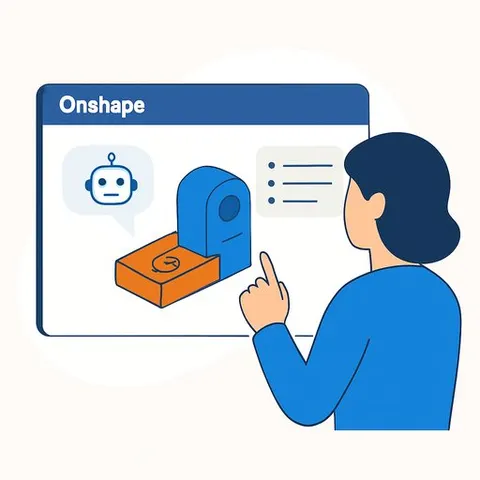
Onshape's New AI Advisor: Real-Time Guidance Inside Your CAD Workspace
PTC released new AI capabilities for Onshape that bring step-by-step guidance, troubleshooting, and best practice recommendations directly into the design environment. The update delivers AI-driven insights at scale via Amazon Bedrock, with more agent-based workflows on the roadmap.
For product development teams, this means fewer context switches, faster decisions, and clearer paths from concept to release.
What's in the release
- Real-time design guidance: A redesigned interface inside the main workspace provides immediate recommendations, troubleshooting help, and best practices in the context of your current model.
- Agent workflows (on the roadmap): PTC is developing secure, agent-based capabilities to support model troubleshooting, metadata interaction, FeatureScript generation, and automated operations.
- AI-assisted visualization (upcoming): New rendering features will speed up reviews and visualization. PTC is also exploring automated geometry creation, intelligent design optimization, and toolkits for teams building their own AI solutions on Onshape's cloud-native platform and public model library.
Why it matters for product development
- Fewer delays: Guidance appears where the work happens, reducing time lost to searching and rework.
- Faster onboarding: New team members get in-context steps and best practices without waiting for tribal knowledge.
- Higher quality outputs: Early troubleshooting surfaces issues before they become change orders.
- Scales with your process: Open APIs, cloud compute, and flexible configuration make it easier to pilot and standardize AI across teams than with file-based systems.
How to get value in the next 30 days
- Enable and scope: Turn on the AI Advisor for one product line. Define the decisions it should support (e.g., feature creation, constraints, part naming).
- Seed your standards: Feed the system with design rules, templates, and naming conventions so guidance reflects your process.
- Pilot FeatureScript support: Use AI assistance to draft features, then enforce code review and version control before adoption.
- Measure impact: Track time-to-first-assembly, ECR/ECO cycle time, first-pass approval rate, and defect escapes during the pilot.
- Close the loop: Capture recurring issues flagged by the AI and turn them into updated checklists, templates, or model libraries.
Security and scale
The new capabilities are delivered through Amazon Bedrock, giving PTC a managed path to deploy and scale foundation models. The roadmap for agent workflows emphasizes enterprise-grade security while enabling collaboration across modeling, metadata, and automation.
As you pilot, align with IT on data access, retention, and audit needs. Keep sensitive IP scoped, and document where AI recommendations are used in design decisions.
What's next
PTC is exploring automated geometry creation, intelligent design optimization, and expanded visualization workflows. Teams that standardize metadata, keep models clean, and maintain strong part/assembly discipline will be best positioned to take advantage of these advances.