AI agent for real estate investors
1031 Exchange Deadline Agent
Keep a 1031 exchange on schedule from sale through both deadlines
What it does
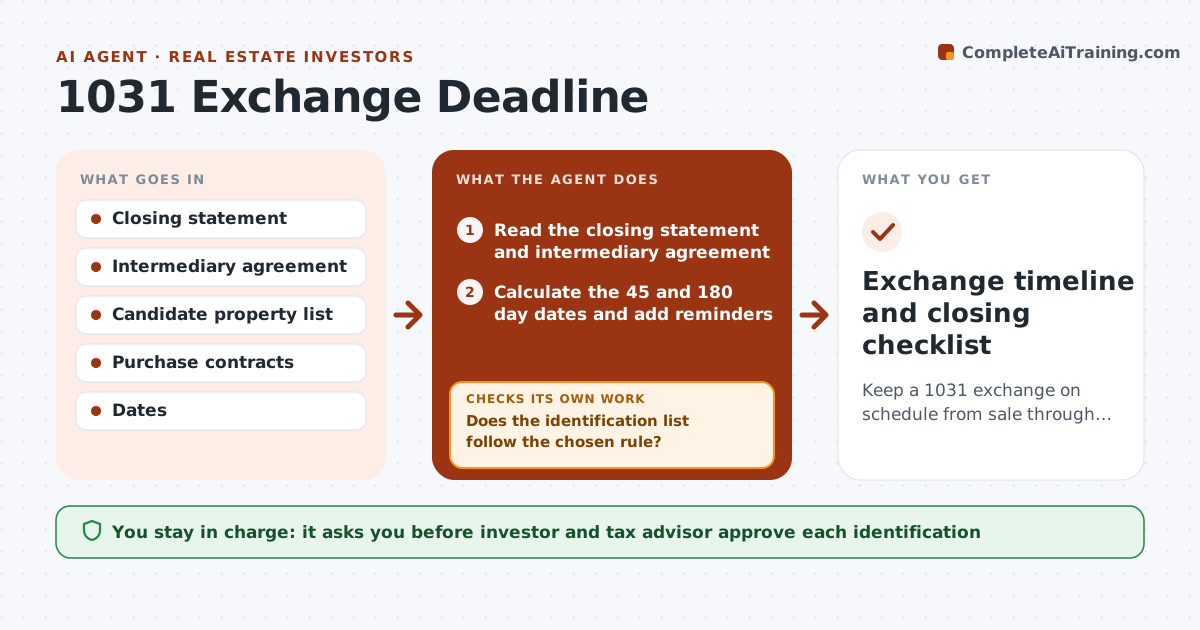
Missing the 45-day or 180-day deadline ends the tax deferral. After a sale closes, the agent sets both dates from the transfer day and puts them on a shared calendar. It tracks candidate properties, checks that each identification follows the rule the investor chose, such as the three-property rule, and compares each contract with the intermediary's requirements. It reminds the investor ahead of each date and rechecks the status every week. If a purchase falls through, it flags the risk and lists backup candidates. The investor and tax advisor approve every identification and purchase decision. Edge case: a candidate closes day 179, so the agent warns about a closing delay and lists a fallback.
How it works
Follow the arrows from top to bottom. The orange dashed arrow is the loop: when a check fails, the agent goes back and tries again.
Read the steps as a list
- Sale closes
- Read the closing statement and intermediary agreement
- Calculate the 45 and 180 day dates and add reminders
- Log candidate properties and their status
- Does the identification list follow the chosen rule?If not: Mark the extra properties and ask the investor to choose. Back to step 3.
- Compare each contract with the intermediary's requirements
- Investor and tax advisor approve the identification listThe agent waits here for your OK.
- Recheck deal status weekly
- Is each purchase on track to close before day 180?If not: Flag the delay, list backup properties and ask for a decision. Back to step 7.
- Exchange timeline and closing checklist
How it decides
Deadlines are counted from the transfer date; the agent will not accept an identification that breaks the intermediary's or tax advisor's rules.
- Count 45 and 180 days from the transfer date, with no extensions
- Warn 14 and 7 days before each deadline
- Flag a contract that closes within 10 days of day 180
- Reject an identification that breaks the chosen rule
Make it yours
Every agent is a starting point. You choose these settings for your own situation.
- Identification rule used
- Reminder days before each date (default 14 and 7)
- Contacts to copy on alerts
- Weekly recheck day
What keeps you in control
It always asks you first
- Investor and tax advisor approve each identification
- Investor approves each purchase decision
Hard limits
- Never give tax advice; ask the advisor
- Never submit an identification without both approvals
It stops when
- Done: replacement property closed before day 180
- Stop: the intermediary or advisor rejects a step
Set it up
We guide you through the set-up, step by step
Members get the full set-up guide for this agent. No technical skills needed: you copy, paste and upload.
- One set of instructions to paste into your AI, with the clicks for ChatGPT, Claude, Microsoft 365 Copilot, Gemini and Grok
- The agent then walks you through connecting your own data, one source at a time
- A downloadable copy with the flow chart, the rules and the full guide