AI agent for academic advisors
Academic Probation Plan Agent
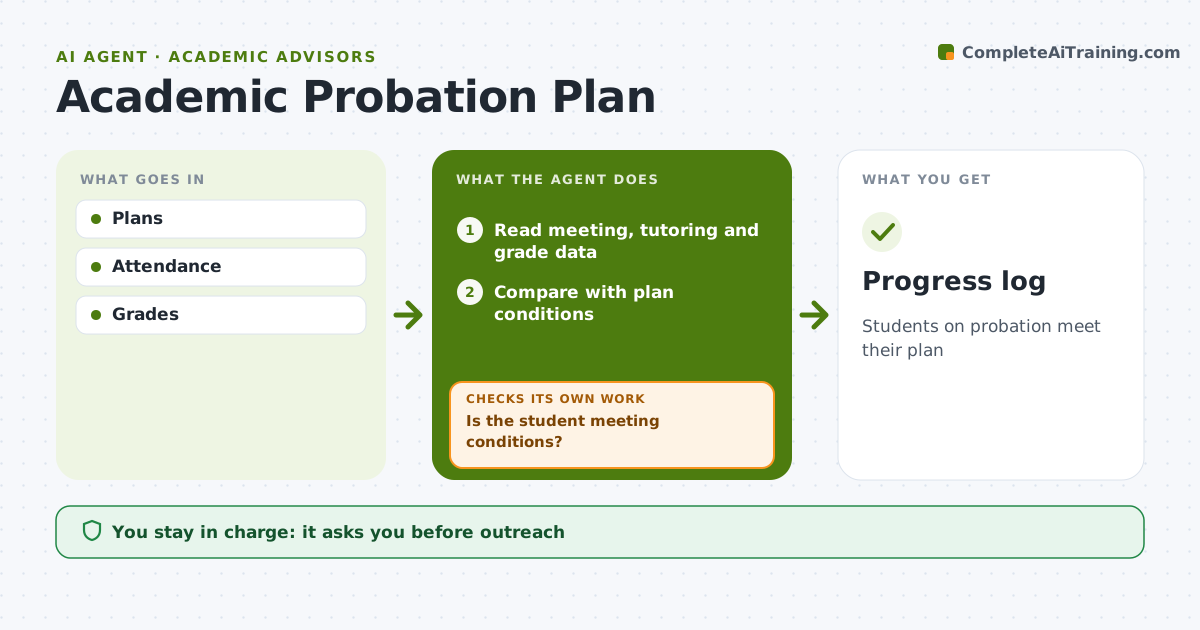
Students on probation meet their plan
What it does
Students on academic probation sign a success plan with conditions such as regular advisor meetings, a set number of tutoring sessions, a reduced credit load and a target term GPA. This agent tracks each plan every two weeks. It reads meeting attendance, tutoring logs and, once available, midterm grades, and compares them with the plan's conditions. For students falling behind, it drafts an outreach message with support resources and a suggested meeting time for the advisor to approve. It checks again two weeks later. At term end it compares the final GPA with the target and prepares a summary for the advisor's recommendation. The advisor approves outreach and plan changes. Edge case: a student who withdraws from a course mid-term is flagged so the advisor can check credit and aid rules.
How it works
Follow the arrows from top to bottom. The orange dashed arrow is the loop: when a check fails, the agent goes back and tries again.
Read the steps as a list
- Biweekly check
- Read meeting, tutoring and grade data
- Compare with plan conditions
- Is the student meeting conditions?If not: draft outreach and offer support resources. Back to step 2.
- Advisor sends outreachThe agent waits here for your OK.
- Log the response and update the plan status
- Flag students who miss two checks in a row
- Progress log
How it decides
Missed conditions trigger outreach.
- Two missed meetings triggers outreach
- Midterm below C flagged
- Withdrawals checked
Make it yours
Every agent is a starting point. You choose these settings for your own situation.
- Check frequency
- Conditions
- Targets
- Templates
What keeps you in control
It always asks you first
- Outreach
- Plan changes
Hard limits
- No academic decisions by the agent
It stops when
- Done: term ends
- Stop: student withdraws
Set it up
We guide you through the set-up, step by step
Members get the full set-up guide for this agent. No technical skills needed: you copy, paste and upload.
- One set of instructions to paste into your AI, with the clicks for ChatGPT, Claude, Microsoft 365 Copilot, Gemini and Grok
- The agent then walks you through connecting your own data, one source at a time
- A downloadable copy with the flow chart, the rules and the full guide