AI agent for elearning developers
Accessible Lesson Production Agent
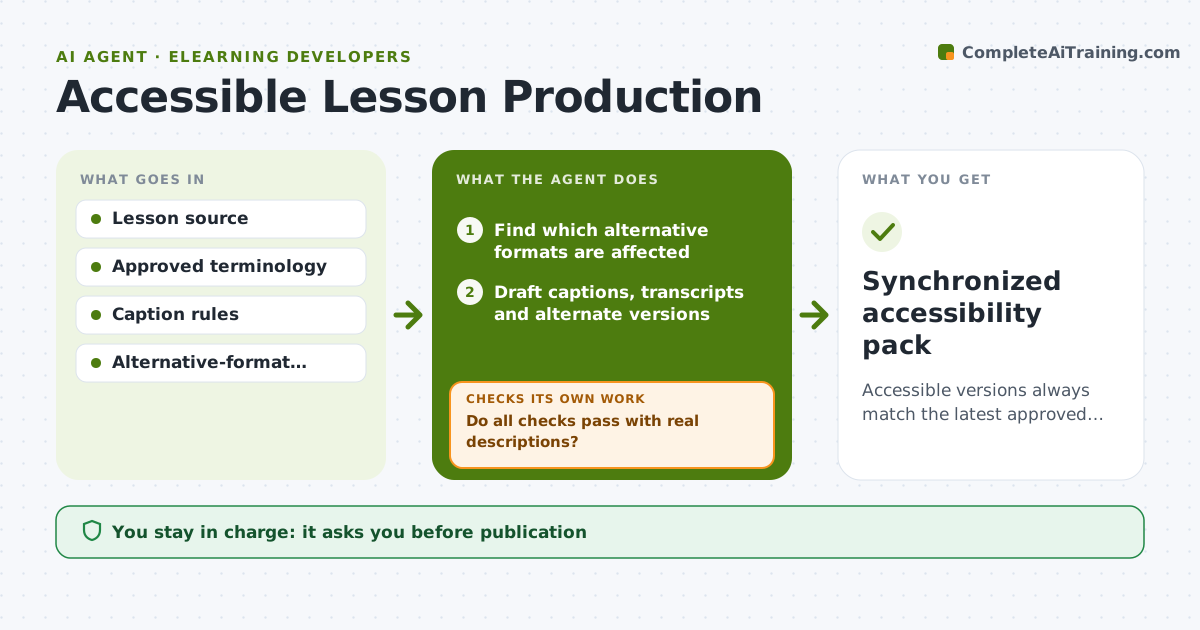
Accessible versions always match the latest approved lesson.
What it does
When a lesson is updated, its accessible versions, such as captions, transcripts, alt text and structured formats, often lag behind. Learners using them get outdated or missing content. This agent detects which alternative formats are affected by a change and drafts new versions for those sections only. It then runs accessibility and coverage checks. Structural failures, like a missing heading level or a caption out of sync, it repairs itself and rechecks. Descriptions where meaning matters, such as a complex chart, are routed to an accessibility specialist. The specialist approves those before the pack is released. Edge case: an image whose only description is its file name counts as missing, even though a checker might see text there.
How it works
Follow the arrows from top to bottom. The orange dashed arrow is the loop: when a check fails, the agent goes back and tries again.
Read the steps as a list
- Lesson source updated
- Find which alternative formats are affected
- Draft captions, transcripts and alternate versions
- Run accessibility and coverage checks
- Do all checks pass with real descriptions?If not: repair structure or route to a specialist. Back to step 3.
- Specialist approves meaning-sensitive descriptionsThe agent waits here for your OK.
- Synchronized accessibility pack
How it decides
It diffs old and new source to choose what to regenerate, repairs failing structural checks automatically, and sends ambiguous meaning-heavy items to a specialist.
- What to regenerate: only sections affected by the change.
- Repair or route: structure is repaired by the agent, meaning-sensitive descriptions go to a specialist.
- Real description: file names or placeholders count as missing.
- Release: only after all checks pass and the specialist approves.
Make it yours
Every agent is a starting point. You choose these settings for your own situation.
- Formats kept in sync (default captions, transcript, alt text, accessible PDF)
- Accessibility standard checked (default WCAG 2.2 AA)
- Content types routed to a specialist (default charts, diagrams, maps)
- Caption sync tolerance (default 0.5 seconds)
- Who approves release (default the accessibility specialist)
What keeps you in control
It always asks you first
- Publication
- Specialist approval of descriptions
Hard limits
- No publication without approval.
It stops when
- Done: all checks pass.
Set it up
We guide you through the set-up, step by step
Members get the full set-up guide for this agent. No technical skills needed: you copy, paste and upload.
- One set of instructions to paste into your AI, with the clicks for ChatGPT, Claude, Microsoft 365 Copilot, Gemini and Grok
- The agent then walks you through connecting your own data, one source at a time
- A downloadable copy with the flow chart, the rules and the full guide