
AI agent for special education teachers
Accommodated Materials Agent
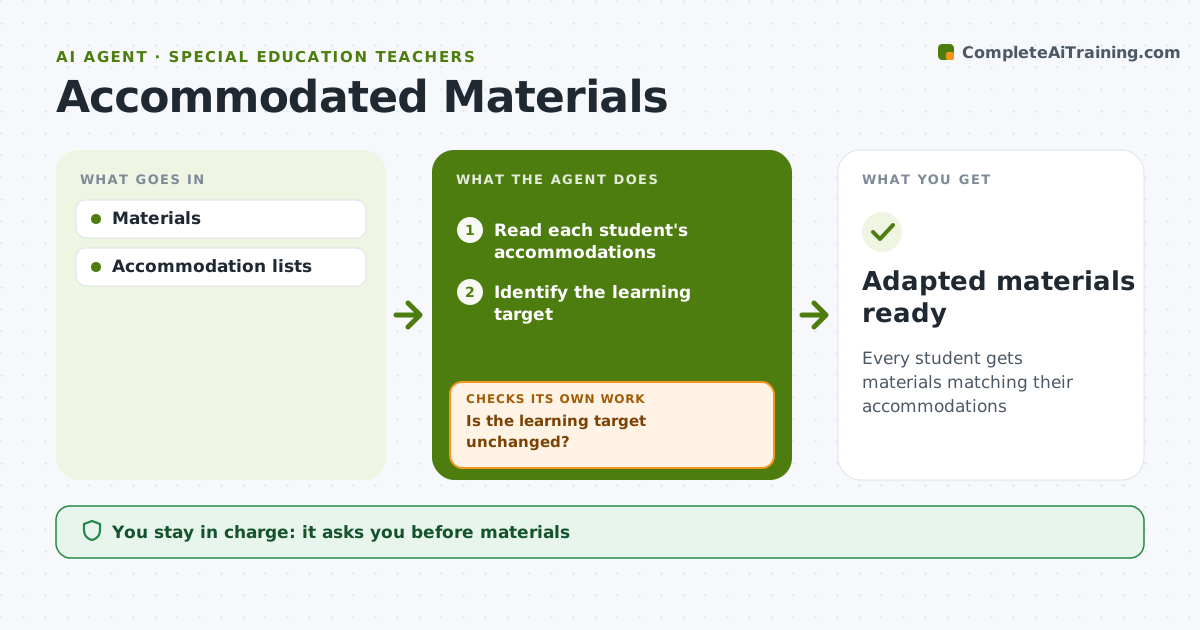
Every student gets materials matching their accommodations
What it does
Students with IEPs need materials adapted to their accommodations, such as larger print, fewer items per page, simplified wording, visuals or read-aloud versions, and adapting every worksheet by hand takes hours. This agent takes the general class material and each student's accommodation list and produces the adapted versions. It then checks each version against the original: is the content and learning target still the same? If something was dropped, it restores the missing content in an accessible form and checks again. It flags any change that would lower the standard, because that is a modification and needs team approval. The teacher reviews every adapted version before use. Edge case: tests and quizzes are adapted only within the allowed testing accommodations, so a read-aloud is never applied to a reading comprehension test where the rules forbid it.
How it works
Follow the arrows from top to bottom. The orange dashed arrow is the loop: when a check fails, the agent goes back and tries again.
Read the steps as a list
- Material shared
- Read each student's accommodations
- Identify the learning target
- Adapt materials for each student
- Is the learning target unchanged?If not: restore the missing content in an accessible form. Back to step 4.
- Prepare files for print or read-aloud
- Teacher reviewsThe agent waits here for your OK.
- Adapted materials ready
How it decides
Accommodations are applied; content changes are flagged.
- Accommodations allowed
- Modifications need team
- Tests follow testing rules
Make it yours
Every agent is a starting point. You choose these settings for your own situation.
- Accommodation types
- Formats
- Lead time
- Review rules
What keeps you in control
It always asks you first
- Materials
- Modifications
Hard limits
- No grade changes
It stops when
- Done: ready
- Stop: none
Set it up
We guide you through the set-up, step by step
Members get the full set-up guide for this agent. No technical skills needed: you copy, paste and upload.
- One set of instructions to paste into your AI, with the clicks for ChatGPT, Claude, Microsoft 365 Copilot, Gemini and Grok
- The agent then walks you through connecting your own data, one source at a time
- A downloadable copy with the flow chart, the rules and the full guide



