AI agent for bank branch managers
Account Closure Save Agent
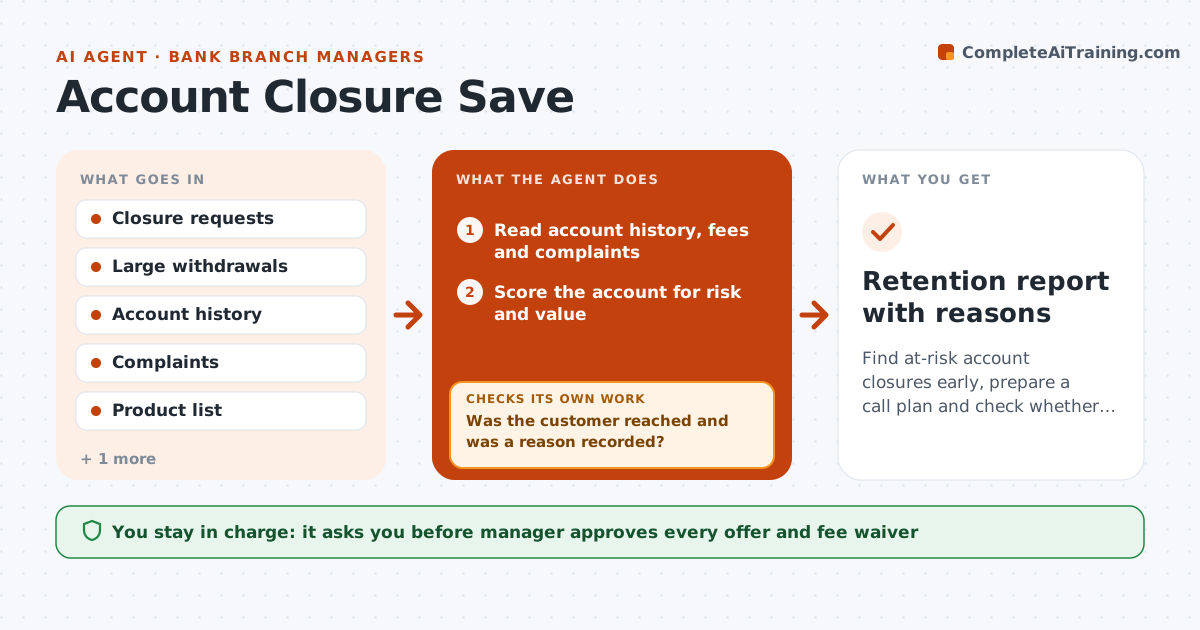
Find at-risk account closures early, prepare a call plan and check whether saved accounts stay open
What it does
Customers close accounts and no one learns why. Each day the agent flags closure requests and unusually large withdrawals. It gathers the account history, recent fees, complaints and products held, and ranks accounts by value. For each one, it drafts a call plan with the likely reason, questions to ask and offers the branch can make. It logs the outcome of each call and the stated reason. After 30 and 90 days, it checks whether saved accounts are still open and active. If a save fails, it logs the cause. The manager approves every offer. Edge case: a customer closed after a fee dispute, so the agent flags it for a fee review rather than offering a bonus.
How it works
Follow the arrows from top to bottom. The orange dashed arrow is the loop: when a check fails, the agent goes back and tries again.
Read the steps as a list
- Closure signal detected
- Read account history, fees and complaints
- Score the account for risk and value
- Draft the call plan and likely reasons
- Manager approves the call plan and any offerThe agent waits here for your OK.
- Log the call outcome and stated reason
- Was the customer reached and was a reason recorded?If not: Retry on another day and try a second channel. Back to step 3.
- Set 30 and 90 day follow-up checks
- Check account status at each date
- Is the saved account still open and active?If not: Log the failed save and its reason, and propose a different action. Back to step 4.
- Retention report with reasons
How it decides
Risk is scored from closure signals; offers stay within the manager's limits and a save counts only if the account is still open after 90 days.
- Prioritize accounts above a balance threshold
- Offer only what the manager approved
- Log a reason for every closure
- Count a save only after 90 days
Make it yours
Every agent is a starting point. You choose these settings for your own situation.
- Balance threshold for priority
- Follow-up days (default 30 and 90)
- Offers allowed
- Contact hours
What keeps you in control
It always asks you first
- Manager approves every offer and fee waiver
- Manager approves contacting the customer
Hard limits
- Never offer an incentive without approval
- Never pressure a customer who has decided
It stops when
- Done: the outcome is logged and 90-day checks complete
- Stop: the customer asks not to be contacted
Set it up
We guide you through the set-up, step by step
Members get the full set-up guide for this agent. No technical skills needed: you copy, paste and upload.
- One set of instructions to paste into your AI, with the clicks for ChatGPT, Claude, Microsoft 365 Copilot, Gemini and Grok
- The agent then walks you through connecting your own data, one source at a time
- A downloadable copy with the flow chart, the rules and the full guide