AI agent for fraud analysts
Account Takeover Monitoring Agent
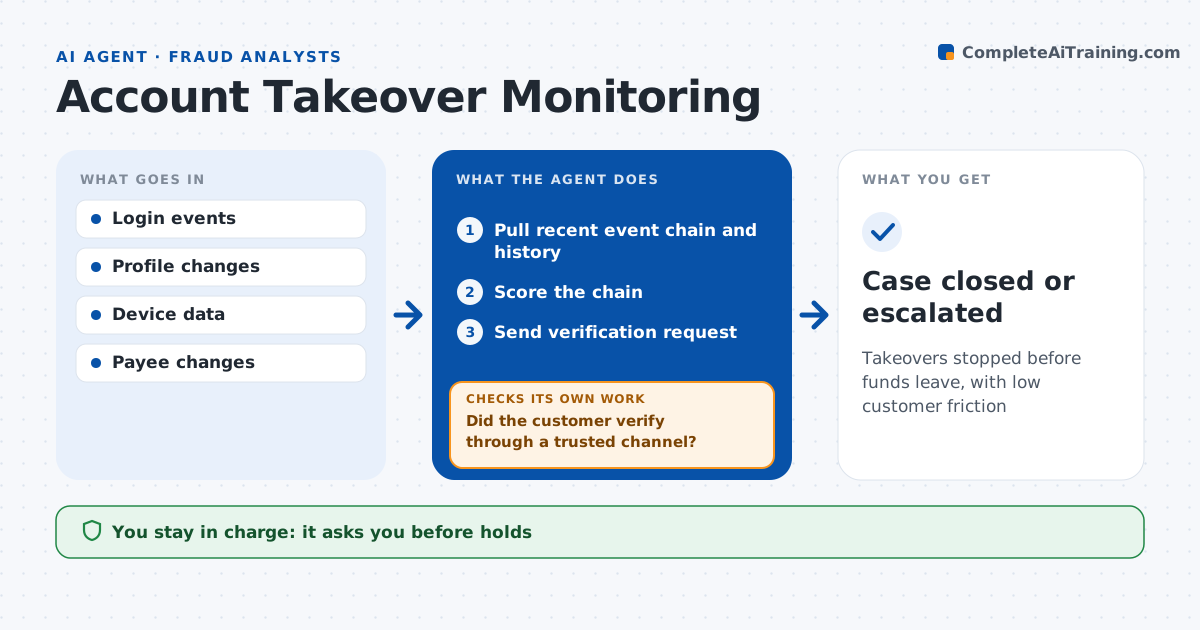
Takeovers stopped before funds leave, with low customer friction
What it does
Account takeovers often unfold in minutes: a contact change, a password reset, then a new payee and a transfer. This agent watches logins and profile changes for these chains. When one appears, it pulls the recent events and the customer's history, checks whether the customer has done similar things before and whether each change came through a verified channel, and scores the chain. Events from known devices lower the risk. For high-risk chains it proposes a step-up check or temporary payment hold and drafts a verification message. Analysts approve holds and outreach. It then checks whether the customer verified through a trusted channel. If not within 24 hours, it escalates the case. Edge case: a customer replaces a phone and resets the password, a normal pattern, but no payee was added, so risk stays low.
How it works
Follow the arrows from top to bottom. The orange dashed arrow is the loop: when a check fails, the agent goes back and tries again.
Read the steps as a list
- Risky login or profile change
- Pull recent event chain and history
- Score the chain
- Analyst approves step-up or holdThe agent waits here for your OK.
- Send verification request
- Did the customer verify through a trusted channel?If not: keep the hold and escalate to investigation. Back to step 3.
- Case closed or escalated
How it decides
It scores chains of risky events in a short time window and adjusts for the customer's own history.
- Contact detail change then new payee within 48 hours: high risk
- Event from known device: lower risk
- No verification in 24 hours: escalate
Make it yours
Every agent is a starting point. You choose these settings for your own situation.
- Time window for chains
- Risk thresholds
- Verification channels
- Hold duration
What keeps you in control
It always asks you first
- Holds
- Customer messages
Hard limits
- Never releases holds itself
- Never asks customers for passwords
It stops when
- Done: case resolved
- Stop: customer confirms fraud, move to investigation
Set it up
We guide you through the set-up, step by step
Members get the full set-up guide for this agent. No technical skills needed: you copy, paste and upload.
- One set of instructions to paste into your AI, with the clicks for ChatGPT, Claude, Microsoft 365 Copilot, Gemini and Grok
- The agent then walks you through connecting your own data, one source at a time
- A downloadable copy with the flow chart, the rules and the full guide